


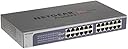
JGS524E
Product ID: 3112317
Details
- BrandNETGEAR
- ColorGray
- Compatible DevicesMonitor
- Item Weight5 Pounds
- Number of Ports24
🌿Energy-efficient IEEE8023az compliant
🔌24 Gigabit Ethernet ports
⚙️Web-managed with VLAN & QoS
Desertcart purchases this item on your behalf and handles shipping, customs, and support to Uruguay.
🚀 Elevate your network game with PROSAFE’s powerhouse switch!
The NETGEAR PROSAFE 24-Port Gigabit Web Managed Plus Switch delivers robust, high-speed networking with 24 dedicated Gigabit Ethernet ports, advanced VLAN and QoS features, and an easy-to-use web interface. Designed for both desktop and rackmount setups, it ensures silent, energy-efficient operation backed by a lifetime limited hardware warranty and expert support—perfect for professionals demanding reliable, scalable network performance.


| ASIN | B00GG1AD9A |
| Best Sellers Rank | #1,967 in Computer Networking Switches |
| Customer Reviews | 4.4 4.4 out of 5 stars (417) |
| Data Transfer Rate | 1000 Megabits Per Second |
| Date First Available | November 4, 2013 |
| Flash Memory Size | 4 |
| Global Trade Identification Number | 10606449098959 |
| Interface Type | RJ45, PoE |
| Is Discontinued By Manufacturer | No |
| Item Dimensions LxWxH | 18.07 x 9.09 x 3.15 inches |
| Item Weight | 5.01 pounds |
| Item model number | JGS524E-200NAS |
| Manufacturer | Netgear |
| Operating System | Windows |
| Product Dimensions | 18.07 x 9.09 x 3.15 inches |
| UPC | 653671157933 606449098952 606449098938 |
| Wireless Type | 802.11a, 802.11b |
A**R
Perfect switch for the enthusiast that does not Cisco grade network equipment
I was starting to max out my similar netgear switch (same model but with 12 port POE) and thus bought this switch. Switch works great and easy to get setup, I have yet to setup VLANs on the switch (or my network in general) but have setup 2 link-aggregation/nic-teaming groups and they are working great (3 nic team between switches and 2 nic team to my NAS server). Bundled application makes it set switch to desired IP. Web managable switch with VLAN, QoS, Nic-teaming, port-mirroring, a lifetime warranty and all for less than $125 (actually got mine on special for $109)
J**I
Older 24-port Gigabit Managed switch is exactly what I need to upgrade the core of my home LAN!LAN
I found th NETGEAR support site easy to navigate, register the product and download Firmware update, User Manual and Setup Guide docs, as well as, latest Pro Plus Utility and Switch Discovery software apps. I applied firmware update, named the switch and tweaked the configuration. Works great and has all the features I need. I recommendnthis product.
P**.
netgear made my first two managed switches very easy to understand
I just redid my entire network from a to z including replacing my linksys 8 port unmanaged switches (which are great) to a netgear s8000 for my media center to this 24 port managed switch as a main hub. Netgear made it super easy for me to figure out everything I need to know and let me learn everything else at my pace without sacrificing network speeds,reliability, or security. All the ports I am using (16) are working at 1g speeds but havnt checked em all (maybe when I get bored).So far I like the switch very much and was definitely worth it (although slightly high).
L**T
Solid Switch, Plug and Play with Managed Options
Purchased this switch for a managed switch option that would help prevent LAN Storms from occurring on our network. The broadcast filtering options in the management console allow you to define the storm control rate and take care of this for us. It is plug and play but you can go into the management console via an ip address and customize your settings to fit within your network needs. There is little instruction on how to set any of this up but even so the plug and play still allows those who do not know what they are doing to get this switch setup no problem. We purchased the 24 port switch and from unboxing to use it was done in less than 5 minutes. If you are looking for the PDF user manaual you can find it here: http://documentation.netgear.com/es_utility/enu/202-10524-03/usermanual.pdf We have two of these chained together working with a Sonicwall router and it works great so far.
C**.
Good for the price, as long as you can handle its web interface.
I bought this to replace an 8 year old Netgear GS108T switch in my home office which decided to stop working recently. Here are some thoughts in no particular order: - It's fanless, so it's 100% silent. That's a nice feature for something that is sitting next to me on my desk all day. - It uses a standard grounded AC power cord, not a AC/DC adapter brick, so no worries there (I think that's what failed on the smaller switch this unit replaced). - Comes with rack ears and rubber feet for sitting on a desk. Since it's sitting on a desk, I attached the rack ears and ran a couple zip ties through the screw holes to create makeshift cable management. - This can be managed through a web interface only. Some Netgear switches I've seen can only be managed through a Windows app, which doesn't work very well when your primary environment is Linux. Sadly, no command line interface here. But web is good enough. - The web interface is usable, but extremely clunky. There's no error checking, so if you're not careful you'll misconfigure it and have to start over from scratch, or worse, you can connect to the switch's management interface but have no clue why packets aren't getting passed any further. - The config backups are a binary blob (versus plain text like in Cisco and other more expensive hardware). Finally, not specifically for this switch, but I have to compliment Netgear's customer service. I called them about the old switch that failed, and had RMA instructions after maybe 15 minutes on the phone (that includes hold times). I shipped my old one, and a few days later I had a brand new switch (same model, just current generation). Overall, I take off a star for the management interface. But that, for me at least, is a one time thing. So as long as it keeps switching packets and tagging VLANs, I'm happy.
N**A
Surprisingly Impressed
Amazon combined multiple products in this listing but this review is for the 24-port rack version (JGS524Ev2). Unit I received had the latest firmware (2.0.1.26) which saved doing the update and made it easy to configure using only a web based interface (default password is 'password'). Seems Netgear listened to the other reviewers who complained about having to install custom software to configure older versions of this switch (software only worked on a Windows PC). Included all rack hardware including screws. Installing the brackets backwards combined with a right angle power cord allowed the switch to be easily installed in a 6" deep patch panel rack (Tripp Lite N060-004). With mounting brackets reversed, switch will stick out in front of the rack but is nice having right next to patch panel and using one foot cables. Cons: There is a two page install guide for this unit, which basically tells you to plug it in. There does not appear to be any sort of user manual in the box or on the Netgear website. Web interface included pop-up asking you to register on the Netgear site. From my recent experience with Netgear equipment built for home use, I wouldn't bother because their support is totally useless and expires after 90 days. Hopefully support for these business class devices will be better but I haven't tried it yet. Overall I thought this was a great value for more demanding home use at a price point not too different from a basic switch.
D**S
For starters, this switch is NOT POE as advertised! Ad states POE yet it wasn't and the vendor blamed other vendors and Amazon for changing the ad. The protracted refund process left me short of money over Christmas. This is a good lesson not to ever buy switches on Amazon - the poor attention to detail on specs don't work well with this fast and loose business model. This was my second attempt to buy a switch on Amazon and the same experience. While this is a "managed" switch it's worthwhile being aware of the recent distinction between "managed" and "smart" switches; beware of boasting "monitoring" in the product description as it's vague and misleading. There is no NTP, syslog, LLDP, SNMP or STP. It has very basic VLAN configuration and wasn't able to tag on VLAN 1 despite efforts. Other VLANs didn't come up which made me suspect the UI or firmware is buggy; considering the simplicity of the UI, it is very painful to use discarding screens of information with the slightest change in context. Elsewhere for virtually the same price I was able to source the GS324T which met all these expectations!
M**P
Great switch/hub to replace my dying Cisco one. Does exactly what it should do and was easy to install and set-up. LED's are bright and easy to see. Would recommend.
A**R
It works with everything, even with the 20 year old UNIX. Great product.
S**P
Generally speaking, it's good. The big BUT is that I had to register the item with email address etc. In short, I will switch to another brand - where I don't HAVE TO REGISTER. - Good policy Netgear.
T**Y
Product: JGS524E (25 port switch) This is exactly what I needed, and there was no confusion about what I was getting. There's a few Cons, but I knew this going in and they didn't hide the facts - so 5 stars all around if you just need a cheap, solid, 1GB switch! You know all the pros! But one I'll just point out three things that made me happy: 1) It's HTML! No weird Java apps or anything like I've been fighting on expensive HP or Juniper models. 2) It's light weight. With some of the more expensive "heavy" routers/switches I've had to buy 3rd party rails because even though the device claims to work with the flimsy front attachment, they always sag at the back - not with this device. 3) No fans / little heat. It's just a switch after all. Again, it's a problem with bigger routers, but not with this one. Cons: - The UI for VLANs is a bit messy. Instead of all in one place, they're spread out for "Port Based Basic", "Port Based Advanced", "802.1q Basic", and "802.1q Advanced". It's not horrible, but very odd since you have to just pick one of these options and they're all in different menus. - This is not a router like more expensive models. It's just a switch. You know that going in and by the description, so no star rating loss on that. But be aware if you need more advanced routing functionality, that's not the purpose of this device. I have not used some of the more advanced features such as mirroring, etc as I have not needed them (I do bonding from the connected devices if needed) so I cannot comment on those features, but I'm happily getting good speeds as a basic switch.
Trustpilot
1 day ago
2 weeks ago