We remain fully operational. Our teams are working around the clock to ensure your deliveries continue safely.

DOWNLOAD THE APP


Customer Services
Copyright © 2025 Desertcart Holdings Limited
DOWNLOAD THE APP

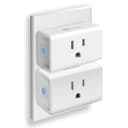
🔌 Plug into smart living — effortless control, anytime, anywhere!
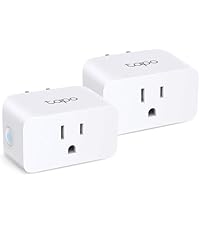
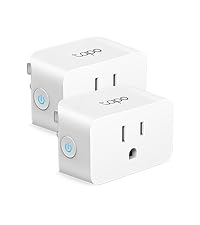
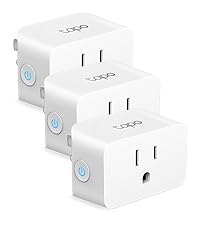
The Kasa Smart Plug Ultra Mini (EP10P2) is a UL-certified, 15A smart outlet that connects directly to your 2.4GHz Wi-Fi network without a hub. Its ultra-compact design preserves adjacent outlet access while enabling voice control via Alexa, Google Assistant, and IFTTT. With customizable schedules, timers, and remote app control, it empowers busy professionals to automate home electronics effortlessly. Trusted by over 6 million users and backed by a 2-year warranty, it’s the reliable, space-saving upgrade for a smarter, more efficient home.






| ASIN | B091FXQQMQ |
| Actuator Type | Hinge Lever |
| Best Sellers Rank | #328 in Tools & Home Improvement ( See Top 100 in Tools & Home Improvement ) #3 in Electrical Outlet Switches |
| Brand Name | Kasa Smart |
| Circuit Type | 1-way |
| Color | White |
| Connectivity Protocol | Wi-Fi |
| Connector Type | Plug In |
| Contact Material | Copper |
| Contact Type | Normally Open |
| Control Method | Voice |
| Controller Type | amazon_alexa, google_assistant, IFTTT, vera |
| Current Rating | 15 Amps |
| Customer Reviews | 4.5 4.5 out of 5 stars (17,454) |
| EU Spare Part Availability Duration | 2 Years |
| Global Trade Identification Number | 00840030702655 |
| Included Components | (2) Smart Wi-Fi Plug Mini EP10 (1) Quick Start Guide |
| International Protection Rating | IP00 |
| Item Dimensions | 2.36 x 2.03 x 1.5 inches |
| Item Type Name | smart plug |
| Lower Temperature Rating | 32 Degrees Fahrenheit |
| Manufacturer | TP-Link |
| Material Type | Polycarbonate |
| Model | EP10P2 |
| Mounting Type | Plug-In Mount |
| Number of Items | 1 |
| Number of Positions | 2 |
| Operating Voltage | 120 Volts (AC) |
| Operation Mode | Automatic,Automatically,Off |
| Specification Met | UL |
| Switch Type | Push Button |
| Terminal | Screw |
| UPC | 008400307026 840030702655 |
| Unit Count | 2.0 Count |
| Upper Temperature Rating | 104 Degrees Fahrenheit |
| Warranty Description | 2 Year Manufacturer |
| Wattage | 1800 watts |
T**Y
Easy, fast setup. Works well.
Pros: Super easy and fast to set up Works well Works with Alexa, Google Home, IFTTT Cons: No Apple Homekit A bit more difficult to set up Google Home than other devices This Kasa smart switch by TP-Link was a pleasure to set up. I had it set up literally in less than 5 minutes, and about as long to link to Alexa and Google Home. The set up instructions are really nothing more than a card telling you to download the Kasa app on your smartphone and adding the switch to the app. The set up is easy. As with most WiFi controlled devices, the device goes into AP mode for configuration and then into device mode for operation. Unlike other devices, and seemingly any that support HomeKit, it simply has you connect to that access point on the phone, then go back to the app. The app connects to the device and scans WiFi. You select the WiFi SSID (network name) you want, enter the password, and done. At this point the switch can be controlled from the app. To add Alexa you select the Works with Kasa option in the app, select Alexa. Then enable in Alexa, and done. Google home is a bit less direct, and a bit more clumsy than other devices, but still pretty easy. You need to go into the Google home app, add a device, search for Kasa, then log into Kasa, then configure. A few more steps, but overall not that bad. It also supports IFTTT, and Samsung Smart home that I didn't set up. It does not support Apple HomeKit. That is probably why it was easy to set up. I really would like to be able to use HomeKit, but almost nothing works well with HomeKit. The whole set up with the code mostly doesn't work, and if it does it then gets disconnected. This brings me to why I bought the Kasa in the first place. I had a WeMo (Belkin) smart switch, the equivalent product to this. I couldn't get it to connect after multiple attempts. I called WeMo support (surprisingly a human on a phone). After well over an hour I was finally able to get the WeMo to connect, then get it to connect to HomeKit, Alexa, and Google home. Great. I had the switch in an easy to access socket to set up. I unplugged it to move to where it needed to be and the WeMo stopped connecting to WiFi. After factory resetting the WeMo I was able to get it to connect back to WiFi, but as soon as it was unplugged and plugged back in, it wouldn't connect again. At this point I just gave up and ordered the Kasa based on other reviews. It was night and day to set up. Similar to the WeMo, I used an easy to access socket to set up, then unplugged it and moved it to the location where the light to be controlled is. With the Kasa, no problem. This is the same location, and the same WiFi network. The Kasa works. The WeMo doesn't. Part of the problem is HomeKit. HomeKit compatible devices use the HomeKit set up on iOS devices. Some devices sort of let you bypass this, with the WeMo being one of those devices. This is how I initially got it to connect with customer service, by connecting directly to the switch. If it fails though HomeKit recognizes the WiFi AP as a connected device for at least 15 minutes. You need to wait 15 minutes to try again. The whole thing is a mess. I really like Apple devices, but HomeKit is just way more trouble than its worth. Ironically, the only device that I've found that works with HomeKit is a Sony Android TV! That TV now controls the light plugged into the Kasa switch with Google Home. Again, the setup on the Kasa was really easy, the way it should be. The competing WeMo was hours of frustration with no results. This was the second WeMo (it was part of a 2-pack like the Kasa), and the first one was also difficult and unreliable. Unless you absolutely can't live without HomeKit, buy this Kasa. The Kasa just works.
D**E
Easy to use
These Kasa plugs work great. Very easy to use and always work for my lights on top of my hutch, corner in loving room and even the Christmas tree ❤️
A**1
Great product. Connects well.
By now, I have 8 of these. We use it for Christmas lighting and even day to day lighting in some rooms or for night lights. Works great. We have automated most of the lights as mentioned but other than that, it is very easy to control from app. At times, we have done that while we were out and remembered some thing to switch on.
K**A
The Couch Command Center: Kasa Ultra Mini Smart Plug Makes Smart Living Easy!
As someone who loves making my home smarter without breaking the bank, I recently picked up the Kasa Smart Plug Ultra Mini 15A. Here’s a review focusing on its convenience, ease of use, and affordability: Convenience: The Kasa Smart Plug Ultra Mini is incredibly convenient. Its ultra-mini size means it doesn’t block other outlets, so you can use it in tight spaces or alongside other plugs. Setting it up is a breeze – just plug it in, connect it to your 2.4G WiFi network, and you’re good to go. There’s no need for a hub, which simplifies the whole process and saves you from extra clutter. Additionally, the ability to control the plug with voice commands through Alexa or Google Home is a game-changer. I can turn my lights on or off just by asking, which is super handy when my hands are full or I’m lounging on the couch. Plus, with IFTTT integration, you can create custom automations, like setting your coffee maker to start brewing when your morning alarm goes off. Ease of Use: Using the Kasa Smart Plug is straightforward. The Kasa Smart app is user-friendly and guides you through the setup step-by-step. It took me just a few minutes to get everything configured. Once set up, you can control the plug from anywhere using the app. The app also lets you set schedules and timers, so you can automate your devices to turn on or off at specific times. The plug itself is simple to operate. The on/off status is clearly indicated by a small LED, so you always know whether your device is powered. The app’s interface is intuitive, and even if you’re new to smart home devices, you won’t have trouble figuring it out. Affordability: One of the best things about the Kasa Smart Plug Ultra Mini is its price. For a smart plug that offers such convenience and compatibility, it’s very reasonably priced. You get two plugs in a pack, making it an excellent value for money. It’s a great way to start building a smart home without spending a fortune. Pros: Compact Size: The mini design doesn’t block other outlets. Voice Control: Works with Alexa and Google Home for hands-free operation. No Hub Required: Easy setup without extra equipment. User-Friendly App: Simple to configure and use for scheduling and automation. Affordable: Great value with two plugs in one pack. Cons: 2.4G WiFi Only: The plug only supports 2.4G WiFi, so it won't work with 5G networks. Limited to Basic Functions: For more advanced smart home integrations, you might need additional devices. Final Thoughts: The Kasa Smart Plug Ultra Mini 15A is a fantastic addition to any home looking to start with smart technology. It combines convenience with ease of use and affordability. The compact design and straightforward setup make it a great choice for beginners or anyone looking to make their home a little smarter without spending a lot. If you’re looking for a reliable and cost-effective way to control your devices remotely, this smart plug is definitely worth considering.
L**A
Un buen producto que cumple con su funcionamiento, fue muy facil de instalar y de conectar con Alexa, enciende muy rapido y no tiene delay.
S**R
This plug is fantastic! All of the TP link Casa products have been incredibly easy to set up and work flawlessly. We have this plug on our schedule to control the illuminated sign in front of our house. We were able to set it to turn on at sunset and turn off one hour afterwards
L**R
Great little Smart Plug. Not expensive and small enough to allow you to use the second outlet. Download the Kasa Smart app from the App Store or Google Play, plug the Smart Plug into the outlet and follow the step by step instructions. Easy to follow and understand. No codes to enter and no holding your phone up to the Smart Plug. No tech knowledge needed. Using the app to connect the plug to my wifi was super simple, and setting up an automated on/off schedule in the app was a breeze. Even adding the two smart plug devices I purchased to my Google Home to enable voice commands took two minutes. I was using an iHome Smart Plug before getting this one, but it was always disconnecting from my wifi and reconnecting it was a nightmare. I got so fed up with it that I almost threw it out the window. Very happy with this purchase!
R**E
Muy buenos, funcionales.
G**C
Nice small timer that is easy to program and can be used manually by pushing the button if you need to turn it on or off at another time
Trustpilot
1 month ago
2 months ago