๐ง Elevate your ride & home soundโwireless audiophile freedom, no compromises.
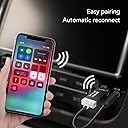
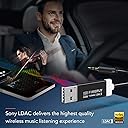
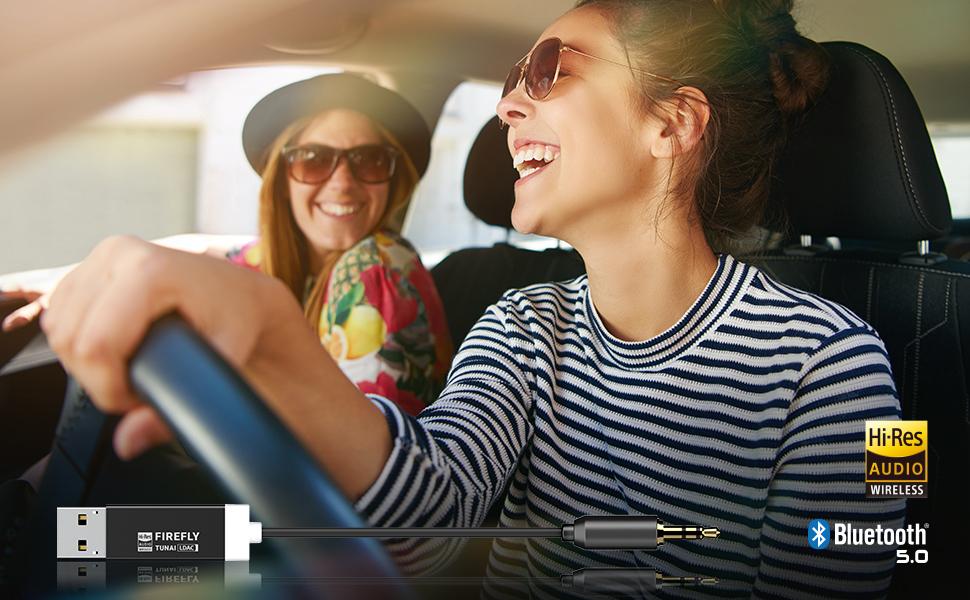
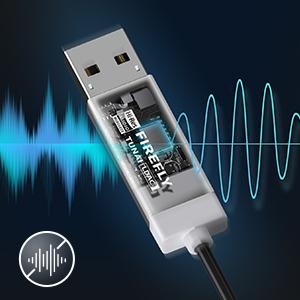
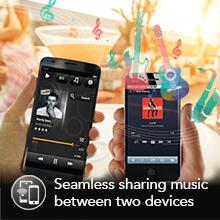
The TUNAI Firefly LDAC is a sleek Bluetooth 5.0 receiver that transforms any car or home stereo into a wireless HiFi audio powerhouse. Featuring Cirrus Logicโs 127dB SNR DAC and LDAC codec streaming up to 990 kbps, it delivers superior sound quality without lag or distortion. It powers directly from USBโno charging neededโand auto-connects to two devices simultaneously. With a built-in ground loop isolator and customizable EQ via the TUNAI Connect App, itโs the ultimate upgrade for audiophiles craving seamless, premium wireless audio.


| ASIN | B01HDO66NK |
| Additional Features | Bluetooth 5 . 0,Bluetooth Receiver |
| Audio Input | 3.5mm AUX |
| Audio Output Mode | Stereo |
| Audio Output Type | bluetooth, usb |
| Best Sellers Rank | #88 in Bluetooth Car Kits |
| Brand | TUNAI |
| Compatibility Options | Smartphone, Tablet |
| Compatible Devices | Smartphone, Tablet |
| Compatible with Vehicle Type | [Most Vehicle Types] |
| Connectivity Technology | AUX , Bluetooth, USB |
| Connector Type Used on Cable | Auxiliary |
| Control Method | App |
| Control Type | pairing_and_configuration |
| Controller Type | Button Control |
| Customer Reviews | 4.3 out of 5 stars 6,156 Reviews |
| Hardware Interface | Bluetooth, Bluetooth 5, USB |
| Human Interface Input | Buttons |
| Installation Type | Plug In |
| Item Dimensions L x W x H | 6.3"L x 0.51"W x 0.2"H |
| Item Weight | 11 g |
| Manufacturer | TUNAI CREATIVE INC. |
| Model Name | LDAC Bluetooth 5.0 |
| Number of Channels | 2 |
| Number of Ports | 2 |
| Power Source | Corded Electric |
| Product Dimensions | 6.3"L x 0.51"W x 0.2"H |
| Special Feature | Bluetooth 5 . 0 , Bluetooth Receiver |
| Supported Application | Various audio streaming applications on smartphones and tablets |
| Supported Media Type | Audio |
| Supported Standards | Bluetooth 5.0, SBC, AAC, LDAC |
| Unit Count | 1 Count |
| Voltage | 5 volts |
| Warranty Description | One year |
| Wireless Compability | Bluetooth |
C**S
Even though it is Bluetooth, it Sounds like if it was connected to the Phone
I used to use a lightning splitter to be able to charge my phone and connect it to my car radio to play music. The issue was, since I use my phone for work, my battery either stayed at the same level while connected to the charge, or even sometimes would drop percentage. I wanted an alternative to solve that issue. Then, I came across this as I was looking for a good quality Bluetooth receiver. I wanted one that would not compromise sound quality over wireless connection. Just based on price alone, before I bought it I thought it was too much. However, reading through the reviews (which is why I am writing one about it) I came to see that many people had good opinions about it and good experiences with it. When I tried it, I compared the sound quality and there is no noticeable difference. PLUS, it comes with an app that lets you customize EQ, the light intensity, a noise isolator (which is not necessary unless it does not work for you in your car) and change the Bluetooth mode. My one concern is how short the 3.5mm aux extension is. I would have liked it to be one feet longer because as I have it set up in my car, because my car's headphone port is inside the center console and the cigarette lighter is in front of the shifter, the cable is long enough, but it concerns me that one small yank could bend the end of the extension and even break the cable. Besides that, there is no hard set ups, and a bonus is that it only works when you start the car (depending on if the port you plug it into stays on even if the car is off {if that is the case, change to another port because anything plugged into there will drain your car's battery}). My last Bluetooth receiver experience was a little block that would connect to the radio, but would stay on even when the car was off because it had a battery of its own that could be recharged. This is better because it will always work (as long as you take care of it and follow the instructions). For the price, this was a blessed find on here because it holds to the sound quality, customization, lag and connectivity.
T**N
Works Awesome
This Bluetooth receiver is awesome. I've had it for over 3 weeks and here is what I think so far... Pros - great audio quality - no lag - connects fast and turns on every time I start the car - decent price Cons - has disconnected randomly once or twice - crackling nose when the music was quiet (a ground loop isolator fixed this) - calls doesn't work, have to use speaker phone (not a big deal to me) - the biggest con is that the app isn't available for Android 14, so I can't update the firmware (although I haven't had issues other than connectivity once in a while) Overall works great, sounds great, and is a great alternative to a new head unit.
E**Y
Still working well after a year of use.
I've been using this for over a year. In short, it's great! Excellent sound quality. My phone connects nearly immediately after I turn my car on, and my phone doesn't stay connected when I turn the car off (because unlike some competitors, the Firefly doesn't have a battery). It also has no switches or buttons to mess with--something I don't want or need. This is literally the perfect fit for my use case. It has also proven to be reasonably durable since it has lasted for at least a year of use so far. I use it with... - A 160W USB C Car Charger, Baseus Type C Car Charger . The three ports of this car charger are used for: -- (USB A 30W) This Tunai Firefly -- (USB C 100W) An OhSnap! Snap Charge (To wirelessly charge my phone. There are newer versions of this like the Qi2, but I'm using an original Snap Charge.) -- (USB C 30W) A USB C to lighting charge cable for my passenger's older iPhone. Other info about my step, if you're trying to replicate it: - Car: Honda Element - OhSnap! Snap Car Mount (To hold my phone so I can have it serve as my GPS & music player.) - OhSnap! Grip on the back of my phone. (For a secure connection to the Snap Car.) A word of warning: I tried using the Tunai Firefly with an Anker Compact Fast Car Charger 3 Ports 67W BUT when devices were plugged in the other ports (the USB C ones) the USB A port would not provide enough power to turn on the Firefly. I usually love Anker products, but in this case the Anker charger just wasn't the right tool for the job. If you're like me and want to power 3 USB devices with your car charger, the BaseUS version is a better fit for that use case.
T**A
Took a gamble with how expensive it was, but IT IS 100% WORTH IT!
When we bought our car, we apparently misunderstood that not all bluetooth is built the same. Some is for handsfree communication only and won't play music. So because of this, we've used a couple different devices in our car, from the radio tuners to some annoying setup with its own buttons that we had to glue to the dash. They all worked but were never anything special and always required ground loop isolators that just ended up making them clunky. Somehow this brand has condensed it all into one little package that's smaller than the average flash drive! And on top of that, the sound quality is just as good as when I plug my phone into the car via AUX directly. While I'm sure a full stereo replacement would be the 'best' solution, I am more than happy with this little miracle device, especially when paired with the Spotify Car Thing. Its an absolutely fantastic solution to a normally cluttered mess of cords and adapters. And just to answer the question that I was uncertain about when buying this product, the media port in our car is plenty to power this device so I did not need to waste a spot in our car charger. This may vary from vehicle to vehicle but at least for my 2016 Cruze, that otherwise useless port in the console worked just fine for this and it doesn't have the weird disconnect issues like my old transmitter had. The ONLY downside to this device is honestly only a downside to some, but I will put it here in case it is a downside to them: There are no controls on the device as far as I can tell, so you'll want to buy a mount of some sort for your phone. This works perfectly for our situation as we usually just answer calls and such via normal speakerphone anyway and already mounted our phones for navigation.
J**N
Great option to add wireless Bluetooth from my iPhone to my Mazda5
A few weeks ago I upgraded my phone from an older iPhone 7 to a newer iPhone 11 with wireless charging. I purchased a wireless charger for my Mazda 5 which was wonderful, but my baseline 2015 Mazda 5 does not have Bluetooth. The connection option was either USB (using the lightening cable) or an AUX input. But I did not want to have to have another cable. This device enables me to connect to the AUX input which at least on the Mazda 5 was a superior user experience compared to the USB input. SO I have this device powered by a 12V to USB adapter and then the audio through the AUX input. Pairing the first time was easy, and now every time I get into the car and turn it on, it takes just a second or two before it is paired with my phone, and my car stereo stays on Aux -- so I can just pickup with music where I left off. I chose this one because the description says it uses the Bluetooth ACC Codex which is far better than SBC (which is very poor but is what most similar product use). I cannot confirm that it is actually using ACC but the music audio is good. POSITIVES: 1) Simply works -- no problems, consistent, reliable. Every time I get into the car, two seconds after turning the car on we're good to go. It automatically pairs up and my radio remembers that the input is AUX. Plays music/audio just fine. No problem with an iPhone 11. 2) Audio quality - sounds good enough for everyday listening to music in a car. If you're looking for hi-fi audio, why are you even using Bluetooth - they are all lossy-compressions. You should be using a hard wired aux connection. Important to consider: It only plays audio -- when taking a call it will not play the call audio through the speakers. There might be a setting, but I haven't played with it -- out of the box it will NOT be a speakerphone. (Although I'm not sure this is a deal killer because I am skeptical of those who do have this feature because most have the microphone built into the USB adapter which is often placed in a very poor place to pickup your voice). If you wanted calling Bluetooth support definitely look for one with an external microphone. Tunai makes the Firefly Chat, but the mic is built into the USB so depending on where your USB port is on your car, it might sound terrible. Go with one that has a dedicated remote microphone. :) Only negative: Audio noise (YMMV) -- different people have reported different experiences, it really comes down to your specific make/model of car. In the 2015 Mazda 5 baseline, there is a small, audible (static noise) which is you can ONLY hear when there is no audio playing and accelerating the vehicle. If you are maintaining speed you cannot hear anything, and if there is music playing you likely will not hear it either. In my situation it is a very low volume (but still there) sound. There is a ground lift feature, but that only made the problem worse, not better. Unfortunately unless there is a review for your specific car, you cannot really know for certain what your experience is going to be. I trust that some people have a lot of noise problems. This sort of technology is prone to those sorts of issues without better isolation circuitry and voltage regulators (ie more expensive and larger). 2025 update: still going strong and this review is still accurate. Works great with my car and phone without any issues except as mentioned above
S**N
Perfect little Bluetooth receiver for older stereos.
I bought this for my 2010 Chrysler whose Bluetooth stereo allowed a phone connection but wouldn't stream music. The front of my stereo has a USB port directly above a standard 3.5mm AUX port (you know, the kind that Apple doesn't like any more) so this was a perfect fit. The adapter turns on automatically when I unlock the door and turns off when I set the car alarm, which is perfect. The pairing process was painless; after plugging it in, I went to my iPhone's Bluetooth settings and it saw the adapter immediately. I tapped on it to connect and in seconds it was working. I really like the fact that there's no battery required for this. When I started looking for a solution I resigned myself to an adapter that I'd have to periodically recharge, but when I saw this battery-free one I couldn't try it out fast enough. I'm still giving this five stars despite three very minor shortcomings. 1. Every once in awhile (maybe once a week) the phone can't make the connection to the adapter. I haven't been able to figure out the pattern as to why/when this happens. Every so often I'll get in the car and start to drive only to discover that the phone and adapter aren't talking to each other. Unplugging the adapter and then plugging it back in solves the problem; once the adapter has restarted the phone immediately sees it and starts streaming through it. 2. The light on the back of the adapter is white and is always on when in use. This can be very distracting when driving at night. I solved this problem with a bit of PlastiDip on the lighted end of the adapter. I covered the entire end except for a small bit that faces away from the driver's seat so it's no longer an issue. 3. When the connection is made between phone and adapter, there's a "clunk" that's heard through the stereo as the adapter comes online (like when you'd plug a speaker into a live feed). A simple resistor inside the adapter could have solved this, or perhaps even some clever programming. It's also worth repeating: This is a music streaming device ONLY. It will NOT stream your phone calls, nor will it stream your Google Maps announcements for reasons I don't quite understand. I would definitely buy this again.
E**L
Returning BOTH the Tunai Firefly LDAC & Tunai Firefly CHAT LDAC because neither of them..
I am returning BOTH the Tunai Firefly LDAC and the Tunai Firefly CHAT LDAC because neither of them connect with high quality sound consistently. The email i sent to Tunai: I have purchased both versions of this LDAC Tunai Firefly [because i could NOT get the CHAT model to work right first]. I am having the same problem with both of them. The problem is WORSE with the Tunai Firefly LDAC. I purchased both the Tunai Firefly CHAT LDAC, and the Tunai Firefly LDAC through Amazon.com. The first one i bought was the Tunai Firefly Chat LDAC model. Right out of the box, when i plugged the device into my car and paired the device to my phone's Bluetooth, it connected and started playing music. The PROBLEM is this, the audio stream sounded like ALL of the BASS is removed. Then after installing the Tunai app from the google play store, i was able to get it to connect only randomly with full quality sound. But then the next time i would connect it would go back to the bad quality sound. I could NOT get this Tunai Firefly Chat LDAC to ALWAYS connect with the full quality sound. It would ALWAYS automatically re-connect and play music every time i walked up to my car, but the audio connection MOST OFTEN connected with the sound quality sounding like it was a "phone call" quality. Like NO under 400Hz seemed to be coming thru. And on my phone, when i adjust any frequencies below 400Hz by boosting or cutting those low frequencies, there was NO change in the audio. The Tunai Firefly LDAC as NOT connecting in whatever mode or manner necessary to send full spectrum sound to the car's AUX port every time it connects. Most of the time it connects with no bass, but occasionally, after fiddling around with turning phone BECKY TRIPP off and back on, or opening the app and changing a setting, or un/replugging the tunai it will occasionally connect with full quality sound. It's maddening. It's NOT the phone as this phone behaves properly with about 12 other USB audio devices, and it's not the car's AUX port, because other devices plugged into it's AUX port sound fine EVERY time. Since i purchased this device for MUSIC only, and since it sounded like it was connecting with phone call sounding quality, i thought maybe i could solve the problem by returning the Tunai Firefly Chat LDAC, and buying the Tunai Firefly LDAC [music only one]. So i also bought the Tunai Firefly LDAC unit. I thought, that since this model was designed for music only (no phone calls), maybe it wouldn't have the same problem. But it's WORSE. The Tunai Firefly LDAC, when i plugged it into the USB port in my car, then bluetooth paired it to my phone, started playing music with full quality, and full bass on it's very first connection. But, EVERY time it has connected after the first time, it only connects with NO BASS. What's the heck problem???!!! I am ready to return BOTH of these. I am also ready to warn my friends about how these Tunai Firefly LDAC devices don't connect with good sound. I should not have to fight/experiment with these devices to get them to work correctly. It's UNSAFE DRIVING with a device where the drover has to always experiment with the device to get it to work correctly. It should connect with good sound EVERY TIME it connects -- not just once in a while. Tell me how i can fix it so that it will ONLY connect with the HIGH QUALITY sound with FULL BASS. I cannot seem to find a regular pattern for how to get these to work consistently correctly EVERY time. I've wasted a few hours of my life trying to figure out how to get them to connect correctly. I've tried connecting with the various different connection quality settings, and other settings in the app. DO NOT BUY THESE!!
K**E
Color me impressed!
Color me impressed. Plugged it in, downloaded and loaded the app, updated firmware, started rocking. This thing is great. Sound quality is incredible. I have heard no ground noise. The only thing to be aware of is the Bluetooth output on your phone may clip the input of the device. I heard some clipping/ distortion at first. When I turned down the volume of my phone and turned up the stereo it sounded great. Seriously. I am impressed by the sound quality. I am an audio engineer and have a very sensitive ear. I only wish the eq in the app had a 60hz graphic option. It only goes down to 250hz. Which was helpful as I ended up pulling some of that out. But a touch of kick and low bass would be nice to boost instead of using the shelf filter on the stereo. Not sure if itโs my truck, but the blue light continues to flash when the truck is turned off. So I guess the port still receives voltage. The device does not turn off entirely when the truck is off. I just pull the power adapter out a touch to ensure itโs off. Minor issue. It doesnโt although continue to connect when the truck is off as far as I can tell. So thatโs good! Worth every penny!
ู**ู
๐
๐
M**G
Must Have For Non-Bluetooth Cars!
This was my first purchase after I picked up a used 2013 BMW. It was super easy to install and works seamlessly to allow me to stream music in my car. All you need to do is plug it in, download the app, pair it, and away you go! It automatically pairs to my phone when I start my car, so there is no need to manually pair each time I want to use it. The audio quality is fantastic, I don't notice any difference between it and when I plug directly into the AUX or listen to the radio. I am extremely satisfied with my purchase and recommend it to anyone who wants to add Bluetooth streaming capabilities to their vehicle.
D**N
Sound Quality is great.
Everything is good. Only critique i got is that when the UI for the app can be abit buggy. Not a big deal as its still really simple. Sound quality is great. Multi device bluetooth works fantastic. Chances are if you're buying this device you'll figure it out easy pz. Good build quality. You can turn of the LED's which i have I used mine to turn a set of logitech speakers into bluetooth speakers. Now i can play to my speakers through my laptop, phone and google nest mini. The latency is little to none; you have to REALLY focus to see its less than 10ms for sure. Better than most bluetooth headsets. You can watch dialogue with no problem. I will recommend this device. :D not often do you come across devices which work basically perfectly hence why im leaving this review.
C**S
Absolutely perfect solution for in-car audio on early 00's cars
Shockingly good! Very reliable high quality APTX audio transmitter that takes up almost zero space. If your car has USB power next to an AUX input, this is genuinely a must-buy.
A**D
TUNAI LDAC
Gee seems it's no longer available, nor the app, but it's been great up my AUX.
Trustpilot
2 days ago
1 month ago