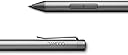
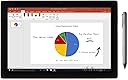
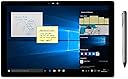
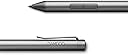
✒️ Elevate your digital note game—write smarter, work faster, and never miss a stroke!
The Wacom Bamboo Ink Smart Stylus CS323AG0A delivers a premium, natural writing experience with 4,096 pressure sensitivity levels and a fine tip. Designed for Windows 10 devices, it supports both Wacom Active ES and Microsoft Pen Protocols, ensuring broad compatibility. Featuring a durable aluminum build and a long-lasting AAAA battery, it offers seamless tap-to-launch access to Windows Ink Workspace without pairing, making it the ultimate tool for professionals seeking precision and convenience in digital note-taking and markup.

| ASIN | B081LKC91V |
| Best Sellers Rank | #74,504 in Computers ( See Top 100 in Computers ) #2,126 in Inkjet Printer Ink Cartridges |
| Item model number | CS323AG0A |
| Manufacturer | WACOM |
| Product Dimensions | 17.27 x 7.11 x 1.78 cm; 19.84 g |
K**様
lenovoとASUSの画面が360°回転してタブレットになる機種とUPのキーボードが取り外せる機種で使えています。 lenovo Yoga7 Gen8(Ryzen7 7735U)とYoga book 9(Core i7-1355U)。 ASUS Zenbook Flip UP3404VA(Core i7-1360P)。 HP Elite x2 1013 G3(Core i5-8250U)。 メーカー純正のペンだとASUSの機種だけが使えませんでした。ASUS純正のペンは他のメーカーで使えません。HPのペンはlenovoでも使えましたが最新機種では事情が異なるようですね。 タッチ操作対応のデバイスは色々ありますが、ペンを含めスマホやパソコン諸々それぞれがどの規格に対応しているかハッハリと記述してほしいです。 対応規格と互換性について説明が無いと使えないモノを購入してしまうのでメーカー様には配慮を希望します。
M**A
Amazing so far, for note taking, okay for drawing. Slow lines become wobbly, but wasn’t an issue for me since I draw with quick lines. Pressure sensitivity is just fine. The pen feels like premium quality.
M**.
Good product
L**S
Boa caneta, cumpre o seu propósito. Infelizmente devido ao valor praticado no Brasil se torna inacessível pra muitas pessoas.
J**G
Works with Dell Inspiron 7445 and Microsoft Surface Laptop 6 I got tired of having constant problems with the Dell active pen. Someone in a forum mentioned that they gave up and tried the Wacom pen instead. Based on my experience, they were right. I can confidently say Dell's problem is their pen which is a shame. This pen is also compatible with my Microsoft Surface Laptop - you just have to hold both buttons to switch mode. The Dell pen and Microsoft pens are not cross-compatible, so that's a nice feature if you use both types of devices. The Wacom pen is far more responsive than the Dell pen. There's less lag time between bringing the pen to the screen and the laptop recognizing it and starting to ink. The tip has a bit less friction which I don't love, but that's a personal preference. The Pen doesn't come with any replacement or alternative nibs, but you can buy them separately. I don't see a lot of variance in pressure sensitivity, but it's there. Could be a configuration adjustment on my end. Generally speaking, I'm very satisfied. I have a couple nitpicks, although nothing that's worth lowering my rating: First, no bluetooth connectivity. That makes sense when you realize there's no shortcut button ("eraser" button). I feel that's basic functionality for an active pen these days, but alas, apparently not. Likewise, one thing that I liked about my Microsoft pen is that the top of the pen actually acts as an eraser. I have strong muscle memory of flipping a pencil, so it has taken me a little time to get used to the eraser button on the side, and not accidentally hitting that button while I'm writing. Last - The pen came with a recommendation to install software from Wacom. I installed that software and it broke my driver for my touch screen. I ended up having to remove the software and delete the device in device manager so that it would revert back to the correct driver after a reboot. Everything's back to normal now, but it's annoying that I can't install their software without them trying to install their own driver.
Trustpilot
2 months ago
3 weeks ago