๐ฎ Elevate your game without breaking the bankโpowerful 1080p performance in a sleek package!
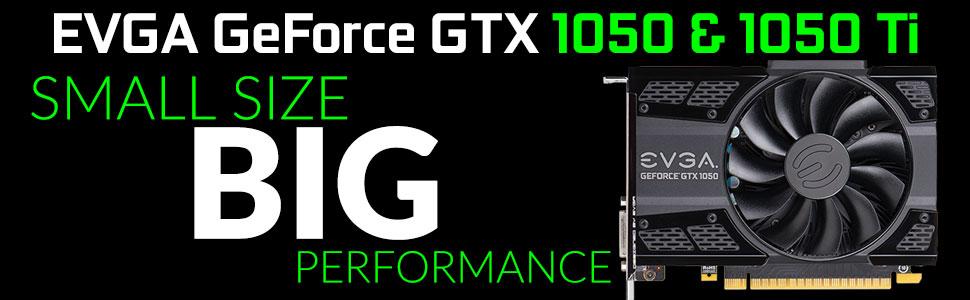
The EVGA GeForce GTX 1050 Ti GAMING 4GB GDDR5 graphics card leverages NVIDIAโs Pascal architecture to deliver efficient, smooth 1080p gaming at 60 FPS. With a 1290 MHz base clock, 4GB of fast GDDR5 memory, and a compact 5.7-inch dual-slot design, it offers hassle-free installation without additional power connectors. Ideal for budget-conscious gamers and professionals seeking reliable performance with modern features like DX12, G-Sync, and GeForce Experience, this card balances power, efficiency, and affordability.


| ASIN | B01MEFABEL |
| Antenna Location | Gaming |
| Best Sellers Rank | #1,351 in Computer Graphics Cards |
| Brand | EVGA |
| Built-In Media | Driver CD, EVGA Enthusiast Built Sticker, EVGA GTX 1050 Ti GAMING Graphics Card, EVGA Gaming Poster, Installation Guide, Powered by EVGA Case Badge |
| Compatible Devices | Desktop |
| Customer Reviews | 4.7 out of 5 stars 4,095 Reviews |
| Display Maximum Resolution | 7680x4320 |
| Display Resolution Maximum | 7680x4320 |
| Global Trade Identification Number | 00843368044411 |
| Graphics Card Interface | PCI Express |
| Graphics Card Ram | 4096 MB |
| Graphics Coprocessor | NVIDIA GeForce GTX 1050 |
| Graphics Description | GeForce GTX 1050 Ti |
| Graphics Processor Manufacturer | NVIDIA |
| Graphics RAM Type | GDDR5 |
| Graphics Ram Size | 4096 MB |
| Graphics Ram Type | GDDR5 |
| Item Dimensions L x W | 5.7"L x 4.38"W |
| Item Type Name | GeForce GTX 1050 Ti GAMING, 4GB GDDR5, DX12 OSD Support (PXOC) |
| Item Weight | 0.68 Kilograms |
| Manufacturer | EVGA |
| Memory Clock Speed | 7008 MHz |
| Mfr Part Number | 04G-P4-6251-KR |
| Model Name | EVGA GeForce GTX 1050 Ti GAMING, 4GB GDDR5, ACX 2.0 (Single Fan) - 04G-P4-6251-KR |
| Model Number | 04G-P4-6251-KR |
| Number of Fans | 1 |
| UPC | 843368044411 689341102088 |
| Unit Count | 1.0 Count |
| Video Output Interface | HDMI |
| Video Processor | NVIDIA |
| Warranty Description | 3 Years |
E**C
Excellent "budget" GPU for 1080p gaming PCs. Also works decently for 1440p!
This EVGA 1050ti provided much better performance than expected. The 1050ti is a great GPU for budget gaming builds or when you have a limited power supply. There is no 6 or 8 pin power plug on this card, just plug it into the motherboard and you are done. This bothered me at first, I wasn't sure it would be getting enough power. But it turns out that wasn't an issue at all. This thing sips power, and if you run the Precision OC or MSI Afterburner software, you will see the GPU cruises at just a couple hundred mhz until it's needed for gaming, where it goes close to 1800mhz, and can be overclocked close to 2000 (but I just leave it at the default, it works great). Although this 1050ti SSC has a higher clock speed out of the box than the smaller base model 1050ti cards, if you want to do any extreme overclocking, you may have better results with the 1050ti FTW, which does have a power connector on the card and allows for a higher current draw. Overall, I had excellent results with some of my older games. CS:GO and Skyrim regular edition (no mods) ran at a steady 130-150fps at almost the highest settings, and by turning down things like shadow detail and reducing the anti aliasing, I was able to get the framerate very close to matching the 165hz of my Dell S2417DG monitor at 2560x1440 resolution! That is very impressive, but they are older games so high framerates are expected. I tried the new DOOM game, which is well optimized from what I understand. at 1080p settings, I was getting a steady 60fps on fairly high settings. The trick with this card is to know where to compromise. If you want Ultra quality at 4k with the newest games at a high frame rate in 2017, this card isn't for you. But with a couple video settings tweaks, you can really get some nice looking performance from this 1050ti SSC. As of the time of this review, 1060 and 1070 GPUs are still greatly overpriced, and the jump to a GTX 1080 is pretty steep if you are trying to build a "budget" gaming PC. Once 1060 prices come back down to earth, that may be a better option, but for now I have been very impressed with the 1050ti. For 1080p gaming, I would recommend it for any budget build. I do want to note that I was using an i5-6600k (not overclocked) and I never saw my CPU pegged at 100% during these tests. If you decide to use something like a G4560 CPU (which is amazing for the price), you may not get quite the same performance on some games, depending on how CPU dependant they are. I apologize for not being able to test this card with a slower processor, all I had available was my Z170 motherboard and the i5-6600, and I'm also running 16gb G.SKILL 3000mhz ram and a Corsair gold rated 550w power supply. Fairly hefty specs, but as I mentioned earlier, I didn't want to pay double the price of this 1050ti for a GTX1060 6gb. This GPU gives great performance for the price, and I'm very impressed with it so far.
M**E
Awesome Video Card
Pros Price 4GB of DDR5 Dedicated Video RAM Nicely Packaged Incredible Graphics Quiet (I got the single fan one) Cons Not sure I found any but if you want dual monitors be prepared to use different cables for each monitor or I suppose purchase some sort of Y cable for either DVI, Display Port or HDMI port. This Card only has one connector for each of these cables which for me is not an issue. Review - I received this card two (2) days ago and I promptly installed it and test it. I work in IT so I didn't need to read the instructions but it comes with a Display Driver Disk, a little installation instruction manual, a quick start fold out sheet and a pretty fancy metal sticker. All documentation comes in English, German, Spanish, French, Portuguese and 3 different Asian languages (I am guessing they are Japanese, Korean and Chinese). I didn't have to change my power supply since mine is able to handle 450Watts but you should know you would need at least a 300Watts Power Supply. In fact, before you buy any Video Card you should go to the manufacturer and see what it requires and adjust accordingly (either buy a new Power Supply or buy a different card). However, I don't know any systems that carry a 250Watts Power Supply anymore all of them are either 300 or 350Watts and if you bought or built a Gaming Rig I'm sure you went insane with the Power and got the biggest thing you could afford. PCIE Connector and mine didn't require any additional power other than the one provided by the Motherboard which made swapping out cards extremely easy. I installed the Drivers provided by EVGA and then I launched my NVIDIA GEForce Experience and Updated the Driver to the latest (my previous card was also an NVIDIA card). It took me longer to unplug all the cables and break my computer open and put it all back than it did to install the card and the drivers. Noticeable improvement in Video on Games and Performance. I tested it against a recently purchased Game which is still in Beta (Star Citizen) which was very Jerky and requires a minimum of 2GB or RAM (I had just below 2GB at 1.7GB with my old one). Not only did it render it beautifully the performance improvement was evidently. I also test it with Mass Effect 2 (which my old card could handle easily) and the improvement in video detail was amazing (my wife who is not a gamer could tell the improvement immediately even though she's only seen the screen periodically here and there). I tested it against SWTOR and I increased all the Graphics settings to high (which was nice to see the effect) and it handled beautifully. I have not done any Arena style gaming yet so I cannot speak on its performance on PVP and Arena Style games. However, it handles fine in fights, zero lag or any issues that I have found. I am very happy with this purchase so far. I was fretting between the EVGA, MSI or GIGABYTE one and looked at all the overclocking specs until I went cross eyed. In the end I chose one that fit my budget below $160 and to be honest for the level of gaming I am doing (no VR obviously) it doesn't matter all the overclocking. The bottom line is 4GB of dedicated DDR5 RAM just for Video. If you are fretting look at three things 1. Get a card with minimum 128bit Memory Bus 2. Get at least 4GB 3. Price
C**Y
Reliable & Still Going Strong After Years โ A Great Budget GPU!
I bought this EVGA GeForce GTX 1050 years ago, and itโs still running perfectly! For an entry-level gaming GPU, it has seriously exceeded my expectations. It handles 1080p gaming smoothly on medium-to-high settings in titles like Fortnite, CS:GO, Rocket League, and even some older AAA games. What impresses me most is its durabilityโno overheating issues, no crashes, just consistent performance. The 4GB VRAM is enough for casual gaming and light creative work, and EVGAโs build quality ensures long-term reliability. The single-fan design keeps it quiet, and it doesnโt hog power, making it great for smaller builds. If you need an affordable, no-fuss GPU that just works, this GTX 1050 is a fantastic choice. Even years later, itโs still a champ!
C**F
Best budget gaming card period.
Best bang for your buck. The GTX 1050 TI is worth the little extra cost from the GTX 1050. With the new i3-7100 dual core processor along with this graphics card I was able to build a budget gaming machine. It plays many games at the 1080p resolution very well. I mainly built this computer for a low end modern Overwatch gaming PC. It plays Overwatch extremely well on 1080p and gets 70 FPS on optimized settings. The optimization comes from GeForce Experience which is a software you will download to keep your graphics card drivers up to date. There is a feature for some popular games where GeForce Experience will decide what the optimal graphics settings are for your hardware. It put many features on ultra and some on high for Overwatch. The gameplay is great. It runs super smoothly and the graphics are tons better than the Xbox version of the game. This card is also super small which is great for very small and simple builds. It doesn't need any external power either. It gets all the power it needs from the PCIe slot, so you don't need to use any extra cables with it. Awesome card for the price. A must have for any budget gamer. I have a gaming Razer laptop with a GTX 970m graphics card in it. The laptop was like $2200. Benchmarks of my GTX 970m are near exactly the same as this desktop GTX 1050 TI. You can build an awesome gaming computer for cheap with this.
L**0
Terrific Budget Card That Performs As Good As It Costs
EVGA GeForce GTX 1050 Ti SSC GAMING ACX 3.0, 4GB GDDR5, DX12 OSD Support (PXOC) Graphics Card 04G-P4-6255-KR SHIPPING AND PRICE: The price is very reasonable for what you get out of the card in terms of performance (More about that later). It took around 2-3 weeks and $4-8 to get the card to me in Australia in the outer suburbs of Wollongong. INSTALLATION: The installation was almost idiot proof, i use an Alienware X51 case since i have had this PC for over two years and have had no money to build my own PC at the time i got the PC (I was 13). It is has no need for power pin connectors, it only draws power from the PCI slot which, in my situation with the extremely small case is great. The only thing i needed to do was remove the black graphics holder so the card doesn't hang (Don't worry about that if you have another case, this is only a problem for us poor Alienware users ). The next part was the part i have never had to do before since this is my first time upgrading my PC with something significant, the software installation. At first i tried playing games and the computer would just lag like hell in the games, after ten mins of confusion and thinking i realised i needed to insert the installation disk to put in the new software for the card, after around 10-30 mins of installing, it was ready to be gamed on. :) PERFORMANCE AND SOUND: It is literally dead silent, my computer use to sound like a jet and now its a toned down jet (still a jet due to CPU cooler). Also the performance, for me at least was day and night (Coming from a crappy Dell GeForce GTX745). Coming from barely running "Next Car Game: Wreckfest" with 20-30fps on low settings to all the way to 50-60fps on fully maxed out settings on 1080P (you could say it was a massive leap for me). https://www.youtube.com/watch?v=u3rCE8Ivv4A&t=26s Playing Unturned on Medium settings with 20-40 fps depending on many factors, now i can play it with settings maxed on 40-70 fps. https://www.youtube.com/watch?v=zR2YLdTmvmU Counter Strike: Global Offensive use to run at around 40-70 fps on the "Canals" map and now runs perfectly at 120-150fps easily. OVERCLOCKING: (Your results may vary, every card has a different maximum OC ) Now, i can already hear from my fellow #PCMASTERRACE "Why OC a card that is already OC stock?" well let me explain. Coming from a graphics card that i got forced to push to the max to even play many games on low settings mainly, it is sort of a habit i have developed. Now, i can't help to brag but after testing out the games on stock without an OC, the card ended up being better then a FTW card when i overclocked it. Do i recommend overclocking this card? Yes, but when you are doing so, please do not tell the MSI or EVGA overclocker to use that OC on startup until you know that OC is stable enough. Also remember not all cards are made equally, someone out there could of pushed the card an extra 400Mhz but you can only do 140Mhz. COOLING: There is no debate about cooling, even in my case, with an OC, the card stays very cool no matter the situation. CONCLUSION: It is currently the best budget gaming card for this price point. The graphical power is the same or even a little more then what you paid for, it doesn't suck much power at all, doesn't require an power PIN connector and is dead silent. In my eyes i dont see any cons. Well..... Maybe one... Where is the RGB lighting??
S**C
GREAT choice
I FINALLY saved enough to add this graphics card to my ongoing rebuild of my computer (mobo, cpu, ram, etc.). Packaging was carefully thought out to (being funny) withstand a small nuclear war, though VERY easy to open. Installation was very easy (I DID refer to the instructions NOTE: EVGA, can you PLEASE provide instructions one doesn't need a magnifying glass to read?). I DID have some minor issues uploading the drivers (no cd with the card), but DID get them installed. My reasoning for this card (aside from rebuilding/upgrading my computer) is so that I can take full advantage of my 43" 4K UHD tv as a monitor. The results are pretty significant. I'm using only the HDMI (with a new, high quality HDMI cable). RESULTS: I can now watch full 4K UHD content from available sources without the cyphering I was experiencing with my 8400. I DO see some flickering in the picture but, for now, will attribute that to causes that are not the fault of the card (I have a "laundry list" of things I need to check/adjust). Just for "grins and giggles (I'm NOT a gamer), I did a generic benchmark with the 8400, then with the 1050. The 1050 raised the benchmark by 700 points. Before I decided on this card, I made a couple of calls to EVGA for advice. My calls were answered almost immediately, and the reps were friendly and very helpful. For reference, my build is an Antec mid ATX, 500w p/s, Asus M5A99FX pro, AMD 8350 with Wraith cooler, 8GB Kingston HyperX 1866 RAM, and Win7 64 Ultimate. I expect to add an SSD, upgrade my HDD to a NEW 2TB, and add a new optical reader shortly, which will complete my build/upgrade.
C**R
Just What I Needed.....
I got this card to upgrade a Dell Inspiron I was upgrading to a budget gaming system. I had upgraded the CPU to a i3 @ 3.7 gig and maxed out the RAM at 16 gigs and since it had a solid PS (305 watt), I wanted a video card that wouldn't require a upgrade if possible. Since I have to two systems (One with a GTX-960 TI SC with 4 gigs GDDR5 RAM and another with a GTX-1060 TI SC with 6 gigs GDDR5 RAM, I decided on this card as it wouldn't require a new PS and it fell right below the other two models. Also, it wouldn't cost an arm and a leg. This system already had a GT-730 card in it with the latest drivers installed and, since I had had some luck simply swapping out the old card for the new one by removing the old card in the Win 10 device manage and then shutting down the system, installing the new card and booting up again, and letting Windows install the current drivers for the new card. (This wouldn't work if I was changing card brands or if the new card needed a different driver.) After getting this card installed I boot up and Win 10 saw the card and Geforce installed the correct drivers right off the bat. After letting the system settle in for a bit, I ran a few tests to see how the card was working. I was very pleased with the performance of this card. It was on a par with the other two cards I have. I now have three systems that can handle almost anything I can throw at them. This card is a really good card for anyone who wants a good gaming card but can't spend an arm and a leg and doesn't want to have to upgrade the PS. Well worth the investment.
J**S
My first big booty judy video card!
After getting weird looks from the postwoman who pulled into my driveway (i never go out there to get mail from her), i got my video card i'd been anticipating for a week. Well lemme tell ya, this thing is expletitive'ly awesome! Easy to plug in, i have a medium range HP tower, and after researching like Indiana Jones on my pc and the right video card, this thing gives me tons of power for the moolah. I could play Rise of the tomb Raider on High settings, some settings of the game on ultra, and guess whaaat?? This game runs it like a champ, and looks like a movie-thing is, higher settings like ultra on details made the game load for what seemed like a few days, but when it did i couldnt distinguish life anymore outside my screen. I thought i was climbing ice rocks in ROTR.. Next I fired up Doom, which used to make my old GT 610 2 gig cry, (but playable somehow), and wheras i used to get memory leaks and crashes, now it works on High settings-ultra settings crashed my pc, but High was perfect. it too looked like awesome, and the game crashed only once with my low end rig (6 gig ddr3 quad core amd 3.75 ghz, 1 tb) while fighting the first Revenants. ..And on and on, Resident Evil 7 froze up on High detail for some reason, and worked great on my old GT 610 (albeit on windowed 800x600 mode), so bad i had to unplug my pc and boot up again..oh well, this card was easy to install, drivers installed flawlessly, and the graphics and performance look a bit better than an XBoxOneX. All for 115$! Love this sexy card, my first big booty video card with the serious sized fan.
Trustpilot
2 weeks ago
1 day ago