Buy anything from 5,000+ international stores. One checkout price. No surprise fees. Join 2M+ shoppers on Desertcart.
Desertcart purchases this item on your behalf and handles shipping, customs, and support to Uruguay.
🚀 Elevate your display game with 8K clarity and lightning-fast refresh—because your setup deserves the future today!
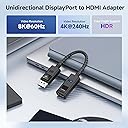
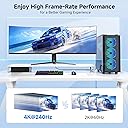
The Cable Matters 8K DisplayPort 1.4 to HDMI 2.1 Adapter is a unidirectional converter designed for high-performance PCs with DisplayPort outputs, supporting resolutions up to 8K at 60Hz and 4K at 240Hz. It features a durable braided cable, LED connection indicator, and is optimized for the latest NVIDIA RTX 40/50 and AMD RX 7000 series GPUs. While it does not support VRR or gaming consoles like PS5/Xbox, it delivers flawless HDR and surround sound for professional-grade gaming and multimedia setups.


| ASIN | B08XFSLWQF |
| Best Sellers Rank | #85 in Audio & Video Connectors & Adapters |
| Brand | Cable Matters |
| Color | Black |
| Compatible Devices | Laptop |
| Connector Type | HDMI |
| Current Rating | 3 Amps |
| Customer Reviews | 4.2 out of 5 stars 1,052 Reviews |
| Finish | Matte |
| Item Dimensions | 4.17 x 2.76 x 0.59 inches |
| Item dimensions L x W x H | 4.17 x 2.76 x 0.59 inches |
| Manufacturer | Cable Matters |
| Mfr Part Number | 102101-GRY |
| Model Number | 102101-BLK |
| Nominal Power | 720 Watts |
| Number of Items | 1 |
| Number of Ports | 1 |
| Package Quantity | 1 |
| Power Plug Type | No Plug |
| Smart Home Compatibility | Not Smart Home Compatible |
| Specific Uses For Product | High-resolution display connectivity in various settings, such as gaming, multimedia systems, and home theaters. |
| UPC | 818707029954 |
| Unit Count | 1.0 Count |
| Warranty Type | Limited |
D**7
Supports 4K 120Hz HDR and Freesync Premium on my LG C1 + 7900XTX GPU on Windows 11 & Linux
Had to update the firmware on it to support Freesync but it was done in 5 minutes and easy. No color distortion, no lag, it just works.
A**S
Flawless VRR and 4K120 HDR on LG OLED—Now Planning Triple Monitor Setup
I bought three of these Cable Matters DisplayPort 1.4 to HDMI 2.1 adapters to drive my LG OLED TVs as monitors from an RTX 5080, and they’ve been absolutely flawless. The biggest win? They fully support VRR—and all three arrived preloaded with the 7.02.120_forVRR firmware. I had downloaded the firmware ahead of time expecting to flash them manually, but Windows immediately showed a VRR notification for each one. I verified with the Cable Matters firmware utility that all three adapters already had the correct version installed. The tool is simple and well-designed, so even if I’d needed to update them, it would’ve been easy. I’m running them at 2160p120 HDR RGB 10-bit, and they also handle YCC 4:4:4 perfectly. Since DisplayPort 1.4 is bandwidth-limited, it’s great to see the adapter properly passing through DSC (Display Stream Compression) from the 5080 to the 42" LG C2 without any glitches or image degradation. I’ve paired each adapter with Zeskit 48Gbps HDMI cables, which I highly recommend—this ensures stable bandwidth for 4K120 HDR with RGB 10-bit and VRR without signal drops or handshake issues. Over the past few days of testing, they've been rock solid—no flickering, no handshake delays, and no stability issues through reboots, resolution changes, or long sessions. HDR signal passthrough works flawlessly, with accurate color, proper contrast levels, and clean gradients—no banding or chroma issues observed. These adapters also run cool and feel well-built, with a compact and flexible design that makes them easy to route even in tighter setups without crowding nearby ports. Now that I know these work reliably, I’m planning to expand to a triple OLED setup using three 42" LG C4 TVs as monitors. These adapters are perfect for unlocking full-feature HDMI outputs on NVIDIA cards that typically only offer a single HDMI port—now I can run four displays at full 4K120 HDR with RGB 10-bit and VRR. Can’t recommend these enough.
D**L
Black screen and Flickering ( SOLVED )
( Previous review ) After I searched about a solution to use an old GPU with a new LG C2 TV/Monitor I found this adapter and after I read other reviews I bought it right away with HDMI 2.1 cable as well to try it but unfortunately it doesn't work for me. I have ASUS 2070 Mini OC edition GPU and recently I bought LG C2 48" to use it as a monitor for my PC. Yes I can choose from 30hz to 120hz and HDR (8-10-12) and I thought that's it just plug and play but this is not the case. When I try to play any games ( eg. Hearthstone / Dying Light 2 / The witcher 3 ) the TV start flickering and after a few seconds it turns black then disconnect. Some times I need to disconnect HDMI cable and reconnect it again or doing a force quit from the game to get it back to normal. When it start flickering I switch to my second monitor and click on desktop in this weird situation the LG C2 shows the game running without sound and once I click on main screen it start to flicker again. I tried everything from update Windows and NVIDIA card to trying another HDMI cable to ON/OFF HDR to change resolution and even reduced the Refresh Rate to 60hz but all gave me same result. I really wish this adapter works as intended to enjoy my LG C2 TV without the needs to upgrade GPU but unfortunately for some reason it doesn't. Maybe I got a faulty one or it's not working as advertised as a simple plug and play solution. ( UPDATE ) Customer service team reached out to me regarding this issue and resolved the problem with there excellent knowledge and experience. If you experience the same problem like me simply open the GPU control panel and go to Setup G-SYNC, untick the option “Enable settings for the selected display model” this should resolve the problem. I have noticed a cut off of sound from the TV every once a while for split of seconds and come back when I play games or on a normal activities such as watching a YouTube video and I change some cables and reconnect it and it's gone now and the sound works great w/o any problem. Definitely I recommend this adapter. It'll well increase your enjoyment of your games especially with HDR and 120Hz.
J**F
Solid Adapter with Great Features, but Specs Can Be Misleading
I picked up this Cable Matters 8K DisplayPort 1.4 to HDMI 2.1 adapter to connect my DisplayPort-equipped GPU to my HDMI 2.1 TV, and for the most part, it works as advertised. Build quality is excellent — the braided cable feels durable, the molded strain relief should help it last, and the LED connection indicator is a nice touch. It supports high resolutions and refresh rates, HDR, and surround sound, making it a great option for gaming or 4K/8K media. However, there’s one important technical caveat that isn’t clearly explained in the product specs. While the adapter claims HDMI 2.1 support (8K@60Hz, 4K@120/240Hz), it’s still limited by the DisplayPort 1.4 bandwidth on the source side. That means those higher refresh rates and resolutions often rely on heavy DSC (Display Stream Compression), which can noticeably reduce visual quality, especially in fast-moving content. If you expect full uncompressed HDMI 2.1 performance, this limitation may be disappointing. For reference, my monitor is a Asus 42" 120Hz 4K OLED with HDR and full 10-bit color. On a display of this caliber, DSC would be a gross degradation of quality, introducing artifacts and compression that completely defeat the purpose of such premium image fidelity. Because of that, I will never enable DSC and expect uncompressed signal quality whenever possible. For most users connecting a modern GPU to a high-refresh-rate monitor or TV, it’s still a solid and reliable adapter — just go in knowing that the bottleneck is DisplayPort 1.4, not HDMI 2.1.
C**1
VRR Doesn't Work After 4/9/2025 Firmware Update
I bought this because a lot of reviews said that it supported variable refresh rate. On Linux, AMD GPUs cannot output proper HDMI 2.1 due to HDMI being an awful standard, but I wondered if using a Displayport to HDMI adapter could get around this limitation. When I first took the adapter out of the box, I didn't have a proper HDMI 2.1 cable to test it with, but it did seem to work at 4K YCbCr 120Hz with VRR under Linux on my Dell 4K 144Hz monitor and confirmed that the refresh rate was indeed varying looking at my monitor's OSD. I then tried it with my old Samsung 2018 TV that has the old AMD-specific FreeSync and it did not work correctly in Linux (TV would flicker on and off whenever the frame rate dropped) but this was also true using the HDMI port directly on my GPU, so no fault of the adapter it would seem. I then tried the same on Windows and it worked great. The TV would run with AMD FreeSync with this adapter and with it directly connected to my GPU's HDMI port. Chalking this one up to Linux driver support. I then got a proper HDMI 2.1 cable and hooked it up under Linux. I was able to enable 4K 144Hz VRR mode but it seemed to be in YCbCr mode, but it would flicker on and off. I tried again with Windows and it seemed to work sometimes, but then the monitor would flicker on and off some other times. I then decided to try the firmware update everyone was talking about, but worried that it would just remove VRR capability entirely. Sadly, that's exactly what it did. It seems to be stripping the VRR support from the EDID so neither Linux nor Windows recognizes that the display supports VRR at all. This is unacceptable, taking away functionality that was previously offered with a firmware update is not an acceptable "fix" for flaky VRR support. At very least put it in the firmware release notes that you're intentionally breaking this functionality entirely rather than fixing it. I wish there was a way to downgrade the firmware back to a VRR-supporting one, because a display without VRR is useless for gaming. I tried to ask a question on their site but was unable to create an account, with a "try again later" error. So I can't even ask a question about getting this fixed because their tech support site won't let me register. Also, on Linux it seems to boot up with only 60Hz supported. If I unplug and plug it back in to the GPU, then it supports 144Hz. On the old firmware it would go into YCbCr color mode but on the new firmware it seems to stay in RGB color mode, but without the option to enable VRR now. On Windows with the old firmware, it wouldn't even display a picture when booting up with my Dell monitor attached, regardless of HDMI cable used. I had to plug the monitor directly into the HDMI port of the GPU and then back to the adapter and finally it showed a picture. On Windows it didn't go to YCbCr, it stayed at RGB and let me enable VRR but then started flickering on and off after successfully running the NVIDIA GSYNC pendulum demo (which demonstrates VRR on any GPU, not just NVIDIA). That's when I updated the firmware and now no more VRR at all. If they can't re-add VRR support I will be returning this adapter.
M**R
Works great, no issues
Use this with a Dell Optiplex 3000 to my Denon AVR 3700h and Epson 4k projector. Works great!
S**T
Worth it!
This adapter replaced an older version with 2.0 HDMI specs and I saw an immediate difference. The older adapter didn't want to play HDR and I had to use HDMI to HDMI to do so, but the Displayport adapt had a slight edge in the way the screen looked. However, the HDMI to HDMI didn't like playing a higher bit depth with frequent horizontal color bars using anything higher than 8 bit. Once the new one was installed the new default bit depth was 10 with 12 being selectable without the color bars of the double HDMI connection. I can also tell an improvement in screen response even though the refresh rate is still at 60 Hz. Nice to get better color saturation and smoother response for such a cheap price.
T**K
This works, unlike cheap alternatives
I did buy this adapter after failing to connect things with ”DPort to HDMI cable”. The cable apparently did not adapt any signals at all (assumes the connected devices can somehow figure it out), but this little device worked perfectly and handles all the signals required, it even has a small LED to tell it is operational - and no external power is required which is a big plus
W**L
Actually works!
I've been through at least 5 displayport to hdmi adapters over the last month and ALL have failed to output 4K @ 165hz. Sure they can do 120hz with VRR, but not 165hz. THIS adapter actually does exactly that, and very much more cleanly than all the other dapaters I've tried. No visual glitching or cut outs, it just works. The only downside is lack of VRR, but it seems to be alot more stable because of this. Cable Matters have clearly developed a superior chip here. Hopefully in future they'll develop a VRR capable version, but until then, imho, this is the best Displayport to HDMI adapter on the market.
L**A
converte bene il segnale fino a 120hz, si HDR. NO VRR E G-SYNC
utilizzato su tv lg oled evo 48" per trasformare il segnale da DP1.4 a hdmi2.1. Con questi adattatori riesco a far funzionare correttamente le 3 TV (1 hdmi2.1 diretto, 2 con questi adattatori) senza alcuna perdita di segnale (cerca "lg oled no signal error"). Riesco a far funzionare correttamente nvidia surround (dovete disabilitarlo prima di riavviare il pc, altrimenti avrete dei problemi di visualizzazione all'accensione). Unica pecca, a volte i monitor collegati con questo adattatore non rilevano il formato colore output (da nvidia panel control): RGB. Per farlo rivedere e poterlo configurare dovete sconnettere e riconnetere il cavo dalla GPU.
M**M
يستحق الشراء لا يوجد اي منافس للقطعة 5/5
شغل عندي كرت الشاشة rtx 2080 أفضل جودة 4k اقصى فريم للشاشة 165fps يستحق 10/10. واشتريت قطعة أخرى.
J**P
You get what you see.
Does exactly what it says on the tin!
あ**あ
注意⚠️
注意⚠️ PC→HDMI→この商品→DisplayPortです! 問題なく使えてます!!
Trustpilot
3 weeks ago
4 days ago