Buy anything from 5,000+ international stores. One checkout price. No surprise fees. Join 2M+ shoppers on Desertcart.
Desertcart purchases this item on your behalf and handles shipping, customs, and support to Uruguay.
🚀 Elevate your home network to pro-level speed and security
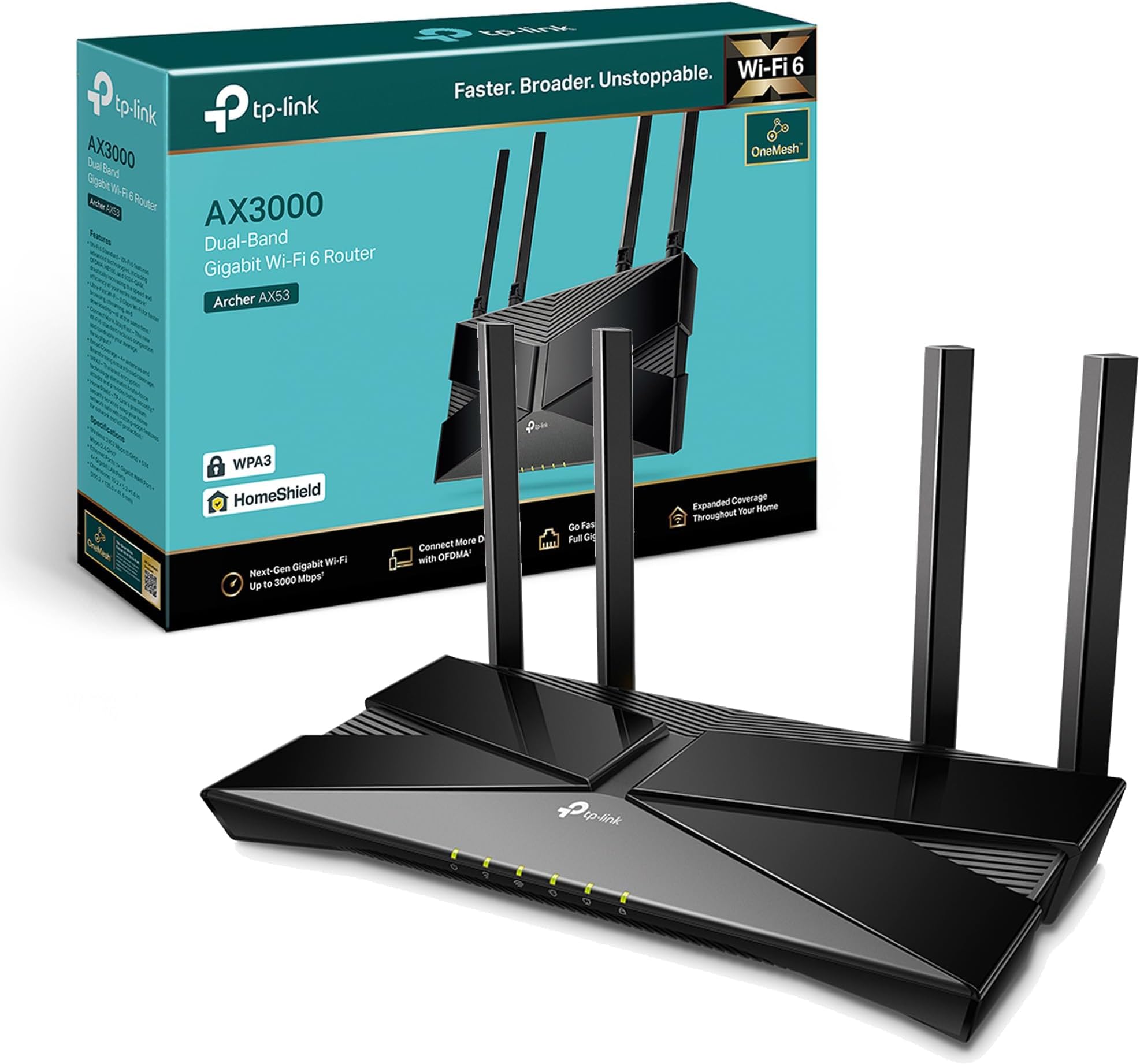
The TP-Link Archer AX53 is a WiFi 6 dual-band router delivering up to 3000 Mbps combined speed, optimized for gaming and 4K streaming. Featuring OFDMA for multi-device efficiency, EasyMesh compatibility for scalable coverage, WPA3 security, and VPN server support, it’s designed for seamless, secure connectivity in modern smart homes. Alexa integration and full gigabit ports make setup and control effortless.


| ASIN | B09TPKT929 |
| Antenna Location | Gaming, Home |
| Antenna Type | Fixed |
| Best Sellers Rank | 2,461 in Computers & Accessories ( See Top 100 in Computers & Accessories ) 17 in Routers |
| Box Contents | Archer AX53 |
| Brand Name | TP-Link |
| Colour | Midnight Black |
| Compatible Devices | Laptop, Personal Computer, Smart Television, Tablet |
| Connectivity Protocol | Wi-Fi |
| Connectivity Technology | Wi-Fi |
| Control Method | Voice |
| Controller Type | Amazon alexa |
| Country of Origin | China |
| Coverage | whole-home coverage |
| Customer Reviews | 4.4 4.4 out of 5 stars (2,096) |
| Data Transfer Rate | 3000 Megabits Per Second |
| Frequency | 5 GHz |
| Frequency Band Class | Dual-Band |
| Global Trade Identification Number | 04897098682630 |
| Has Internet Connectivity | Yes |
| Has Security Updates | Yes |
| Is Modem Compatible | No |
| Item Dimensions L x W x H | 26L x 13.5W x 4.2H centimetres |
| Item Weight | 0.81 Kilograms |
| LAN Port Bandwidth | 3000 Mbps |
| Manufacturer | TP-Link |
| Manufacturer Part Number | Archer AX53 |
| Maximum Upstream Data Transfer Rate | 3000 Megabits Per Second |
| Model Name | Archer AX53 |
| Model Number | Archer AX53 |
| Number of Antennas | 4 |
| Number of Ports | 6 |
| Operating System | Windows |
| Other Special Features of the Product | Beamforming,Alexa Compatible,Access Point Mode,External Antanna |
| Router Firewall Security Level | Advanced |
| Router Network Type | wireless |
| Security Protocol | WPA3, WPA2-PSK |
| Smart Home Compatibility | Smart Home Compatible |
| Unit Count | 1.0 count |
| Wi-Fi Generation | Wi-Fi 6 |
| Wireless Compability | 802.11ax |
R**N
Great product
Great product, easy to setup, massive boost in range over my standard providers supplied router, loads of additional features and a bargain on sale. Signal never drops out and a big improvement in reliability. After a quick Google search and YouTube video I had it setup in about 10 mins.
R**4
Fast, Reliable Wi-Fi with Great Coverage
The TP-Link Archer AX53 has been fantastic for our home network. Setting it up was quick and easy, and the AX3000 speed really makes a difference — streaming 4K videos and gaming online is smooth with no noticeable lag. The dual-band feature helps keep devices stable even when multiple people are connected at once. Coverage is excellent; I get strong Wi-Fi signals in every corner of my house. The interface is user-friendly, and firmware updates are simple. Overall, a reliable router that delivers fast, consistent performance at a reasonable price. UPDATE ITS STILL GREAT
M**C
Solid router but firmware update doesnt work via app
I'm on virgin media, they gave me the hub 3 which is absolutely terrible. The wifi kept disconnecting. I complained and they sent me another hub 3 which was just as bad - the wifi kept dropping and I'd have to turn my wifi on and off and put up with stuttering MS teams calls. I suspected it was the wifi signal so I bought this. Setup was reasonably straight forward although the app is kinda basic. You have to put the virgin media hub into modem mode and then connect it to this router and then restart the virgin media hub otherwise it wont work - theres a youtube video on it basically if you search virgin media modem mode - its not the top one but theres one with a guy explaining you need to reset the modem in the correct order. I followed the app and after a little fiddling it worked and the connection has been solid non-stop. No more signal drops, no more MS teams issues. The ONLY criticism is the app on my phone doesnt seem to update the firmware even though it says it does. You begin an update, it completes and then it says the firmware is still outdated and hasn't been applied. It doesnt really make sense.
S**.
So far so good
Got this for pcvr and it works like a dream. Very easy to setup and manage and the speed is fast
J**S
Overall very good and worth the price.
Overall I'm happy with the router, it's about as good as it gets for the price. The router is overkill for our connection speed but I went with it for the good Antennas. Wi-Fi signal is good overall. It covers my 3 bed house well enough on it's own even though it's in the corner of the house. I'm getting the same speeds via Wi-Fi to my PC, as I do when I'm connected via Ethernet direct to the router, so I can't complain. As with almost all TP-Link products, you just scan the QR code on the back of the router with your smart phone and follow the instructions to set it up. I used my ISP's very old router in modem mode and connected both together via the included Ethernet cable. Ran a few Wi-Fi tests on my PC which is about 8 Meters away with out of the box settings, results - RSSI 2.4Ghz - 41 RSSI 5Ghz - 53 12 Ping 273.74Mbps Down 26.34Mbps Up Our ISP package is 250Mbps so we are getting full speed via Wi-Fi and Ethernet with the router.
P**R
Versatile and easy to use - with free companion mobile app
Positives: * It works as advertised * Its UI is clear, super responsive, easy to use and informative. * Packed with a host of features Negatives: * None so far I replaced my internet provider's own-brand router (Virgin Media Hub 3.0) with this. I put the Hub 3.0 into 'modem mode' and connected this via ethernet cable and got it sorted pretty quick with the setup feature of the router. This product boasts a lot of additional features and they're all very easy to setup and work as advertised. For example, it can easily setup 3 separate WIFI networks for you, your main network, a guest network, and a IoT network (for your smart home devices) to keep everything separate and stop any compromised guest/smart devices from allowing anyone access to your main devices. There is also the 'tether' app you can download or free and link to the router to manage it from the mobile app. If you create an EasyMesh network (using other TP-Link wifi extenders that support EasyMesh) it can also manage the extender devices! Its got a lot of easy to use extra features such as per-device speed limits, setting priority devices, access point mode, as well as all the usual router config stuff.
A**Z
Refunded product after a couple hours due to false information.
This router CAN be pretty good and can deliver speed, if you stand right next to it (or use Ethernet). However, the router promises 802.11ax and this is NOT true. 802.11ax approximates 230-ft range indoors (according to some sites, just google it), however, this does Not happen. Whilst the router can go some what "far", the speed dropped off 3ft away from the router (No joke!). After taking 3 steps from my router, the speed would drop from roughly 900MB/s to 100MB/s. My ISP's router (which, btw, struggles immensely with a good bit of traffic) can deliver incredibly high speeds nearly 2 floors up, so why can't this? Well, I'm nearly 99% sure that this product isn't 802.11ax, but rather 802.11a (hence why it drops off so suddenly even though you can technically reach the wifi from further floors) and they felt like lying when making this product. Even if the router is 802.11ax (not like anyone can test, you don't allow customers to install custom firmware), it doesn't surprise me that it doesn't work to what the IEEE committee mandates as you specify "**This router may not support all the mandatory features as ratified in IEEE 802.11ax specification." on your website! How is this okay?! A "mandatory" feature may not be supported? Despite it being "mandatory"?? Shame on you for this router. You have released many other products that are good, however, this product is nothing but a lie and you should honestly be fined for this. Do better.
D**L
Works as described
Works as described, good router, great coverage and easy to add to another router as a access point.
R**A
⭐️⭐️⭐️⭐️⭐️ 5 Stars Really impressed.....Setup was quick, and it immediately fixed the weak WiFi spots in my home. The connection is steady, the speed feels a lot faster, and everything just works smoothly now. For the price, it’s a solid upgrade. Definitely worth it.
M**L
It's a good router. If you're buying internationally note that it has a UK power plug.
ع**ز
جميل
L**Y
Stromadapter UK auf EU ist leider nicht dabei, also gleich mitbestellen.
U**K
Really good wifi6 router easy install and good wifi signal automatic switching between 2ghz and 5ghz wifi automatically tether app also good and convinent to use
Trustpilot
1 month ago
2 days ago