Buy anything from 5,000+ international stores. One checkout price. No surprise fees. Join 2M+ shoppers on Desertcart.
Desertcart purchases this item on your behalf and handles shipping, customs, and support to Uruguay.
🔬 Elevate your vision—see what others miss with the world’s first 4K wireless microscope!
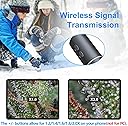
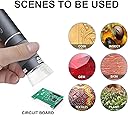
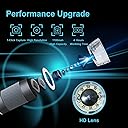
The Ninyoon 4K WiFi Microscope is a cutting-edge digital microscope offering 50-1000X magnification with ultra-HD 4K wireless streaming. Compatible with all major operating systems and devices, it features a wide-angle lens and long focal length for versatile use—from coin collecting to circuit inspection. Its ergonomic controls and stable stand make it ideal for professionals, educators, and hobbyists seeking precision and freedom from cables.


| ASIN | B09SNSPHXX |
| Best Sellers Rank | #157 in Camera & Photo Products ( See Top 100 in Camera & Photo Products ) #17 in Lab Handheld Digital Microscopes |
| Brand | Ninyoon |
| Built-In Media | Microscope Stand |
| Color | Grey |
| Compatible Devices | Laptop, Personal Computer, Smartphone, Tablet |
| Customer Reviews | 4.2 out of 5 stars 2,718 Reviews |
| Enclosure Material | Plastic |
| Item Weight | 160 Grams |
| Light Source Type | LED |
| Magnification Maximum | 1000 x |
| Manufacturer | Ninyoon |
| Manufacturer Part Number | Ninyoon-4K |
| Material | Plastic |
| Model Number | Ninyoon-4K |
| Objective Lens Description | Achromatic |
| Power Source | Battery Powered |
| Real Angle Of View | 120 Degrees |
| Real Angle of View | 120 Degrees |
| UPC | 748521049947 |
| Unit Count | 1.0 Count |
| Warranty Description | Lifetime Warranty |
E**R
This digital microscope connects wirelessly to your smartphone.
I purchased the the Jiusion Ninyoon 4K WiFi microscope a few weeks after buying the less expensive Jiusion 40-1000 endoscope. Both come with the same stand, which is not stable. On request, Jiusion sent me a replacement stand as well as an attractive case. My review of the Ninyoon 4K WiFi microscope assumes that the package includes the replacement stand, which is stable and easy to use. I will make some comparisons of the 2 microscopes since there is a price difference of about $18, the Ninyoon 4K WiFi being the more expensive of the two. Also, I will only discuss use of these microscopes with my Android phone and Windows 10-11 computers because I haven’t used them with Apple products. Both of these microscopes can conveniently be used with the native, Windows 10/11 camera app without additional software. In both cases, you simply plug the microscope into one of the computer's USB ports. Then choose the search icon at the lower left of the Windows screen, type the word "camera" in the search bar, and choose the microscope as your camera when the app opens. When using these microscopes on the computer with the stand, I found them to be comparable in image quality despite the reported difference in the focal length of the lenses. Note the two pictures of a dime. The first was taken with the Ninyoon 4K WiFi microscope at the top of the vertical pole on the stand mentioned above . The second was taken with the 40-1000 endoscope at the same height. Obviously, lowering either scope on the pole can provide greater magnification and a smaller field of view. There may be some applications in which one scope would provide a more useful image than the other, but for my purposes so far, looking at stamps and coins, the magnification and image quality of both is excellent. The Ninyoon 4K WiFi scope is a little longer than the 40-1000 endoscope, but I found both easy to handle. Similarly, I was able to use both microscopes on my Android phone, a late model Pixel. For the 40-1000 endoscope, a USB-GO adapter is required. The one provided by Jiusion didn’t work with my Pixel phone, which requires USB type C, but I had a type C adapter available and after installing the app recommended by Jiusion on my phone, the 40-1000 endoscope worked well. The Ninyoon 4K WiFi microscope was more fun to use with my Android phone since this microscope comes with a dedicated WiFi network. Charge the microscope, follow the instructions and you have a wireless connection from the microscope to your phone. (The WiFi is for microscope-to-phone only, not for microscope-to-computer). This allows more freedom and makes sharing easier if there is more than one viewer. The quality of the image over WiFi seemed just as good as with a wired connection. Other superior features of the Ninyoon 4K microscope: the focus wheel is larger and more accessible than the one on the 40-1000 endoscope. There are also more buttons for quick adjustment of power or magnification. I haven’t spent a lot of time trying to view objects with the microscope handheld, but I believe that the longer focal length of the Ninyoon 4K WiFi lens and of course the wireless connection make it the superior choice for that purpose. A quick comment on the use of these microscopes for soldering: these are digital microscopes. When you use them, you focus the microscope on an object and view the object on a screen. Obviously, you do not have a direct, binocular view. This means that neither of these digital microscopes would be suitable for soldering. On the other hand, if you want to look at the quality of your soldering job after it has been completed or examine a board in detail before you begin a soldering job, either of these microscopes will suffice. Provided the newer stand is included, I would give the Jiusion Ninyoon 4K WiFi microscope a 5-star rating. Although it costs almost twice as much as the 40-1000 endoscope, which is also sold by Jiusion, this difference is probably justified by its WiFi capability, improved focus wheel, and longer focal length of its lens.
L**F
Nifty wireless microscope - I have a bit to say :)
The next stage of microscope with wireless connectivity certainly does eliminate wires on the desk. Its magnification is impressive as 0.1mm distances can easily be seen on the smartphone screen. You have to connect your phone/tablet to the microscopes own broadcast WiFI signal. (Yes, switch off your current local WiFi to the microscope's WiFi signal.) Then run its WiFi Check app (the app's name is a bit misleading in that it is the software used for viewing and taking photos or even videos - not solely a connectivity checker). -These are not just dinky macro camera with digital zooming - it has significant magnification, although not biological cell-level -Battery power does not seem to be any reasonable problem -Informative indicating LEDs -Clear locating spacer aids quick placement and is removable for working room between 'scope and object when used with stand. -Stand often gets criticism, but it is satisfactory-to-good when actually used without haste - this is a portable microscope, so it really needs to not be stationary. -Protective cap - good for particular scenarios -Attention should be given to the smooth operation of the focus/magnification band dial (and without play) - wish it had a strip of vertical lines -Ring of subject-light LEDs surrounding the lens -Wheel lighting brightness adjustment - makes for variable lighting levels instead of pushbutton type (although auto-exposure pretty much counters any set lighting level) -Apple functionality, finally (WiFi Check software) -WiFi Check software on Android crashes when zooming after approx. 20 seconds (This happened repeatedly) -PC USB wired connection with XploView software. Crude but that's fine. Actually, any other camera software seems to work. (I did have a problem with faulty supplied USB cable, so I used another on I had.) The zoom buttons on the 'scope are not functional with this use. Images: 1: Fine hair - WiFI Check - Apple - x1.0 2: Fine hair - WiFI Check - Apple - x2.0 (maximum zoom) 3: Fine hair - XploView - Win10 - Far 4: Fine hair - XploView - Win10 - Near 5: One tenth millimeter grid - WiFi Check - Apple phone 6: Circuit x1 magnification - WiFi Check - Apple phone 7: Circuit x2 magnification - WiFi Check - Apple phone 8: Photo of circuit on film of photos #6 & #7 (1/64th inch ruler and 0.1mm grid spacing reference) I'm more pleased with this than I though I may be. The wireless image stream is very speedy (not any hit of stuttering). That may be at the cost of implementing compressed video, but the video image is quite useable. Although a smart TV can pick up and connect to its WiFi signal, it cannot stream the video, and it would certainly be the bomb if that could do that. This really needs to be incorporated into the microscope. Is quite an impressive amount of work put in to this. I would recommend it to someone looking for moderate microscope capability. Edit: The software has been updated (v3.05) that has made stable use on my Android phone. Rating changed from 4 to 5.
J**N
Good scope for the price
I want to start by saying that I like this scope. It's a good scope and you should buy it. It's easy to use. I connected it to my iPhone and my iPad in the length of time it took to read the directions, under a minute. It has very crisp sharp images. It's well worth the price. I use this for exactly what's show in the picture, looking at plant trichomes. However, it has some shortcomings. First and foremost is the notion that it does 50-1000X. It just doesn't. What they call the "zoom wheel" is in fact a focus wheel. If you have the scope setting on a flat surface, (like the included calibration image) you can get it to focus at only two magnifications. It is incredibly clear and high resolution at those two magnifications, but you can't just change the zoom level through the whole range. The zoom buttons are a digital zoom, allowing you to double the image size, but it doesn't change the optical zoom. The pictures below show this effect. Picture zooms changed by turning the focal wheel, but no other "zoom" levels are in focus. However, as you can see from the trichome pictures, it's a lot of zoom. Second, the stand is a waste. They should have forgone it and made the product cheaper, or given a better one. Lastly, and this may be a deal breaker for some, this connects to your phone or ipad via wifi network made by the scope. So, while you're using the scope, you are no longer connected to your real wifi. So, for me, that means no music streaming, the photos don't sync, etc, while the scope is in use. Not a huge deal, but could be a problem for some.
J**N
Awesome scope, OK mount.
Wow. I've owned these types of scopes for a few years now. Everything from the cheap, plastic lensed pocket scopes that leave you thinking you have glaucoma, to more expensive $150+ digital scopes marketed to coin collectors and insect enthusiasts. The image quality of this sub $50 kit rivals ANY of the others I've owned in the past. As with any microscope, your depth of field is going to be thin. This scope manages to have incredible image quality as well as a noticeable increase in DOF compared to my other scopes. Honestly, it's a slight improvement some may not notice, but believe me, it makes a difference! Now, the "bad" things. When focusing, the wheel feels almost like some of my professional L series lenses. Very smooth throughout its range. The only VERY slight issue I had, was a tiny bit of focus drift. After a couple days of using it, the issues has resolved itself. With it being a brand new item, there going to be some degree of break in. Mine took about 45 minutes total usage. Not long at all once you start to see things in such beautiful detail that you'd never see with the naked eye. The biggest issue I had, was the mount for the scope. To be completely transparent and honest, I'm a bit of a snob when it comes to my gear. For me, I need a scope mount that is sturdy, and height adjustable. This mount is sturdy enough to do the job, but it can be a hassle to adjust, and you'll need to stack something under it if you need more height. Personally, I'd just buy the other mount they sell. For $22, it's worth it's weight in gold if you want rock solid, sharp pictures. Again, the mount is more a preference of mine. I got plenty of usage out of the mount it comes with until I installed it in my other mount. Overall, I love this scope! I have over 200k worth of professional photography gear, and this scope deserves a spot in my bag, right along with the rest of my gear. This isn't a super nuclear powered alien tech scope that let's you see molecules breathe, but for its intended usage and price point, you will not find a finer piece of kit. I've added 3 pictures to show the amazing images this scope creates. 1 is a screw showing the threads, and then an even closer shot of a single thread. The last, is an image of the date on a US dime. I just can't say enough how amazing and unbelievable this scope is!
S**.
Good for the price
Update: The microscope absolutely will not work with my iPhone. I thought at first that it was because my home internet is spotty. I have tried it at work with very fast, reliable internet speeds and it will not work. It shows that it is connected to wi-fi, but gives a message that there is no internet. The app shows 100% internet/wi-fi connectivity. I still give it 3 stars since I can somewhat use it on my PC. The phone app was not cooperating so I connected to my PC. Not being able to zoom in using the PC is quite annoying, however, once you bring an object into focus, it works fair enough for my use. The stand is absolute junk. It will wobble horribly making it difficult at times to focus in on a specimen. It also does not securely grip the microscope, causing the microscope to slip out.
S**N
Pretty incredible piece of equipment
This is the best portable microscope that I've owned yet, and I now have a collection of 5 of these from different companies. For the price, it's difficult to criticize. However, I'll do my best to lay out the Pros and Cons. I've also included a photo of the microscope in hand, and some (perhaps a bit gross) dermatological images I've taken on myself. Pro: - Crazy good picture quality, I work within a scientific laboratory and we've transitioned to using these portable consumer microscopes because they get you 95% the way there and are much more expedient than desktop microscopes - TWO focal points -- this is not advertised on the box anywhere but I am used to these handheld microscopes only having one focal point whose distance changes based on your zoom level (greater zoom moves the focal point toward the lens). While using this microscope, I've noticed it has two points where the picture is clear, one reasonably far from the lens (with less zoom) and one that is very much a macro picture. It also has very linear focal travel - Wireless -- most of the other microscopes that I have used are USB-enable which can work both for a computer and phone. Typically I am taking photos on my phone, but I also used a bulky case which required me to remove the case in order to take any images. It was inconvenient but tolerable. Now that this operates using wifi (direct to phone) I don't have to worry about cables and can imagine using it for tasks that require a free hand which was more difficult when you have the phone trailing the microscope via cable Cons: - Needs an app for intended use. This is somewhat obvious because it's wireless, but it's a worthwhile bit to point out. This is far less plug & play than some of the USB microscopes that are out there. I haven't yet tested to see if I can simply plug the microscope via microUSB into the computer to get it to operate but I don't foresee myself using it on anything but my phone. As a precaution, I would shy away from using a tool like this on any phone that also contains sensitive information (i.e. work phones), simply because apps always run the risk of exposing cyber vulnerabilities - Heating -- I notice that after about 15-20 minutes of use, the tail end of the device does feel warm to the touch. Not dangerously hot, but about 30 degree celsius (~85 F). I have not pushed it to its limits but heating can sometimes signal that the battery life will degrade over time or not be operable in very warm or humid climates. Overall, I am incredibly satisfied with the tool and now have it at my deskside to try out on all kinds of things. If you have somebody in your life who works in a job that requires magnification or is just very curious about the world just beyond what our eyes can see, I think they will appreciate and enjoy this tool as much as I do!
P**T
Stopped working
I just attempted to use this for the 3rd time. First two times it worked great. Now it is not working. Keeps saying it is disconnected and turns off. I am 6 days outside of the return window. I attempted to contact the seller instead of leaving a negative review but there is no link for this action. Product support is just a list of recommendations for me to troubleshoot the issue myself.
C**S
Nice for the money
Here is what I think after several hours of experimenting and use of the Ninyoon 4K WiFi Microscope. For $40 I did not expect a lot. The simple stand that comes with the kit was near useless as already mentioned in other reviews. But mentioning this to Ninyoon, they offered to send the upgraded aluminum stand, that is cool. I purchased this digital microscope to examine pocket knife blades before, during and after sharpening and honing. The two pictures show what a picture taken from Windows 10 PC using AMCap (free demo version) camera software looks like (1920 x 1080 dpi). The first pic is with the microscope flush to the blade, no zoom from software. The picture of the blade is seeing a honed blade edge at 3000 grit. The other picture is a factory Benchmade blade, also with the microscope flush to the blade, no zoom from software. You will notice the watermark from AMCap demo. Amcap is free to use, download and does offer digital zoom that is not available from the microscope when using a USB to PC. The microscope is just good enough for me to see what I need to see which is blade condition, burrs, cut pattern, etc. Pictures when taken end up smaller than what can be seen on a PC monitor. I am using 24" monitors, and with xploview and AMCap you can see what the microscope views full screen. AMCap just has more options than xploview. No issues using the microscope with my iPhone 12 mini, 10" iPad or Windows 10 PC with their recommended software and app. And obviously AMCap. I have not tried any other camera software or app yet. The microscope is easy to operate and just takes a bit of getting use to. For optimal magnification and clarity I needed to place the microscope directly over the object being viewed. Adjustment wheel is fine tuning enough and has a good feel to it. The adjustable LED lights is also very useful. I have read in other reviews that they say viewing through PC via USB and WiFi is the same. I found that I preferred viewing through PC 24" monitor vs iPad or iPhone 12 mini. The pictures you see was not as good through the iPhone or iPad, but that could be the devices I own, they are a few years old. I almost forgot, the USB cable is of cheap quality. I would recommend changing it to a better one if USB connection is mainly used with this microscope. During my few hours of usage I did not have any battery or functionality issues. In summary for the money I think it is very interesting product. For sure nothing like this was possible say 10 years ago for any where near its price. If Ninyoon offers a superior product in the future I likely will buy it. By the way, you can sign up for a no cost lifetime warranty directly on their website after purchasing through Amazon.
M**P
Mikroskop
Den är fantastisk bra och prisvärd!
A**R
fijne microscoop en prettig draadloos
Ik gebruik de microscoop om planten op plagen te inspecteren en daarbij is het heel fijn dat hij draadloos is en vlot op een mobieltje kan worden aangesloten. Ook de verlichting werkt goed.
M**T
Facile à utiliser
Observez les plantes et les insectes par contre le support pas très fiables
B**Z
Buena calidad de imagen, fácil de conectar a móvil y tablet.
La calidad de la imagen es buena, yo lo uso como analizador de la piel. Y la verdad que me a sorprendido la calidad de imagen por el precio que tiene. En cuando a conectarlo con el dispositivo es muuuuyyy fácil, tanto en el movil como tablet. Simplemente descargas la App, al abrirla sale una primera pestaña que pide que conectes el dispositivo a traves de red Wifi - "connecting WiFi camera", el dispositivo aparece en redes wifi al encenderlo. Incluso si te esperas unos segundos, sale una nueva pestaña, donde simplemente apretando el OK redirige directamente al apartado de WiFi para que seleciones el dispositivo, que aparece con el nombre de microscopio.
R**Z
BUENA CALIDAD
MUY BUENO Y UTIL
Trustpilot
4 days ago
1 week ago