๐ Elevate your office game with A3 power and wireless freedom!
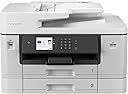
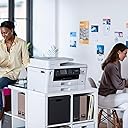
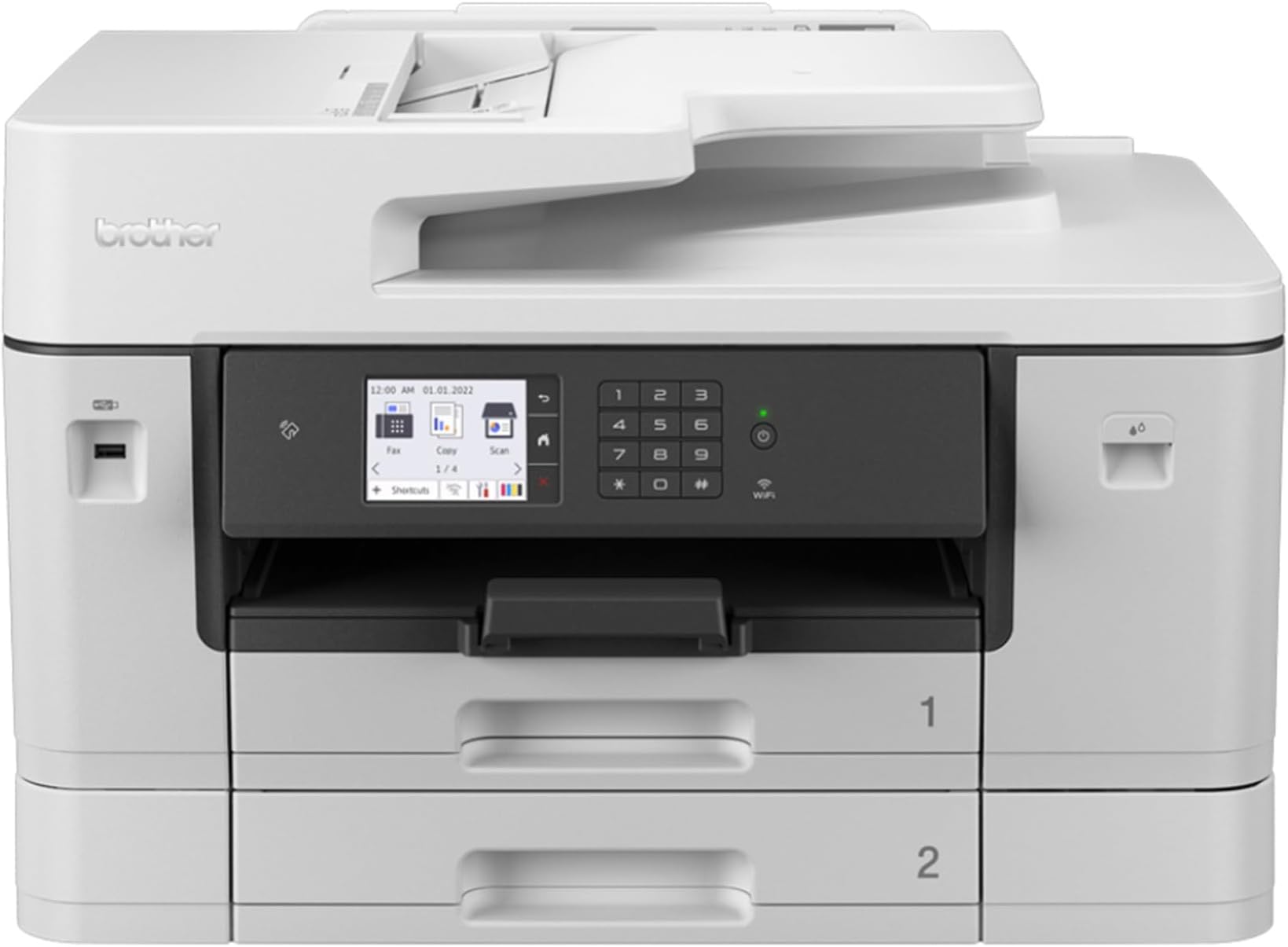
The Brother MFC-J6940DW is a professional-grade wireless inkjet all-in-one printer designed for small offices and business workgroups. It supports A3 printing, copying, and scanning with fast 28 ppm speeds and high-resolution output (1200 x 4800 dpi). Featuring an 8.8 cm color touchscreen, automatic duplexing, a 50-sheet auto document feeder, and versatile connectivity options including Wi-Fi, USB, and NFC, it enables seamless mobile printing via the Brother Mobile Connect app. With a 500-sheet paper capacity and cost-efficient high-yield ink cartridges, it balances productivity, quality, and running costs for the modern professional.


| ASIN | B0B2545T47 |
| Additional Printer Functions | All In One |
| B&W Pages per Minute | 28 |
| Best Sellers Rank | 1,476 in Computers & Accessories ( See Top 100 in Computers & Accessories ) 10 in All-In-One Printers |
| Box Contents | Paper Tray, 50-Sheet Auto Feeder |
| Brand | Brother |
| Brand Name | Brother |
| Color Depth | 24 NA |
| Color Pages per Minute | 28 ppm |
| Colour | metallic |
| Compatible Devices | Smartphones |
| Connectivity technology | USB |
| Control Method | Touch |
| Controller Type | Touch |
| Customer Reviews | 4.0 out of 5 stars 60 Reviews |
| Display Type | LCD |
| Dual-sided printing | Yes |
| Duplex | Automatic |
| Hardware Interface | USB |
| Initial Page Print Time | 30 seconds |
| Ink Colour | CMYK |
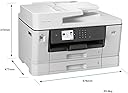
| Item Dimensions D x W x H | 47.7D x 57.6W x 37.5H centimetres |
| Item Type Name | Multifunction Printer |
| Item Weight | 23300 Grams |
| Manufacturer | Brother |
| Maximum Copies Per Run | 999 copies |
| Maximum Copy Resolution Black and White | 1200 dpi |
| Maximum Copy Resolution Color | 1200 x 4800 dpi |
| Maximum Copy Speed Black and White | 28 ppm |
| Maximum Print Resolution Black and White | 1200 dots_per_inch |
| Maximum Sheet Capacity | 250 sheets |
| Maximum Supported Paper Size | 11.7 x 16.5 inch |
| Maximum print Resolution Color | 1200 x 4800 dpi |
| Model Name | MFC-J6940DW |
| Model Number | MFCJ6940DWZU1 |
| Model Series | MFC-J6940DW |
| Model name | MFC-J6940DW |
| Network Connectivity Technology | USB |
| Number of Drivers | 3 |
| Number of Trays | 1 |
| Other Special Features of the Product | Auto Document Feeder(Auto Document Feeder), Auto-Duplex(Auto-Duplex), Borderless Printing(Borderless Printing), Display Screen(Display Screen), Energy Star(Energy Star), Internal Memory(Internal Memory), Network-Ready(Network-Ready), Paper tray media types: Coated paper,Glossy paper,Plain paper,Recycled paper, Scan To E-Mail(Scan To E-Mail), Touch Screen(Touch Screen) |
| Paper Size | A4 NA |
| Power Consumption Size | 29 Watts |
| Print media | Paper (plain) |
| Printer Output Type | Colour |
| Printer Type | Inkjet |
| Printing technology | Inkjet |
| Processor Count | 1 |
| Resolution | 1200 x 4800 |
| Scanner Type | Flatbed & ADF scanner |
| Series Number | 6940 |
| Special feature | Auto Document Feeder(Auto Document Feeder), Auto-Duplex(Auto-Duplex), Borderless Printing(Borderless Printing), Display Screen(Display Screen), Energy Star(Energy Star), Internal Memory(Internal Memory), Network-Ready(Network-Ready), Paper tray media types: Coated paper,Glossy paper,Plain paper,Recycled paper, Scan To E-Mail(Scan To E-Mail), Touch Screen(Touch Screen) Special feature Auto Document Feeder(Auto Document Feeder), Auto-Duplex(Auto-Duplex), Borderless Printing(Borderless Printing), Display Screen(Display Screen), Energy Star(Energy Star), Internal Memory(Internal Memory), Network-Ready(Network-Ready), Paper tray media types: Coated paper,Glossy paper,Plain paper,Recycled paper, Scan To E-Mail(Scan To E-Mail), Touch Screen(Touch Screen) See more |
| Specific Uses For Product | Office |
| Total USB 2.0 Ports | 1 |
| Total USB Ports | 1 |
| Warranty Type | No Warranty |
| Wattage | 29 watts |
S**V
A proper scanner and printer...
For many years I've wished for an A3 scanner for my art as well as a decent printer. Had the opportunity to get one finally. Big thing. I'll give the delivert guy props that he actually carried it to my door. Two men are supposed to carry it, so the instructions say, though I managed it myself too. Quality kit. Lots of options on a nice small, but easy-to view, screen. Does wifi though I have not tried it yet. Ink seems to last reasonably long. Didn't lock me `online only` which is good. Every now and then it whirrs and clicks, I guess it's self-cleaning/checking diagnostics? Easy to install ink and paper, A4 or A3. Ink lasts a decent while and does not seem to run out of ink as fast as cheaper printer do. Decent quality prints, though that depends on paper and ink. Ink is not ridiculously expensive for what you get. Done some decent prints already. Quite pleased with it so far.
R**A
Good price, easy setup and low price inks.
Replacement printer for a previous Brother machine. This range of printers from Brother are my favourite for a small office with various print needs. Inks are cheap to buy which is a major consideration. Most of our printers are replaced every two years and the old ones re-sold so a lot of the cost can be recouped. Delivery was swift and setup was easy as the drivers all self installed easily even for the Linux laptop. Best price was on Amazon which wasn't surprising.
R**.
DO NOT BUY
Worked fine for a year then started going downhill after "updates". Complete waste of money.
G**F
Good all-in-one printer for the price.
I do occasionally need to print A3, hence this purchase. I bought it to replace an earlier Brother A3 all-in-one printer on which, after about 5 years, the print heads had become clogged beyond my capacity to clean them. The MFC-J6940DW is bigger than the model it was bought to replace and barely fits on my desk allowing room for my desktop screen. Another minor annoyance is that is keeps telling me off for buying non-Brother replacement ink cartridges. They are, of course, much cheaper than Brother's own brand and work perfectly well, so being nagged by the machine for saving money is a bit irritating. Apart from that, it's good. The print quality is actually excellent and the A3 scanner is very useful. If it lasts as long as its predecessor, I'll be happy. My previous Brother printer had the great advantage over its opposition that it didn't have built-in obsolescence in the form of parts that have to be replaced after a certain number of print cycles whether or not there is anything wrong with them. I very much hope that the new printer is the same. Forcing you to replace expensive parts when they're still working is not only a rip-off, it's also terrible for the planet. I'm hoping Brother have maintained their integrity.
X**X
A versatile printer
Seems great so far. Print quality is excellent with ability colours too very high resolution. Which is useful for producing art reference prints. Ability to print in both A3 and A4 is very useful.
M**T
No scan to Thunderbird
This is the latest in a long line of MFC models. It's basically the same as the previous models but with noticeably greater refinement. However there are a couple of concerns: I'm not so keen on the on-line driver installation because I like to have a local copy. They've broken the scan to email function. Previous models you could scan from the scanner into a PC's Thunderbird email but now it only scans to Outlook.
D**S
Poor customer service
Printer was great when it worked but one of the colours has not worked for months, changed a few complete sets of cartridges whilst going through dozens of cleaning processes advised by Brother to Finally they put the ticket through to technical to contact me about next steps.... supposed to be within 48 hours of which was over 72 now. Typical service where they push you around stages of support to you eventually go away. I have spent a lot of money on cartridges just for the printer to attempt to fix itself let alone the waste of trees too. Very frustrated and no support from brother and no functionality on Amazon for me to escalate their either!!
M**M
Excellent product.
Very good. Duplex scan, copy, print. A4. I have not tried A3 facility.
Trustpilot
2 months ago
4 days ago