🚀 Upgrade Your WiFi Game — Stay Connected, Stay Ahead!
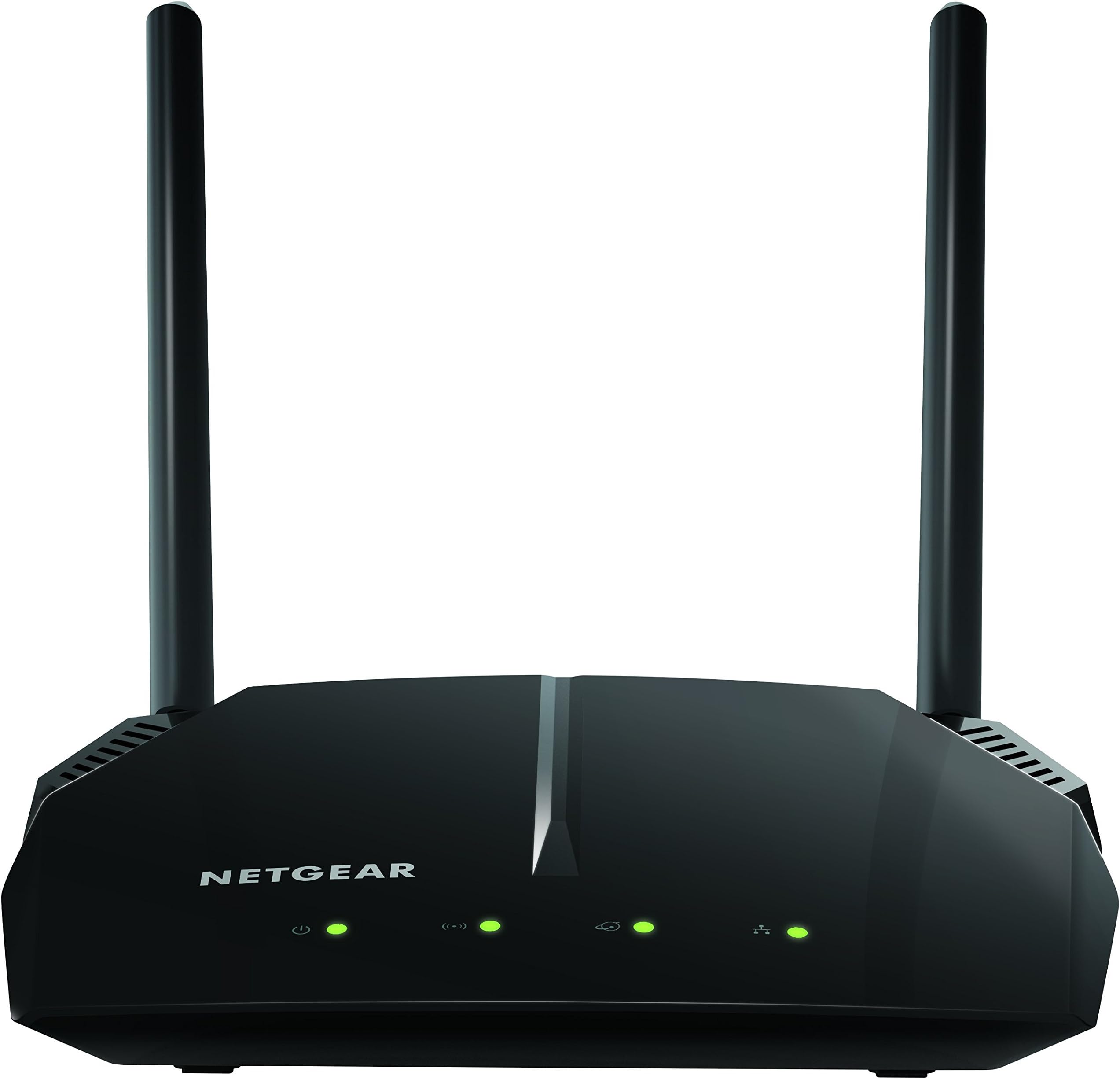
The NETGEAR R6120 AC1200 Dual Band WiFi Router delivers fast, reliable wireless speeds up to 1200 Mbps and covers up to 1200 sq ft, supporting up to 20 devices simultaneously. Equipped with 4 Ethernet ports and a USB 2.0 port, it offers versatile connectivity options. Enhanced security features and easy app-based setup make it ideal for modern homes and small offices seeking seamless, secure internet access.


| ASIN | B072Z68KJ4 |
| Antenna Location | Home |
| Antenna Type | Fixed |
| Best Sellers Rank | #45,675 in Electronics ( See Top 100 in Electronics ) #329 in Computer Routers |
| Brand | NETGEAR |
| Built-In Media | AC1200 Smart WiFi Router (R6120)^Ethernet cable^Quick start guide^Power adapter, localized to country of sale |
| Color | Black |
| Compatible Devices | Gaming Console, Laptop, Smartphone |
| Connectivity Protocol | ethernet, wi-fi |
| Connectivity Range | 1200 Square Feet |
| Connectivity Technology | Ethernet, Wi-Fi |
| Control Method | App |
| Controller Type | App Control |
| Coverage | 1200 square feet |
| Customer Reviews | 4.2 4.2 out of 5 stars (2,281) |
| Data Transfer Rate | 900 Megabits Per Second |
| Frequency | 5 GHz |
| Frequency Band Class | Dual-Band |
| Global Trade Identification Number | 00606449120073 |
| Has Internet Connectivity | Yes |
| Has Security Updates | Yes |
| Is Modem Compatible | No |
| Item Dimensions L x W x H | 8.72"L x 7"W x 4.64"H |
| Item Type Name | Netgear R6120-100NAS AC1200 Dual Band Wi-Fi Gigabit Router |
| Item Weight | 0.55 Pounds |
| LAN Port Bandwidth | 10/100 megabits_per_second |
| Manufacturer | NETGEAR |
| Maximum Upstream Data Transfer Rate | 600 Megabits Per Second |
| Mfr Part Number | R6120-100NAS |
| Model Name | R6120-100NAS |
| Model Number | R6120-100NAS |
| Number of Antennas | 3 |
| Number of Ports | 7 |
| Operating System | Microsoft ® Windows 7, 8, 8.1, 10, Vista ® , XP ® , 2000, Mac OS ® , UNIX ® , or Linux ® |
| Other Special Features of the Product | WPS |
| Router Network Type | dual-band |
| Security Protocol | WPA2-PSK |
| UPC | 606449120073 |
| Unit Count | 1.0 Count |
| Warranty Description | 1-year warranty |
| Wi-Fi Generation | Wi-Fi 5 |
| Wireless Compability | 802.11ac |
D**K
Works Well, Easy Setup, Solid WIFI Connection, A Good Value
I set up my internet connection at my new apartment and wanted a router that would just work. I decided that a separate modem and router combination was better than getting an all-in-one gateway based on my research. I have COMCAST/XFINITY service and in conjunction with the ARRIS SURFboard SB6183 Modem I paired with it I have stable WIFI in my apartment. Setup was easy using the web interface via WIFI. There is a basic menu and an advanced menu for getting things configured. It receives the internet signal from my modem automatically. All I had to do was to change the admin password (you must do this), name the 2 networks (2.4GHz and 5GHz) and set the security keys aka wifi passwords. I did upgrade the firmware using the built in firmware update checker/updater and now I'm current. It's optional but you can download a WIFI utilty app to your phone and check which channels have the least amount of traffic where you live and set your 2.4 and 5GHz frequencies to use those channels. That was easy to do using the web interface. Both the 2.4GHz and 5GHz frequencies work with my computer and phone. I have a Brother laser printer also hooked up via WIFI and there's no problem printing from my laptop or phone. This router is probably best for a one or two bedroom apartment and if you have a house you'll probably want something a little more powerful/faster, but for myself it's perfect. I haven't had any problems connecting or maintaining a connection after a month straight of use. I only get 25Mbps download from my ISP which is about 3MBps (big "B" or Bytes) and I get max 3.5 MBps on certain downloads so the router can handle that no problem. So along with the ARRIS modem this Netgear WIFI router does its job quietly and I can enjoy wireless internet with no problems. There is a USB slot in the back for using a USB memory stick as a sort of network drive, but I haven't tried that yet. But nice to know I could if I wanted.
K**0
Excellent router for not much money
This is a nice router at a decent price. Range seems good, and it sets up easily enough. With Netgear Genie it is easy to monitor what is connected and fix problems as they arise. That qualifies for 5 stars in my view.This is a nice router at a decent price. Range seems good, and it sets up easily enough. With Netgear Genie it is easy to monitor what is connected and fix problems as they arise. That qualifies for 5 stars in my view.This is a nice router at a decent price. Range seems good, and it sets up easily enough. With Netgear Genie it is easy to monitor what is connected and fix problems as they arise. That qualifies for 5 stars in my view.This is a nice router at a decent price. Range seems good, and it sets up easily enough. With Netgear Genie it is easy to monitor what is connected and fix problems as they arise. That qualifies for 5 stars in my view.This is a nice router at a decent price. Range seems good, and it sets up easily enough. With Netgear Genie it is easy to monitor what is connected and fix problems as they arise. That qualifies for 5 stars in my view.This is a nice router at a decent price. Range seems good, and it sets up easily enough. With Netgear Genie it is easy to monitor what is connected and fix problems as they arise. That qualifies for 5 stars in my view.
C**X
Fast router. Highly recommended. Setup can be tricky.
This is a huge improvement from my former Netgear router. Internet is provided by my building (with a provided modem) and with my old router, the internet was SO slow. My internet tech engineer came to check on the internet in my apartment and he recommended I get a dual-band router. HUGE improvement. I previously had a more standard Netgear router which initially gave me sub-par internet speeds, and after 2 years of use, my internet hardly worked, even when using a device within 10 feet of the router. This router provides lightening-fast internet, even in distant rooms throughout my concrete-walled apartment. Setup was sort of confusing. It took about 30 minutes to setup (including time to update the outdated firmware on my new router), but I’m not a whiz at this. I don’t know if this was necessary, but I downloaded the Netgear setup app. It requires me to login every time I attempted to access a different menu in the app (it still requires login every time I use it even after I set up my router). The app is pretty handy otherwise though: you can block internet access to certain connected devices (I.e. for parental control), easily change the network name/password, and send a code to guests so that they can easily connect to my WiFi when they come to my apartment. There is also a customer service link in the app. I recommend this router if you’re having internet speed/reliability troubles with non dual-band routers. Huge improvement and definitely worth the ~$50.
J**L
No installation instructions sent with the product
Six years ago I installed a Netgear N150 router at home to direct wifi to my iMac and to other receivers in my home. It has worked beautifully all these years. Recently it hasn't been able to send a strong enough signal. Thus, I ordered a Netgear 6120 to upgrade my wifi. I received the unit, but there were no instructions about how to install it. I went to the website as directed and found directions on how to download installation instructions to an iphone or ipad. I couldn't use them because I do not own a smart phone. There were no installation instructions or phone number on the website. I finally decided just to connect and plug in the unit because that is what I did with my old unit 6 years ago. That did not work and I lost my internet access completely. With the help of my grandson I was finally able to connect the new router, total time involved 2 hours. It works beautifully and is easily strong enough for wifi in the desired places. It seems to me that it wouldn't cost the Netgear people much to supply installation instructions with the unit or, at least, for viewing on their web site.
M**E
Had to return, stopped working properly after a week which is very surprising for a Netgear product. This one might of been a lemon.
A**N
Speed is good
A**N
Working perfectly. Previously was using MI router, which needed to be configured if power went off suddenly 2-3 times before proper restarting whereas there has been no such issues with Netgear router. Satisfied.
M**.
Easy to install. Good range for a house. I also get a signal through many walls. Nice and unobtrusive design. Highly recommended.
A**A
No issues, range is also good
Trustpilot
2 days ago
1 month ago