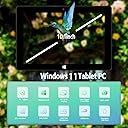
🚀 Elevate your mobile workspace with power and style in one sleek tablet!
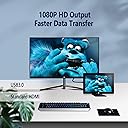
The ZAOFEPU 10.1" Windows 11 Tablet PC combines a dual-core Intel processor with 6GB RAM and 64GB storage, delivering reliable performance on a vibrant Full HD display. Its 5-12 hour battery life and dual-band WiFi ensure you stay productive and connected all day. Designed as an ultra-slim 2-in-1 device, it offers versatile connectivity options including Mini HDMI and USB 3.0, making it an ideal companion for professionals seeking portability without compromise.


| ASIN | B0B1TXRTZK |
| Average Battery Life (in hours) | 5 Hours |
| Batteries | 1 Lithium Ion batteries required. (included) |
| Best Sellers Rank | #174,030 in Electronics ( See Top 100 in Electronics ) #2,402 in Computer Tablets |
| Brand | ZAOFEPU |
| Card Description | Integrated |
| Chipset Brand | Intel |
| Color | Black |
| Customer Reviews | 3.5 3.5 out of 5 stars (55) |
| Date First Available | May 20, 2022 |
| Flash Memory Size | 64 GB |
| Graphics Coprocessor | Intel HD Graphics (Cherry Trail N4020) |
| Item Weight | 2.2 pounds |
| Item model number | W101 |
| Max Screen Resolution | 1280x800 Pixels |
| Operating System | Windows |
| Package Dimensions | 11.34 x 7.87 x 2.2 inches |
| Processor | 1.1E+3 |
| Processor Brand | Intel |
| Rear Webcam Resolution | 5 MP |
| Screen Resolution | 1280 x 800 |
| Series | W101 |
| Standing screen display size | 10 Inches |
| Wireless Type | 802.11g |
R**Z
Todo muy bien
C**N
NOT GOOD ENOUGH TO USE ON INTERNET NOT SECURE
HELLO BEWARE THIS IS A OLD MACHINE WITH WIN 11 SAYS DO NOT UPDATE BECAUSE IT CANT DOES NOT SUPPORT LASTEST VERISON OF WIN 11 AND IF YOU USE ONLINE WONT BE SECURE..AND BT WORKS POORLY CONNECTION KEEPS FADING IN AND OUT NOT WORTH THE MONEY.. I WOULD RATE NO STARS BUT NOT AVAILABLE
A**R
Great Tablet For Maintenance Folks working in a shop or on the road.
Its a good value if you are looking something for the mx shop or need to pull up a manual or run obd application this little thing is perfect. Not super 4k high definition but totally workable for maintenance tasks, and customer service/support is 5 stars, hand one issue and the seller took care of it right away!!! I would definitely come back this seller in the future!!
A**N
What I wanted
Packed in a box with no instructions or info just the tablet but it works
E**X
it works thank you charges fast and everything love this
best seller
L**N
Horrible Tablet
Crap tablet. First time using it, it overheats nearly burning my finger and now the thing completely stopped working. Im going to bestbuy once i get my money back. Im tired of Amazon's crappy suppliers.
D**T
Budget tablet with most options
**UPDATE** Seller provided an activation key and now the tablet is rocking. Thank you for the great customer service! Original review: You get the tablet which has a soft case on the back. It has a back and front camera, microphones and speakers built-in. You also get the charger, USB-A (regular) to USB-C cable, and mini-HDMI to full size HDMI adaptor. On the tablet itself, you get a full size USB port, USB-C port, microSD port, micro-HDMI, and headphone jack. The tablet boots up fairly quickly and does not prompt you to create a Windows 10 account. Mine came with an Administrator account already setup. If you want something already setup, this tablet is for you. If you prefer to set everything up from the beginning, this may not be a good option. As others have mentioned, Windows 10 is not activated. This basically means you can still use Windows as you normally would, but cannot customize a few things such as themes or other items. I was able to install Google Chrome and it runs decently. The screen on this tablet is not the best, but certainly not the worst. After the operating system was installed, it has about 37GB leftover. If you plan on installing or saving files, using a microSD card is recommended. Once the storage gets low, the operating system may slow down tremendously. It functions as a full Windows 10 computer, but since it only has 4GB of RAM, it's not as fast as say an iPad or Android tablet. This is running full PC software, so it is expected. If you want something simple with all options and ports, this can be a decent choice. If you want power and customizability, this may not be a good option.
L**L
Good enough though it could be better in certain ways
The Cons: In my opinon the main con to this tablet is that it has a Type-C instead of a Micro-USB receptacle. I used to have a Fusion5 tablet that I bought from Amazon. It was Described as Series FWIN232+. It had a Micro-USB port from which I could also charge the tablet as well as use the port to attach a splitter and I could also charge the tablet from the 3.5mm jack receptacle. It made it convenient for travel so I need not bring a lot of different adaptors, chargers, etc. However I have not been able to find any tablet like the Fusion5 Series FWIN232+. I guess they are not made like that any more. With this tablet, I have to use a Type-C-male-to-Micro-USB-female adaptor . I cannot charge the tablet through the Type-C receptacle. The Type-C receptacle does not function as a charging port. It is an inconvenience. Pros: Otherwise I like the tablet very much. It works very well so far.. Not perfect. There have been some odd elements, but that may happen with any tablet since I have heard that Microsoft is really taking over a lot of functions and making things worse. The packaging was a bit damaged but the tablet itself seemed new, un-used and not damaged at all. However it seemed that someone at the factory or at the seller's tinkered with the tablet and the tablet indicated that website pages had been closed and they can be re-opened again (meaning that someone had been looking through websites), and furthermore, the tablet already had a "username" which was "Admin" and that really indicates that someone set-up the tablet to activate without signing in. I am OK with that however. The tablet has been working well though it seems NOT to activate as quickly as other tablets that I have had when I press the ON button. Good touch screen. Good speed. (I must say that I am not a computer expert though I am quite good with them). I have generally been able to use the tablet as I have used other tablets, downloading WPS, and SumatraPDF, and Windows Essentials as well as drivers for my scanner and printer. The tablet works well with these. Another issue with the Type-C receptacle is that it is too close to the regular USB port. I have a Type-C-to-USB adapter but it is angled and it makes it hard to fit a flash drive into the USB port just next to the Type-C receptacle. I have to use a Type-C-male-to-Micro-USB-female adaptor to attach an angled adaptor far enough from the side of the tablet so as to also put in a flash dive into the USB port only less than an inch away from the Type-C receptacle . Of course, I must say that other tablets I have tried have the receptacles too close to each other but I find that the Type-C receptacle on this tablet means using adapters on the adapters (see video). I guess I will have to just put up with the Type-C receptacle though. The tablet is otherwise good enough for my needs and it is at a good price even though at this time, I am not absolutely sure if I will keep the tablet. There is a chance I may return it. I don't know about long term quality or function. I have not used this tablet long enough. However I will update as best I can. UPDATE 11/06/2024 I bought another of these in late October 2024. It is inexpensive enough and works basically good for my needs. The latest one I bought seems to have some abrasion marks on the screen. Not exactly scratches. They may be a type of stain. It indicates that the tablet is actually refurbished or maybe the screen has been "re-used" from a different tablet. But I am willing to tolerate that. The screen stains or abrasions are not visible when the tablet is on, or not much. The tablet seems to work as I need it to. I was able to download some apps or drivers to operate different kinds o f scanners and printers even though it took a bit more of re-doing before the apps or drivers finally started working. I am not sure if it is because this tablet is not exactly compatible to put it that way. But I got it to work with the printers and scanners . There are some odd glitches or quirks. With the previous one I bought (which I still have and is still working) I can resize a window by clicking on the "Double Square" on the upper right (in the middle of a minus and plus sign) . With this newer one I bought I have to put the mouse pointer to the upper, light blue frame (or at the top border of the window or page) and drag the window down to get it to re-size to a smaller size. So far nothing that bad as far as function. So this tablet is good enough so far. I would recommend it but other people can get a different experience than I can. It can depend what you need in a tablet like this. And by the way, though this model of tablet has a Type-C receptacle you cannot charge it through that receptacle. This tablet uses a "Barrel pin" type of charging cord and that is the only way the tablet can be charged. I am not sure exactly what size the barrel pin is but it is one of the smallest sizes there are in barrel pin connectors. I will update according to further findings if I am able to.
A**I
اشكر المتجر والله على منتجهم ، واشتريت منهم مرتين نفس اللابتوب هذا بس ملاحظتي اول مره اشتريته منهم كان سعره اقل من المذكور حاليا والثانيه رفعو سعره قليل ، اتمنى منهم ان لا يتم زياده سعره لاحقا
C**A
Lo venden como artículo nuevo y me llega abierto y configurado al idioma o lenguaje del vendedor, con problemas de adaptador de red y no sirve el audio ahora tendre que invertir en que me la dejen bien con algun tecnico. Pesima compra.😡
Trustpilot
2 months ago
2 weeks ago