🔥 Stream Smarter, Not Harder with Roku Express!
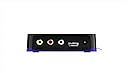
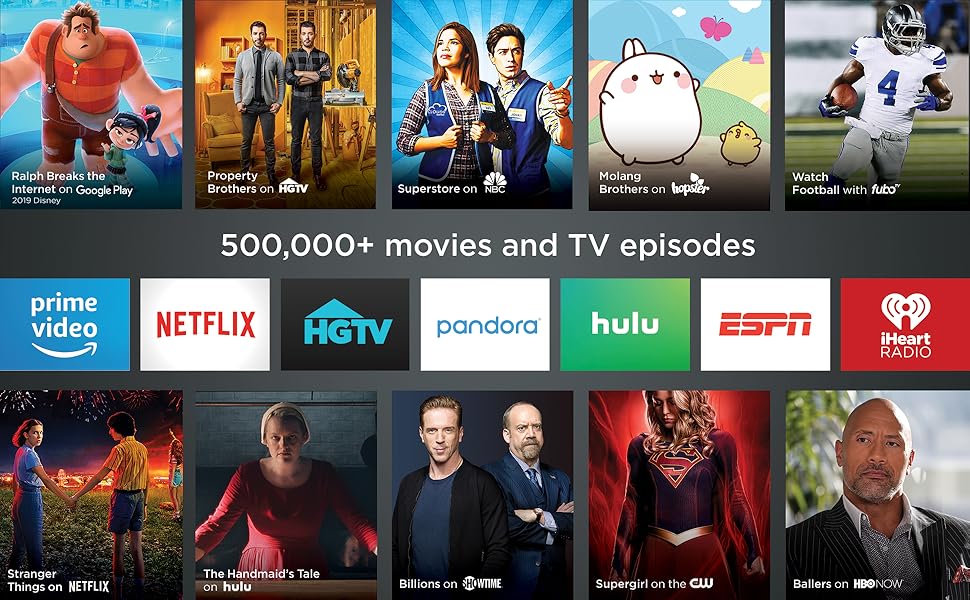
Roku Express is a compact, easy-to-use HD streaming media player delivering crisp 1080p video with 5x faster performance than previous models. It offers access to over 500,000 movies and TV episodes across 1,000+ channels, including free content on The Roku Channel. Featuring long-range Wi-Fi, an intuitive voice remote, and a free mobile app, it transforms any HDTV into a smart entertainment powerhouse with effortless setup in under 5 minutes.


| ASIN | B075XN1NZC |
| Best Sellers Rank | #105,864 in Electronics ( See Top 100 in Electronics ) #476 in Streaming Media Players |
| Brand | Roku |
| Built-In Media | remote control, 2 AAA batteries, high speed HDMI cable, power adapter, USB cable, removable adhesive strip,guide,product information flyer |
| Color | Black |
| Compatible Devices | Television |
| Connectivity Technology | Wi-Fi |
| Connector Type | HDMI |
| Controller Type | amazon_alexa, vera |
| Customer Reviews | 4.6 out of 5 stars 44,363 Reviews |
| Form Factor | TV Box |
| Global Trade Identification Number | 00829610001791 |
| Item Dimensions L x W x H | 3.3"L x 1.4"W x 1"H |
| Item Type Name | media player |
| Item Weight | 1.3 Ounces |
| Manufacturer | roku |
| Memory Storage Capacity | 16 GB |
| Mfr Part Number | 829610001791 |
| Model Name | RokuExpress Media Player |
| Model Number | Roku Express 3900R |
| Other Special Features of the Product | Long-range Wi-Fi, Voice remote with TV controls |
| Resolution | 1080p |
| Special Feature | Long-range Wi-Fi, Voice remote with TV controls |
| Supported Internet Services | Apple TV, HBO, Hulu with Live TV, Netflix, PlayStation Vue, Prime Video, Showtime and Google Play, The Roku Channel Supported Internet Services Apple TV, HBO, Hulu with Live TV, Netflix, PlayStation Vue, Prime Video, Showtime and Google Play, The Roku Channel See more |
| UPC | 043396313613 829610001791 082652982149 |
| Video Codec | H.264 |
| Video Output Resolution | 1920x1080 Pixels |
| Warranty Description | 1 year |
M**Y
Great Product
The Roku Express is a great product for customers that are looking for high definition entertainment, easy to set up, and it is used for televisions that are not smarts. This brand is very popular, because it has a lot of programs in just one device, making it so easy for the customer to purchase a product that has everything related to entertainment in order to satisfy people's needs. If you are looking for a device that has great quality and multiple types of entertainment in a quick installation process, then the Roku Express is the best option for you. You do not have to spend a lot of money on smart TVs that offer you the same as this device. This is extremely easy to set up in any TV, and very cheap compering to the competition. The package provides several tools in order to start the experience. This has an USB cable that connects to the TV, as well as the charger. Once it is connected, then you just have to read the instructions in order to set up the account, connecting to the internet, and choosing programs. This process would take a maximum of five minutes. After that, the customer would be able to start enjoying the high definition of channels. This device would offer a lot of benefits to the customer. The user can purchase any channel that they are interested on. In addition, it has a lot of free and very popular channels such as; Netflix, YouTube, Hulu, HBO, Direct Channel, Vudu and so on. The device has something unique called The Roku Channel, which it has a lot of different movies, TV shows, and music for every customer's pleasure. Lastly, the speed of the device and the channels are very good. It is very rare to wait for the start of any program. So, if you would like to enjoy high definition with multiple options of entertainment in just one device, then the Roku Express is the option for you. This is a small product that makes it so easy to carry everywhere, so the user could have the opportunity to enjoy high quality of entertainment at any time.
A**N
Best streaming option
Bought this to stream content to a 32" bedroom TV. I already have the Roku Ultra 4K in my theater and a FireStick in my living room. They both do the same thing, but I prefer the UI of Roku a bit more, and for $25, it was a great deal. Had it connected and up and running in about 15mins. The longest part was waiting for all of the apps to download. I run Sling, Hulu, NetFlix, Showtime, YouTube, and Amazon Prime Video, and all work flawlessly and display 1080P video on the TV. I like how small the module is as well, and have it affixed to the bottom of the TV which is wall-mounted about 6ft high. Don't forget to download the Roku remote app on your smartphone to control your Roku right from your phone, especially if you'll be typing any information. It's much easier on a keyboard on your phone than it is to select each letter/number using the Roku remote. Bottom line - if you don't need 4K and want a simple to use, compact streaming solution, this is the best bet and works great. Even comes with an HDMI cable, power cable and USB outlet base (I don't use the base, but instead use the USB out from the TV to power the Roku), and batteries for the remote. Also comes with a double-sided sticky strip to affix the Roku module to your TV.
W**E
Ezcellent product if you don't need 4k
We bought a new 4k TV with roku built in and loved it so much we wanted to add it to our older 1080p tv in the living room. This little box is very quick and streams 1080p that looks at least as good as cable or DTV. The remote is actually heavier quality than what came with my roku tv too. The box itself feels like it is empty, it's so light, but it works fantastically. The only differences are that it's an IR remote, so you need line of sight to the box, and you have to switch inputs to use it. Both are absolutely no problem at all. It's a little weird that there is no off button, but I can't imagine it's pulling much power and you could just unplug it at night if you are worried about it. There is no volume control on the remote, so if you are someone who constantly turns the TV volume up and down, you might get annoyed at having to grab the tv remote for volume, but even that is not really a big deal for the cost. Super easy to install and set up. I do recommend using either the included sticky strip, or we uaed a commans strip, because it is so light, it's otherwise easy to knock right off the tv stand. We attached it to the side of the tv. The included hdmi cable is pretty short, but I had several longer ones laying around so no biggie. The only thing I'd change is to include a four foot cable instead of a two foot, but as I said, I had an extra cable anyway, so didn't matter to me at all.
A**Y
Works great
Have had this for a very long time multiple years and still use it to this day.
A**N
Very affordable, very fast, a great value, recommend!
I've been using Rokus for many years , probably going back to the 2nd or 3rd generation. I've always liked the simple interface that works, but they've always been a little slow for my tastes. Just getting to the channel you want to watch and getting it loaded up seemed to take so long. But not wanting to buy into the Apple landscape, I just sorta lived with it. A few years ago we bought a Fire stick to see if it would alleviate our desire for speed and we were so put off by the buggy nature of it that we went back to our 2013 Roku. It still works, almost 6 years later, but it's definitely on the slow side of things. I finally decided to start looking to see what's out there these days and I found this little unit for a very budget conscious price point and I was intrigued. I was a little worried about the specs because memory wise, it's comparable to our old Roku, but it seemed like the processor would be a little snappier. WOW, I can say this well exceeded my expectations, it's very fast and responsive. The UI is familiar and intuitive, everything just seems to work, and now it's fast to boot! If you're on the fence about this unit due to speed, I can honestly say it works great. I want to put one of these on every TV now! The only reason I gave it 4 stars instead of 5 is because at first pass, the picture quality didn't seem as good as it could be, but it's not bad by any measure. If I could give it 4.5 stars, I would, especially given the price point, I'm not sure what else out there you could possibly get any better for. This is a great little unit, I'm very happy with it.
J**O
Best streaming bang-for-the-buck, best in class universal search
I was looking for the easiest way to get streaming apps on a TV in the kitchen, and the Roku Express fit the bill. It comes with a two-prong USB wall power adapter, but most modern TVs, including mine, have a USB port that can power the Roku directly from the TV. There's even an included velcro tie to keep any excess length in the power cable tidy. The included HDMI cable was long enough to reach but not so long that routing it out of sight was difficult. The included adhesive strip was a nice touch, making mounting it to the underside of the TV quick and easy. The biggest drawback compared to the higher-end Roku devices is that the remote is IR, which means it does require line of sight in order to work, but since sticking it on the TV is so easy it's not an issue. Just know that you can't have it hidden behind the TV or inside a cabinet and still have the included remote work. The best thing about all Rokus is the software. It's dead simple to setup and navigate, and the search is better than the Amazon Fire stick because it doesn't prioritize any service. You can search for a title (or actor, etc) and it will show you results from every service available. This is especially nice for surfacing results from the free apps that I wouldn't think to search otherwise, like Sony Crackle or the Roku channel. There's a "Featured Free" category that's very nice for surfacing content that's available outside of the major streaming players like Netflix and Prime. The remote is small and lightweight, and uses two included AAA batteries. Unlike fancier Rokus, it doesn't have a headphone jack on it, but if you put the Roku app on your phone you can achieve the same thing and listen through headphones. That's particularly handy in the bedroom for late-night viewing that won't bother your partner. The phone app also let's you use your phone as a remote control. Even though the chip in the Express is the least powerful in the Roku line, navigating and starting videos is still responsive. It takes about five seconds for the unit to "boot up" when it first powers on, but after that there aren't any slowdowns or stutters. The value is fantastic. For any secondary, non-4k TV, like in a bedroom, guest room or kitchen, the Express is the best streaming option to get. Everything you need to get up and running is included-- it's nice that on such an inexpensive item they're not nickel and diming you by not including batteries or HDMI cable.
R**Y
What you really need to know...
Fantastic product so far! After the first week, we bought a second one for a family member. First thing: Before you buy, understand what content is free and what is not. Second, in case it's not obvious, the Roku operates over your wifi and internet connection. You have to have an internet connection that is fast enough to stream video. If you can't stream video on your mobile (via wifi) or PC, you won't be able to stream it on the Roku either. Subscription content: Anything that you have to pay for elsewhere (like Netflix, Amazon, Hulu, network TV streaming, etc), you'll still have to have those same subscriptions. But the Roku allows you to access all of those subscriptions (the ones you're paying for) from a single device on your TV, with a nice interface that nearly anyone can use, even if they're technology-illiterate. Worst case, if you get lost somewhere, just press the Home button. (But keep in mind, each 'channel' on Roku is an app written by the individual content provider, so some are a little more complicated than others. I suspect for marketing reasons, it's not always obvious on some of the network TV channels which content is free versus paid until you try to play it. But you'll always be prompted before paying for anything, and you can add a pin-number to prevent accidental purchases). Ad-supported content: There is a lot of ad-supported content, just like watching free over-the-air (OTA) TV stations. For network TV (ABC, NBC, CBS, CW, etc), check each network's website to see what shows you can watch for free directly on their website, and that's generally what you'll be able to watch on Roku, too. After all, the 'channels' on Roku are apps written by each network. For many networks, the free content includes the last 3 to 5 episodes of things that are currently airing, with content being made available a week after the original broadcast date. This is comes in handy if you miss an episode or two of over-the-air TV. Some of the networks also offer free 'throwback' content, where you can watch an entire series of an older show. And there are a few channels like pluto.tv and tubi.tv that provide a wide assortment of ad-supported movies and TV shows. Again, check their corresponding websites to see what content they currently have, and that's what you'll get on Roku. The ones mentioned above offer some relatively recent content, in addition to a lot of older and slightly-older content. Free, without ads: Mostly, you'll find that the ad-free content is extremely old... lots of black-and-white TV and movies, some early color TV/movies, etc. For those who don't like much of what's on TV these days, there's a lot of classy and classic stuff here. And, of course, a lot of b- and c-grade stuff you've never heard of. This newest version of the Roku Express ("5X more powerful") has a very smooth interface, with good response from the remote. Video startup is extremely fast if you have decent internet speed. I tested on a relative's 6mbps DSL internet, and buffering times were never uncomfortable. On my faster internet (100mbps), videos either start instantly, or take no more than about 1 or 2 seconds of buffering. The remote control is great -- simple, strong signal, good range. It's infrared-based, so you have to be in the same room (why would you want to be out of the room??). I generally don't even have to point the remote at the Roku box, because the infrared is strong enough to reflect off of the ceiling or walls and still work. Just be sure your Roku box's front side is unobscured and pointing toward the room. They provide a sticky-tape strip to stick the box somewhere convenient, like the side or top of your TV or media cabinet. The provided HDMI cable is only 2 feet long, though, so it does have to be relatively close to the TV. But you could use a different HDMI cable if you need the remote to be a little farther away. One feature I love about the remote is that pressing the Home button will turn on your TV and switch to the Roku's HDMI input, assuming your TV supports this (I have a Samsung TV which is supported, and a TCL TV which apparently wasn't). You can also use the Roku app on your mobile to control the Roku via wifi. In addition to providing an interface that looks pretty similar to the physical remote, you can also browse for other content while something is already playing. It fact, it's quite a bit easier to navigate if you're searching for something specific, since the physical remote requires using an on-screen keyboard where you select each letter and click OK (normally, I'm not searching for something specific on the physical remote, so it's not a problem). The app also has a headphone feature, which I'm guessing allows you to listen directly from your mobile instead of via the TV... great for watching at night when others are sleeping. Note, the Roku app is NOT designed to watch Roku content directly on your mobile. It simply lets you select the content to watch on the TV. Overall, it's a great experience. My only subscription at the moment is Amazon prime, which doesn't have a lot of content that I really want to watch (sorry, Amazon! I have Prime mostly for the shipping), so I use the Roku mostly for ad-supported TV and movies, and there's more than enough to keep me busy for a long time.
A**E
Updated Aug 2020: Not another review of the same - this one will make you think and enjoy your Roku!
Updated on August 4 2020 I am not shy when I say I am a fan of Roku. Early adopter, always was and still believe. Unfortunately Roku has become less appealing after July 31, 2020 - when it refused to support big stream channels HBO MAX and now Peacock - the newest kid in town from NBC. I understand legal implications. I am an IT guy, so trust me when I say metadata drives sound monetary value. User behavior and any data we give to these and many other companies every time we use a smart device is priceless. I adopted Roku to free myself from expensive and inflexible Cable deals. I. Me. The consumer. I don't want to be limited on my options to watch and now I have to go to a different room to turn in my Samsung Smart TV to watch HBO Max because Roku discontinued the support of HBO. No, Roku, sorry, it was not HBO leaving Roku as you advertise it. Netflix has it's own channel. Disney+, Hulu, Univision, History Channel, you name it. There is a dedicated channel, so why not HBO? It wasn't because of client preferences, it was because of monetary reasons. Client, for the first time, has been placed in the backseat of Roku's value prop and that makes Roku the lesser because of it. Word of advise: Roku changed the game and created a new one. The Mobile Streaming apps are now doing the same. Roku could benefit from an open approach to support any mobile streaming app, just like a cell phone does today - to keep ahead of the game. Casting your phone to the screen is an alternative and may become the BEST choice if consumers are left with no choice than to keep freedom power in their handhelds because streaming devices like this one want to limit customers. My two cents. My review stands with some minor mods because I can no longer say Roku plays it all... Thanks for all those helpful votes! Original Review follows..... There are hundreds of reviews for this product, so rather than touching on what has already been said, let me just throw in some Do's and Don'ts if you find yourself, like me, navigating the vast array of options in the streaming space. Do's 1) Do your research! There are several different models for Roku, depending on what YOU really need, want or want to pay. I bought a Roku Express because I was upgrading from a 1st generation Roku device and this one is (or at least feels) a thousand times faster, more powerful and has the upgraded software interfaces for apps like Netflix where you can manage your profiles - the older versions did not support that ability, it only presented your default profile. 2) Use the power adapter that comes with it. Sure, you can plug it to your smartTV usb port for power, but if you read about this, there are tons of issues that stem from lack of power supply to the device. 3) Think where you will place your device. This is NOT a set top box, this is a tiny (half of your hand palm) device that has a double tape and sticks do your TV. It is not invasive, it has nice black finish so it won't ruin any aesthetics, but once you stick it on, you need to leave it there, otherwise you could end up with a tape that will no longer work, creating an extra hassle - think location first, then execute and paste it. 4) Play around with it - it has lots of configuration options, like turning on your TV with 1 touch, casting your mobile screen, etc. If you go only by the default options you might miss some fun tricks! 5) Match it with a good router/wifi setup. The worst you can do is have a nice TV, get the top of the line 4K enabled Roku and pair that to a sub-par WIFI connection or a provider that will not support your streaming needs. Remember! this is not plugged by cables, this device streams over the air radio waves, so the distance to your router, obstacles, speed of your network (not only download speeds, but actual WIFI band speeds) can all affect the outcome, so do your homework and think about your entertainment system as a whole, not just the TV / streaming portion. Dont's 1) Not everybody needs 4K streaming and NOT all providers support it! Many providers will charge premium for UHD Content and offer HD as standard option, if that is the case for you, spending extra $$ on a 4K TV and a 4K streaming device will be wasted. (again, see my last DO bullet item!) 2) Let your expectations be unrealistic - Yes Roku provides tons of free content. Free means many of the channels are privately supported which means the content may not be UHD. 3) The REAL Fun from roku comes when you enable the channels based on your paid content (netflix, hulu, amazon, premium networks like hbo, nfl, etc...) so if you want to really exploit your Roku's capabilities you will have to pay at some point for prime content. I hope this helps - I am an early adopter of Roku, have major streaming services like Netflix, Prime and supplemented with an "a la carte" cable service like sling, spectrum choice, DirectTV now or any of your preferred providers and this will unlock all the major broadcast networks, plus some other channels. - EXCEPT HBO MAX & NBC's Peacock. One last thought: The interest thing is that Roku has a channel for many of these major network stations and watching their content through the Roku channel as opposed through the cable provider app, I've found that there is more content outside, and better choices for on-demand. Hope you like my review!
Trustpilot
2 weeks ago
1 month ago