🚀 Elevate your productivity with the Surface Pro 8 — where power meets portability!
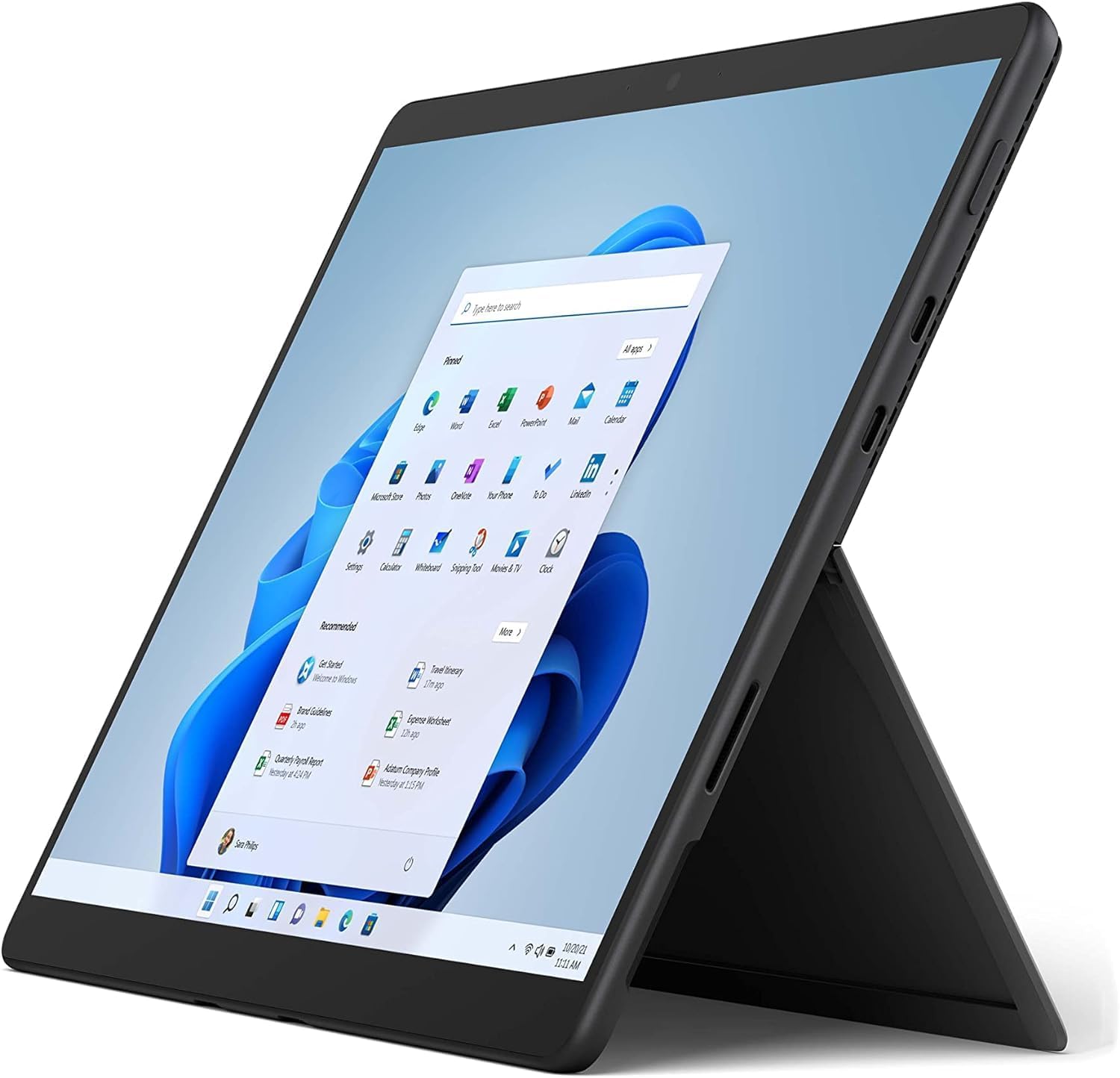
The Microsoft Surface Pro 8 (Renewed) is a sleek, ultra-portable 2-in-1 device featuring an 11th Gen Intel Core i5 processor, 8GB RAM, and a vibrant 13.3-inch PixelSense touchscreen with 2880x1920 resolution. Equipped with a 256GB SSD, Wi-Fi 6, Bluetooth 5.1, and versatile ports, it offers a premium Windows 11 experience in a lightweight graphite chassis. Professionally inspected and tested, this renewed model delivers near-new performance and style, perfect for professionals seeking a powerful, flexible device on the go.

| ASIN | B0B1W1V69Q |
| Age Range Description | Adult |
| Aspect Ratio | 16:9 |
| Battery Cell Type | Lithium |
| Best Sellers Rank | #9,261 in Amazon Renewed ( See Top 100 in Amazon Renewed ) #349 in Renewed Tablets #1,496 in Computer Tablets #2,924 in Renewed Computers & Accessories |
| Brand | Microsoft |
| Built-In Media | AC Cord, Power Supply, Pro Device, QSG, Regulatory Documents |
| CPU Model Number | Intel Core i5-1135G7 |
| Camera Description | Front, Rear |
| Cellular Technology | 4G |
| Color | Graphite |
| Compatible Devices | External Display, Keyboard, Mouse, Storage Devices, Printers, etc. |
| Compatible Flash Memory Type | microSD |
| Configuration | Intel® Evo Platform Core™ i5 |
| Connectivity Technology | Bluetooth, Wi-Fi |
| Customer Reviews | 4.2 out of 5 stars 85 Reviews |
| Display Refresh Rate in Hertz | 60 |
| Display Resolution Maximum | 2880 x 1920 Pixels |
| Display Type | PixelSense Flow |
| Generation | 8th Generation |
| Graphics Coprocessor | Intel Iris Xe Graphics |
| Graphics Description | Integrated |
| Hard-Drive Size | 256 GB |
| Hardware Interface | Mini-DisplayPort, USB 3.0 |
| Human-Interface Input | Keyboard, Touchscreen |
| Item Dimensions L x W x Thickness | 16"L x 9"W x 3"Th |
| Item Weight | 1.7 Pounds |
| Lithium-Battery Energy Content | 4.9 Watt Hours |
| Manufacturer | Microsoft |
| Memory Slots Available | 1 |
| Memory Storage Capacity | 256 GB |
| Mfr Part Number | EB3-00005 |
| Model Name | Lenovo |
| Model Number | Surface Pro 8 |
| Model Year | 2021 |
| Native Resolution | 2880x1920 |
| Operating System | Windows 10 |
| Operating System Family | Windows |
| Other Special Features of the Product | Stereo Speakers |
| Photo Sensor Resolution | 8 MP |
| Processor Brand | Intel |
| Processor Description | Intel Core i5-1135G7 (11th Gen) |
| Processor Speed | 1.1 GHz |
| RAM Memory Installed | 8 GB |
| RAM Size | 8 GB |
| Rear Facing Camera Photo Sensor Resolution | 8 MP |
| Screen Size | 13.3 Inches |
| Size | Windows 11 Home | i5 | 8 | 256 |
| Specific Uses For Product | Gaming, Student |
| Style Name | Surface Only |
| Total Usb Ports | 2 |
| UPC | 656942813705 |
| Video Capture Resolution | FHD 1080p |
| Video Processor | Intel |
| Warranty Description | 90 days limited warranty |
| Warranty Type | Limited |
| Wireless Compability | 802.11ax |
| Wireless Technology | Bluetooth, Wi-Fi |
M**E
Light and useful
I use this at work and at home. The screen is nice to write on and it makes a good mini laptop. Great for a used product. Good condition
M**E
Like it
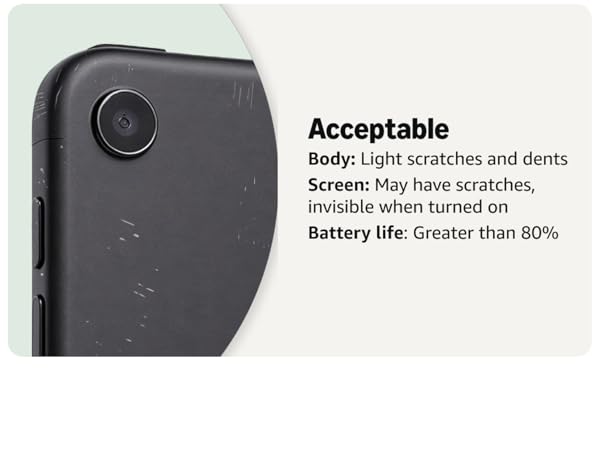
I bought a used one and it came with original package , feel like new. I have it 2 days and everything like accepted
H**Z
Awesome tool
I like the product, it works good
A**R
Love this computer
Had to turn in my work laptop and needed a laptop for work/home use. This is great and was really easy to set up
A**A
Crashed on Me
I set it up when I got it. I paired it with a keyboard, and I installed Adobe PS. I will mainly use this for travel as it is very light. Afterwards, I can only see White Screen. I pressed the power button, and it showed the Lock Screen (so display was working). When I logged back in, same thing. I couldn’t use swipes or Windows key (to launch start). I pressed the power for a few seconds to hard boot. When I came back up, it tried to automatically repair itself then it said “Couldn’t find a bootable operating system.” Rebooting showed the same result. I’m returning and ordered a replacement as I will be traveling soon. I’ll update the rating when the new one arrives.
E**O
SURFACE
El rendimiento de la SURFACE es optimo
B**N
Not what I was expecting
I purchased this Surface to possible run a laser for a small business. The past few days I have put it to the test. Doesn't seem to have any issues with running the software, but "All Day Battery" that's a joke. Maybe a couple of hours at best. The screen will do something strange every once in a while. (Attached picture) (All of this might have to do with being "Renewed" who knows) I have to Press the power button so the screen will sleep, press it again to wake it up and everything is back to normal again.....well until it does it again. The pen is awesome!!! It does everything I need it to do and then some. They put some time into the pen and software, and it shows. Keyboard that charges the pen is well done. Overall, it's not a bad tablet but when they say it's a tablet\computer.....Nope. At least not mine. Charger is way over done. Too much to carry around, but with this one you have too, again no all-day battery. The Surface will get hot when charging. No aftermarket charger, using the one that game with the Surface. I don't know if the iPad would do any better, but at least the Surface can run more than a Chrome Book.
K**R
Great!
Great!
I**C
Awesome for school note taking and light drawing.
I primarily use this for taking notes in school and working on Word documents. I was using an iPad pro for note taking on one note but was having issues with sometimes getting my lecture slides to load. I have had 0 issues with that on the SP. The display is beautiful and bright enough in the well-lit rooms. The colours are vibrant and the screen has a good refresh rate. I applied a screen protector on it, as I found the screen to be too smooth for writing with the pen. The battery life is fantastic. Most of the time I use it for note-taking with the pen with half brightness. I typically end class with 85% battery left. Performance is okay. It only has 8GB of RAM so sometimes I notice some lag when going through my notes. There might be 85 slides on a One Note page plus notes I take beside it which seems to cause some hiccups sometimes. I have tried doodling on Photoshop with only 5 layers and it worked smoothly but I had to close all other apps. The small amount of RAM would probably cause the brush on Photoshop to lag a lot if multiple apps were running in the background. The Pen performance is fantastic! When I first used it, it felt a little too flat but I got over it after a full day of school. The pen accuracy is amazing. I did not notice any lag when using one note and Photoshop. I very much prefer using this pen to the Ipad pro on one note. There was some noticeable lag when using the iPad pro. It charges relatively quickly and is extremely portable. I have stopped carrying my 8lb laptop and charging brick and just been carrying the surface pro around for note-taking. It is significantly heavier than the iPad pro but would take this over the iPad pro. I felt like the apps I was using on the iPad pro were stripped down compared to using it on a windows computer. I've had a few issues with it since purchasing. Sometimes when I haven't opened the Surface Pro for several hours, the face detection and webcam will not turn on. It will say that a webcam cannot be operated, so I have to type in my passcode. Usually restarting the SP will enable the webcam again. I have also had a few occasions where the function/shortcut keys did not work. I was not able to change the brightness of the screen through the shortcut button. There were also a few times when the SP itself froze or lagged, but that might have just been the 8GB of RAM. Overall I am pretty satisfied with the SP because I mostly use it for notetaking. I would not get this low end spec if I I had to run intensive programs.
B**N
Excellent Shape - Seems Fully Functional
So, we ordered a ‘platinum’ colored Surface Pro8 but received a black one. My wife actually liked the black one so she kept it. It is in pretty good shape with only minor marks. The main marks are in the bottom edge which will be covered up (& not at all noticeable) by the keyboard. The specs of RAM and SSD memory were as described. Everything seems functional though the usb-c ports are a little tight & ‘finicky’. Waiting for the permanent keyboard to arrive. Set-it up w/ Microsoft updates and other software using my surface pro keyboard. In general it looks like an excellent decision to get the refurbished one - it seems in excellent condition. I contacted the seller to report the color issue and they apologized/refunded the price difference quickly and professionally.
L**D
Have fan and more fast
Plusses have fan, more fast, it is one of the best Intel based surface.
A**R
Almost brand new
It was a sealed official microsoft refurbished surface pro. No scratch at all. Battery brand new. Original charger. And shipping was so fast although it was Christmas.
G**U
Fonctionne bien
Comme neuf
Trustpilot
2 weeks ago
2 weeks ago