Buy anything from 5,000+ international stores. One checkout price. No surprise fees. Join 2M+ shoppers on Desertcart.
Desertcart purchases this item on your behalf and handles shipping, customs, and support to Uruguay.
๐ Pocket-sized power for unstoppable connectivity
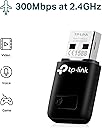
The TP-Link TL-WN823N is a sleek, mini USB wireless adapter delivering up to 300 Mbps speed, perfect for HD streaming, gaming, and voice calls. Its plug-and-play design and one-touch WPS button make setup effortless, while Soft AP mode lets you create a Wi-Fi hotspot from a wired connection. Compatible across Windows, Mac, and Linux, itโs the ideal portable solution for professionals craving reliable, high-speed internet anywhere.


| ASIN | B0088TKTY2 |
| Best Sellers Rank | 2,299 in Computers & Accessories ( See Top 100 in Computers & Accessories ) 23 in USB Computer Network Adapters |
| Box Contents | Quick Installation Guide, Resource CD, Wireless Adapter TL-WN823N |
| Brand | TP-Link |
| Brand Name | TP-Link |
| Color | Black |
| Colour | Black |
| Compatible Devices | PC&Notebook |
| Compatible Operating System Family | Linux, MacOS, Windows |
| Compatible devices | PC&Notebook |
| Country of Origin | Netherlands |
| Customer Reviews | 4.2 out of 5 stars 68,179 Reviews |
| Data Link Protocol | Puerto WLAN 802.11b, Puerto WLAN 802.11g, Puerto WLAN 802.11n |
| Data Transfer Rate | 300 Megabits Per Second |
| Data link protocol | Puerto WLAN 802.11b, Puerto WLAN 802.11g, Puerto WLAN 802.11n |
| EU Spare Part Availability Duration | 2 Years |
| External Testing Certification | ANATEL: 36481203177 |
| Hardware Interface | USB 2.0 |
| Hardware interface | USB 2.0 |
| Item Dimensions L x W x H | 18L x 7W x 39H millimetres |
| Item Part Number | TL-WN823N |
| Item Weight | 2.12 Ounces |
| Manufacturer | TP-Link |
| Manufacturer Part Number | TL-WN823N |
| Minimum Required Operating System Version | Windows 7 |
| Model Number | TL-WN823N |
| Product Warranty | 3 year |
| Product dimensions | 18L x 7W x 39H millimetres |
| UPC | 013342001307 |
| Unit Count | 1.0 count |
L**R
TP-Link reliability in a tiny package
Small enough that you can leave it in a USB port permanently without it sticking out and snagging anything. Setup on Windows 11 was completely automatic. Plugged in, recognised, online within a minute. Speeds are perfectly adequate for streaming and video calls in a normal-sized home. TP-Link have always been reliable for this kind of network kit and this is no exception. Sensible buy.
W**S
Plug and Play on Windows 8.
Received quickly by post, well packaged. Came with a mini CD with installation software although the device didn't seem to need it as it immediately began working when plugged it. It would be worth checking if your router supports 5 GHz as it might be worth investing in the ยฃ14.95 5 GHz AC version of this USB Adaptor (with caveats). My speeds average out around 62 Mbps, I crossed referenced this with my phone and my phone had the same speed on the 2 GHz band, so it is performing as intended. I currently have a 200 Mbps subscription, on the 5 GHz band using my phone (S6 Edge) I was getting around 160 Mbps. You might be wondering then why I didn't go the the 5 GHz version, my reasons for this are that 5 GHz typically seems to have poorer signal quality over distance and lower penetration through certain materials, I live in an post war house that has a lot of steel beams through the structure and my 5 GHz signal, although faster tends to be less reliable and weaker. In summary I would say the best option for someone in my position would be to go for the 2.4 GHz version, if however you're router will be in the same room as your computer or perhaps only on the other side of a stud wall, go for the 5 GHz. I have had this adaptor for a while now and performance has been superb, the signal has not dropped at all since I got it. For the record I am using Windows 8. Great price for a quality product from a trusted brand.
A**S
Works right out of the box - helps moving to Linux
Used to switch from Windows to Linux. Ubuntu and Mint both have issues recognising the existing WiFi adapter. This solves that instantly. This appears to be the simplest solution. Scared of losing a USB port? Get an adapter to create more USB ports if you are that worried.
A**R
Excellent Quality
Excellent Quality
L**O
TP Link Mini Wirless N USB WiFi Adapter A Five Star Product
I have built two desktop computers in recent years. I run several versions of Windows as well as Linux Mint Cinnamon versions. This WiFi adapter works with several Windows OS's, with Linux and Mac. TP link are a long established company and I find that their products are excellent and reliable. With regards to my Linux Mint operating systems, this works out of the box with Mint Cinnamon version, 19.2, ( Now no longer supported since early 2023 ) and the latest 2023 version, Mint 21.2. It presumably works with versions in between. This is a neat compact WiFi adapter and the transfer speeds are excellent. The fact that it works out of the box with Linux, ( I didn't have to compile the driver ), is a plus and will be for many Linux users, as some find it difficult to get WiFi working on Linux. The unit has a convenient WPS button for secure connection to the network. A Window's driver CD and instructions are included in the box. This is a Five Star adapter. See my own photo images of this product. Also see my Amazon Five Star review, TP-Link Archer T5E Wi-Fi And Bluetooth PCie Card, ( Thursday 09th September 2021 ). Les A. G. Durno. Sunday 10th September 2023. At: 16.33.hrs. GMT.
M**T
The Amazon syndrome
***Update about 4 weeks later*** I downloaded the specific driver from the company (by default it had been using whatever driver Windows used). Initially this did seem to have improved things slightly. It was actually quite difficult to get hold of and use this driver: poorly designed user setup. Unfortunately, using the manufacturer's driver does NOT solve the problems. I still get dropped connections, and I still find that whereas my phones, TV, etc., have no problems picking up a full-speed Wifi signal from the router, this thing doesn't: all too often it clocks 2 Mbps, and occasionally drops Wifi connection. I confess that I find this utterly baffling: when you specifically design a Wifi adapter, and you produce your own driver, specifically for W10, how come it works far worse that the tiny device in a phone? There's no excuse for this. *** original review *** This worked OK to begin with. I've had it for about 40 days now and it no longer works properly, although there is a rock-solid Net connection and Wifi system (as regularly attested by my phone tests, for example). Although this is now (just) outside the "return window", I would consider challenging this on the basis that the kit is simply defective. But instead of getting rid of it I intend to a get a better, more expensive piece of kit with a couple of aerials sticking out of it, and keep this as a reserve thing (it is only ยฃ7). This is absolutely typical of Amazon: very cheap and very rubbish, the absolutely classic flaw being a fault that only comes to light after a certain time. For this reason I hardly ever buy anything from Amazon any more. I wonder whether Bezos is clever enough to understand that this business model is not sustainable and that tens of millions have now reached the same conclusion as myself.
F**N
It works ok...avoid cheap generic badge-branded
Works fine without hiccup, unlike generic badge-branded dongles (you know the ones, weird almost-Chinese-sounding brands you've never heard of before) which are hit and miss if they work at all, I've fallen into that rip-off trap more than once. Seems like I need new WiFi dongles every time Windows goes up a number...the whole industry must be in cahoots, making you buy new kit by not supporting the previous model with new OS releases. But at least most new kit, like this, is backwards compatible with previous OS releases. Just not future proof! Easy to plug and install, you need a CD rom, else download the drivers...which is daft if you can't get connected to do so ... If using with a WiFi hotspot generated by your mobile phone it doesn't always connect, needing pc reboot after all power off at wall socket to clear faulty cached settings, and a mobile phone total reboot too, this will clear any cache settings across all devices, but is a nuisance when you have to do it every time. But at least you can then use 4/5G data for pc internet instead of having to buy broadband as well.
W**E
Very Good includes older System compatibility
I purchased this dongle specifically for my spare PC for Windows 7 as another brand dongle did not work, it came in a nice package box with a installation CD, the application was easy to install. My old PC was revived and I found that worked as well with a browser called Supermium, allowing Google and most application to run smoothly.
F**L
Good
Good Working for desktop
D**D
Modern wifi dongle
I had already a wireless dongle, but I wanted to get a better one to check if the speed could be improved. After testing, the speed was the same, so it is just my provider. The dongle is very robust and package is very good too.
P**R
Had a broken internal wifi card in my laptop, so I used this.
Laptop wifi card was faulty, but out of warranty. Tried to replace the wifi card itself but failed. Then I realised I could just use one of these. As a network engineer myself, we use a lot of TP Link products for their reliability and quality, so naturally I chose this and I chose well. Works like a charm. No downloading drivers required for me.
M**E
Top!!
Super handig in gebruik.. in mijn computer plug & play. Accepteer het device. Gelijk werkt mijn internet verbinding..streaming is top voor normaal gebruik pc gebruik.. zeer blij mee!
M**A
Very nice little device. Excellent price/performance point.
This little wireless dongle is performing flawlessly, attached to a 2009 Mac Mini running El Capitan. The mini was built from collected parts but without the WiFi antennae. Those antennae sell, on the used market, for about twice the price of this TP-LINK device and don't provide better performance. Both the TP-LINK and the factory WiFi are "N" spec. so they should give similar throughput. I purchased this model (TP-LINK TL-WN823N) because I needed an adapter for a dead-cheap computer build. This target machine contains most of an actual Apple 2009 model, its not a hackintosh, although I can't imagine why it wouldn't work nicely in the latter. The price/performance was perfect for what I needed. The TP-LINK adapter uses a software utility/driver to function under MacOS. The software is included in the package on an optical disk. There is also some software for Windows and Linux but I can't comment on that because I didn't try any of it. The size of the device makes insertion and removal from a USB port easy, even if the ports around it are occupied, but it's small enough not to stick out and get brushed/broken. Once this device and its app are installed it just does what it is supposed to do. In fact, I tend to forget it is there. To my mind, that is exactly the way a WiFi adapter should work. The app puts an icon on the bar at the top of the screen, much like MacOS does. Through that icon, you can control the TP-LINK device independent of the other Mac network facilities. The idea that it uses a proprietary app to handle it, rather than trying to integrate with MacOS, can be seen in a positive light because it means that TP-LINK has control of both the hardware and the software. That makes it independent of any changes the OS manufacturer might make in the future. I have several TP-LINK devices and their product support is pretty good. In fact, the products are good enough that I've never had to contact TP-LINK other than to look for updates or get product information/specs from their site. As a last thought, Amazon offers a range of these WiFi devices. Some of the higher performance models could be used to improve on the built in hardware in older machines. So, if you have the support for AC/Dual Band from your router or access point, you could buy a pretty significant WiFi boost with one of the more powerful TP-LINK products in the list. The increments in performance are less than ten dollars in price. If your machine has an on-board "G" spec. WiFi adapter then one of these units will give you a very satisfying speed boost for very little money. Keep in mind, if you plan to use one of these adapters on the road (laptop), most public WiFi hot-spots don't offer more than "N" spec. service. I consider the TP-LINK TL-WN823N a good purchase, and I would do it again.
Trustpilot
3 weeks ago
2 months ago