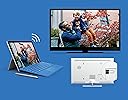
📺 Elevate your screen game—go wireless, go limitless!
The Microsoft Wireless Display V2 Adapter lets professionals effortlessly mirror or extend their Windows 10 device screens onto HDTVs or monitors using Wi-Fi certified Miracast technology. With a reliable 23-foot wireless range, plug-and-play HDMI and USB connectivity, and broad compatibility across Surface devices and other Miracast-enabled hardware, it’s designed to modernize presentations, meetings, and media streaming with minimal lag and maximum convenience.


| ASIN | B01C9YTI9S |
| Best Sellers Rank | 17,785 in Computers & Accessories ( See Top 100 in Computers & Accessories ) 163 in USB Computer Network Adapters |
| Brand | Microsoft |
| Colour | Black |
| Customer Reviews | 4.2 4.2 out of 5 stars (4,037) |
| Date First Available | 28 Feb. 2016 |
| Guaranteed software updates until | unknown |
| Item Weight | 33.1 Grams |
| Item model number | P3Q-00003 |
| Model year | 2016 |
| Package Dimensions L x W x H | 34.7 x 24.9 x 3.7 centimetres |
| Package Weight | 0.18 Kilograms |
| Part number | P3Q-00003 |
| Product Dimensions L x W x H | 10.3 x 2.2 x 1.1 centimetres |
| Style | Single |
| Warranty description | 1 year manufacturer warranty |
V**S
Good one, but broke shortly after purchase
UPDATE: Replacement arrived quickly and item works as expected, no crashes or anything. First, it is expensive for what it does. Bought one because our smart TV, despite having Miracast and chromecast buil-in, would not work well with one of our PCs, but did fine with others. Was really happy with the item: build quality good, but not premium, it would allow to watch video in good quality, without dropouts or disconnections, with fluent picture experience. Some lag was present, so definately the adapter would not do well for gamers. Setup was really easy, and connection from a Windows 10 PC would take some 5 to 10 seconds. However, after two days of limited use it broke. Simply it would not broadcast over wi-fi, and the only thing on display one would see was a broken Microsoft startup logo on white background. Resetting the device did not help. Ordered a replacement, and if it does not break, I will give it a 5 star rating instead of 1.
D**S
Absolutely excellent product.....absolutely
Just arrived. Bought to enable me to teach physics to my students using my Surface Pro 4. Have just ran several tests using power point presentations and associated linked videos from a variety of online video sites (youtube, vimeo etc)...All faultless, straight out of box. Audio automatically routes to the wireless display adaptor (in playback devices it is labelled as Digital Output: MSDisplayAdaptor). I bought a MPOW Bluetooth audio receiver to enable me to free roam with the SP4 and play video from anywhere in the class. I can route the audio from video on the SP4 to the main speaker input in the room (using the Bluetooth audio receiver), or play it from the SP4 speakers easily (using volume control: Playback Devices). Downloaded the display adaptor app from the store, and altered the adaptor name, and upgraded the firmware to latest release...took around 60 seconds to restart. VERY slight time lag, I could game on the SP4 with minimal issues. I can draw using the Surface pen without looking at the SP4 screen as lag is minimal, so ideal for visual artists wanting to work wirelessly on a larger monitor/projector. After typing this I no longer notice the time lag....:) almost instant response.
P**Y
Good but sensitive to power supply capability
Wanted this to mirror the screens of two tablets to a TV which had HDMI but no USB. Planned to use a separate USB power supply plug to power the device. The tablets I wanted to mirror are both Samsung. One is Android 4.4 Android 9. I wanted to use the device to mirror movies. Plugged the dongle into the HDMI port of the TV and connected it to a separate USB power plug made by a leading manufacturer. The device powered up and displayed the Microsoft landing page but was unstable. Both tablets were unable to find/see the dongle. At the time I was about one metre away from the dongle. I concluded that it might be a power supply issue. I change the power supply plug over and the device worked perfectly with both tablets. Video streamed okay with no jitter in sound or vision. Checking out the PSU plugs I saw that both were rated at 5v 1 amp. My only thought is that the first PSU I used was not 100% spec for USB voltage. Which leads me to conclude that the device may need a good strong USB voltage. If the USB voltage is slightly off then there could be problems with it working. Other than this the device does what is should do. It works with Android 4.4 and Android 9. and streams video okay. I am happy with it except it does seem to be overpriced.
A**T
Works well - easy and so far reliable
Excellent product but check your computer/laptop is able to output Miracast signals! it might be that your running windows which has the "connect App" but that doesn't mean the computer has the circuity to send a WiFi Miracast signal. I bought this Receiver along with an Anycast Receiver to compare them. The image quality is better on the Microsoft device than the Anycast device although the Anycast device does also link Apply products, this Doesn't. IF your screen or projector doesn't have a USB socket (needed to provide power) then you will also need a USB PSU and a Male-Female extension lead (1m or 2m) as the cable on this device, even with the 25mm extension is only about 150mm Long. The system is easy to set up, there is a small time lag between moving the mouse and seeing the movement on the remote screen but nothing to problematic. So far I've only used these for PowerPoint Presentation, I've not tried to send video but the Audio link works fine. So far I've not pushed to see how far this link will work but I've had a reliable connection greater than 30ft, with a Wifi Route in the same space. Jan 2017 - Alan
P**S
No longer have to use an HDMI cable for laptop to TV
I was looking at all kinds of streaming dongles with mixed reviews none of which seemed to do what I wanted. This display adapter came today and it just works as intended. Our old Samsung "smart" TV no longer connects to the ITV Hub so I have been using a Windows 11 laptop to watch via a HDMI cable and operating the plugged-in laptop with a remote mouse and keyboard. Also other channels like UKTVplay. This device just plugs into the HDMI socket and into a nearby USB socket on the back of the TV (plenty long enough but there is a short extension included). Then you press the Windows logo key plus K on the laptop and you select the adapter from the list. Very easy. This adapter doesn't have an easy connection for an Android phone but I didn't need that. I think you need the more expensive version or some paid-for software but you'd have to check on that. This device provides just what I wanted: laptop to TV. Later comment: I must add that sometimes the connection falters and freezes so it is a little unreliable. Most of the time it's OK. Watching ITVX last night it was breaking up so I had to plug in the HDMI cable which always gives perfect transmission. Might be something local to me that's affecting it.
A**R
Nachdem unser Smart TV (ein Samsung ES6710) nach einem Softwareupdate auf einmal keine Möglichkeit mehr bot, Screen Mirroring zu nutzen, wir aber den TV auch nicht gegen einen neuen ersetzen wollten, weil er noch tadellos funktionierte, schauten wir nach Möglichkeiten, wie wir ihm eben genau dieses Screen Mirroring / Miracast wieder "beibringen" können. Samsung selbst bot keine Lösung. Das Gerät wurde nicht mehr unterstützt. Man sollte offenbar lieber ein neues Gerät kaufen. Dann haben wir einen Amazon Fire TV Stick Lite ausprobiert, da damit viele recht gute Erfolge vorweisen konnten, wie wir im Internet recherchiert hatten. Aber das funktionierte nicht gut: Bild war sehr schlecht aufgelöst, der Mousezeiger lief ruckelig und mit extremer Verzögerung und auch die Verbindung zwischen Laptop und Fire TV Stick funktionierte - wenn Sie denn überhaupt zu Stande kam - nur sporadisch und ab und zu, aber eben nicht verlässlich. Wir wollten den TV bei uns im Büro zur Präsentation vor Kunden nutzen (der Laptopbildschirm sollte auf dem TV gespiegelt werden, und das ohne Kabelverbindung zwischen Laptop und TV). Das war aber aus beschriebenen Gründen mit dem Fire TV Stick nicht möglich. Also haben wir weiter gesucht. Und sind letztlich bei diesem tollen Produkt von Microsoft gelandet. Und Überraschung: Es funktioniert perfekt!!! Wir haben es selbst nicht geglaubt! Einfach ausgepackt, angeschlossen, im Laptop als externen Bildschirm gesucht, nach wenigen Sekunden gefunden und läuft! Keine Werbung, kein Konto eröffnen, keinen Software installieren, keine ewige Einrichtung. Einfach anschließen und loslegen! Und das Beste ist: Der Stick versorgt sich selbst über den USB am TV, somit entfällt auch das lästige Kabelwirrwar, was man z.B. beim Fire TV Stick hat, der ja Strom aus der Steckdose braucht. Also von uns eine ganz klar Empfehlung für den Wireless Display Adapter von Microsoft. Ja, er ist ein Stück teurer als Chromecast oder Fire TV Stick, aber dafür funktioniert er und das ohne Werbung oder Daten eingeben. Wir haben bei uns im Büro ausschließlich Windows-basierte Geräte und im aktuellen Fall haben wir ein Surface Pro 7 mit Windows 10 und ein Surface Pro 8 mit Windows 11 ganz einfach und ohne Probleme drahtlos verbinden können. Fazi:t: ganz klare Empfehlung!
J**N
Had to update the adapter on a different computer to get it working. Dont know why.
C**N
I would highly recommend this product, for hooking up a flat-screen TV that has HDMI ports, to your Windows computer . I use it with my Surface Pro 4 (i7 Processor, 16gb RAM & 256gb SSD), under Windows 10 Pro. Nice out of box experience. In fact, before I got the Wireless Display Adapter V2, my Surface Pro docking station was not able to use more than 2 speakers, connected to my Receiver (which has 5 speakers) through the HDMI physical cable). While my MacBook Pro running Windows 10 Pro, was able to use all 5 speakers, for TV sound through the HDMI cable. Even Microsoft's easily accessible phone support was not able to help me utilize all 5 speakers, before I got the Wireless Adapter. But once I got the Wireless Adapter, the 3 other speakers (including the woofer), started working like magic! I installed the Windows 10 1803 update two days ago and I was worried, because it seemed like it was taking too long for the flat-screen TV to connect. I immediately called Microsoft Tech Support (almost no wait time) and the TV started working about one minute before I got hold of the Tech Support Rep. With my approval, the Tech Rep took a look -remotely-and it looked fine. The Tech Rep noticed a problem with one of my docking station's USB ports in Device Manager (a problem unrelated to this Wireless Display Adapter) and after about one minute and a reboot, the USB problem was fixed. I would highly recommend this product and thank Microsoft for their excellent and easily accessible Tech Support!
A**I
Fin dal primo utilizzo mi sono reso conto di come questo modello sia una versione realmente migliorata rispetto al suo predecessore. Con il precedente Microsoft Wireless Display Adapter, mi è capitato più volte di avere delle instabilità di connessione con alcuni PC e dispositivi. Questo ora non capita più. Ma vediamo tutto più in dettaglio. OSSERVAZIONI GENERALI Sempre paragonandolo al modello precedente, le dimensioni e la forma sono state migliorate: la parte con la presa HDMI è infatti stata resa più piccola a vantaggio di un cavo più lungo, migliorandone la flessibilità e quindi la praticità di inserimento in una TV. Inoltre, il dispositivo viene così ad essere anche molto più leggero e compatto. Il software è stato anch'esso migliorato: zero problemi di connessione o ritardi e funzionalità al top. CONSIGLI PER L'UTILIZZO L'ideale è collegare la parte USB di questo adattatore (unicamente per alimentare il dispositivo) a una presa della TV. Se, però, avete a che fare con un vecchio televisore o monitor dotati sì di presa HDMI, ma non di USB, allora potete tranquillamente collegare l'adattatore a una Powerbank, in modo da alimentarlo con la batteria esterna. Funzionerà senza nessun problema. CONCLUSIONI Nonostante il prezzo più alto di altri della concorrenza, se la vostra TV o schermo non sono dotati di Miracast integrato, vi consiglio questo adattatore (magari in Ottime Condizioni su Amazon Wareouse, un affare!) in modo da avere una connessione affidabile e in modo rapido e veloce.
R**S
Después de probar el Chromecast con toda la ilusión del mundo lo tuve que devolver y buscar alternativas (Roku, Android TV, etc...) y finalmente di con este sencillo dispositivo de Microsoft. El Chromecast iba muy bien, permitía hacer cast, es decir, ver un vídeo de youtube y aplicaciones preparadas para el chromecast mientras se hacía otra cosa con el móvil e incluso realizar una proyección espejada de lo que se veía en el móvil. El problema con el Chromecast es que requería disponer de una wifi a la que conectarla, y además, que esta wifi tuviera acceso a internet incluso aunque fueras a proyectar en espejo la pantalla. Esta restricción inútil fue la que me hizo devolverlo. Este dispositivo de MS es super pequeño y sólo requiere 0,5A de USB y una entrada HDMI. Desde android sólo permite ver la imagen del móvil en una pantalla HDMI aunque desde sistemas windows 8.x y windows 10 permite tratarlo como otra pantalla (clonar, extender la pantalla, etc...). No todos los sistemas son compatibles, la mayoría de los nuevos portátiles lo son, pero ojito a la compatibilidad con sistemas windows. No permite hacer "cast" como el dispositivo de google pero por lo menos funcionará siempre sin necesidad de wifi con internet ni nada. El alcance es muy bueno, unos 10 metros entre adaptador y dispositivo emisor. Todos los sistemas que he probado hasta la fecha tenían retardo de entrada por lo que para jugar o manejar con el ratón no los recomiendo. No obstante este de microsoft y el chromecast eran los que tenían menos retardo y eran "usables" con ratón. El vídeo va perfecto a full hd y sincronizado imagen y sonido. En este punto sin problemas. Se calienta bastante aunque quiero pensar que está diseñado para aguantar estas temperaturas. El paquete trae el adaptador HDMI+USB y luego un cable pequeño extensor de USB por si se nos queda corto, aunque podríamos usar cualquier otro cable USB pues sólo usa el USB para la alimentación eléctrica. Por último decir que para actualizar el firmware del adaptador es necesario conectarse a él mediante máquina windows compatible y aplicación que se descarga de la tienda de microsoft (gratuita). No hay aplicación para Android. No es compatible con sistemas Apple pues este fabricante no ha adoptado el estándar de Miracast / WiDi y tiene su propio sistema de "streaming" (Apple TV). Lo recomiendo. Aquí en españa no tenemos disponibles los sistemas de Amazon y para comprar el Roku Stick sale caro y es de importación.
Trustpilot
1 month ago
2 weeks ago