Buy anything from 5,000+ international stores. One checkout price. No surprise fees. Join 2M+ shoppers on Desertcart.
Desertcart purchases this item on your behalf and handles shipping, customs, and support to Uruguay.
๐ Connect with confidence, present with power.
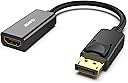
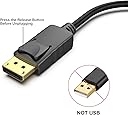
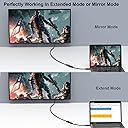
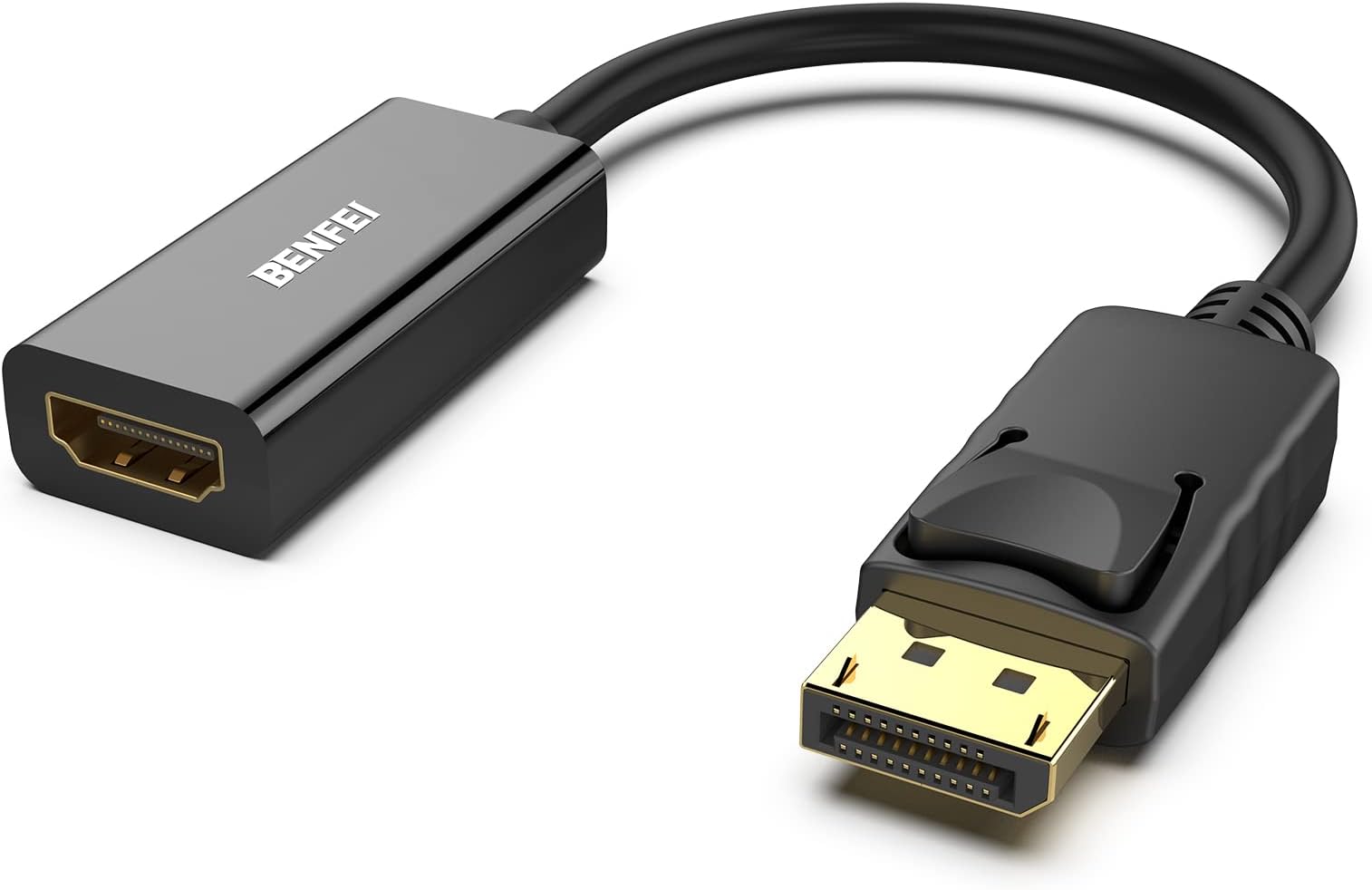
The BENFEI DisplayPort to HDMI adapter is a compact, durable converter designed for professionals needing reliable Full HD (1080p@60Hz) video and audio transmission. Featuring a secure latch connection, gold-plated DisplayPort for corrosion resistance, and plug-and-play ease, it flawlessly links laptops or desktops to HDMI displays, projectors, or TVs. Backed by an 18-month warranty, itโs the go-to accessory for seamless presentations, extended desktops, and multimedia setups.


| ASIN | B017Q8ZVWK |
| Best Sellers Rank | 931 in Computers & Accessories ( See Top 100 in Computers & Accessories ) 3 in DisplayPort to HDMI Adapters |
| Brand Name | BENFEI |
| Colour | Black |
| Compatible Devices | Computers, Laptops, Monitors, Projectors, TVs |
| Connector Type | DisplayPort, HDMI |
| Current Rating | 1 Amps |
| Customer Reviews | 4.4 4.4 out of 5 stars (70,239) |
| EU Spare Part Availability Duration | 18 Months |
| External Testing Certification | 177202201739 |
| Input Voltage | 12 Volts |
| Item Dimensions | 10 x 10 x 10 millimetres |
| Item Weight | 0.96 Ounces |
| Manufacturer | BENFEI |
| Manufacturer Part Number | 601393861980 |
| Model Number | 000095black |
| Nominal Power | 12 Watts |
| Number of Items | 1 |
| Number of Ports | 2 |
| Package Quantity | 1 |
| Power Plug Type | No Plug |
| Product Finish Type | Gold,Hdmi,Projector |
| Product Warranty | 18 months manufacturer |
| Smart Home Compatibility | Not Smart Home Compatible |
| Specific Uses For Product | presentations at conferences or meetings, connecting a second monitor to a desk, connecting a laptop to a home TV |
| UPC | 601393861980 |
| Unit Count | 1.0 count |
| Warranty Type | Limited |
D**R
Solid, Reliable DP to HDMI Adapter โ Works First Time, No Fuss
Iโve been using this BENFEI DisplayPort to HDMI adapter for connecting my PC to an external monitor and itโs been flawless so far. Build quality feels reassuring for such a compact adapter โ the gold-plated connector fits snugly and doesnโt wobble, and the cable itself feels durable rather than cheap or flimsy. Plugged it in and it worked instantly with no drivers or setup needed. Picture quality is exactly what youโd want: clear, stable, and no flickering. Iโm running it for office work, browsing, and light media use, and it handles everything smoothly. Audio passes through perfectly as well, which is a nice bonus. What I like most is the simplicity โ it just does its job. Great option if you need to connect a DisplayPort laptop or PC to an HDMI monitor, TV, or projector. Pros: โข Instant plug-and-play โข Solid build and secure fit โข Clear image with stable signal โข Compact and easy to carry โข Excellent value for money Cons: โข Directional (DP to HDMI only), which is clearly stated โ just worth noting Overall, a reliable, well-made adapter that does exactly what it promises. Iโd happily recommend this for work setups, home offices, or travel use.
A**.
very good
Itโs held up for 2 years now, works very well. iโve never had a problem the cable length is a little small but it works when you have a long dp/hdmi. great price for such a good product. Keeps my games and tv looking very good and works fast.
C**U
Works well with clear picture and sound
Iโve used this adapter to connect my laptop to a larger monitor and itโs worked smoothly every time. The image stays sharp and the sound transfers perfectly with no delay or flicker. It clips in securely and feels solid enough for daily use. Setup was simple too, just plug it in and itโs ready to go. After long sessions it warms up slightly, but it hasnโt affected the performance. Itโs a reliable little adapter that makes switching to a bigger screen quick and easy.
D**S
Works perfectly, plug and play!
I needed to connect my PC to an HDMI monitor and this adapter did the trick instantly. There was no setup or software requiredโjust plugged it in and it worked flawlessly. Great picture quality and feels well-made. Highly recommend!
C**H
neat and works very well
I am running Linux on an older PC, which has a display port, this is great to connect a monitor with HDMI input to older equipment, worked flawlessly
J**K
does what it says on the tin.
does what it says on the tin. works a treat. good price for what it is, its fast and responsive and looks good on the screen.
E**E
Good adaptator
Works perfectly
A**S
Didn't work at all
Nicely built, just did not work for me. Tried 2 different HDMI cables (to an AVR and a monitor) outputting from a PC graphics card Displayport output. Just got the 'cable missing' message.
S**X
Easy to use!
A**H
ู ู ุชุงุงุงุงุฒ
S**S
ุฌูุฏ ุฌุฏุง
R**T
The review: The adapter seems to be made well. It was in a plastic bag rather than a box, but it did have a protective cap on the male DisplayPort end, and a plastic wrap on the housing of the HDMI end. It plugged in solidly, and I tested the release with no issues. I wonder if some of the people who had issues with it breaking off when trying to remove didn't realize that DP has an active retention mechanism that has to be depressed to remove. Seamlessly transferred both video to my TV and audio to my surround sound, as expected (or at least hoped). I always like to put my personal experience in my reviews too because I search questions and reviews for information, so I feel like this can help others: Active versus passive adapters: I'm using a Lenovo M83 Tiny PC as my home theater PC, which has a DisplayPort++ output. As others have stated, this is a passive adapter and MAY not work with your output unless it is labeled DP++. The DP++ stands for "DisplayPort Dual-Mode", and simply means that the port automatically recognizes if an HDMI or DVI adapter is attached, and sends the appropriate signals rather than the DP signals. Now it is important to realize that most modern DP ports are dual mode, whether the DP++ logo is present or not. As such, you should do the research before hand to find out if your device has a dual mode port, or risk finding out the hard way. Audio through adapter: My primary concern with this adapter was whether or not it would carry audio from the DP to the HDMI cable going into my surround sound receiver. To clarify, my setup is, PC Display Port > this adapter > HDMI cable > Receiver > HDMI cable > TV. When I initially booted the computer (first boot after installing Windows 10 Pro), Windows immediately displayed video on my TV, however no sound was playing on the surround sound speakers (I was clicking the Windows volume slider and listening for the "ding"). Through Control Panel (not the garbage Windows 10 Settings app, what was wrong with the Control Panel, Microsoft?!), I went into the Sounds options. Under playback devices, there was only one item listed, "Speakers". However, almost immediately while I was in the sound options, another device showed up with the name being the model number of my receiver. Windows automatically set it as the default device. I went ahead and disabled the other "Speakers" device just to be safe. After rebooting, all settings remained and sound continued to work properly. If you are using a surround sound receiver, you should also click on the playback device and select Configure. In here, I was able to specify that I have 5.1 surround, but there were also other options such as stereo and 7.1, so make sure you pick the right one. If you are running this directly into a TV, stereo is the default setting, which is what you want. It does send a test sound to each speaker individually, so I was able to verify that the 5.1 signal was actually making it through the adapter. Now whether this is an uncompressed PCM signal or some sort of compressed audio stream is yet to be determined; but this may depend on the source media/application that is providing the audio. Edit from future me: This does support 4K as well. I saw somebody else say it doesn't, but they must be having issues with other parts of their system (source, or receiver not supporting 4K passthrough, etc.). I have slightly changed my setup listed above, and am now running the HDMI cable directly to the TV. I upgraded to a 4K TV, but my receiver does not have 4K passthrough, so I had to bypass it. Now the HDMI cable plugged into this adapter runs to the TV, carrying both video and audio to the TV. TV is receiving 4K from the PC, no problem. I can listen to the sound through the TV speakers, but I don't as I am using a TOSLINK cable to carry the sound back to the receiver. I need to upgrade my receiver to one with 4K passthrough and audio return channel to simplify my life but that costs money and would only potentially reduce the number of cables I need by one. However, I already have to return audio from the TV to the receiver via TOSLINK because I want the TV app audio to come through my surround sound speakers too, so in the end it's all the same.
I**D
Why did you pick this product vs others?: I have purchased 2 of these, both work as intended and great. I was looking for a cable but this adapter is good too.
Trustpilot
1 month ago
2 months ago