Buy anything from 5,000+ international stores. One checkout price. No surprise fees. Join 2M+ shoppers on Desertcart.
Desertcart purchases this item on your behalf and handles shipping, customs, and support to Uruguay.
🎮 Level up your retro gaming with HD clarity that demands attention!
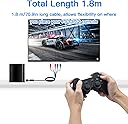
The Mcbazel Component Video Cable delivers high-definition Y/Pb/Pr video and stereo audio output for PS2 and PS3 consoles via component ports. At 6 feet long, it offers flexible placement while ensuring stable, interference-minimized signal transfer. Perfect for gamers seeking a sharp, vibrant upgrade from composite cables, this lightweight, RoHS-compliant cable requires manual output setup on consoles to achieve optimal picture quality.


| ASIN | B0050HNJW4 |
| Best Sellers Rank | 1,047 in PC & Video Games ( See Top 100 in PC & Video Games ) 4 in PlayStation 3 Cables 6 in PlayStation 2 Accessories |
| Brand | Mcbazel |
| Cable Type | Component |
| Cable type | Component |
| Colour | Black |
| Compatible Devices | Television |
| Compatible Phone Models | No Compatible Phone Models |
| Compatible devices | Television |
| Compatible phone models | No Compatible Phone Models |
| Connector Gender | Male-to-Female |
| Connector Type | Component |
| Connector type | Component |
| Country Of Origin | China |
| Customer Package Type | sealed antistatic bag |
| Customer Reviews | 4.2 out of 5 stars 1,521 Reviews |
| Indoor Outdoor Usage | Indoor |
| Item Length | 1.8 Metres |
| Item Shape | Round |
| Item Weight | 0.1 Kilograms |
| Manufacturer | RiteAV |
| Manufacturer Part Number | ps3comp2 |
| Maximum Voltage | 5 Volts (DC) |
| Model Name | ps3comp2 |
| Model Number | ps3comp2 |
| Number of Items | 1 |
| Number of Pins | 2 |
| Other Special Features of the Product | Lightweight |
| Outer Material | Rubber |
| Recommended Uses For Product | Television |
| Special feature | Lightweight |
| Specification Met | RoHS |
| Unit Count | 1.0 count |
R**N
Great cables for best image
Cables work great, easy to setup. I’ve tested the PS2 through upscalers etc but this output will provide the clearest picture if your TV supports the input. Just a reminder that you have to change your settings on the PS2 to YPbPr in order to get an image.
L**N
An incredible upgrade over regular composite cables
I was a bit skeptical of these cables at first considering their cheap price, but I thought there was no harm in giving them a try. I wasn't ready for such a massive jump in picture quality though. Component video is a complete game changer for any retro console that supports it, even at an interlaced resolution there's such an increase in picture clarity. I've attached two images of Rayman 3, one of only a few PAL games that supports 480p. On the right is composite at 480i, on the left is component at 480p. Not only can you clearly see every pixel, but the clarity of background detail is much improved. Be warned that this cable will reveal imperfections in all of your favourite games! Cannot recommend this cable enough, amazing quality for the price.
C**E
Does the job ok
Thought I would give this cable a go instead of the more expensive brand on the market. works well with my Panasonic LCD TV 50” with my PS2 Slim. No reported issues with picture or sound. so far so good. Picture quality has improved but would still be better on a CRT monitor or with an upscaler.
L**K
Great, you will have to be able to access settings menu on PS2, it is doable with the other TV audio-visual cable
This is great, it allows me to use my Playstation 2 with my latest LG Smart TV BUT, and this is something which is not explained IN ANY youtube video or guidance I have watched or read online, you will have to access the system menu in the settings within the Playstation and toggle to the appropriate setting or the TV will register that there is no Component signal (you may hear the sound of the menu screen or the game playing through the TV but you will have no picture). In order to be able to do this you may use the older AV cable, red plug to red receiver, white plug to white receiver and then the yellow plug to the green receiver, this will allow your TV to receive a signal from the Playstation, you will be able to access the setting menu provided you have not put a disc into the Playstation and it is just operating "empty". The setting you want to highlight is the one other than RGB (it is a string of letters). Having done this, you can then hook up this HD Component AV Cable, the colours of each of the plugs correspond to each of the receivers on the TV set and it is good to go. There is some debate about the difference between HD Component AV Cable and PS2 to HDMI Converters. I have both, I am going to comment in a bit more detail on this after I have played more games and been able to assess properly each means of upgrading the PS2 picture for improved TV audio-visuals. What I would say is that so far I think that both the HD Component AV Cable and PS2 to HDMI Converter are better pictures that the previous AV cable attachment which I used to toggle to the other setting (I played a single game which was dark anyway but the picture was awful, really adversely effected play). Neither are necessary to make the PS2 signal be received by the TV and part of my confusion was a consequence of having used a SCART attachment with the AV cable in my previous TV and initially not being aware, when the SCART attachment is removed, which plugs would attach to which colour corresponding receivers (yellow to green). The picture is not great though and I would only recommend using this to toggle the settings and use either HD Component AV Cable or PS2 to HDMI. Thus far my preference is for the HD Component AV Cable but I'm going to update in time. I hope this is helpful, as I tried hard discover this information online and eventually only found it in a video which was listed as comic, I suspect because of issues with it quality.
J**E
Good
Good for what I needed!
M**N
The one I got was cheap junk that was dead on arrival !
I bought this to go with the McBazel HDMI converter I got at the same time. As soon as I took it out of the box I noticed the component plugs looked seriously cheap, and this was confirmed when I connected them up. They slid into the component sockets with almost zero force, and I had trouble with them trying to fall back out. The outer metal part of the plugs are made out of super thin metal, so I'm guessing they were made with the outer diameter in spec, but this made the inner diameter way to big. Using my FINGERS (!?!?) I squashed the outer part of the plugs oval so they'd make contact, and at least then the GBS-C recognised there was some sort of video input, but there was still nothing on the screen. My TV has component inputs, so I tried connecting it directly, but that didn't work either. I already have a cheap component cable on my other PS2, so I only bought this so that I didn't have to rob the cable from one when I wanted to use the other, and I only bought this McBazel one because I assumed, being it carries their name they wouldn't be selling rubbish........ Wrong ! I'm disabled, so the £6.40 the this cost isn't worth the rigmarole required to get it to a returns drop off point, but if it wasn't for that it would be getting sent back for a refund purely on principle. I'm assuming all the good reviews this product currently has means they've recently changed their supplier. If that's the case, I'm fully expecting the item's 4.3 star rating to start plummeting soon
M**N
Better than a HDMI converter
Excellent cable to bring life back into my PS2. Makes the graphics a lot clearer on modern TV’s and way better picture quality than a HDMI converter. Recommended
M**Y
Cables incorrectly coloured but it works great
Before I talk about the picture quality I have to talke about set up issues. So when I plugged it in i got no picture and crackly sound. My TV knew there was something plugged into the component sockets but told me there’s was no signal. I did quick search through the questions and answers section and the common suggestion (not solution) was you need to change the PS2 settings. You do need to do this however it doesn’t determine whether you get a picture or not. In one of the answers someone’s suggested the cables were incorrectly coloured, so I tried mixing the colours up. To get the cables to work correctly I had to swap green and blue and then try both red cables in the slot below the green and blue slots. And thankfully it worked. So now that it works I can see the picture is a BIG upgrade from the RGB (RWY) cables, games even seem to play smoother so this really improves the retro experience. If it wasn’t for incorrectly coloured cables it’d get 5 stars.
W**R
Great Product
Looks like HDMI from a distance. 5 stars
M**.
Tolle Bildwiedergabe - Top !
Das ps2 Komponentenkabel bietet ein scharfes, gutes Bild und kräftige Farben. Bin mehr als zufrieden !
R**O
Great image quality in LG SmartTV Flat Screen
Great product, worked very well, just remember to switch your PS2 video output setting from RGB to YCbCr 😃
A**O
Check vooraf je ps2 beeld instellingen na
Tevreden met de levering en het eindresultaat. Moest wel de beeldinstellingen eerst aanpassen met de oude AV kabel om beeld te krijgen. Ook is de pasvorm van het mondstukje erg strak en moet dus met wel wat kracht in de Playstation 2 geplaatst worden.
P**!
Très satisfait, mais un réglage à faire !
Il a fallut aller dans les réglages de la console pour sélectionner le mode de sortie YPbPr, il était sur RGB sur ma console. Une fois ça fait le résultat est excellent, l’image est bien plus nette et les couleurs plus vives. En plus, il n’y a plus ce défaut présent avec la sortie composite où l’image met parfois quelques fractions de secondes à se « nettifier » (surtout remarquable sur le texte).
Trustpilot
2 weeks ago
2 months ago