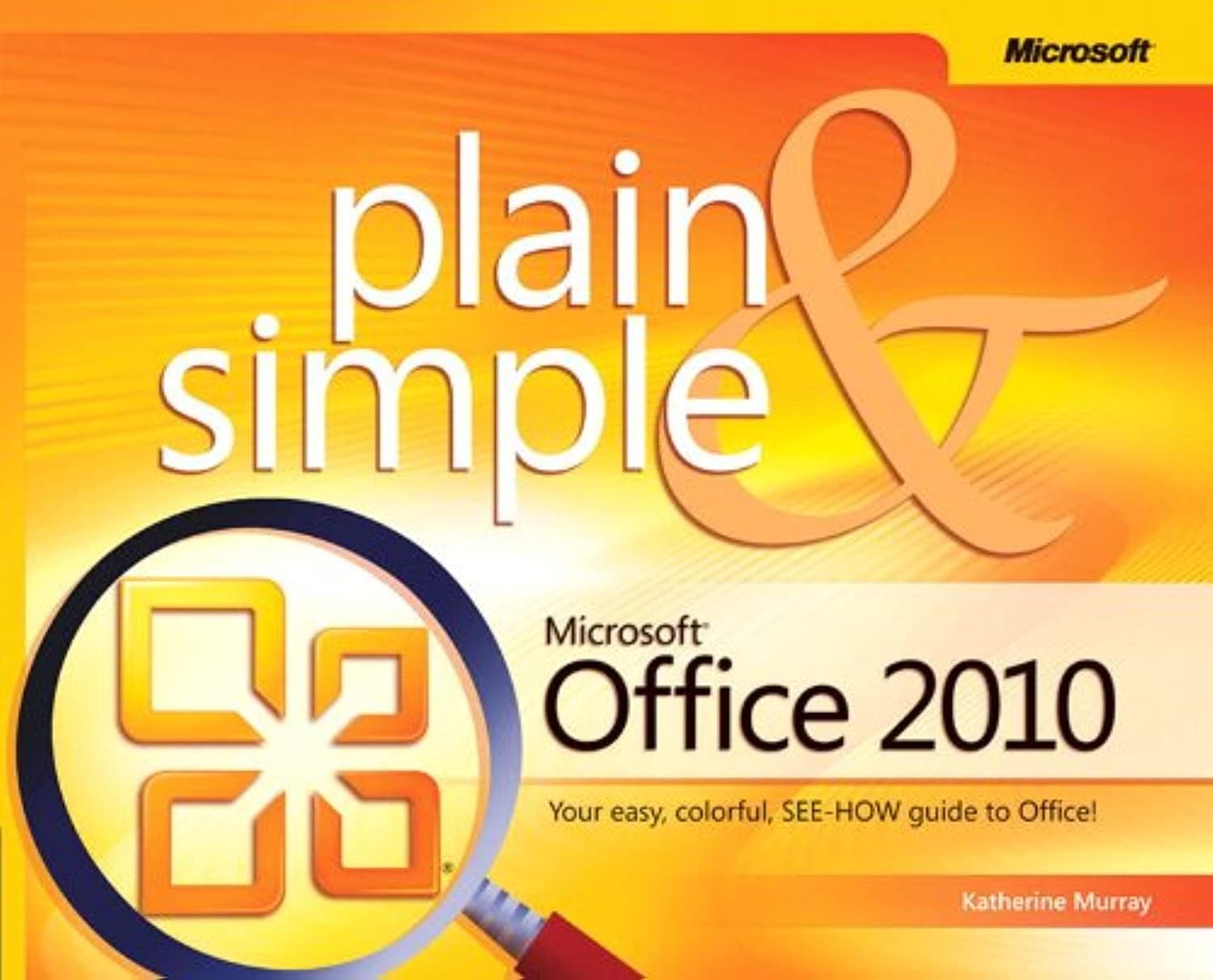
Microsoft Office 2010 Plain & Simple
Product ID: 4839953
Buy anything from 5,000+ international stores. One checkout price. No surprise fees. Join 2M+ shoppers on Desertcart.
Desertcart purchases this item on your behalf and handles shipping, customs, and support to Uruguay.
Get the fast facts that make learning Office 2010 plain and simple! This colorful, no-nonsense guide uses easy-to-follow steps and screenshots, and clear, concise language to show the simplest ways to get things done with Microsoft Word, Excel, Outlook, PowerPoint, Access, Publisher, and OneNote. Here's WHAT You'll Learn Create documents, Web pages, and other publications Organize your e-mail, calendar, contacts and tasks Build spreadsheets to analyze and visualize data Set up a simple database Capture notes with ink, voice or text Here's HOW You'll Learn It Jump in wherever you need answers Easy-to-follow STEPS and SCREENSHOTS show exactly what to do Handy TIPS teach new techniques and shortcuts Quick TRY THIS! Exercises help you apply what you learn right away Review: Excellent Starter Book- - Like the other reviewers have said up to this point this is a great book. As the cover say it is Plain and Simple. So if you're looking for something that will teach you Microsoft Office inside out then you should look to another book. This book will help you to get a basic understanding of how to use each of the Office Professional 2010 applications. There is more emphasis placed on Word, Excel and power-point than the rest. The other programs Outlook, Publisher, One-note, Access and just a general overview of how the programs work together compose the lesser portion of the book. I think that it gives and adequate coverage of the applications. I Enjoy the very colorful pages that it has. It helps to make the learning go by faster. Basically the book is screen shots bullet points showing you exactly how to do things. If you are new to any of the programs you could get this book and it will help you have a good enough knowledge to increase your productivity. I have never used outlook before and this worked it out beautifully. I got my emails all set up and and my schedule all good. This program has wonderful organization helps and it looks beautiful too. Pros: Very colorful, pictures and great labeling. Simple well thought-out explanations on how to do basic, commonly used tasks in all the Microsoft office professional edition. Good index and table of contents helps user to quickly locate what they want when they want. Overall book flow is great. Book can be read from start to finish or picked up in selected locations so that the user can understand virtually any part without reading what has came before it. Great price for what you get. Cons: Possibly too brief of an overview for some of the programs. If you are wanting a lot of details then this book may not be right for you. If you're looking for a Plain and Simple guide to Microsoft Office look no further, but if you're wanting more details for a certain program then I would suggest looking for another book. Review: Good for beginner - This manual got good reviews, which led me to a purchase. I will concur it is a good manual; well structured and easy to read. The color pictures are great and show you exactly what the text is explaining. I consider myself an intermediate user of Excel and Word. While I have learned some interesting things, the manual is geared more to someone new the Office platform. There is a lot of good information on dealing with the ribbon. My goal was to learn more about Access. For this, I am going to have to purchase a manual dedicated to Access. Bottom line: Not a bad manual in the least, but was not what I needed.
| Best Sellers Rank | #950,976 in Books ( See Top 100 in Books ) #195 in Software Suite Books #198 in Microsoft Office Guides |
| Customer Reviews | 4.2 out of 5 stars 246 Reviews |
V**N
Excellent Starter Book-
Like the other reviewers have said up to this point this is a great book. As the cover say it is Plain and Simple. So if you're looking for something that will teach you Microsoft Office inside out then you should look to another book. This book will help you to get a basic understanding of how to use each of the Office Professional 2010 applications. There is more emphasis placed on Word, Excel and power-point than the rest. The other programs Outlook, Publisher, One-note, Access and just a general overview of how the programs work together compose the lesser portion of the book. I think that it gives and adequate coverage of the applications. I Enjoy the very colorful pages that it has. It helps to make the learning go by faster. Basically the book is screen shots bullet points showing you exactly how to do things. If you are new to any of the programs you could get this book and it will help you have a good enough knowledge to increase your productivity. I have never used outlook before and this worked it out beautifully. I got my emails all set up and and my schedule all good. This program has wonderful organization helps and it looks beautiful too. Pros: Very colorful, pictures and great labeling. Simple well thought-out explanations on how to do basic, commonly used tasks in all the Microsoft office professional edition. Good index and table of contents helps user to quickly locate what they want when they want. Overall book flow is great. Book can be read from start to finish or picked up in selected locations so that the user can understand virtually any part without reading what has came before it. Great price for what you get. Cons: Possibly too brief of an overview for some of the programs. If you are wanting a lot of details then this book may not be right for you. If you're looking for a Plain and Simple guide to Microsoft Office look no further, but if you're wanting more details for a certain program then I would suggest looking for another book.
J**W
Good for beginner
This manual got good reviews, which led me to a purchase. I will concur it is a good manual; well structured and easy to read. The color pictures are great and show you exactly what the text is explaining. I consider myself an intermediate user of Excel and Word. While I have learned some interesting things, the manual is geared more to someone new the Office platform. There is a lot of good information on dealing with the ribbon. My goal was to learn more about Access. For this, I am going to have to purchase a manual dedicated to Access. Bottom line: Not a bad manual in the least, but was not what I needed.
A**1
Fantastic!!!
I purchased this book to assist me at work and it accomplished this and much more. Though I have worked with the 2010 Microsoft Office Suite for many years; however, I needed to clarify many areas that I had struggled with over time. In addition, many co-workers; including, supervisors have have utilized my book to help them achieve certain understanding of a process. The books' lack of "computer speak" and direct numerically direction is helpful and direct, allowing the user to quickly accomplish the task at hand. I am grateful that I came across this book at a large bookstore chain and decided to look for it on Amazon and found it and it at much lower price. Thank you for your service from a grateful customer.
H**R
Essential overview
I borrowed this book at my public library and liked it so much at the current price on amazon that I bought my own copy. Microsoft Office 2010 Plain & Simple enhances the suite. The built-in and online Help systems and the many online help forums available for Office 2010 are great resources for figuring out the minutiae of the software, but this manual gives you the essential overview that you miss unless you spend a lot of relatively inefficient time exploring the "Getting Started" section of the built-in Help system, something I rarely do. PROS: Shows you how to use the programs in your Office 2010 suite and demonstrates features you didn't even know you wanted until the book highlighted them for you. Shows you how the programs in your suite interact with one another. There's a reason it's designed as a suite, but some folks never move beyond using limited features and programs in isolation. Has lots of tips and tricks to speed your work and make your Office 2010 output grab the viewer's eye. Has labeled color illustrations showing exactly how to quickly locate and execute the command sequence being discussed, as you can see from amazon's illustrations from the book. I hate it when other software instructions tell me to click this or click that, when the main problem is that I can't find what I'm supposed to click in the software. Extremely aggravating! That doesn't happen with this book, Pitched at just the right level. Doesn't talk down to the reader and assume someone new to computers or Windows, but also doesn't assume Office expertise. Avoids the annoying, distracting humor(??) of some other third-party software help manuals. Has a detailed Index in the back. Has wide pages so the book stays open to the page you want without being held down so you can see a page while using a keyboard or mouse. CON(??): It's not comprehensive. I see another review here from another user who gave this book one star primarily because it didn't tell him how to do the one particular thing he wanted help with. I understand why that's a CON for him, but really, it's not for me, because such a comprehensive manual would have to be much more expensive and the size of the Manhattan Yellow Pages or a multi-volume set, and it would be much less approachable for readers seeking an overview. That's what the Help systems built in to the software and the online forums do better. You can also buy single volume Plain & Simple manuals for many individual programs in the Office suite that go into more detail if you use that program heavily and prefer books to online Help. (I haven't seen the Microsoft Word 2010 Plain & Simple book, but I bet our unhappy reviewer's question was answered there.) Overall, highly recommended.
Z**A
More of an over view
IMO this is more of a beginners guide. I needed help with excel and ordered the excel book, then saw this one and ordered it too since I did have some issues with Outlook that were minor. The book did not cover anything I needed as far as outlook but it does have some great information. I also like that it covers all programs included in Office, I only use Outlook, Excel, and Word but who knows when I may need one of the others. It's great to get started, but if you need something more detailed you may want to look for a different book. For the price I am not complaining. Shipping was SUPER SLOW!!!!!! I don't know whats up with items shipped through Amazon lately......they seem to take their sweet time getting things shipped, I never had that problem with items shipped through the actual seller. So if you need/want it quick you may want to pay for one of the faster shipping methods.
P**.
Just what my wife needed
After 13 years out of the workplace my wife returned to office work. She was familiar with Microsoft Office, but only version 2003 and earlier. When she got a new laptop a couple of years back I just installed the version of Office 2003 that came with her now-retired desktop computer. Her new job used Office 2010 and she was nervous - after all, Office 2010 is a lot different than 2003. Those ribbons can be intimidating at first. Another thing about my wife: she hates to read manuals. My wife is smart, just not patient. Me, I'm a fan of the "Missing Manual" series. I don't mind sitting down and reading instructions, but not my wife. She wants things to be able to do things without bothering with instructions. When I told her I ordered her a book on Office 2010 she was a little mad at me for "wasting money on a book [she'll] never read." As it turns out, I done good. This book is just perfect for her. The material covers everything she's needed to do so far, broken down by task. It's easy for her to find what she's looking for by skimming the table of contents. The explanation of the tasks are great: big color screen shots, arrows, easy-to-understand text. Because the book covers the Office suite she only needs to keep this one reference book handy. The introduction says, "No computerspeak!" and the book lives up to that - everything explained in terms the average user can understand. Each section may have one or more "Tips" that give extra information on the task at hand. There may also be a "See Also" box that suggests other related topics. I was impressed that the authors included a section on removing personal data from files. The Word section titled "Finalizing Your Document" shows how to run the Document Inspector to remove any sensitive information stored in the document's metadata (that's computerspeak for extra information in the file that doesn't show up on the screen...and it's also why this book does a better job than I do explaining Office to my wife). There's also a whole chapter titled "Customizing and Securing Office". I don't own a Kindle but I've used one, and I see this book is available for the Kindle. I can't imagine this book would be nearly as useful or easy to use reading it on a small gray screen. Look at some of the sample pages on the product page and you'll see what I mean. This is a great book for someone without the time (or patience) to spend reading a manual or help file, yet needs to get things done right away. The book doesn't cover every feature of every application in Office, but it's a wonderful introduction to Office 2010 (including the ribbon bar) and how to accomplish the most common tasks.
J**A
This book is great and very easy to use
This book is great and very easy to use. The information is presented in a clear, concise manner. There are great diagrams and photos and exercises. I purchased it to become familiar with Office 2010 to past tests for an interview. I highly recommend it for anyone who wants to become familiar with Office 2010.
Z**E
Thank God My Headache Is Gone!
This book saved my life, I'm new to Microsoft 2010 not that I'm stupid or nothing I needed help to pull all I could get out of my investment into the purchase of said software. Mixed up and confused, I no longer am, this book is simple to follow and showed me so much. Pictures of screens, numbered tasks, and PLAIN ENGLISH is what makes this edition a must have for all. Whether they are secretaries, home makers, or students, this book deserves a purchase. Afterall is said and done this book is #1!!!!!!
C**.
Mit Bildern und guter Beschreibung einen Einstieg in Office 2010 finden
Mit Office 2010 kommen neue Elemente, und einige Elemente sind neu angeordnet. In diesem Buch wird Office 2010 sehr umfangreich vorgestellt. Es gibt sehr viele Bilder, so dass man es Lesen kann, ohne die Sachen gleich am PC nachvollziehen zu müssen.
C**N
Tel que décrit, bonne qualité
Tel que décrit, bonne qualité
S**Y
One Star
Nowhere does it state that it is a book.
J**S
A comprehensive and very readable introduction to Office 2010
I must admit that I'm a fan of these Plain & Simple books, having previously bought the ones on Windows XP, Windows Vista and Windows 7, so I knew what to expect: lots of information on every conceivable aspect of the subject, not in great depth, but enough to get you on the right road, after which your own intelligence (or other, more techie books) can take over. The book makes extensive use of screen dumps, so you know exactly what should be appearing on your monitor, and each step of the process is clearly illustrated, with pointers and cross-references to the buttons you should be pressing. There are lots of "Tips" and "Cautions" and "Try This's" to help you on your way. I like the use of colour, which helps to break up the pages into manageable chunks. The book includes all the main Office 2010 components: Word, Excel, PowerPoint, Outlook, Publisher, OneNote and Access. Naturally, being a Microsoft publication, it's a "can do" without any "can't do's", but that suits me fine: if I want to know about any shortcomings, I can go and scan the many Forums on the subject. My advice is: get this book first. It's a splendid introduction to Office 2010, and may be the only book you'll ever need.
C**E
Excellent, plain and simple Office 2010 guide.
I have found the book an excellent explanation of Office 2010. It does presume the user has some basic knowledge of Windows packages and knows how to use the mouse, keyboard, and basic functions. It is very clear, concise and informative. I would recommend it with enthusiasm for those who are currently trying to update their knowledge for both educational and work purposes.
Trustpilot
2 days ago
2 months ago