We remain fully operational. Our teams are working around the clock to ensure your deliveries continue safely.

DOWNLOAD THE APP


Customer Services
Copyright © 2025 Desertcart Holdings Limited
DOWNLOAD THE APP


Buy anything from 5,000+ international stores. One checkout price. No surprise fees. Join 2M+ shoppers on Desertcart.
Desertcart purchases this item on your behalf and handles shipping, customs, and support to Uruguay.
🔥 Smart heat, smart life — control your comfort with a touch! ⚡
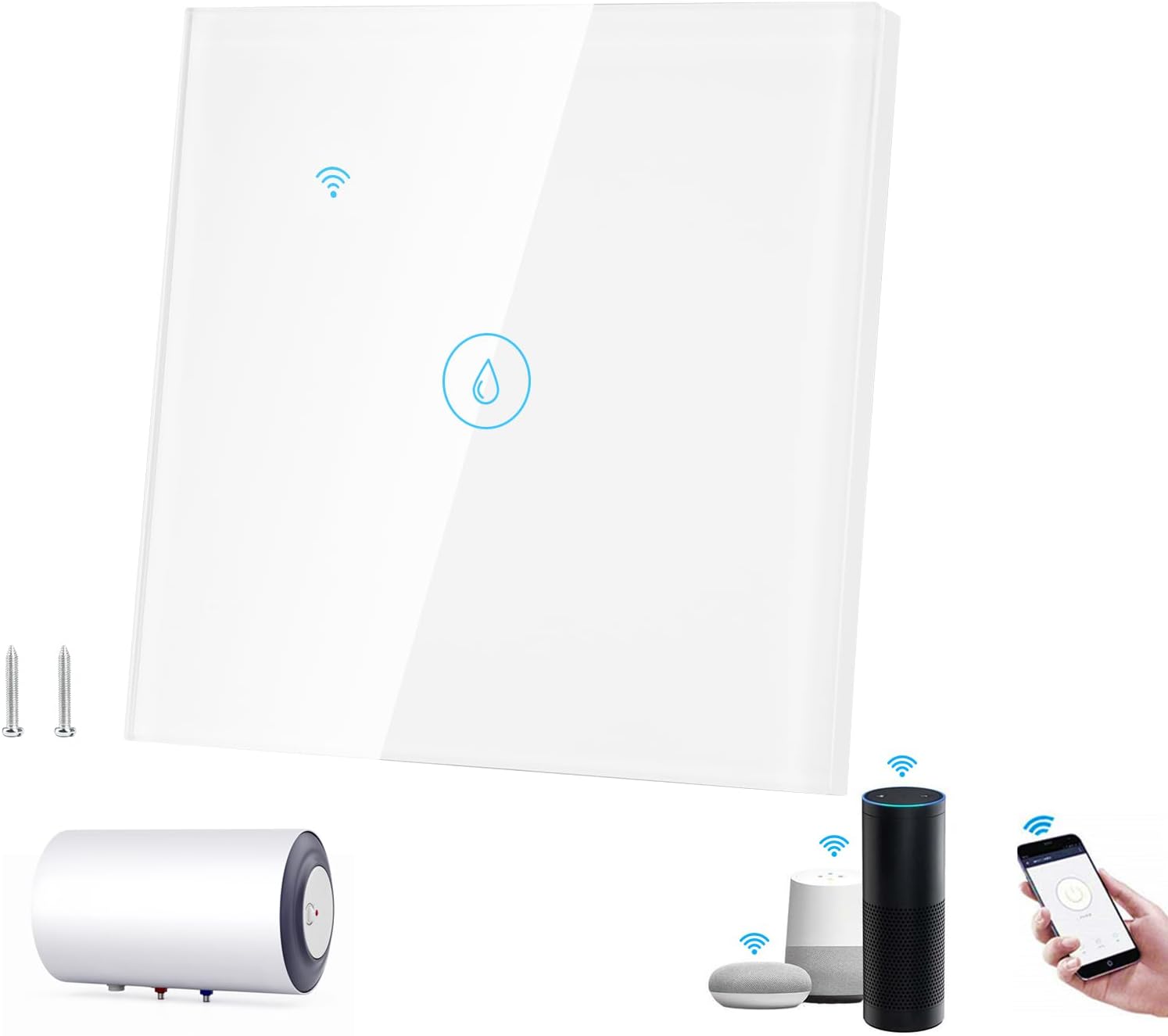
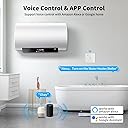
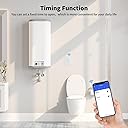
The Immersion Heater Timer is a 40A, 8000W WiFi-enabled smart switch designed for effortless control of high-power water heaters and boilers. Featuring a sleek tempered glass touch panel, it supports voice commands via Alexa and Google Assistant, customizable scheduling through the Smart Life app, and group device sharing. Its easy installation and durable design make it a must-have upgrade for modern smart homes aiming to save energy and enhance convenience.


| ASIN | B0BTCPBQ7N |
| Actuator Type | Push Button |
| Best Sellers Rank | 51,296 in DIY & Tools ( See Top 100 in DIY & Tools ) 79 in Timers |
| Brand | DIYARTS |
| Circuit Type | 1-way |
| Colour | White |
| Connectivity Protocol | Wi-Fi |
| Connector Type | Screw In |
| Connector type | Screw In |
| Contact Material | Plastic |
| Contact Type | Normally Closed |
| Contact type | Normally Closed |
| Control Method | Touch |
| Controller Type | Amazon Alexa, Android, Google Assistant, iOS |
| Current Rating | 40 Amps |
| Current rating | 40 Amps |
| Customer Reviews | 4.1 out of 5 stars 236 Reviews |
| International Protection Rating | IP65 |
| Manufacturer | DIYARTS |
| Material | Glass Panel |
| Model Number | SIEG1675044674624 |
| Mounting Type | Wall Mount |
| Number of Items | 1 |
| Number of Positions | 3 |
| Operating Voltage | 100 Volts |
| Operating voltage | 100 Volts |
| Operation Mode | ON-OFF |
| Operation mode | ON-OFF |
| Specification Met | IP65, CE, Alexa Certified, Google Assistant Certified |
| Switch Type | Touch Switch |
| Terminal | Screw |
| Unit Count | 1.0 Count |
| Wattage | 8000 watts |
J**E
Easy to install and works well with Alexa
The old manually operated timer on my Emerson heater hadn’t worked for a year or more and I often had no hot water or I would turn it on then forget to turn it off for hours, which of course costs me money! I found this smart switch was easily installed only requiring four wires to be swapped from the old to the new switch. The Smart Home App is easily downloaded, however I already had it on my mobile, so the app found the new switch and installed it fast and I was good to go. Within the App I changed the switch name from 1 Gang Switch to Hot Water, I also set up a routine for the switch to turn on for one hour per day, which should provide me with the hot water I need in a day, but either using the App or voice command to Alexa, I now have the option to turn it one and off as or when I choose and for how long I choose, with Alexa managing the off time as instructed. Great device to add to your home network, especially for those of us without a Combe boiler who doesn’t use central heating in the summer months.
E**R
Excellent design, solved my heater problems
I wanted to replace my water heater timer (that you'd need a computer science degree to program). I saw this device and liked that it could be controlled by the Smartlife app which I already use for other devices. Installation was simple but like other reviews, I had to have a couple of attempts to link to Smartlife. The manual offers no assistance for this. There were no screws for the faceplate but the old ones fitted so I used them. I have been using the device for a few days and it works really well. Its very responsive to commands with no delay. The design is very modern and sleek. The manual on/off button works with minimal pressure. The switch is rated for 40A and my boiler only uses 20A so the switch is very safe for my application. Highly recommended.
E**M
Seems to work well, but a bit of a nightmare to install
As another reviewer mentioned, mine also says "Max Load: 400W" on the box, but the device itself says "Max load: 40A" on the back (as well as saying it's a "Water Heater Switch"), so I think it's fine. I think they just use the same packaging for multiple different types of WiFi switches. Mine also came with the new deeper (43mm) back box, in a completely separate package within the outer packaging, but it's the wrong type really - it's one with round precut holes at the top and bottom of the box meant for conduit. And in my case, the screws with the unit itself didn't fit either this one or the standard UK backbox I bought to use instead (the screws are a bit too wide) I ended up having to use the screws that came with the backbox to attach the device to it instead, as they do fit, even though I think they were meant for attaching the backbox to the wall (but they seemed rather too long for that really anyway - the same length as the screws that were too wide). So the backbox is currently secured to the wall with some strong double-sided tape on the flat part in the middle of it, until I can get some screws of the correct width and an appropriate length. The screw holes in the device itself are more like curved slots, with a wider hole at one end, and I thought I'd seen another review say that this is how it attaches to the backbox, i.e. you put the screws into the backbox first then push the holes in the slots over them and twist the unit into place. So this was another source of confusion as neither the screws that came with the device or the ones with the included backbox would actually fit through the holes. But it turns out that's not how it's meant to be installed at all - the front of the device actually unclips by putting a flathead screwdriver in a slot at the bottom and twisting it, then you just screw directly through the curved slots from the front. With the backbox that I used, there was another slight issue in that the part of the device that's left when you unclip the front pretty much exactly fit *within* the backbox, which isn't what you want (because it needs to be in front of the backbox for the actual front plate of the device to be able to clip on). So it took some careful adjustment to get it just right, with the top of the device slightly overlapping the outside of the backbox and the sides/bottom of it falling inside but held by the little tab at the bottom, then screwed in just the right amount for the front plate to clip on securely and also be flush with the backbox. The actual connection terminals on the back of the unit are big enough for 2.5mm stranded cable, but not with much room to spare - the wires in the existing cable to the immersion heater had their ends twisted and folded over in the existing switch terminals, so I had to unfold them and cut the excess off before they would fit in here. I was originally intending to replace the existing switch with this device (which would have meant replacing the existing backbox with a larger one anyway), but then I found out that immersion heaters are supposed to have a double-pole isolation switch (which this device apparently isn't, it only switches the live connection on and off rather than both live and neutral), so I decided to install it after the existing switch with a short length of 2.5mm flex cable between them. A 43mm backbox does seem to be about the right size, as it allows just enough room for the wires to run up behind the device and around into the terminals, at least with stranded wires (I guess solid core ones might be more of an issue) After all that, setting up the app was actually surprisingly straightforward. It seems like there are a couple of different apps that can be used to set up and control the device, but for now at least, I just went with Tuya from the Google Play Store. After installing the app, it probably took less than 2 minutes to add the device and create a schedule for it. Yeah, I'd also prefer a 24-hour clock rather than the 12-hour one with AM/PM that the app uses, but it really wasn't an issue at all. It was actually much quicker and less confusing than trying to set a hot water schedule in the Hive app! Also something that isn't entirely clear from the product details here - the icon on the front of the device itself is a touch-sensitive (capacitive) button that switches it on and off manually. And it lights up in blue when power to the heater is on, no light when it's off. When turning it on and off from the app, the device responds *instantly* - it switches on or off in much less than a second from pressing the button in the app. I'm going to avoid setting the "inching" function though, as I don't want it to turn off before the off times I've scheduled.
P**L
Makes the most of Economy 7 tariff with the water heater
Nice modern design. Comes with a back box and it's just deep enough to fit in the cables but a bit fiddly. I'm glad I read the reviews so kudos to the guy who suggested buying something like Vimark Nylon Male Comp Gland 20mm 2 Pack (556VT) - Screwfix to tidy up the cable entry, and the guy who said you had to prise the glass front off with a screwdriver to access the screw holes to fit the plate to the back box (that had me stumped for a while). There's no earth terminal in the switch, so you need to connect the earths from the supply and the heater together. I happened to have a Wago 32A connector left over from another job so that was fine., you will need terminal strip or some similar method. The Smart Life app on the phone works ok and connects fine, but it took me a while to find how to schedule. I went into Scene added a scheduled switch-off at 6am and a scheduled switch on at 2am and this keeps our 200litre tank hot all day and uses 4 hours off peak electricity. You can also just tap the front glass plate to switch it on and off. Really please, and so far it's behaved itself, even a power cut didn't upset it, it just carried on from where it left off.
D**D
Dangerous product
Wired correctly and worked well for 18 months,once it failed and I examined it I was horrified, it could have caused a serious fire
C**E
Good product.
Switch is quite easy to install & works very well. App connects first time & I've added it to Google Assistant which also works very well. The surface box that comes with it is too shallow & needs to be replaced with a deeper box as there is no room for the wiring but apart from that it really is a good product. I'll wait a couple of weeks & open it up again to check for any overheating at the terminals but I don't expect any issues. The timer is easy to set & I've downloaded the app on 2 phones - both work without issue. All in all, I'd recommend this timer switch.
P**M
Works as it's supposed to.
Good price and well built. I used this to bypass a heating pump switch that needed resetting every time we have a power cut (often). This device is now controlled by its own app and by Alexa, so scheduling is easier than sitting in front of the control panel trying to set the arcane instructions on the device that was installed with the heater.
D**E
Good in parts
It looks cool and it works. But the physical installation isn't great - no cable clamps, no provision for an earth wire, the knock-out holes are huge. There's a neat idea to slot the cover onto the box then twist to fix on the concealed screws. Except the holes aren't big enough for the screw heads, so I had to drill them out a little. Then there's the app ... it doesn't behave like the one on the user manual. My switch is called "1GANG WIFI SWITCH" and for the life of me, I cannot see how to rename it. Not that sexy for voice control via Alexa (by this stage I couldn't be bothered to do that install). And the timer set-up is pretty clunky.
Trustpilot
2 weeks ago
2 months ago