Buy anything from 5,000+ international stores. One checkout price. No surprise fees. Join 2M+ shoppers on Desertcart.
Desertcart purchases this item on your behalf and handles shipping, customs, and support to Uruguay.
❄️ Stay cool, game on: The thermal pad that outperforms liquid metal!
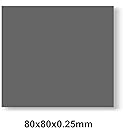
The PTM7950 Thermal Pad is a high-performance phase change material designed to dramatically improve heat dissipation for CPUs, GPUs, and SSDs. Measuring 80x80x0.25mm with an impressive 8.5W/mK thermal conductivity, it reliably reduces thermal resistance by melting to fill microscopic gaps. Tested for over 1000 hours at 150°C and 1000 thermal cycles, it guarantees long-term stability. The included professional installation kit makes upgrading your device’s cooling effortless and precise, compatible with top gaming consoles and laptops alike.


| ASIN | B0BX42N9SZ |
| Best Sellers Rank | #16 in Thermal Pads |
| Brand | JOYJOM |
| Brand Name | JOYJOM |
| CPU Socket | Universal |
| Cooler Heatsink Compatibility | Universal |
| Cooler Heatsink Material | Phase Change Material |
| Customer Reviews | 4.5 out of 5 stars 215 Reviews |
| Included Components | PTM7950 Thermal Pad and kits |
| Item Dimensions L x W x H | 3.15"L x 3.15"W x 0.01"H |
| Item Weight | 0.02 Kilograms |
| Manufacturer | JOYJOM |
| Model | 80*80mm |
| Mounting Type | Chassis Mount |
| Part Number | 80*80mm |
| Product Dimensions | 3.15"L x 3.15"W x 0.01"H |
J**S
This is genuinely awesome. Plus some tips for those new to PTM7950
This may or may not be genuine Honeywell PTM7950, and that is okay. It performs great, working better than liquid metal on my GPU for keeping average temps closer to hotspots. It will probably shave a couple of degrees off of standard thermal paste, but the really good thing about PTM7950 is that it doesn’t pump out like thermal paste. Once you apply, it’s done for years upon years. It was kinda hard to apply only because I didn’t freeze it before use, but it would be easy if I had frozen it. Cutting to size, peeling one side, then applying that side to the die worked best for me. Some helpful tips for PTM 7950: 1) it will not be perfect at first. PTM7950 has to “burn in”. What this means is that you need to heat up the GPU or cpu or whatever you applied it to. Hours upon hours of stress tests/just gaming to push the card will get this to work. What PTM7950 does is turn liquid at higher temps, so once it changes to liquid, it will fill in the gaps and help thermal performance. Burning it in helps with this 2) freeze it for 30 min before applying. This stuff is soft, very soft, so peeling off the plastic film is hard if it’s room temp because it is very malleable. If you mess up, just heat it up (a lot, more than 50C) to fix any issues. 3) it needs to be a good size. What I did was measure my die size with calipers, then cut 0.5mm larger. If I got 20 mm, I cut to 20.5 mm. This helped with application, giving me just a bit of wiggle room. Do not do any larger, as it should be almost a perfect fit to the die. So yeah, this stuff does work as advertised. Whether it’s genuine or not, I don’t care. It worked great for a full size GPU, and the cpu and GPU of my laptop too. I am very happy with it.

R**E
Apply it right, burn it in.
I have been using ptm7950 for a long time now and there's a few things that you need to know. First off, this material is best used on a bare die head. It's really not for anything that's uses an IHS. It's best used for direct contact. It's best used for laptops, consoles, GPUs, and delided CPUs. The process is simple. Measure the die that it's going on. Make it a little bit bigger than what you measured. Cut it. Use tweezers to peel the back wrap off. Gently apply it to the die head. Use the included spatula to smoothen it out. Let it sit for a minute to start binding. From there, grab some tweezers and peel the top wrap off then take a knife or tool and trim the sides. Remove the excess. From there apply your cooler as per usual. When you boot you are going to have pretty rough temps. You are going to look at it and think it sucks. This is NORMAL. You need to remember that this starts off as a .25 mm pad. Typical paste flattens out to the thickness of a sheet of paper rather quickly. As TPM heats up it becomes liquid a little and as it does that there's less resistance between the die head and the cooler. As you heat ptm and cool it down the material starts to squeeze down under the pressure of the cooling assembly. For example. When applying it to my Dell G15 running a 3050ti laptop GPU it started off at 96 under max load. I ran marvel rivals for 3 hours then let it cool. The following day I came back, ran marvel rivals again for 3 hours and the max temp dropped to 83. I let it cool and the following day I came back again and ran another 3 hours and I received the results of 76 under 94 percent load. As you run it through its paces it will become more and more thin and it will perform better and better. This material is not for casual computing. The harder you work the machine the more it will become a liquid and the thinner it will become. It starts liquidating at around 56C. This material works as hard as your machine does. It's built to be ran through its paces. Take your time, apply it right, and burn it in. Let it do it's job. Not a businessman, gamer, graphic designer, or a video producer? Then this is most likely not for you. It's a very durable material that's built to go the distance. It can and WILL outlive the machine you are using it on and it does get better with time. If you want to speed up the process just apply it, run a few hours of stress testing, give it 2 hours to cool and let the cooler squeeze it down. Stress test it again. Rinse, dry, and repeat for a day or 2. When I started off my temps were 96 under load. After I finished it was sitting at 71 with the GPU maxed out.
B**D
Perfect Laptop Replacement
Asus laptop that shipped with liquid metal for the CPU and thermal paste on the GPU, I saw a recent LTT video about an asus failing because the liquid metal leaked due to not enough mounting pressure, and then the PS5 issues, and then other asus users saying to let the laptop cool down before putting it in a bag/vertically. The vidoe put me over the top because it turned out the PTM7950 performed better ANYWAY. So i just decided to do it, the hardest part was removing the liquid metal from the SoC... By far, that took forever and was tedious and time consuming. Putting this on, was extremely easy though. I cut a couple pieces to size for the GPU and CPU, and that was it. I did refrigerate it in advance and I also used some fine precision tweezers to remove the films. Very easy actually. And the temperature of my laptop IS lower than ever. consistent idled at ~32C, now it's down around ~27C - and under load its sustaining higher clock speeds. Totally worth it immediately, better performance and peace of mind. Probably not the genuine honeywell stuff, but it's good so I also don't care.
O**.
Best Thermal Outcome
PTM7950 is the best thermal outcome, but not as easy to install as paste. If your motherboard is out of the case its easer, but if you are like me and try to install on cpu in the case, it can be a challenge. It needs to be frozen in order to get the plastic protective film off of each side. Pad is very thin and flexable at room temp and sticks to plastic film. I suggest applying the pad near the freezer as you will need to freeze and refreeze several times to get the film separated from the pad. Use the stickers one on top and one on bottom to get the film to pull away from pad partially (1/2 away) on each side before you install. Refreeze, a few minutes, remove one side of film and loosely set on cpu pressing lightly on the side to the pad the film was not loosened and remove top film. Install heat sink, do not try to adjust or press down as the pad goes from frozen to room temp very quickly. Once installed there is a burn-in period you can use prime95 if you want to hasten the burn-in. I took off Arctic Silver and applied this pad and my temps went down 8 degrees and the AMD CPU now clocks 100hz higher under load. My AMD 9-5950x now idles at 42 degrees during normal use and 89 degrees maxed-out. Its work the effort.
R**Y
10watts and 20c later…
Yes, it’s really tricky to apply but oh man, what a difference it makes! Please don’t just get this and not watch a tutorial on how to use it. If you apply it correctly, it’s far easier and far more effective than anything I’ve ever used before especially for the price.
A**X
3080Ti is happy again :D
Let me start off by saying I have no clue if this is real PTM7950 Phase change pads. I Can tell you my 3080ti has gone from overheating, to handling large workloads and gaming again. The thermal pads conduct heat just as well or slightly better then the original new pads. Make sure you chill them first so they are easier to work with as well. Had no problems with it but if you have never worked with thermal pads its definitely an experience. 4/5 Just because Im not fully sure the other tools are the best quality to use for repasting your gpu.
A**E
Seems to be genuine. Excellent performance!
This stuff seems to be the genuine PTM7950. Kit came with everything pictured and a 80x80mm sheet is way more than enough for several applications on my G18. This is a CPU/GPU paste replacement, NOT A VRM/RESISTOR REPLACEMENT! For that I recommend K5 Pro Thermal Putty non-conductive. Putting this in the fridge for 10 mins or freezer for a couple mins right before application helps tremendously with how easy it is to install. I can't comment on longevitity buts it's been about 1-2 months since I applied this to my wife and I's gaming laptops and haven't noticed any performance difference. I have NOT removed the heatsink to check what it looks like. I suspect if you do that you will have to do a brand new application of PTM7950 I was originally using Artic MX-6 and my CPU was thermal throttling at 95c and hovering around 91-99 gaming. And YES, I redid application twice and both times there was 100% contact with full coverage. Slapped this on my RTX 4080 and i9 13980hx and it brought my temps down tremendously. GPU went down 10c and CPU went down 10-15c. Now my laptop sits happily at 77-83c on the CPU and 65-75c on the GPU while gaming. This stuff also made my GPU never hit my thermal limit of 85c. Benchmarks it is around 67c under full load stress testing. CPU still throttles cause it's a 13980hx in a laptop BUT I've never had it affect gaming performance as it is way more than enough CPU for nearly every game right now anyway. I recommend you pair this with K5 Pro Thermal Putty for your VRMs and Resistors if you're looking for similar temps on a laptop. Lather the paste on all that needs to make good contact with the heatsink and you're good to go.
O**S
Seems to be legitimate based on personal testing
Got this because the last time I ordered Honeywell PTM 7950 was from eBuy7 (not eBay) and I didn't want to bother with the shipping time. This thing does seem to be legit when I tested it on a Dell Precision 7550 (the CPU actually boosts to ~95W now) and a Thinkpad Z16 (temps seems to have improved somewhere between 3C and 5C on the CPU and GPU, and at full CPU synthetic loads the CPU will boost higher now) Compared to the one I bought from eBuy7 almost a year ago, it seems to have a bit more of a greenish tint instead of being dark gray. For those of you who don't know what this stuff is, it's phase change material and a substitute for thermal paste. Unlike thermal paste however it doesn't suffer as much from paste pump-out and dry-out, and despite worse conductivity on-paper, it performs very well in computers as a thermal paste upgrade, especially in laptops. In fact, Lenovo's newer Legion laptops (I think since 2022 if not 2021) use this stuff, which is the reason why you shouldn't repaste newer models of Legion laptops because paste will perform worse than this. As past experiences with this kind of stuff, application isn't the easiest, however this thing only has 2 layers of plastic film around it. The one I received seems to be legitimate, or at least it performs like it's legitimate. I'm in a special case where I need the extra 80x80mm, but for most people you probably should save some money though and get the smaller 80x40mm sheet, because you don't need an 80x80mm sheet. Is this stuff expensive? Yes, but it's really good, it should last longer than paste, and it performs better than paste. I honestly felt like I rediscovered repasting laptops back in the day when laptop OEMs used horrible thermal paste for laptops.
A**R
Item not as described
Was not 80mm x 80mm piece. It was a used piece with rectangular pieces cut out.
G**U
Tavsiye edilmez
omen 13900hx ve 4090a uyguladım Sıcaklıklar daha da kötü oldu Ya orijinal değil ya da tam olarak istenilen performans a ulaşmıyor
C**Z
Buen reemplazo a la pasta térmica de stock
Llegó a CDMX en 3 días, se aplicó como reemplazo a la pasta térmica que viene de fábrica en la Steam Deck. Como mencionan en otros comentarios, ponerla en el congelador 5 minutos antes de aplicarla ayuda bastante.
I**M
Highly recommended
I used it after using liquid metal. At first I thought it is bad because the temps were very high... But the longer stressed the processor, the better the temps became... After one week, it became as good as liquidation metal with the exception of being more safer to apply....
P**L
Total Rubbish
Does not make any difference - temp went up 5C Sent back - Suspect this is a FAKE product looking at the way its cut Waste of money
Trustpilot
5 days ago
1 month ago