


Desertcart purchases this item on your behalf and handles shipping, customs, and support to Uruguay.
🖨️ Print smarter, faster, and greener — because your office deserves the best.
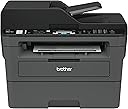
The Brother MFCL2710DW is a compact monochrome laser all-in-one printer designed for home and small office professionals. It delivers fast 32 ppm print speeds with sharp 2400 x 600 dpi resolution, supports wireless and wired networking, and features automatic duplex printing. Integrated Dash Replenishment ensures you never run out of toner, while versatile media handling and multi-function capabilities (print/copy/scan/fax) make it a reliable productivity hub.


| ASIN | B0763ZCH7K |
| Additional Printer Functions | All In One |
| B&W Pages per Minute | 32 pages_per_minute |
| Best Sellers Rank | #61,926 in Office Products ( See Top 100 in Office Products ) #60 in Laser Computer Printers |
| Brand | Brother |
| Built-In Media | Brother MFC-L2710DWStarter Toner Cartridge (700 pages)DR-730 Drum (12,000 pages)Quick Setup Guide and Basic User’s GuideInstallation CD-ROM (Mac OS available from download links)AC Power CordTelephone Line Cord |
| Color | Black/Grey |
| Color Pages per Minute | 32 pages_per_minute |
| Compatible Cartridge | TN730, TN760 |
| Compatible Devices | Laptops, PC, Smartphones |
| Connectivity Technology | Wi-Fi, wired |
| Control Method | App |
| Controller Type | iOS |
| Customer Reviews | 4.5 out of 5 stars 8,779 Reviews |
| Display Type | LCD |
| Duplex | Automatic |
| Global Trade Identification Number | 00012502649694, 00012502654223, 00012502771128 |
| Hardware Interface | USB |
| Ink Color | [BLACK] |
| Item Dimensions D x W x H | 15.7"D x 16.1"W x 12.5"H |
| Item Type Name | Compact Laser All-in-One with Duplex Printing and Wireless Networking For Home or Small Office (Replacement Model for: MFCL2700DW) |
| Item Weight | 26 pounds |
| Manufacturer | Brother Printer |
| Maximum Copies Per Run | 9999 |
| Maximum Copy Resolution Black and White | 2400 x 600 dpi |
| Maximum Copy Speed Black and White | 30 pages_per_minute |
| Maximum Media Size | 8.5 x 14 inch |
| Maximum Print Resolution Black and White | 2400 x 600 dpi |
| Maximum Sheet Capacity | 250 |
| Model Name | MFC L2710DW |
| Model Number | MFCL2710DW |
| Model Series | MFCL2700DW |
| Number of Licenses | 1 |
| Number of Trays | 1 |
| Other Special Features of the Product | Auto Document Feeder, Auto-Duplex, Display Screen, Network-Ready |
| Output sheet capacity | 250 |
| Paper Size | 8.5 x 14 |
| Power Consumption | 440 watts |
| Print media | Card stock, Envelopes, Paper (plain) |
| Printer Connectivity Type | Wi-Fi, wired |
| Printer Output Type | Monochrome |
| Printer Type | Laser |
| Printing Technology | Laser |
| Processor Count | 1 |
| Resolution | 2400 x 600 |
| Scanner Type | Document |
| Special Feature | Auto Document Feeder , Auto-Duplex , Display Screen, Network-Ready |
| Specific Uses For Product | Gaming |
| Total Usb Ports | 1 |
| UPC | 012502638261 012502654223 012502771128 012502649694 012502674580 012502637325 012502655473 |
| Unit Count | 1 Count |
| Warranty Description | manufacturer |
| Warranty Type | limited warranty |
| Wattage | 440 watts |
M**9
It Works Pretty Darn Good so Far
I haven't had this printer for too long, but so far, it works pretty good. I have suffered at the hands of cheap inkjet printers from HP for years and was sick and tired of paying ridiculous prices for the stupid tiny ink cartridges that were prone to dry out and quit working if you didn't use them for months. This is my first laser printer, and I am pretty happy with it. I see a lot of people complain about toner issues and connectivity problems with these printers, and after my experience with this one, I can see how a lot of people might have a problem setting this up if they are not very tech savvy. Luckily, I am a computer wiz, so I was able to overcome most of the technical roadblocks in a timely manner. Below is quick run-down for some of the issues people might have with this type of printer and how to overcome them. The first issue someone might have right off the bat is getting it to connect to their network. The DHCP needs to be enabled and have enough addresses available to accommodate another device. Most are set up this way, but not all routers people have for their home networks are created equal, and some come set up from the factory with settings that may limit the ability for peripherals, like printers, to connect to them properly. This is especially true with equipment that is purchased used. Some people, like me :), have their router locked down so tight, that nothing can connect to it unless they want it to. There is a setting in most routers with regard to either "Set AP Isolated" or "WLAN Partition" or some other jargon, but they all serve the same purpose. That is to disable network equipment connected to the router from being able to talk to each other. This is great if you want added security on your network, but If these settings are enabled on your router, then you will never be able to print to this printer from any device connected to your network unless you are connected directly by a cable from the computer to the printer. It's a give and a take. You give up added security, but hey, at least now your can print, right? The next mistake most people are going to make it to try to install the printer directly from Windows from the "Printers & Scanners" or from the device manager. Windows has default drivers that work with the printer and will find and install it, but you are shooting yourself in the foot right from the get-go when you do this. The reason being is that you will never be able to get to the settings and preferences that fully manage this printer, and you will not be able to find the setting that allows you to bypass the setting that makes the printer stop printing when the toner gets low. Many reviews on here complain about the toner-stop-printing issue, so this is how you fix it....Go to the Brother website and download the latest drivers for your printer and install all of the software on your computer. DO NOT use the CD that comes with the printer. It could have been sitting in a warehouse for 6 months or a year for all you know, and the drivers are probably not up to snuff. When the software installation reaches the point where you have to opportunity to update all of the software and firmware from the printer, do it. Do not skip that portion of the installation process. There is a sticker on the back of your printer with the "password" that it will ask for when you choose to remotely configure it, and within those settings, you have the wonderful option of setting the "Toner-Low" setting to "Continue" instead of "Stop". That way, you will never have to use those tricks or sequences to bypass when the printer stops printing when you still have oodles of toner left in the cartridge. Another issue that this solves is the fact that, without the software installed, you would never be able to scan documents from the scanner portion of your all-in-one printer and send them to your computer. You would be stuck with only basic print capability. I highly recommended that people also go through their settings for the printer directly at the printer itself and disable the "Auto Power Off" function altogether on the printer. It does not gobble up a million volts of electricity all the time when it's not being used. The reason I suggest this is because it will disconnect from the network and become "unavailable" for printing until you drag you carcass over to the printer and turn it back on. With the function disabled, it is always connected to your network 24-7 and will wake itself up from "sleep' and start printing a lot faster then if you had to go and turn it on every time when you haven't used it in awhile. I will update this review after a few months or add more info if I find any issues that I had to overcome. All-in-all, this is a nice little device that can print, fax, scan and copy for a pretty good price. So far, I am really enjoying the benefits of a laser printer over the junky inkjets that I have been using for so long. If you are like me and only print some stuff every now and then and are fed up with clunky inkjets, then you can't go wrong with a laser printer like this one.
K**R
Nice, crisp
I got the printer today and followed the instructions on the quick guide; take it out of the box, take the tape off, put in the ink cartridge, put in some paper, plug in the ethernet cable, turn it on. Took about 5 minutes. I went to printers on my settings menu on my windows 10 dell and clicked on printers. It asked if I wanted to add a printer. I said yes. It immediately recognized the Brother MFC L2710 DW and did whatever it needed to do to recognize it. I clicked on a word file I had open and selected print. It printed. Nice, crisp, clear, fast, easy. Done. By the way, the printer paper I bought was office depot copy & print, 6.59 for 500 sheets. Works like a dream in the printer. New toner cartridges are 41 dollars vs. 75 or 80 for some of the other ones. So this is a good deal. I am a low volume printer and do less than a hundred pages a month, sometimes a lot less. Anyway, it looks like this is going to be a good purchase. Amazon was competitive on price so I bought from them. Shipped in 2 days. All good.
N**D
Exactly what I was looking for
This printer is exactly what I was looking for. It was delivered a few hours ago, and I had it all set up in under 20 minutes. I set up the wifi manually because I was too lazy to find a USB cord, but it was very easy to do anyway. All I had to do was go to the network settings in the printer's menu and enter my passkey. I downloaded the drivers off of the website, but there is also an included cd if needed. I've had to set up a few printers in the last few years, all were inkjets, and this Brother laser printer was by far the easiest to get up and running. It is so nice to have a working printer again. Bye-bye inkjet printers! Update: I am still really happy with this printer, so I'm leaving my 5-star rating, but I have found one minor issue. I currently can't print from my phone. I believe the issue is that I have a broadband modem that is a bit quirky and it randomly selects which band it will let me connect to, so I keep getting a message that my printer isn't on the same network even though it is. I can wirelessly print from my computer, just not my phone. If I could figure out how to get both my phone and the printer on the same band, it would work. Update 2: I am very impressed with the "starter" toner cartridge that came in the box. I have printed a lot and it still says that my toner is full. With the inkjet printers I had in the past, I would already be needing to buy more ink by now. I am so happy with this purchase. So it's been 11 months of printing and it still says I have just over half of the starter toner left. Maybe I should've waited on ordering that extra toner I thought I would need right away. I hope it won't be bad by the time I get around to needing it. Pro Tip: If you're having trouble installing the software and can't figure out why it won't work, make sure you don't have a VPN on.
C**L
Great Budget B&W Laser Printer
I bought this printer in January 2021 and the toner just now emptied out in September 2025, so I'm compelled to sing its praises as I'm about to buy some more toner. After decades of crappy inkjet printers that would eventually malfunction, this was my first foray into laser printers. Once you get it all setup, it just works. I've never had an issue with blurry or faded printing like with inkjets--even the last document I printed before the toner emptied was crisp and bold. Zero dropped connections with the wi-fi, unlike the Canon model this replaced that always seemed to disconnect when you needed it most. The mobile app conveniently allows you to save scanned documents directly to your phone or print from it. It's not all sunshine and rainbows though; scanning has some hiccups. The document feeder can get clogged up pretty easily if you're scanning more than a handful of pages, and also tilts the pages a few degrees. Quick fixes are to remove the pages as they're scanned, or just use the flatbed, which is slower, but will give you a perfectly oriented page every time. Haven't used the fax function, so I can't speak on that. Overall, this is hands down the most reliable printer I've ever purchased. It's perfect for my use case of printing basic B&W documents and shipping labels, and occasionally scanning.
M**Y
A nice, well-priced small business / home office laser!
Nice price for a faster laser printer and an upgrade from my 2012 ink jet. I used the online driver installation instructions which took about 15 minutes but were easy to follow. Wireless connection set up was no problem at all. I then followed the set up instructions for ensuring firmware was up to date and that went fine too. No landline so I opted for "do not install" for the fax installation portion, which caused the set-up to freeze. Even though I was unable to select "next" and "finish" everything seemed to install correctly and it's working. Hopefully the printer will continue to be as trouble free as the installation was. (I have PC and Windows 10). I have a home business so I was ready for a laser even though my 2012 Epson inkjet was still working fine. This one is better for bigger print jobs. The print is clean and no issues so far. Good price on a nice little (but not compact at all) printer.
U**A
Best Out-of-Box Printer Experience Ever
Over the last 30 years, I've had about 8 printers, mostly HP. My 4 year old HP inkjet died right as I wanted to print my tax documents. Something was always going wrong with it, and previous HP models. I decided to switch, noting that I didn't need to print anything in color any more, so looked at a few B/W printers and this one came up. I hadn't had a laser printer since the mid-90s... Read the reviews, ordered it, and Amazon Prime delivered it in 2 days. In the meantime, I went to the Brother website and downloaded the wireless set-up wizard for Mac, and the scanning software so I can scan from my MacBook Pro. The printer arrived on time, and I kid you not; 20 minutes after beginning the unpacking, I was printing and scanning without having connected anything but the power cable. Of course, it helped that I pre-loaded the set up wizard and the software, but I am massively impressed. I was a little doubtful having seen some bad reviews concerning set-up, but for me it was an absolute breeze. Although I didn't use the app (but I might get it later), or tech support - because everything worked exactly as it should - I'm awarding 5 stars all round. Good job, Brother! I've a feeling I'll be with you all for a while. If you're not that tech savvy and you want to feel confident that your new item will work right away, get this all-in-one. If there's any bad news, it's only that after such a hassle-free first day, things can only get worse - lol. But I'll edit this review if it comes to that. Thank you Amazon, and well done, Brother!
K**S
Simple, reliable, budget-priced unit
I have used several “all-in-one” units in my small business over the years. I’ve been using this for a few months and I can say that I’m very happy with this one. It’s nothing special but that’s fine cause it’s meant to be your basic, entry-level item. But don’t think that means is lacks quality. It has reliable performance and easy set up. To set this up, I put in the drum & toner, plugged in the power, typed in the WiFi password and the unit was ready to go. My iOS and Android devices found it automatically. I had to use the IP address to set it up on one of the Windows computers but the other one found it and set it up automatically. I do also use an old-fashioned phone line to fax. There’s a plug in on the unit for the phone line. I just plugged it in and it was able to work instantly. You can go set up your business name and header/footers, but it will send and receive faxes without it. It has very boring specifications: It does what it says it will do. It’s a standard size multi-function unit. It’s about as heavy as the other ones I’ve had. It holds an average amount of paper (looks like 500 sheets). The print quality is good, especially if you use the brand name Brother toner. It warms up quickly and prints pretty quietly. Much faster and less noisy than the one it replaced, but I suppose that’s to be expected since that one was pretty old. Overall this is a solid, budget option, multi function unit. If you want a basic, black and white printer/copier/scanner (and maybe fax?) that will work reliably, this is it. Simple to set up, simple to use.
B**S
Don't buy if you want to print envelopes easily
Generally, I wait a while to write a review. I bought and installed this machine today, because I was tired of buying ink I didn't use for my antiquated HP Deskjet, and envelope alignment was always something of a problem for it. This printer may or may not print envelopes okay, I don't know yet, but it's clear you have to virtually stand on your head to do it. First, you have to either turn the machine totally around to open the backside, reach in and pull two levers down, then turn the machine around again and feed the envelope into a compartment on the front side and feed it in manually, then turn the machine around again to (hopefully) get the finished product, or you have to place the printer somewhere where you do have ready access to both sides. Fat chance of that in the average home or office. Besides this, I found the fax option a major hassle, because it appears you can't turn it off when the machine is on even when you've not got a phone line connected. And, Installing the software crashed my Win 8.1 computer three times, closing all open programs, and restarting, beginning with the installation program, which froze. I'm not sure what the hitch was, perhaps my firewall, which required me to okay a dozen executables several times over before it seemed we were all done. But I never have any such problems, even with Windows Update. Like a lot of stuff these days it also installs a massive amount of what I consider bloatware, which, of course, demands be run 24/7. The HP was the same. I turned as much of it off as I dared. Frankly, I'm astonished that anyone gave this machine a glowing review. I figure the competition must be awful. The only saving grace in my mind is that it cost little more than a year or two of HP ink. I'm told toner doesn't dry up like ink, so at the rate I print and copy stuff I'll probably be looking for a new machine instead of ever purchasing a new toner cartridge. These lasers, incidentally, don't do pictures at all well, so there's little point in getting a color model, unless you need simple color printing. BTW there, are 632 pages to the downloadable manual :) They, of course, didn't bother printing one. Worse than my digital camera. If anyone thought the digital revolution would make life easier, or save the planet, they were certainly overly optimistic.
S**T
Easy to use, good quality print & scan
Setting up brscan-skey on Linux was not that easy. Scan to file results in empty tif file. Other than that (software) can’t fault the printer. There’s always xsane.
A**O
Multifunzione efficacie
Stampante multifunzione veramente ottima- Per uso casa lavoro va benissimo, non è il top per quanto riguarda la velocita di stampa ma se non si hanno troppe pretese e troppa fretta va benissimo
R**6
Best printer in a long time!
We've gone through so many ink cartridges and printers and paper printers just being completely unreliable. This printer is just the opposite - it's very reliable, it prints and scans the second we need it whether we used it yesterday or 2 months ago. The software was a breeze to setup (not like Canon or those other printers) and I can print from 90% of our devices( PCs, chromebook, android phones/tablets and iphones).
L**A
Great printer
A great printer that was easy to install and easy to use. Print quality is good and the time for first print out is decent. As a retired computer and high speed printer tech I am pleased with the printer. I did not work for Brother so the review is unbiased. I have not had a paper jam but by the looks of the openings to access any jammed paper seems fine.
C**N
stampante non funzionante
La Stampante è arrivata non funzionante
Trustpilot
2 weeks ago
2 months ago