Buy anything from 5,000+ international stores. One checkout price. No surprise fees. Join 2M+ shoppers on Desertcart.
Desertcart purchases this item on your behalf and handles shipping, customs, and support to Uruguay.
🔄 Switch Smarter, Work Faster — Your Desk’s Ultimate USB Command Center
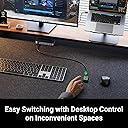
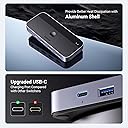
The UGREEN USB 3.0 Switch lets two computers share up to four USB devices (3 USB-A + 1 USB-C) with ultra-fast 5 Gbps data transfer. Featuring both a physical button and remote control for seamless switching, it supports broad OS compatibility and is built with durable ABS and aluminum. Ideal for professionals juggling multiple setups, it streamlines workspace efficiency without lag or hassle.


| ASIN | B0C8MSP967 |
| Actuator Type | Push Button |
| Best Sellers Rank | 2,806 in Computers & Accessories ( See Top 100 in Computers & Accessories ) 4 in KVM Switches |
| Brand | UGREEN |
| Circuit Type | 4-way |
| Colour | Grey |
| Compatible Devices | [Keyboards, Mouse, USB Sticks, Hard Discs, Scanners, Desktop Computers, Laptops] |
| Connectivity Protocol | USB |
| Connector Type | USB-A, USB-C, and remote control port |
| Connector type | USB-A, USB-C , and remote control port |
| Contact Material | Aluminium |
| Contact Type | Normally Open |
| Contact type | Normally Open |
| Control Method | Remote |
| Control Type | switching |
| Controller Type | Push Button |
| Country Of Origin | China |
| Current Rating | 3 Amps |
| Current rating | 3 Amps |
| Customer Reviews | 4.4 out of 5 stars 2,726 Reviews |
| International Protection Rating | IP55 |
| Item Dimensions | 12.3 x 5.3 x 1.8 centimetres |
| Item Weight | 0.34 Kilograms |
| Manufacturer | Ugreen Group Limited |
| Manufacturer Part Number | 15705 |
| Material | Aluminium |
| Model Number | CM662 |
| Mounting Type | Surface Mount |
| Number of Items | 1 |
| Number of Positions | 2 |
| Operation Mode | manual |
| Operation mode | manual |
| Smart Home Compatibility | Not Smart Home Compatible |
| Specification Met | Ip55 |
| Switch Type | tact |
| Switch type | tact |
| Terminal | Solder |
| Unit Count | 1.0 count |
| Wattage | 10 watts |
J**G
Great time saver and keeps desk tidy
I rely on this heavily in my day to day to swap between two machines, this allows me to have a single cable running to both and swap with the press of a button. Good build quality, no issues with switching - only thing I would change is having a usb-c option for the connection to each PC.
A**R
Works as intended
Works just the way you would expect, but bear in mind that the hub requires a USB A port on the host devices. You can attach a USB C device to the switch itself, but the two computers you connect the switch to will need USB A. I’m using it with a PC and a Mac, and it works just fine. I haven’t has issues or felt any input lag, so this is a very decent solution even for gaming. The extended device-switcher button is pretty convenient, especially if you’re trying to make a more aesthetic setup. The extended button doesn’t include indicator lights, though, so you can’t tell at a glance which host device is connected to the switch at any given time. If you want to see an indicator, then you’ll have to look at the switch itself. Also bear in mind that this is only for USB peripherals and won’t allow you to share a screen between two computers.
S**L
Works flawlessly.
I love this But I would rather if they had two of the USB Outputs on the back. That way I could have my keyboard and mouse USB cables routed more tidily. I love the added extra of the corded switch which I have routed behind and under my desk and held under my desk with double sided tape so that I just need to reach under my desk to switch between devies. But it would also be nice to have that on the back too. In another revieion maybe add a port on the back for the switch so that it can be plugged in the front or back of the unit and two USB's on the back for keyboard and mouse. I did see somebody say it intermitently switches on and off. I had the same problem when I had it connected to one device vis USB 2.0. I think what caused that was it wasn't getting enough power to it. I switched to a USB3.0 port and it no longer does that.
M**H
Good, no identifiable latency.
Switch does what it says. The included remote switch is useful. Only thing preventing 5 stars is that there is no clear visible indicator to tell you which output you're on. The main unit does have a light but it does not clear which output is active and the light isn't clear. So it's a bit of a guessing game which is a minor inconvenience for an otherwise good product.
P**E
It works but needs an ergonomic rethink
This is a competent unit enabling you to have one keyboard between 2 computers. The only drawback for me is on the older computer when booting it needs to detect the presence of a keyboard otherwise it won’t boot. So the only way I can use this successfully is to have a keyboard plugged in permanently to the older machine. This sort of defeats the purpose but I have that permanent keyboard sitting out of sight. The other drawback is the push button switch in that you only know via 2 teenie weenie hard to see little blue lights as to which computer you are switched to. So you could be prodding away your password on boot not realising it’s not connected to the booting computer. I had contemplated returning it but with the use of a labeller it is working for us. Not the typical well designed Ugreen product though.
R**B
Great for working from home.
I've been using this switch for my work from home setup and it has quickly become one of the most essential pieces of gear in the room. I have it connected to my main desktop PC and my Laptop dock. It handles the transition between the two flawlessly. It also works with Gaming keyboards if they have two USB cables for one device. The remote is a game changer, the switch itself is hidden away, with the remote switch plugged in and on my desk. No more finding the switch itself to change outputs. I used to constantly unplug and plug my peripherals, concerned over wear and tear, i purchased this switch, I can't remember the last time i had to hunt through the tangle of cables. This also works well plugged directly into a laptop.
T**N
Worked for a week
Worked as described, switching between my pc and work laptop perfectly for about a week or two. Then frequently every few minutes it would disconnect and reconnect (made playing games on pc pretty hard). Most painfully, random keys on my keyboard would randomly be activated and stuck at any given moment. I could be typing and suddenly I have written 'sssss' 200 times. Especially given my keyboard has `Fn + Z` as a sleep command, leading to me frequently sleeping my pc when doing `Ctrl + Z` to undo something as the Fn key would be stuck and then sleep my pc for about a minute. Ironically, writing this review using it became too hard so I switched my peripherals back over to my pc directly (no hub) to finish this. When it worked it was good, now not so much.
S**N
Amazing KVM.
Amazing KVM. Got this to replace a cheaper KVM I bought from Amazon a year or so ago. The old KVM isn't broken or anything it just isn't as good. This has a USB c port on it which is great. Is powered externally via usb. I recommend powering it with a dedicated power supply not from the PC. It switches really fast which was the main reason for getting it. My old KVM has a long delay between switching. This one is instant.
X**X
Muthis urun ugreen kalite hissiyati
Cok fazla kabloya sahip sahsi sabit bilgisayar ve is laptopunu kullanan ara ara seyehat eden fakat genelde evde olan biri olarak artik zorunlu bir urun. Kvm switch ile oem urunlerini bir switch porta bagladim sonra bu switch portun bir ucunu ve enerji kablolarini huba aktardim. Is seyehatindsn gelicne artik sadece bir kabloyla is bilgisayarim ev duzeninde kullanmaya hazir hale geliyor. Thunderbolt cok degerli bir ozellik. Kesinlikle parasinin hakkini veriyor. Isinma problemi olmamasi icin goruntu aktarimi ozelligi olmayani almistim ama su an keske tek tusla onu da değiştirseydim diyorum. Monitorunuzun port cikisini degistirmek kolaysa bu urun yeterli aksi halde goruntu baglantisina sahipleri de tercih etmenizi oneririm. Hic bir bozulma olmadi. Switch controller boyu da gayet yeterli ve kullanisli
A**L
Great Product!
Good build quality, easy to use, and works perfectly. No connectivity issues even with multiple devices connected. Compact design and excellent value for money. Highly recommended.
F**.
Perfetto per gestire due postazioni con un solo set di periferiche!
Utilizzo questo KVM per condividere mouse, tastiera, microfono e soundbar (collegata tramite AUX–USB-C) tra il mio desktop fisso e il dock del MacBook. Si configura in un attimo e permette di passare da una postazione all’altra semplicemente con un pulsante dedicato, separato dal corpo principale del KVM: una scelta davvero intelligente che consente di nascondere l’unità sotto la scrivania e tenere solo il controllo a portata di mano. Un piccolo dettaglio da tenere a mente: se entrambi i dispositivi collegati non forniscono alimentazione da spenti, il KVM non memorizza l’ultimo ingresso selezionato e, all’accensione, parte sempre dallo slot 1. Per aggirare la cosa, ho collegato a quella porta la postazione che uso più spesso, così non devo pensarci più di tanto. Dopo oltre sei mesi di utilizzo quotidiano, tutto funziona ancora alla perfezione. Ottimi anche i materiali: solido, ben costruito e con una scocca in metallo. Una rarità per prodotti di questo tipo!
N**E
Works as intended
Works
B**E
Works reliably but Ethernet connection is slow.
I have had good experiences with Ugreen products in the past, so it felt like a safe choice to go with this USB switch from them. The switch comes nicely boxed and also includes 2 USB-A to A cables along with a wired remote selector switch. The cables are stiff/thick, feel like good quality, and are roughly 5 feet long. The cable on the selector switch is a little over 5 feet itself. The switch has a plastic body but feels well built and has a modern look with the black and silver colour combination. It has 4 rubber feet on the bottom and there is a single button on the top of the unit for toggling between your 2 systems. The front features 3 USB-A ports and 1 USB-C port for connecting your USB accessories, and the port to plug in the selector switch is also on the front. On the rear, you have 2 USB-A ports for the systems you want to switch between along with a gigabit Ethernet port. There is also a USB-C port on the rear for plugging in a power adapter, etc., if needed for more power-hungry devices. The switch is plug and play and quite easy to set up. I’ve used it with wireless keyboard and mouse dongles and an external drive, connected to a pc and laptop at the rear. The switch works just as you would expect and acts like a hub for the connected devices, allowing use of them all through the one cable to your system. Everything worked normally with no issues. A tap of the button on top and the plugged-in devices all transfer to your second device, which in my case is my laptop. There are 2 marked LED lights in the top right corner to indicate which device is currently active. In case there is any confusion, it’s worth being clear that this switch does not handle video…only USB accessories, which works well on my desktop where I’m either using my pc with a monitor or my laptop with its own screen. The remote selector is optional, but I find it very handy. It basically allows you to tuck the switch away out of sight and only have a small remote on your desktop instead. I put the switch under my desk in my cable management tray and just attached the remote near the back edge (it comes with a small piece of double-sided tape) along with the cable for my laptop clipped in a cable holder. I like this setup as it keeps my desktop looking a lot cleaner and barely takes up any space at all. The selector switch also has the same kind of LED lights on it to indicate which device is active, which is very handy. I did find it can be finicky if you try and use other cables. The switch ports to your devices are USB-A and the included cables are A to A. My laptop has USB-C ports, so at first I tried using a 5Gbps USB-A to C cable that I had to connect the switch to my laptop, and it would not recognize the switch, despite the cable working fine otherwise. I tried a different USB-C to A cable and got the same result…it didn’t work. I then tried using one of the included USB-A cables with a USB-C adapter on one end, and that worked without issues. I’m a little puzzled why it won’t work with my other cables, but it’s fine now. While I don’t use the Ethernet port on the switch myself, I did briefly test it and found that it throttled the speeds quite a bit. I did a Speedtest wired directly to my laptop and got over 900Mbps, but when connected through the switch, I only get around 240Mbps. The network port on the switch is gigabit, but I guess the slower speeds are to be expected due to the lower bandwidth of the USB ports. It’s something to keep in mind if you are planning on using the Ethernet port. Overall, I don’t have any major issues with the switch and found it works reliably. As mentioned, some other cables may not work properly with it, and the slower Ethernet speeds are something to be aware of, but aside from that, it works well as a USB hub/switch.
Trustpilot
4 days ago
1 week ago