🎧 Elevate your game audio—cut the cords, not the quality!
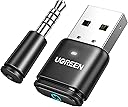
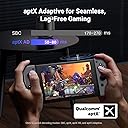
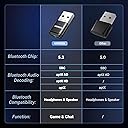
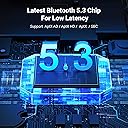
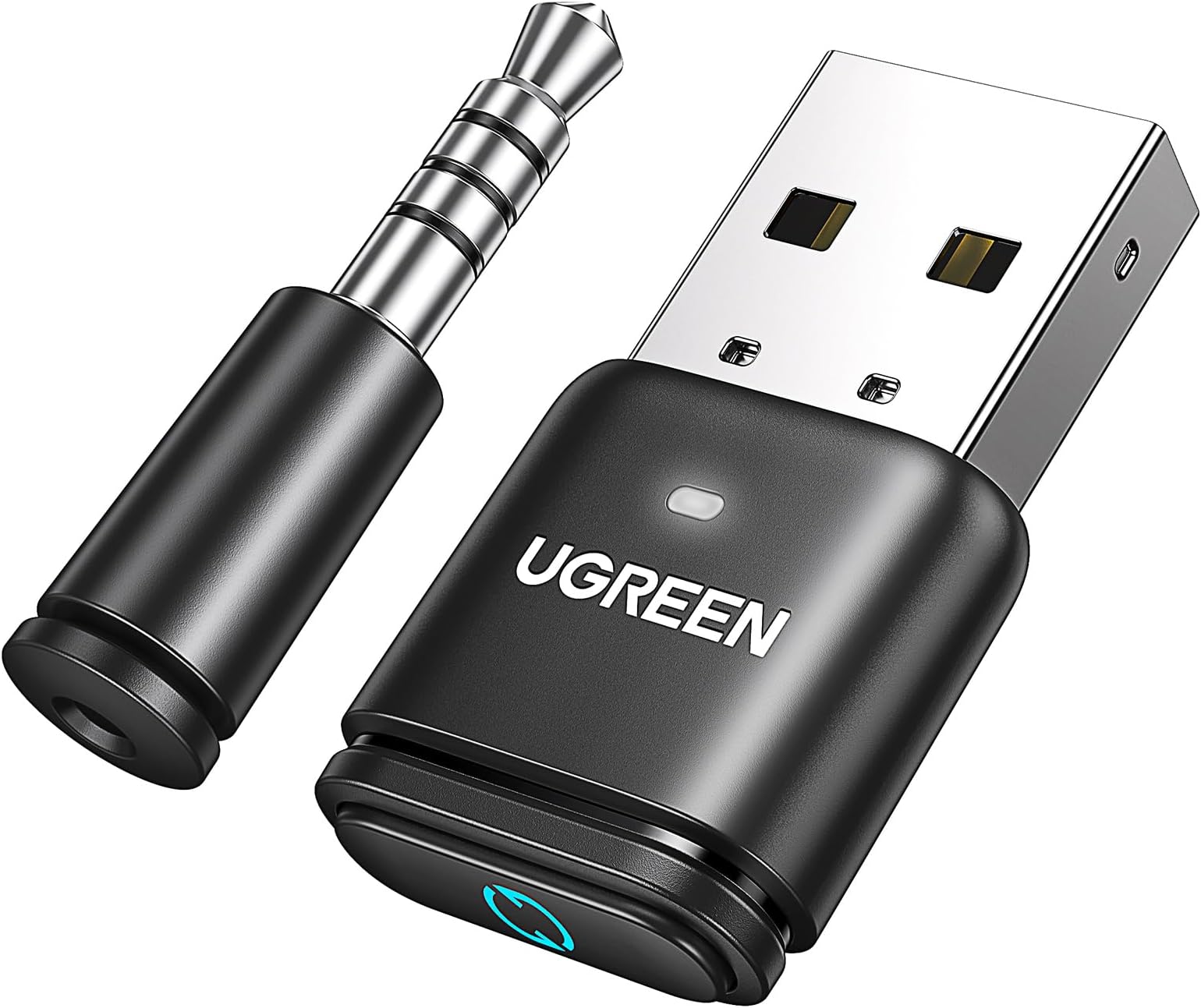
The UGREEN Bluetooth 5.3 Adapter (model CM668) is a compact, plug-and-play USB audio transmitter designed to add Bluetooth headphone support to PS4, PS5, Switch, PC, and Mac. Featuring aptX Adaptive codec for ultra-low latency under 60ms, Bluetooth 5.3 for stable connections up to 33 feet, and automatic mode switching for music and calls, it delivers high-quality wireless audio with minimal setup. Ideal for gamers and professionals seeking hassle-free, lag-free wireless sound.


| ASIN | B0CCT75PK2 |
| Best Sellers Rank | #23 in Bluetooth Network Adapters |
| Customer Reviews | 4.2 4.2 out of 5 stars (1,751) |
| Date First Available | July 26, 2023 |
| Item Weight | 1.5 ounces |
| Item model number | CM668 |
| Language | English |
| Manufacturer | Ugreen Group Limited |
| Product Dimensions | 0.59 x 0.28 x 1.14 inches |
A**X
Works perfectly on PS5 with NO latency
Exactly what I was looking for for my PS5. This adapter has AptX Adaptive support and so do my earbuds, which made it automatically go into AptX Adaptive mode once my earbuds paired with it. In this mode, audio quality is very good AND there is no noticeable latency. I can even play something like COD and not notice any delay in the audio. That's exactly what I needed. A really key feature is that on subsequent uses, my buds will automatically connect to it and it remembers to immediately jump into AptX Adaptive. I tried other adapters that would connect, but then default to a different mode and you had to physically push the button on the adapter itself or do some other kind of button pressing to get to the mode you wanted. This adapter is much more convenient. Also, something I had wondered about, so maybe other's do too, was if using bluetooth earbuds would cause any kind of interference with the dualsense controller. I'm happy to say I have not experienced any such problems. I should also mention that I don't care to use my mic at all like this as I have a normal headset for that. Therefore, I didn't do any kind of testing and can't comment on that. Something important to note and that you may see in other reviews is that the volume does default to being very low upon connecting each time. Even turning the volume up all the way within the PS5 settings only slightly helps. You must have earbuds/headphones with volume controls on them. As long as they do, you are good to go. Turning the volume all the way up on my buds and having the PS5 set to probably about 65-70% is where I want it. Maxing both is way too loud, so I don't think anyone would have issues. It's also important to note that your earbuds/headphones must have AptX Adaptive support in order to be able to use that mode on the adapter and experience unnoticeable latency. This is not a common feature, so chances are high that you don't have it. Look into that before you try to connect to any bluetooth adapter on any console really. If your buds/headphones just have normal SBC or regular AptX or even LDAC support then you will still have significant latency. Supposedly people with Airpods can have success with latency despite them not support AptX Adaptive, but I think that's just luck of the draw. So in conclusion, this adapter is as good as it gets for using bluetooth earbuds on PS5, but it does require your earbuds to have AptX Adaptive support and volume control on the buds themselves in order to have the best experience. If you have those things, the experience is perfect.
I**N
Easy Wireless Audio for PS5 – Works Great!
The UGREEN Bluetooth 5.3 Adapter is a compact, plug-and-play solution that lets you connect Bluetooth headphones to your PlayStation 5 with ease. It pairs quickly, delivers stable audio with minimal latency, and works well with a wide range of Bluetooth devices. Users love its sleek, low-profile design and reliable performance. Perfect for PS5 players who want wireless audio without hassle, this adapter is a great addition—just make sure your headphones are compatible!
E**N
Mic slightly echoey but works beautifully
This does what it's intended to do. I use it for my PS5 with some ASUS ROG cetra earbuds and it works almost perfectly. In order to hear, put the USB into the console. For the mic use the jack with ur controller. I wish that it would use the microphone from the earbuds rather than the jack because the jack's mic is a little echoey. It does however sound great on the receiving end so if u have a headset with no mic or a poor quality mic then this will work beautifully. It also does not need to have the jack plugged in if u are not going to be talking so if I'm just listening to music I won't bother plugging it in. Just make sure that when u do plug both the USB and the jack in to make sure to head to ur settings and set them as the active mic and headset.
D**Y
Finally! Bluetooth headphones on a PS5 with no downsides!
Connectivity: Perfect thus far. No stuttering, popping or any other connection issue. Turn on my PS5, turn on my headphones and I’m in. Zero issues. Sound Quality: Paired with some Anker SoundCore q30’s, I cannot believe how good it sounds. Far superior to any gaming headset I’ve used on a PS5, and I’ve used many. Sounds better than my old $300 Turtle Beach. Noise cancelling and PS5 w/ 3D sound is unreal. Spider-Man is absolutely insane. My mind has been blown. Latency: No noticeable latency. Speech is perfectly matched in YouTube videos. APTX is the real deal. Mic: Sounds very good, but people say they can hear controller button presses. Could be a deal breaker for some, but it works very well overall. I’m kinda surprised with the mixed reviews. As headphones, these sound better than anything I’ve ever heard on a console. I’ve had lots and lots of gaming headsets and am very picky. This dongle paired with some Anker’s is absolutely sublime. Give it a try.
B**0
Connects easily and stays connected!
I use this adapter to connect my Skullcandy Hesh 2 wireless headphones to my PS5. Initial connection was as easy as pushing a button. Now, as soon as my PS turns on, my headphones automatically connect. I have zero issues with connecting and staying connected! The PS Home menu does not route through the headphones; it routes through the TV audio. But as soon as I enter a game, the audio is routed through my headphones via this adapter. The sound quality is excellent. My seat on the couch is approximately 14’ away from my PS5. My headphones connect and stay connected throughout gameplay. Even when I make a quick trip to the bathroom, my headphones mostly stay connected! Definitely recommend for anyone who wants to play quietly without missing out on gameplay audio.
M**L
Output Great, Input Not Working
Seems to work really well when it comes to connecting the output of my PS4 to my AirPods. The mic for inputting doesn’t work at all for me. I’m not crazy about in-game chatting anyway, but it should work as advertised and didn’t after many careful attempts.
A**R
Did not work for me, maybe for you
Do not buy this for PS5 Pro to connect to Bose Bluetooth speakers or Sony Bluetooth headphones. Bose SoundLink III - Bluetooth connects but no audio comes through. I’ve disconnected and reconnected it multiple times. The “codec” and Bluetooth type are compatible as well. Sony ULT headphones - Bluetooth connects, audio is there, but the audio is that of a 1990’s car radio. Muffled, low toned, low quality audio. I had to turn the volume up on every setting I could to hear the audio. I even had to turn on the “focused audio” setting on the PlayStation just to get it to be “loud”. There’s no mid’s and no bass, strictly semi static treble that comes through.
C**N
Funziona molto bene, io l’ho usato per ps5 e fa esattamente ciò che deve
C**S
Ich habe mir den UGREEN aptX 5.3 Bluetooth USB Audio Dongle hauptsächlich für meine PS4 gekauft und bin absolut begeistert. Endlich eine saubere Lösung, um meine kabellosen Kopfhörer ohne komplizierte Zusatzgeräte nutzen zu können. ✅ Einrichtung & Installation Die Installation war super einfach: Adapter in den USB-Port stecken, Kopfhörer in den Pairing-Modus versetzen und nach wenigen Sekunden war die Verbindung hergestellt. Kein zusätzliches Treiberchaos, kein Gefummel – einfach Plug & Play. Besonders auf der PS4, wo kabellose Headsets oft nur eingeschränkt funktionieren, ist das ein echter Gamechanger. ✅ Klangqualität Die Übertragungsqualität ist top. Dank aptX Low Latency gibt es praktisch keine spürbare Verzögerung zwischen Bild und Ton – selbst in schnellen Actionspielen passt alles perfekt. Der Sound ist klar, kraftvoll und stabil, auch bei längeren Sessions. Ich habe keinerlei Aussetzer oder Rauschen festgestellt. ✅ Freisprechfunktion Besonders praktisch finde ich die eingebaute Freisprecheinrichtung: Man kann nicht nur hören, sondern auch sprechen. In Multiplayer-Spielen funktioniert der Voice-Chat einwandfrei – meine Teamkollegen verstehen mich klar und deutlich. ✅ Vielseitigkeit Auch wenn ich den Stick hauptsächlich für die PS4 nutze, gefällt mir die breite Kompatibilität: PS5, Switch, PC, macOS – alles wird unterstützt. Ich habe ihn testweise am Laptop ausprobiert, und auch dort lief die Verbindung sofort stabil. ✅ Verarbeitung & Design Der Adapter ist kompakt, hochwertig verarbeitet und nimmt kaum Platz weg. Man kann ihn problemlos dauerhaft in der Konsole lassen, ohne dass er stört. --- 🎯 Fazit Für mich ist der UGREEN Bluetooth USB Audio Adapter eine perfekte Lösung für kabellosen Sound auf der PS4. Einfache Einrichtung Stabile Verbindung Hervorragende Klangqualität Voice-Chat funktioniert problemlos Universell einsetzbar Ich kann diesen Dongle jedem empfehlen, der seine Konsole oder seinen PC unkompliziert mit Bluetooth-Headsets nutzen möchte. Klare 5 Sterne von mir – Kaufempfehlung!
R**O
It does exactly what is described well - show up on a computer (or console, or other host device) as a USB audio device rather than a Bluetooth radio, and connect to headphones/speakers. The Bluetooth audio is output only. The sound quality is great, the latency was not particularly bad from my work computer with Airpod 2 Pros. Note that the microphone is the separate 3.5mm device that can be connected to a game controller. The Avantree DG80 provides bidirectional bluetooth headset audio if you need to use your headset microphone (at the expense of usually reducing audio quality while the microphone is enabled). The device does exactly what's described, it works well, and I was able to use it on my work computer where I don't have administrator access and the internal Bluetooth is disabled - from the computer's perspective, it's a USB audio device (like plugging normal USB headphones in).
C**!
Alors si vous voulez l'utiliser avec un casque gamer pour la PS5 Il faut : - mettre l’usb à l’arrière de la PS5 dans un port usb - ensuite mettre la prise jack Bluetooth dans la manette ps5 - ensuite allumer votre casque de gamer - ensuite appuyer sur le bouton de la clé usb derrière la ps5 pendant 3 secondes - et pour finir mettre votre casque en recherche Bluetooth et il se connectera tout seule à la Ps5 Je vous le dis ça vous évite de perdre 1h comme moi Bonne journée
M**N
This BT dongle is working on a PC. It is recognized as a soundcard though, and will handle BT communications independently. Binding is done using a small button on the dongle. I use it for perfect sound quality paired with a Sony WH-1000XM4 headphone, sound quality and low latency is much much better than with regular BT. So, if you are looking for this specific usecase, it is really good. For your regular dongle, look elsewhere.
Trustpilot
1 month ago
1 week ago