Buy anything from 5,000+ international stores. One checkout price. No surprise fees. Join 2M+ shoppers on Desertcart.
Desertcart purchases this item on your behalf and handles shipping, customs, and support to Uruguay.
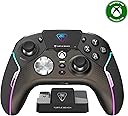
🎮 Own the game with precision, power, and style — the Stealth Ultra is your ultimate wireless weapon.
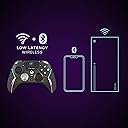
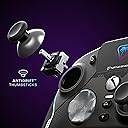
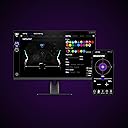
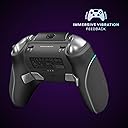
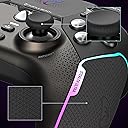
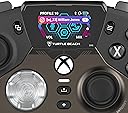
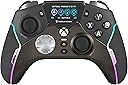
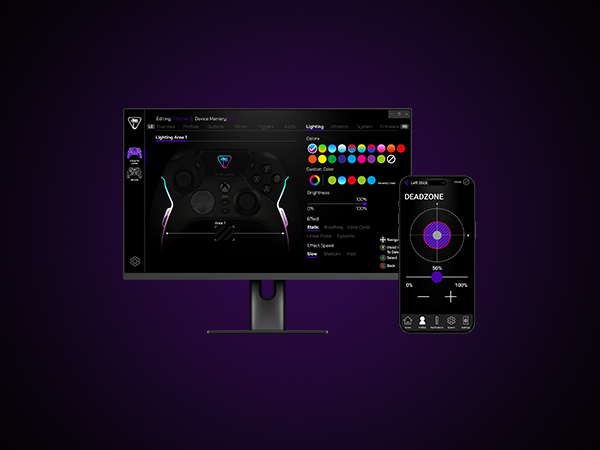
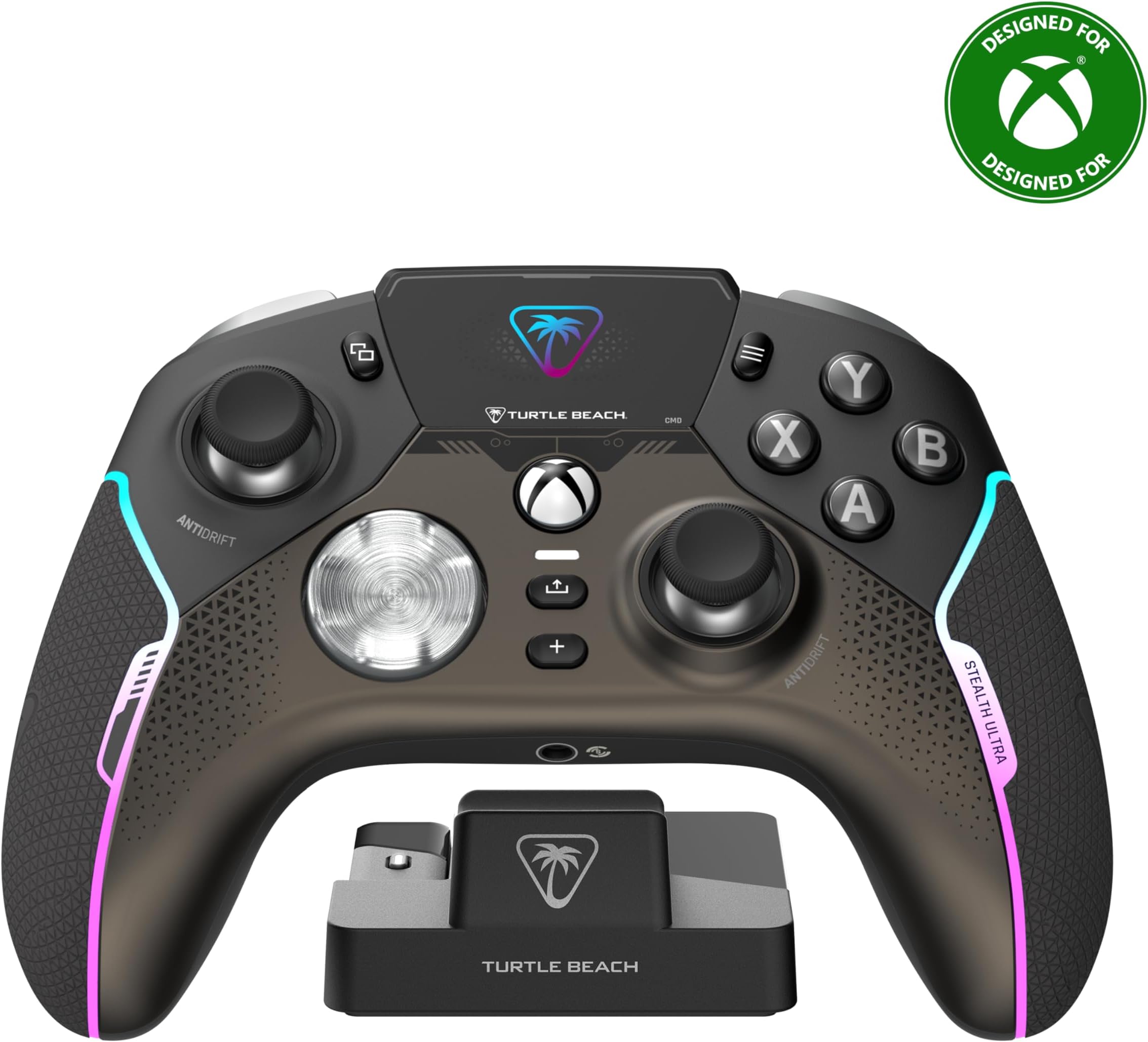
The Turtle Beach Stealth Ultra is a premium wireless gaming controller licensed for Xbox Series X|S, Xbox One, Windows PC, and Android. Featuring patented Hall-Effect thumbsticks for drift-free accuracy, a full-color Connected Command Display with social media notifications, and customizable RGB lighting with 16.8 million colors, it offers unparalleled control and personalization. With up to 20 hours of battery life in Eco mode, rapid USB 3.0 charging, and advanced audio tuning including Superhuman Hearing, it’s designed for serious gamers demanding durability, responsiveness, and seamless connectivity across multiple platforms.


| ASIN | B0CJVQFZ1S |
| Additional Features | Wireless |
| Best Sellers Rank | #728 in Video Games ( See Top 100 in Video Games ) #19 in Xbox Series X & S Controllers |
| Brand Name | Turtle Beach |
| Button Quantity | 10 |
| Color | Black |
| Compatible Devices | Android, Windows, Xbox One, Xbox Series X |
| Connectivity Technology | Bluetooth |
| Controller Type | Gamepad |
| Customer Reviews | 3.5 3.5 out of 5 stars (2,605) |
| Global Trade Identification Number | 00731855007103 |
| Hardware Platform | PC, Xbox, Xbox One, Xbox Series S, Xbox Series X |
| Item Dimensions | 6.3 x 2.53 x 4.72 inches |
| Item Weight | 0.83 Pounds |
| Manufacturer | Turtle Beach |
| Model Name | Stealth Ultra (TBS-0710-05) |
| Package Quantity | 1 |
| Power Source | Battery Powered |
| UPC | 731855007103 |
L**K
Very nice controller.
So far so good. I have no complaints. It feels great. Love the crisp buttons. No grinding sticks, no button issues, no broken triggers. Had it for almost a year. It has turned off a couple times. But so has my elite 2 and my vader 4. Charger works great. Battery isnt the greatest but ive never had a issue. Priced high yes. I got it on sale. But i have no complaints. And i play more then the average guy.
J**E
Squeaky D-Pad, Random Disconnects, Terrible Customer Support
Turtle Beach once was a brand I respected and trusted to make good quality products. I had a headset that lasted years without need of upgrade (until a new console made it "obsolete")... And then, I got this controller. First and foremost the software on the controller is tedious to use (oh but we got that amazing LCD screen!!), and some options aren't even possible on the controller leaving you to have to use the app on your PC or Xbox (such as disabling lighting entirely). The app on console is annoying to use, despite it being designed for a controller it seems like it was made with a mouse in mind. Moving on from the bad software, let's talk hardware (and maybe a little more software). Within 2 months of owning the controller (yay! out of refund eligibility!!) I started experiencing random disconnects. The controller would just decide it's no longer connected to my system anymore. Worst of all, it would stay powered on acting like it WAS connected, leaving me to hold the power button on the controller until it forcibly shut off, then I could turn it on to reconnect. There was no firmware to update to as my controller was on the latest (at the time of writing). I contacted support, who gave me the super unhelpful option of "reset the controller" and "plug the dongle directly into the xbox (instead of the charging pad", neither of which solved the issue. So they, of course, gave me a replacement for a defective controller. Not even 2 weeks into owning the supposedly new controller, the SAME ISSUE happened. I requested a refund from Turtle Beach, and all they are willing to do is to send yet another controller (so I can have the exact same problem happen, again). In addition to the controller randomly just disconnecting (it's really fun when you're playing an online pvp game!), the D-Pad makes a super irritating squeak sound when pressing the left side of it, even if not fully pressing the button in. Some fiddling with the D-Pad can make it quieter, but that just means parts are loose that shouldn't be. And then there's the other fun little issue where the controller just... does whatever it wants? That's really my best explanation. My fingers won't be near the guide button at all and all of a sudden I'm 3 menus into the guide. Oh.. And the real kicker? The "anti-stick" drift? The whole reason I got this controller in the first place? Yeah, worthless. Randomly my controller will just decide "Okay, you wanted to look to the left and upwards" even though I'll be hitting the joystick down, for example.
R**N
Worth it
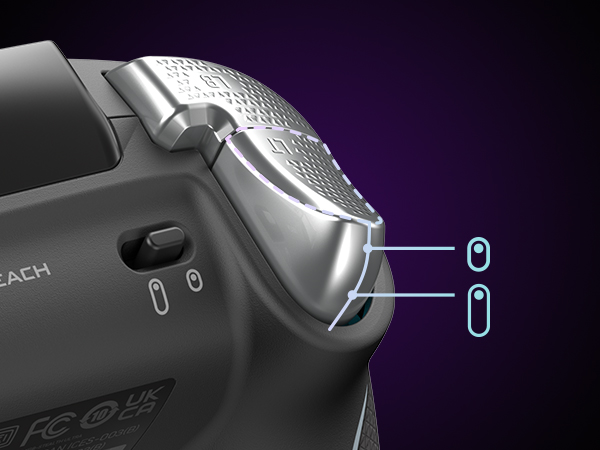
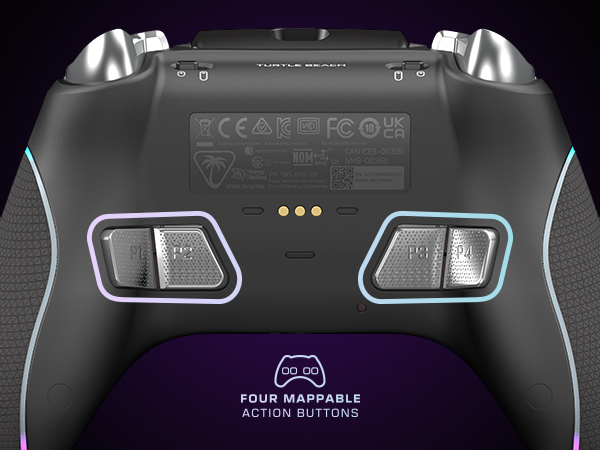
I’ve had this controller for 9 months and have put some serious usage on it and I have to say that from the reviews I was worried about it holding up but that has not been the case. First off, what’s in the box. It comes with the controller itself, two different pairs of thumb grips that slide over the existing thumb sticks, braided USB-C cord, charging mount, wireless dongle, and a carrying case. The carrying case is nice, is a durable cloth exterior with a velvety interior, haven’t needed to use it so it’s holding up fine. The charging mount is interesting. You plug it into the device that you’ll be using the controller with and you’ll have wireless gaming on that device as the USB dongle has a spot on it to plug into. I ultimately decided to not use the mount for now, I use the braided cable it came with, which is 10 feet, to keep the controller plugged into my pc as that’s where it’s used most frequently. The dongle I took out of the mount (ended up having to wedge something in between the mount and the usb to get some leverage the first time to actually remove it) and I have that plugged into my Xbox series x in the living room so if I want to use it I just unplug the controller and walk out of the room. Works out because I don’t have to resync or move the long cord with the mount around the house. The thumb grips are nice, they’re not needed but I use them anyway so the original grip on the thumbsticks themselves are still in good condition and I can’t see any wear on the ones I decided to use. I opted for this controller for one big reason, that being the built in volume controls. Since the launch of the Xbox One I’ve been using the controllers that ship with the consoles because they just work. I didn’t like that weird headset that came with the One so I picked up a pair of XO7’s and it came with an adapter that plugs into the bottom of the controller (the weird rectangle looking port with two squares around it that I always see people asking what it is) and it always gave me freedom to increase the volume of everything going through it along with having the audio being split between console sounds(games, YouTube, Netflix) and party chat so I would be able to turn people down in those intense search and destroy matches on CoD and such if needed. I still have that adapter and still works great, so does my controller that came with my Series X, but I wanted something new. While the built in volume controls are what was the final deciding factor, what drew me to this over say, the official Xbox Elite 2, was the bottoms themselves. I was curious about the mouse click feedback and got me thinking about all the times I’ve had to take a controller apart to clean them because of a button getting stuck. These buttons don’t seem to have that issue at all and while it feels weird at first it in my option feels so much better. Yeah you’re getting mouse clicks every time you press A B X Y RB LB D-pad or any of the rear mounted buttons but if you’re using to mouse clicks then it shouldn’t be a problem. Remapping the rear buttons is easy and takes less than a minute to do, no extra apps or anything for that, with the built in screen it has its own menu to do everything you want. *There is an app you can download though if you want the notifications from your phone to show up on the screen, I used it a few times and mainly if my fiancé is out and she needs to get ahold of me it’ll pop up in the screen and the controller lights will change letting me know I got it* the controller also has trigger stops which I pretty much keep on unless I’m playing a shooter and you don’t have multiple options like the Xbox Elite 2, it’s just on and the triggers act as button presses or full on trigger. Overall the performance of this controller has been overwhelmingly positive from me and I do implore anyone wanting to change it up a bit for something new to get this controller, as long as you take care of your things I don’t see durability being an issue. I wouldn’t let younger teens or children use this, or any controller that has a bunch of functionality at that, just for the fact that they could get upset at a game and throw the controller and damage it and I’m sure it’s not as durable as the stock Xbox controller, especially with a built in screen. Oh and battery life is about 8 hours continuous play
B**M
Not very good right now but it has potential
I was pretty excited to use this controller but it had many issues that just made this such a frustrating controller. The good parts about this controller is the embedded controller screen that lets you adjust your settings and mapping buttons. However, because of the screen placement hitting the view/select button was awkward. The build feels really nice and the clicky-ness of the game buttons and the bumper are very nice very similar to the feel of the Razer Wolverine Tournament Edition. So anyone who might be used to mouse/keyboard might enjoy the feel of this. You do get a charging station similar to what you'd have with an Elite 2 controller. The station has a base to plug in the Bluetooth Adapter into (vs manually plugging it into the Series X, which you could do) but it's very hard to grasp and pull the USB stick out, so it's probably better to keep it attached to the charging station and plugging it into your Xbox. Using this for FPS predominantly Call of Duty I felt that the aiming on this was weird and awkward. I spent a lot of time trying to dial the settings in but could never get it right. Either is way too loose or too rigid with aiming. I adjusted the controller internal curve mapping but just no luck getting it right. With Hall effect joysticks, these did feel nice but perhaps it's years of analog joystick it just never felt right over the two weeks I kept trying to use your controller. The biggest issue with this controller is the connectivity of the controller. I had verified the most up to date firmware at the time of writing this, it would lose connection to the series X intermittently. Sometimes I couldn't recalibrate or get it to reconnect without restarting the series X or unplugging and replugging it back into the console. The second biggest issue is that often when using the controller it right for the lack of better words, freak out. Think that you're aiming and going right and then randomly it tugs to the left or just ignores your input altogether. That was my experience with this controller and reading other reviews and reddits going similar people running into this issue with no apparent fix. The customizable back buttons are just a bit shallow and semi awkwardly placed horizontally in the controller. Meaning utilizing the entire thing is a nightmare of ergonomics, it made my hand cramp up and outside of the predominant back button being slightly easier to hit, both of the buttons towards the middle of the controller require a real stretch. As such, trying to use the buttons and joysticks feels unnatural. Battery life was very hit or miss, I would get a few hours sessions in and the battery would just get depleted. I even lowered the RGB lighting on the controller and the screen brightness and time it settings but still found the Elite 2 controller to still be the best in which I only have to recharge it every 1-2 weeks from 2-4 daily gaming sessions, on average. It does come with a nice controller case where you can keep the charging station in just like the Elite 2 controller. You also get thumbstick covers similar to Control Freaks with two texture types. I'm not much of a fan of Control Freaks but they did feel nice, so if you like them, you'll like these that are included. There are trigger stops and The button is on the top of the controller as opposed to the Elite 2. For ease of use, it felt odd to adjust on the fly vs the Elite 2. However, the build quality of the buttons are much better. With the Elite 2 controller trigger stop being wrapped by a tiny rubber piece that often falls off, in which you have to use your finger nail to get underneath to switch the stopping location for the triggers. Overall, what makes this controller have potential is the build quality, it's superior to the Elite 2 with regards to the material and having the internal system with the embedded screen is awesome. This is the only 3rd party controller that is wireless for the series X so that's a plus but the things that hold this back is: 1. Connectivity Issues 2. Awkward Placement of the back buttons and trigger stop buttons 3. Dead zone and Hall Effect feels very weird so it takes time getting used to I think with a few more revisions to the controller it can certainly be up there to rival the Elite 2 but it has kinks it has to sort out. With the price point of $199.99, it seems better to just get the Elite 2 or if you don't mind having the controller plugged in, the Razr Wolverine are just better options.
A**R
Not perfectly compatible, but still a good controller if looking for something more than standard.
Bought this to replace a Microsoft Elite Xbox Controller for my XBOX X console. This controller feels larger than the elite, and requires an additional app to be downloaded to be used. Be aware that it doesn't sync directly to the xbox's bluetooth but rather to an adaptor or dongle which sits on the charging stand, therefore it doesn't turn on the console when you press the XBOX button like the Elite controller did. It's possible that this dongle is meant for PCs or other devices that don't have bluetooth? I'll see if I can pair directly with XBOX via bluetooth, but out of the box you'll have to manually turn on the xbox before you sit down to game. The extra buttons on the Bottom are a little too well paced to align with naturally holding the controller so often trigger the programmed buttons which makes for interesting in game mistakes. While buttons are programmable using the free app, there is no ability to do combination buttons like the elite had. It's also much lighter. Note: I'm not a competitive gamer, but a casual gamer so I can't comment if this controller will give you the edge, but for me, works better than a standard controller or a broken Microsoft Elite 2. :-)
J**S
Good Controller for Big Hands
I have big enough hands that most controllers feel uncomfortable. For instance, I can't use the xbox elite controller, because it just feels too cramped (e.g. it's angled too far inward). The best controller that I've found in that regard in recent years is the Astro C40, but unfortunately, they don't make it anymore (and mine wore out), and it has playstation buttons, which is great when playing on playstation but annoying on PC. However, this controller from Turtle Beach comes close, and it has much better buttons. They're quite clicky, so it's always clear when they're pressed, and they feel nice to press. The tension on the sticks isn't as high as I'd like, but it's still good. The triggers are great. They not only have trigger stops, but the controller actually turns the triggers into proper buttons when they're locked instead of you having to go into the settings to change their sensitivity (which the C40 unfortunately requires). So, overall, I'd say that the controls are quite solid. The real winner though is the shape, since it feels _much_ nicer in my hands than a typical xbox controller. Ideally, it would be a bit larger than it is, but it's so much better than the other controllers that I've tried recently that I'd have to recommend it on that basis alone if your hands aren't small. Now, the fact that the controller has RGB lighting on it is just stupid and annoying IMHO. It's a waste of power and distracting. Fortunately, you can turn it off in the settings, which makes for a _much_ more pleasant experience. That being said, I did have to do custom settings, since the eco settings also make the controller turn off annoyingly quickly - the range is 1 minute to 10 minutes (or always on), and the eco mode puts it on the shortest time - whereas if you further customize the settings, you can tweak how long the controller will go before automatically shutting itself off. The controller comes with a nice charging stand that you can also plug the USB dongle into, so then it's connected through the stand instead of having the dongle connected directly to the computer. The stand will also stop charging the controller once the battery is full, so you can just leave it on the stand without worrying about wearing the battery down, which is nice. The one issue that I've run into is that occasionally, when you wake the controller up, the dongle fails to get the signal and stays asleep, so I have to unplug the stand and plug it back in again, which is annoying, but it's not the end of the world. And most of the time, it reconnects just fine. The controller also allows you to plug in a USB-C cable directly if you want to use or charge it that way. The controller has a small, simple display on it which allows you to configure some stuff (though I haven't bothered; I've just used the PC application to do it), but what is nice about it is that it shows the battery level. And the screen has a timeout similar to the controller itself, so it can be set to turn off after a minute and then not turn on again until you press the button. It would be nicer if it would also turn off with the same button rather than having a timeout, but you can't have everything, I suppose. And you can adjust how bright the screen is (or how bright the lights are if you actually want them on). So, all of the various annoyances that drain the battery can be dimmed and/or turned off. And of course, you can configure a number of things about the buttons and sticks if you so desire, though I haven't done much with that. I just wanted a controller that fit nicely in my hands, and button customization is simply a nice bonus. One potential concern with regards to the longevity of the controller is that the edge of the grips, which are rougher than the rest of the controller, feel like they were probably glued on, and IIRC, I saw some other folks say that theirs had come off. And while I haven't had any problems along those lines yet (and wouldn't expect to any time soon), that part of the controller does feel kind of cheap such that it wouldn't surprise me if they did come off eventually. My initial thought was that I would have preferred that they made the grips nicer and skipped the charging stand, but I've come to really like the charging stand. But still, if they were to make improvements, the most obvious things would be to make the grips nicer and to get rid of all of the RGB garbage (which would presumably also help with the cost), but at least the lighting can be turned off.
K**7
Several issues
PC player here. Have been playing with my TB Stealth for 3 days now and have been finding one problem after another. First problem was my trigger stopped working. Programmed the broken trigger to my P4 button and that restored the function back to the trigger. Seems fixed but super concerning considering all the LB/RB & trigger malfunction reviews I read. Second persistent issue: will have completely erratic movements in-game that occur spontaneously, affecting the quality of my game play at pivotal moments. Using the hardwire seems to alleviate this pointing to the blue tooth connection as the culprit. Third persistent problem: I have to hard reset my controller multiple times in between game sessions. I cannot figure out the pattern on this except that it seems to happen most when I'm finished playing and my PC goes to sleep and I wake it back up to have another session. If I power down and start back up it either doesn't happen or occurs less frequently. GENERAL COMPLAINTS: ●The battery life is abysmal. Considering the poor quality of the Bluetooth connection, wired is the way to go with this controller. ●THE STEALTH CONTROL CENTER 2 APP is straight garbage!! There is nothing else needed to be said.. it's truly that bad. Deleted it promptly, and I just use the onboard screen to program. ●Heft. The controller is very light. This is a personal preference, but I enjoy a heavier, more robust grippy feel. The grip on this controller is very mid. PROS: ●Controller design feels like it was meant for my hands (6' male with average size hands for a guy my size). Great size and programmable button placement for my style of game play. ●On-board screen allowing programming. Super easy to access and intuitive. (The social aspect of the screen is a total gimmick, IMO) ●Button feel. Super clicky and quick response... they're really nice -with the exception of the d-pad which I feel has too much play on it.. almost feels kinda loose. Again, 3 days of use. I'm considering returning it this week. The question I'm trying to figure out is if I assume it's a faulty device and replace it with the same, giving the TB Stealth another chance or just move on to one of the two other contenders I considered before purchasing this. And just for context; it was the Hall Effect sticks that decided this purchase for me along with the rear programmable button placements.
C**N
It's an easy Buy for me Turtle Beach Stealth Ultra
Update: The X and Y buttons are inconsistent and it looses connection about every hour. when it drops connection you have to put it on the charger to force it to shut down and then wait for the controller to boot up and reconnect, it's a painful process. Its rubber grips are peeling up on both sides. This isn't a good controller. The only thing still working well are the hall sticks. It had promise but it doesn't last. I’ve had the controller for more than a week so far. Before this I have been using the elite and elite 2 controllers for years. First the hall effect sticks are everything I’ve ever wanted. So precise I didn’t realize how out of spec my old controller was. I set the stick dead zone to zero on both sticks and no problem, it snaps back to the exact center and no matter how hard I try I can get the targeting icon to stay put if the stick is moved all tall. I’ve tried used multiple games calibration as well as the system ones for the elite controller, always the same result. Compared to my elite 2 controller that is back from service about 3 months ago, there were spots on the calibrators at level 10 that the stick would register as center. So as far as accuracy the Stealth Ultra is amazing, in fact they are so much better I recommend the controller for that improvement alone. There are other things in the pros and cons but I’ll just say that from here on out it’s small things that I’d put in the personal preference category so if you don’t care about what I’ve listed please disregard. Pros: Hall Effect sticks are significantly better than anything you have used before. The Stealth Ultra is noticeably lighter, but it doesn’t feel like its cheep or flimsy. It still has a solid in hand feel to me so lighter is better in my opinion. This controller charges fast, I know people are hung up on the fact that you need to turn the lights down to get a good battery life out of it but if you need RGB in your face at all time just put that controller on the charge pad for 5 min and just like that you have a hour or so to play. The screen, to be clear I could care less about screen or trackpads or any other gimmick that gets put on a controller unless it offers something so the screen is pushing its luck, but the controller’s screen is my preferred place to adjust the controller settings. When I got my unit, it mapped the R3 & L3 buttons to the underside but I accidently flipped them. 1 Button press to open controller settings a few lefts and rights on the D-pad and then A button to confirm. I fixed my mistake while in game without having to back out. The screen on the controller is my preferred way to change settings too, although that’s partly due to the software being a bit clunky on the xbox. It’s the kind of setup where you make your changes then you have to upload the changes to the controller, or at least so I’m told, I like the screen so I use it. Active software updates are happening. In the past few weeks there have been 2 firmware updates and while game developers deserve the abuse, they get for needing to patch there half-baked garbage on day one I feel very optimistic about Turtle Beach backing and improving this control in the future. 1 update allowed more buttons to be mapped to the underside buttons. The second update helped with stability and fixed a led setting. I haven’t had any stability issues but the more stable the more gooder. Who knows could we gain the ability to adjust game and chat volume without taking our hands off the controller, please I’m begging here. Or could the screen show me the setting on my Turtle beach headset, that would be cool. Cons: The Stealth Ultra takes a second to boot up and to do so you have to hold down the xbox button a bit longer. Not a big deal when gaming, you can set the seep window to be up to 10min long, but when you are streaming and you want to skip to the new episode or stop the skip to watch a after credits seen you will be racing the countdown clock to wake up your controller. Vibration on the Stealth Ultra is just ok. At full force I would say it’s 7 out of 10 but at lower pulses it’s pretty bad. Most likely something that was sacrificed to lower costs and weight was the rumble. For me it’s good enough but I would still buy this controller with no vibration, the sticks are that much better. The placement of the “view” button, I call it the select button, is in a tough spot. You have to reach over the top of the left joystick and it takes some significant getting use to. I bet it will be worse for those of you who like tall sticks. You can’t map the view button elsewhere so no luck there. As soon as your controller starts charging on it’s included charging stand it disconnects from the xbox and will need to be turned back on slow boot up and all. It’s more annoying that it sounds but pretty minor overall. *All of the “cons” are minor to me but they may mean more to you. This controller cold take a 3 times longer to boot, have no vibration and no view button and it would still be the best controller I own. Other Things. This controller is a bit wider than the elite. Had to make room for the screen, I guess. I think it a little more comfortable, but you may not notice. All buttons are clicky mouse buttons. Dpad, ABXY the shoulder and trigger buttons sound a feel like a mouse click. If I press a button on both my elite controller and the Stealth Ultra there is more feed back and longer travel on the elite. The mouse click to me feels slightly “mushy” to me but it’s minor. I don’t notice while playing games just when doing the comparison. With less travel distance on the buttons, you can pretty much ensure that you can click faster on the Turtle beach controller so that is good enough for me to not care as much about the feel part. The only time you can get a battery like % is when it is charging. Otherwise, you get a battery gauge with 4 bars. Hate the bars, they are dumb on cell phones and dumb here too. You can’t even hit the xbox button and check the gauge near the time in the top corner. It always reeds full, my guess is that the usb dongle is what it is showing there but that is just a guess. You can’t adjust the center spring tension like you can with the elite controller so if you have a strong preference for that you got nothing here but the sticks snap back fast with a good force. And do I need to say how accurate they are again. This controller can get notifications for your phone, or so I’ve been told. I didn’t set it up and don’t care if I ever do.
T**Y
Parfait
J'ai récemment acquis la manette Turtle Beach Stealth Ultra, et je suis vraiment impressionné par ses performances et ses fonctionnalités. Points positifs : Confort de prise en main : La manette est ergonomique et agréable à utiliser, même lors de longues sessions de jeu. Les poignées antidérapantes offrent une bonne adhérence, ce qui est très appréciable. Réactivité des boutons : Les boutons sont très réactifs et bien positionnés. Les gâchettes et les bumpers offrent une réponse rapide, ce qui est idéal pour les jeux d’action et de tir. Connectivité sans fil : La connexion sans fil est stable et sans latence, ce qui permet une expérience de jeu fluide. La portée est également impressionnante. Station de charge rapide : La station de charge est très pratique et permet de recharger la manette rapidement. Cela évite d'avoir à chercher des câbles et rend le rangement plus facile. Personnalisation : La possibilité de personnaliser certains boutons et de modifier les paramètres de la manette est un excellent ajout pour les joueurs qui souhaitent adapter leur expérience. Points négatifs : Poids : Certains utilisateurs pourraient trouver la manette légèrement plus lourde que d’autres modèles, mais cela dépend vraiment des préférences personnelles. Autonomie de la batterie : Bien que l’autonomie soit raisonnable, il peut être nécessaire de la recharger fréquemment si vous jouez intensivement. En résumé, la manette Turtle Beach Stealth Ultra sans fil est un excellent choix pour les gamers qui recherchent confort, réactivité et praticité. La station de charge rapide est un vrai plus, et je recommande cette manette à tous ceux qui veulent améliorer leur expérience de jeu !
M**A
Está bastante logrado.
No puedo decir que lo prefiero antes de mi series elite 2. Pero si puedo decir que es muy cómodo y pesa muy poco. Está bastante bien. Ya depende del uso que le quieras dar.
P**R
Aktuell einer der besten Controller (für den PC)
Der Stealth Ultra ist eine Antwort von Turtle Beach auf den Elite Series 2 oder den Scuf Instinct. Auch wenn er sich nicht individuell konfiguriert bestellen lässt, halte ich ihn dennoch für einen ernstzunehmenden Kandidaten. Konnektivität: Hat man erst mal die Software installiert und alle Updates durchlaufen, verbindet sich der Controller mit einem Klick zuverlässig über den Dongle am PC. Bei der Geschwindigkeit kann ich keinen Unterschied zu kabelgebundenen Verbindungen feststellen. Laut Angaben gehört er auch zu den schnelleren Controllern, auch ohne Übertaktung. Laden und Batterieleistung: Das Laden erfolgt durch die mitgelieferte Ladestation, in der man auch den Bluetooth-Dongle einsteckt. Nach ca. 5 Stunden (angeschlossen via USB am PC) hat der Controller seine volle Ladekapazität erreicht. Ich spiele mit gedimmtem Display und sehr schwacher LED-Optik und komme ca. 15 Stunden mit einer Ladung aus. Ob man die angegeben 30 Stunden auch erreichen kann, ist fraglich – zumindest bei schnellen Spielen wie Rocket League oder FPS Games. Komfort: Der Stealth Ultra liegt sehr gut in der Hand. Gamer, die einen Xbox-Controller Series X gewohnt sind, brauchen sich hier kaum umzustellen. Es ist keine Gummierung wie beim Elite verbaut, aber der verwendete Kunststoff ist an den Außenflächen etwas weicher und liefert so genügend Grip. Die Anordnung der Sticks und der A,B,X,Y Buttons ist ebenfalls identisch zum Xbox-Controller. Sticks und Buttons: Ein wichtiger Punkt zur Kaufentscheidung waren für mich die verbauten Halleffekt-Sticks. Stickdrift ist eine der häufigsten Ursachen für defekte Controller, da die ständige Reibung zur Abnutzung der Mechaniken führt. Durch Magnettechnologie ist dieses Problem hier nicht mehr gegeben – ein klarer Vorteil gegenüber dem Elite Series 2, der, glaubt man den Einträgen diverser Reddit Foren, besonders häufig von Stickdrift betroffen ist. Die Standard-Buttons sind mechanisch und arbeiten mit Mikro-Switches – daher hört man auch, durch ein angenehmes Klickgeräusch, dass man den Button gedrückt hat. Für Spiele wie Rocket League, wo man auch mal mehrere Buttons gleichzeitig drückt oder auch mal die Buttons „fächern“ muss, kann das tatsächlich auch ein Nachteil sein. Ich selbst spiele aber auch RL und kam nach kurzer Umgewöhnung recht gut mit den Buttons zurecht. Das Steuerkreuz (Dpad) ist ebenfalls mit Mikro-Switches ausgestattet. Ich verwende das Steuerkreuz aber nur recht selten und kann zur Bespielbarkeit wenig sagen. Die Schultertasten (Bumpers) sind ebenfalls mechanisch und lassen sich an allen Stellen recht gut klicken. Ich hätte mir für den LB und RB allerdings noch eine kleine Erhöhung der Buttons zur Mitte hin gewünscht, da ich mit meinen langen Fingern gerne mal über die Tasten greife. Die Trigger-Buttons haben einen normalen Widerstand beim Drücken, der nicht zu stark ist und die Finger bei längerem Spielen auch nicht ermüdet. Die Trigger-Stopps begrenzen gut 90% der Distanz und sind daher gut für schnelle Shooter geeignet. Die Back-Buttons gehören aus meiner Sicht zu den Design-Highlights des Controllers. Im Gegensatz zu vielen anderen Herstellern, ist die Anordnung der Buttons sehr ergonomisch durchdacht. Mit einem normalen Gripp lassen sich alle vier Buttons gut erreichen. Bei den inneren Back-Buttons kommt es gelegentlich mal zu „Missclicks“, jedoch meist nur dann, wenn man den Controller kurz einhändig halten muss. Auch die Back-Buttons machen einen mechanischen Eindruck und reagieren sehr gut. Die Menü- und Sondertasten sind nicht auf der gleichen Höhe wie beim klassischen Xbox-Controller. Hier muss man sich lediglich etwas umgewöhnen. Display: Ich nutze das Display eigentlich nur, um zwischen meinen Profilen zu wechseln. Aber man kann hier auch die LED-Beleuchtung, die Tastenbelegung und die Konnektivität einstellen. Theoretisch kann man sich sogar mit anderen Spielern über die Controller unter dem Menüpunkt „Social“ vernetzen. Allerdings habe ich das bisher nicht verwendet und kann dazu nichts sagen. Die Helligkeit des Displays lässt sich ebenfalls einstellen. Nach X Minuten/Sekunden kann man das Display auch ganz abschalten lassen, um die Batterieleistung zu erhöhen. Fazit: Für mich ist der Turtle Beach Stealth Ultra aktuell der beste Controller für den PC. Wie er an den Konsolen funktioniert, kann ich nicht beurteilen. Ich halte ihn mit 200 Euro für etwas überteuert. Bei ca. 150 Euro hätte er ein wirklich unschlagbares Preisleistungsverhältnis. Ob die verbauten mechanischen Switches sowie die Halleffekt Sticks auch zu einer längeren Haltbarkeit führen, wird sich noch zeigen. Nach einem Monat intensiver Nutzung habe ich jedenfalls noch keine Probleme.
R**.
Best Xbox licensed (series x/s) elite controller 2024/2025 !
Top controller ! Vind de TurtleBeach Stealth Ultra veel beter dan de Elite controllers van Microsoft die super snel stuk gaan, vooral de schouderknoppen en de sticks die gaan driften. Dit is bij verre de beste xbox controller die ik tot nu in 6 jaar tijd heb gehad en nooit meer last van stickdrift dankzij de antidrift sticks die via magneten werken. BELANGRIJK voordat je begint !!! Sluit eerst de USB C aan op de docking station/oplaadstation die bij de controller wordt geleverd en daarna de USB A op je Xbox (series), start je xbox daarna pas op en laat alles zitten zoals het nu zit. Wacht echt met het aanzetten van de controller anders loop je tegen mogelijke problemen aan want er moet eerst geupdate worden (ja ik weet je kan niet wachten maar nog niet aanzetten je controller, maar dit is belangrijk !) Ga eerst naar de Microsoft Store waar je ook je spellen zoekt op je Xbox en zoek de Controller Center 2 app van TurtleBeach en installeer die op je xbox. Zodra dat klaar is dan open je de App op je Xbox en daarna zet je de controller aan en verbind die met de xbox (gaat automatisch, anders de pair knop op je xbox indrukken en dan het knopje die op je dongel/usb transmitter zit die weer aan de linkerkant van je docking station zit ingeplugd, zie foto's) Ga met de rechter schouderknop op de controller naar Firmware update en selecteer eerst de Docking Station die je wil updaten ! Wacht tot dit klaar is en zorg dat je het niet onderbreekt wanneer die aan het updaten is!! Als het klaar is dan trek je alleen de USB C los van je docking station en plug je die in je controller tussen de LB en RB schouderknoppen terwijl de USB A gewoon nog ingeplugd is op je xbox. Selecteer dan bij Firmware update de Stealth Ultra controller die je wil updaten en wacht tot deze helemaal klaar is zonder te onderbreken, deze update duurt wel iets langer. Als deze update klaar is dan is het wat betreft de updates in orde en moet je af en toe deze handeling herhalen om nieuwe updates te zoeken en te installeren. Doe dit dan weer voor beide de docking station en de controller! Nu steek je de USB C connectie weer in de docking station/snellader of als je bedraad wil spelen dan laat je het aangesloten op je controller. Maar je kunt nu ook de Dongel/Transmitter die links op je Docking Station (zie foto's) zit aangesloten los halen van je docking station en dan steek je de dongel/transmitter voorin de USB A aansluiting op je xbox en kun je draadloos spelen. En zodra je de controller moet opladen dan steek je de USB C kabel in de docking station om te snelladen met je controller erop of als je tijdens het spelen wil opladen dan doe je de USB C kabel in je controller terwijl de andere kant USB A zit aangesloten op de voorkant van je xbox in de USB aansluiting. Snelladen gaat dus wel alleen met de controller op je docking station geplaatst en de USB C kabel dus op je docking station aangesloten en de andere kant USB A op je Xbox aangesloten aan de voorkant. Succes en veel plezier met deze fantastische controller die hopelijk niet zo snel stuk gaat als alle anderen, fingers crossed 🤞🏻 En ff complimenten voor de logistiek afdeling bij Amazon 🫶🏻 dinsdag avond rond 22:00 uur besteld en woensdag de volgende dag al om 15:00 uur in huis 👍🏼
R**R
not recommended
product stop working after 4 months and seller not responding
Trustpilot
2 weeks ago
1 week ago