

🚀 Power your productivity with Peplink’s multi-WAN mastery!
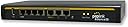
The Peplink Balance 30 is a compact, Linux-based multi-WAN router featuring 3 Fast Ethernet WAN ports plus a USB port for 4G LTE/3G modem backup. Delivering up to 100Mbps throughput and equipped with 5 load balancing algorithms, it ensures reliable, high-performance connectivity ideal for power users and home offices. Its 4-port Gigabit Ethernet LAN switch and 1-year warranty make it a dependable choice for seamless network management.
| ASIN | B0012L1QOA |
| Antenna Location | Home |
| Brand | Peplink |
| Compatible Devices | Personal Computer |
| Connectivity Technology | USB |
| Control Method | App |
| Controller Type | Switch |
| Customer Reviews | 3.9 out of 5 stars 41 Reviews |
| Data Transfer Rate | 100 Megabits Per Second |
| Global Trade Identification Number | 00718122694518 |
| Is Electric | Yes |
| Is Modem Compatible | Yes |
| Item Weight | 2.2 Pounds |
| LAN Port Bandwidth | 100 Mbps |
| Manufacturer | Peplink |
| Maximum Upstream Data Transfer Rate | 100 Megabits Per Second |
| Mfr Part Number | BPL-031 |
| Model Name | BPL-031 |
| Model Number | BPL-031 |
| Number of Ports | 4 |
| Operating System | Linux |
| Other Special Features of the Product | WPS |
| Recommended Uses For Product | Home |
| Security Protocol | WPS |
| Special Feature | WPS |
| UPC | 759638588199 718122694518 014444856680 012304672777 718122692910 754262035729 |
| Voltage | 12 Volts |
| Warranty Description | 1 year parts and labor |
P**Y
Best consumer router -- period!
Finally, a consumer router that works! I have 3 internet connections coming into my house: AT&T U-Verse DSL (5MB DN/.5 UP), Clear Wimax (15MB DN/1MB UP) & Verizon LTE (10MB DN/5MB UP) LAN extender. Verizon works well, but is very expensive for high-bandwidth customers. DSL is stable, but slow - especially upload speed. Clear is fast and unlimited, but their network gets over saturated easy (technically not down, but slows to a crawl). I have had other load-balancing routers, but they can't keep up with the dynamic nature of our internet connections. The Balance 30 works like a charm. In normal circumstances I load balance with Clear & ATT using Verizon as a backup. The balance sends traffic to clear more than ATT since it is a faster network automatically. When Clear latency increases it takes balance a bit to figure out the change then it starts sending more traffic to ATT. It works surprisingly well. A feature that doesn't get much attention is that the Peplink Balance can also be a private DNS server. I have a number of devices such as cameras and home automation systems that have private internal IP's, but are NAT forwarded externally. Using DNS and custom ports enables the apps to work seamlessly inside and outside of the home. Prior to Balance I had to maintain a separate server for internal DNS. Not anymore. Another nice DNS feature is that I can control what forwarding servers to use if a name cannot be resolved locally. Sometimes ISP's don't have the most reliable DNS servers, but you have to keep them in the configuration to resolve private IP's on their networks (e.g. video sharing, email servers, etc). Peplink also has a checkbox to enable using reliable public DNS for relay (e.g. google 8.8.8.8, 8.8.4.4). Let's get to the overlooked DHCP. Everyone takes this for granted. What router doesn't do DHCP? What makes Peplink different than any other consumer router I've seen is that it supports DHCP options. I have VOIP phones in my home that need be told where a TFTP server can be found for firmware updates and configuration. This server can be inside of the home or on another network (e.g. Site-to-Site VPN to my office where the TFTP server lives). This greatly extends the capabilities of this router for people that have a more complex network configuration. This router is not cheap, but it works. This router is easy to setup out of the box without touching the advanced features, but to get the most out of it the advanced capabilities cannot be beat.
V**L
Excellent Multi-Wan Router
I bought this to replace an aging Cisco/Linksys RV082 Multi-Wan router after reading many good reviews about this product and the Peplink Balance 30 did not disappoint. Compared to the Linksys RV082 the Peplink works more reliable, is easier to configure and has almost every imaginable feature you could wish for. We've had the Peplink now since 7 months and is has performed without a single glitch. The CIsco in comparison required a reboot every couple of weeks/months as the connections got slower and slower to the point of where no traffic was routed anymore at all. The Peplink is used in a small office environment with 6 VOIP lines and a dozen PCs. We use two WAN connections, 1 cable and 1 DSL. In normal operation the DSL line is dedicated to 4 of the VOIP lines and the PCs and other two VOIP lines go via the primary cable connection. The Peplink can be configured to send an email every-time it switches from the primary connection to the failover connection and back, which with Charter Internet happens at least once a day. When the cable connection goes down the Peplink switches over to DSL without a glitch. The VOIP lines work without a problem through the Peplink, something I could never get to work reliably with the Linksys. The only drawback I could find so far is that there is no VPN mode implemented on the Peplink that could be used with a PC/laptop VPN client. The unit has integrated iPSec and PepVPN, but these are only for network to network connections to other routers. Our workaround was to install a VPN server on one of the PCs in the network and do a port forward in the router. My experience with Peplink customer support is also excellent. I contacted them because upon registration of my device their website claimed it is out of warranty and they happily adjusted the warranty date to 1 year from where I actually bought the product per my Amazon receipt.
K**Y
IPSec VPN won't work with Sonicwall
IPsec VPN only works with Cisco or Juniper routers. My corporate office has high level sonicwalls. I would give 4 or maybe even 5 if I could connect to corporate but without that VERY important function, it is only 1 step up from the 3 routers we had before with benefits that don't warrant the cost of the unit. I hope they upgrade their VPN functions to work with Sonicwall.
D**N
One Star
Went to register this router on with Peplink, and it's out of warranty.
N**S
poor support
probably good but hard to configure and poor support
S**N
Fast. Easy Setup. Great User interface.
We previously were running Duolinks SW24 Vpn Router Dual Wan . Once we upgraded to dual 50mps connections we noticed it simply couldn't keep up. So our search began. At first we contacted syswan about getting a router, their service quality has dropped off and sadly upon review we weren't getting the stated performance out of the SW24. We began looking for another brand. Peplink popped up. All the features were there, as if spec'd for our very needs. The 3 WAN option, plus USB offers the best rollover options in the business. The price is half that of a competitors product and few offer 3g/4g usb support. Delivered, to setup and running was 20 minutes. We have multiple rules, port forwarding and wans to setup. After setup our network through put trippled. Where as the SW24 would max out speed tests at 24mps down, the Peplink maxes out our connections pushing nearly 100mps which is great. It's also a gigabit router so our total network performance has improved. Prior we had our gigabit switches all connected with only one 'net' connection to the Syswan to keep our internal file transfers at 1000mps. We have our dual 50mps connections as primary, and our DSL as cold standby. Testing of the system's rollover has shown good results. My only complaint is two fold: 1- VOIP QoS isn't as straight forward as the Syswan product. While all the rules are in place to make VOIP, and related ports HIGH voice quality still drops upon large uploads - which we do regularly throughout the day. I've got an email into the company and will update when new information comes out. 2- ports on the front is silly. All ports should be at the rear. While it's not installed in a true rack setup, we've got a very nice setup here. Cables running out the front is messy. VOIP Update The solution to the voip issue is to restrict all traffic to wan1 and bind voip devices by mac address to wan2. It appears as though the system cannot share a wan with voip without QoS being a problem.
X**Z
Works as advertised, and it is awesome
DSL is the only internet we can get at the house, as we live too far away for AT&T U-Verse or Cable Modem. After trying so long to figure out how to get faster internet, I thought I'd try to see about a second DSL connection. Sure enough, we could get another one. The next question was how I wanted to set it up - two separate networks, or one network. Ideally, I would want one network and somehow balance the connections. I did some research and found the PepLink Balance product, and figured I'd give it a shot so I ordered the PepLink Balance 30. THIS WORKS AS ADVERTISED. It's AWESOME! I plugged in both working DSL connections into it, and it really does an excellent job of load balancing. It does not combine the internet connection speeds to make it "super fast", but it does maximize the bandwidth you have. If my wife is streaming Netflix, it naturally has my tasks on the other DSL connection. If I am uploading two files, it uploads one file with the first DSL line, and the second file with the other connection. The interface for the router also is great, and it has live bandwidth stats with a graph, so you can really see what is happening. I previously had the Linksys E4200 (which I'm still using as a wireless router), but the interface on the PepLink Balance 30 is far superior. Overall, I highly recommend this to anyone who has more than one internet connection and is trying to maximize their available bandwidth.
M**T
I stand behind this product.
Peplink Balance 30 Multi-WAN Router Good Evening to all the non tech geeks to the techies to the geeks. Let me start out by saying that Peplink is the best product out there for combing multiple ISP into one. They will stand behind you and get this running. Let me say that I know just enough of the networking side to run multiple stores with multiple dual wan netgear products. But I had one store that needed multiple ISP because Lawton, OK has slim pickings. So I got AT&T dsl yes then I got a cable provider Fidelity Communications that hasnt been able to install for over three weeks then I got a T-Mobile Hotspot Z915 and I got a NETGEAR WNCE2001 to make that tmobile wifi into a ethernet connection that works great when AT&T dsl goes nuts. So with this complex setup I need something that was good that can handle my weird setup I'm still trying to stick to the KISS. So off it was looking for my KISS solution netgear did not have it nor did cisco then I stumbled across my old college police department wrote a article about this company and I was like sweet time to look into this company to see how it would work for us. So I read about the balance equipment and I was sold on it. So I asked a few questions got a reply from the tech team two days later which was fine I mean I was hurting for a solution but I knew as tech that support will always be limited so I waited. I got my answer purchased the equipment got it installed over night at a restaurant got back to OKC around 5am knew everything was working besides a few open ports that was non important so I opened a ticket so I can get it repaired over the week. Well 9am rolled around and no bloody internet the store called me screaming bloody murder as was like this equipment failed and I'm 2hrs away tired and want to go to sleep and had them disconnect this bloody equipment took a nap got a call from peplink and I told them a few choice words about there equipment and how its failing me and this great tech name Jason wanted to know what I did how my wans was setup and everything I told him and he said great can we get them to turn on our equipment I was like listen we loose $2000-3000 with no credit cards sales and my owner wouldnt go for me toying with the network during the day I'm like let me ask and explain to them this should prevent it but I need your help to make sure I didnt fubar your peplink he said call me back so I thought sure this guy can care freaking less. So I spoke to my owner explained to her and shes like fine I just need it working and fixed im like great so I called all my ISP verified all was good. Called my manager in the store said plug it back in and hook it up the way it was and she did I was able to get back into the peplink so I called peplink back and said is Jason there and I got to Jason and we spent over 3hrs making sure all was working as my new cable provider was calling me making sure I had no issues since I chewed them out one ear and out the other that it was not working. So we did a conference call they got a static setup verified it didnt change while we was in the peplink device they made sure speed was good and then the ISP hopped off so back to me and Jason from peplink going over everything. Jason said is everything okay I said no credit cards not working and his question was you got another router connected I was yup because everything is setup on that with all ports open that I needed and everthing he asked for the login to that I gave it to him he did a few tricks said do this and this and this is how its down if you do this it can do this and that I'm like sweet so it should work he said yes. I called verified and was tickled to death that they go up and beyond the call of duty. Even serving in the military this type of support doesnt happen very often but when it does I write and I call to supervisors and tell other IT folks to buy this product because I stand behind it. Jason with Peplink also thought me a few things better that I didnt know so that I could manage my networks and how he supported me is how I should support my managers when they call for IT related issues.
M**.
Un routeur efficace et sans histoires
Ayant jusqu'à présent utilisé des routeurs Netgear (prosafe) et Cisco small business (passez votre chemin si vous espérez un support), je peux dire que l'expérience utilisateur est sans commune mesure. L'interface de configuration est très réactive, et la gestion du multi wan à des années lumière des autres marques, ce qui justifie à mon avis le prix un peu plus élevé. Cerise sur le gateau, des firmwares mis à jour régulièrement. Mention très bien également pour le vendeur hyparts.eu qui répond quasi instantanément aux questions par mail (même le dimanche!).
J**S
Very good router. Does everything that it should.
Superb router. I replaced a Vigor 2960 and CISCO RV325 which had both been big disappointments and I have been very pleased with the performance, usability and specification of the Balance 30. The model has performed flawlessly, and there is a very good free support offered by Peplink and a very active set of user forums where help and ideas can be found. The GUI is very responsive and easy to use, and settings can be easily edited without having to delete and recreate (which seems common with Draytek and Cisco SOHO routers) The only thing that some people might miss is a IPSEC VPN server. The PPTP server is OK, but PPTP is not secure and best avoided these days. I prefer to have my own IPSEC server in a separate unit, so the omission is not a major one for me. I'd recommend this router to anyone, and can't say enough good things about it.
E**K
Worth every single penny.
Amazing product. Is currently handling and combining 3 DSL lines for a rural office of 5 digital professionals. Easy setup and solid performance 3 weeks in. Load balancing our DSL lines perfectly. Still have to add a battery back and 3g failover but so far it's a solid product for our needs and much, much cheaper than the 310 and gives us all the features we need.
J**R
I have terrible ISP service in my area
I have terrible ISP service in my area, Im not using all the features like VPN or Bonding, but just the Load Balancing feature has made Internet at my place "normal", I've plugged together a ADSL(8/1) router, 4G LTE router with 50/50 but limited to 100Gb/m, and a 3.5G 8/2mb 30Gb/m, all into one. With all the settings available I ensure netflix and other videos go through the unlimited ADSL, and that the limited ISP's get cut off once near there limits. Downside is Price! But I work from Home, so was an necessary item.
L**O
Exceptional Quality
I've been using this router as the main item in my home network for years now, and it has never failed me. Extremely simple to set up, it supports up to 3 WANs and it is extremely easy to set up load balancing and custom network routing. The software is very well maintained and frequently updated. It has the capability of adding an LTE modem with its USB port, but I never tried this feature.
Trustpilot
1 month ago
1 week ago