Buy anything from 5,000+ international stores. One checkout price. No surprise fees. Join 2M+ shoppers on Desertcart.
Desertcart purchases this item on your behalf and handles shipping, customs, and support to Uruguay.
🔥 Elevate your game and workspace with Pixio PX277 OLED Max V2 — where speed meets stunning visuals!
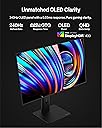
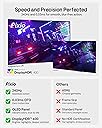
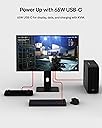
The Pixio PX277 OLED Max V2 is a 27-inch WOLED gaming monitor featuring a blazing 240Hz refresh rate and ultra-fast 0.03ms response time. It supports QHD 1440p resolution with deep contrast and vibrant colors, enhanced by Adaptive Sync technology. Equipped with a USB-C port delivering up to 65W charging and video, plus a built-in KVM switch, it’s designed for seamless multitasking and versatile connectivity. Its fully adjustable ergonomic stand ensures comfort during long sessions, making it a top-tier choice for competitive gamers and professionals alike.


| ASIN | B0CW82VCH3 |
| Adaptive Sync | FreeSync |
| Additional Features | Adaptive Sync, Built-In Speakers, Frameless, High Dynamic Range, USB Hub |
| Aspect Ratio | 16:9 |
| Best Sellers Rank | #41,294 in Electronics ( See Top 100 in Electronics ) |
| Brand | Pixio |
| Brightness | 400 Candela |
| Color | Black |
| Color Gamut | 137.3 |
| Compatible Devices | Gaming Console |
| Connectivity Technology | DisplayPort |
| Contrast Ratio | 1500000:1 |
| Customer Reviews | 4.3 out of 5 stars 603 Reviews |
| Display Resolution Maximum | 2560 x 1440 Pixels |
| Display Technology | OLED |
| Display Type | OLED |
| Global Trade Identification Number | 00850044656417 |
| Hardware Connectivity | DisplayPort, USB |
| Has Color Screen | Yes |
| Image Contrast Ratio | 1500000:1 |
| Item Dimensions D x W x H | 7.87"D x 23.8"W x 20.95"H |
| Item Weight | 22 Pounds |
| Manufacturer | Pixio |
| Model Name | PX277OLEDMAXV2 |
| Model Number | PX277OLEDMAXV2 |
| Mounting Type | Desk Mount |
| Native Resolution | 2560x1440 |
| Number of Component Outputs | 3 |
| Picture Quality Enhancement Technology | OLED |
| Power Consumption | 240 Watts |
| Refresh Rate | 240 Hz |
| Resolution | QHD Wide 1440p |
| Response Time | 0.03 Milliseconds |
| Screen Finish | Matte |
| Screen Size | 27 Inches |
| Screen Surface Description | Matte |
| Shape | Flat |
| Specific Uses For Product | Desktop |
| Total Number of HDMI Ports | 2 |
| Total USB 3.0 Ports | 3 |
| Total Usb Ports | 3 |
| UPC | 850044656417 |
| Viewing Angle | 178 Degrees |
| Voltage | 24 Volts |
| Warranty Description | 3-Year Limited Warranty |
| Warranty Type | 3 Years Manufacturer Warranty |
E**Y
Beautiful monitor
I did a double monitor for my setup and the 27 inch is perfect for my landscape orientation. Really great monitor!
J**Y
Good value for the money
Pros: Does what a 1080p screen should. No issues getting it to run at the advertised refresh rates, two HDMI and two DP inputs. Seems like decent color quality. No dead pixels, and I love the thin bezel. No extra frills, decent specs. Cons: Pictures on Amazon for it are slightly out of date since it doesn't show the correct inputs on the revision I received. Power supply is a barrel connector with a wall adapter at the end, and the total length is ~1 meter. Personally I am neither a fan of the wall adapter nor the short lenght, I prefer a standard cable with the necessary transformer either in the screen housing (if possible) or a box inline with the cable (ex. standard laptop power adapter) so it can more easily fit with power strips/surge protector. A 2m total length would give more reasonable flexibility. Also, the labeling on the inputs (and specs) advertise DisplayPort 1.4, but they include a DisplayPort 1.2 cable. It works for what I need it for, but why the disparity? No HDMI cable included, but those are quite readily available...but it can be annoying when one is not in the box.
J**T
Worth the squeeze i think
Had it for a few months now. It is a great OLED monitor. The only complaint i have is in the middle of using it. It will want to do a pixel refresh that i have to manualy cancel or it will turn off the monitor while using it.
S**E
OLED early adopter pain points. Still worth it.
I've been tracking OLED for about 20 years now. I'm THRILLED that this display is available on the mainstream market for a reasonable price. It's worthy of the steep entry fee, but it still comes with some pain points for us OLED early adopters. Namely the annoying prompts to perform some form of Screen Care to prevent burn in that happen even if you just sat down after the display was in sleep mode for 12+ hours. I wholly expected a firmware update to remedy this, but apparently isn't in the cards. PROS It's OLED baby. Perfect blacks, vibrant colors. No better image quality than this. High refresh rate and low latency! Been using it for a year, rarely performing screen care when prompted, and no burn in. CONS Annoying 'Screen Care' prompts Does need some tuning out of the box for the best experience Can actually be too bright even at lowest brightness setting. Power LED is very bright... had to cover mine completely. Power brick... would prefer it was integrated into the display, or the display MUCH thinner overall.
O**S
Great video, terrible audio.
This is my second Pixio monitor. I got their 2k monitor a few years ago and really liked it but it lacked speakers, but that was fine I had some decent ones on my asus 1080 monitor. I wanted to upgrade that one so I found this 4k one with speakers and that was kind of the selling point for me. I understand I am not going to get the best quality speakers on a monitor, but I like the ease of not having yet another peripheral on my desk. And these speakers are quite terrible. They lack any depth and everything sounds like they're coming out of a tin can. Or better yet, it sounds reminiscent of old wired ear buds set to the loudest volume so your group of friends can attempt to listen. Not only that but there is a decent latency between the AV. The quality of the picture and the rig is top notch of course. Pixio makes great monitors. I just think they were better off not including the speakers at all. Even at this price point they could have installed some decent speakers or just not include it and chop 5 dollars off the cost for the material savings. It's a good monitor. Great even. But if you were in the market for great video with decent audio built in look elsewhere.
I**Z
Game changer
Awesome! Oled
A**N
Works well, so far.
Good monitor, easy to set up right out of the box. The stand is terrible. Can't adjust the tilt of the monitor on it, or at least not comfortable enough to potentially break it. Highly recommend using a monitor arm on this monitor if you don't already. Image is great -- haven't dealt with any of the random glitchy issues yet. Love the sleek white look, perfect for all your cozy setup needs. Will report if I find any more glaring issues. There is a 30-day warranty you have to sign up once you get it or you might not be able to refund, so please make sure to follow the instructions on the manual for it.
C**N
Can’t disable “screen preservation” mode
Every about 2 hours the screen will shut off for 5 minutes at a time as a “screen preservation” mode. And there is no way to wake the screen up at all, so if you’re gaming, you’re just screwed, terrible monitor for that reason alone. And there’s no way to shut it off
C**S
Best Bang for your buck 4K
Photos are 1. Mac Display settings - 2. A before cellphone photo zoomed in of old LG 1080 27" monitor - 3. Pixio 4K 27" monitor, for comparison. - My eyes feel So Much Better !!! Easier to read text in 4K, fonts now have crisp smooth well defined edges. I paired this 4K monitor with a M4 Mac Mini pro and a fire-wire to display port cable and get 160HZ refresh rate. I have the iMac scaling at 1080 so my icons are not too small, but it is 4K, that's how mac settings work. My 4K security cams look better than ever with new details. Youtube 4K vids look grand as well. Would recommend this monitor for the price range!
E**N
Excellent 24” gaming monitor for smaller desks.
I needed a 24”, 1080p, 1440 Hz refresh rate, FreeSync Premium gaming monitor for an older computer that has a GTX1060 (6Gb) video card. This one tickets all the right boxes. Even though it’s not yet certified as a GSync compatible monitor, it works perfectly with GSync enabled on a nvidia graphics card. (Be sure to enable Freesync option in this monitors OSD menu “gaming” section first, before enabling GSync in the NVidia control panel on your computer). Very little backlight light bleed for a IPS monitor. Excellent quality panel with great contrast and colours. Best of all…price is very reasonable when on sale.
T**E
Bonne qualité d’image
À bon prix
L**E
Parfait
Parfait
A**R
Excellent display -- but don't buy it for sound quality!
The display resolution is excellent. I am using a mac mini 2010 model and HDMI. I am not using it for gaming, but I know it is highly recommended by others for this purpose. I did test the speakers .. definitely not its strong point. Not a problem for me since I used bluetooth headphones or the mac's speakers.
Trustpilot
5 days ago
2 months ago