Buy anything from 5,000+ international stores. One checkout price. No surprise fees. Join 2M+ shoppers on Desertcart.
Desertcart purchases this item on your behalf and handles shipping, customs, and support to Uruguay.
⚡ Elevate your desk game with power, speed, and multi-display mastery!
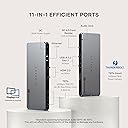
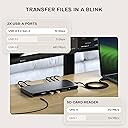
The Satechi Thunderbolt 4 Dock is a premium 12-port hub designed for professionals demanding high performance and versatility. It delivers 100W charging, supports up to four 4K/60Hz external monitors, and offers ultra-fast 40Gbps data transfer speeds. Compatible with the latest MacBook Air/Pro M5 and a wide range of Windows laptops, it integrates USB-A, SD card reader, and Gigabit Ethernet to streamline your workspace. Backed by a 2-year warranty, this dock is engineered to boost productivity and future-proof your setup.


| ASIN | B0D4FGRBH8 |
| Best Sellers Rank | #23,032 in Electronics ( See Top 100 in Electronics ) #356 in Laptop Docking Stations |
| Brand | Satechi |
| Color | Space Gray |
| Compatible Devices | MacBook Pro 14/16-inch (2026 M5/M4/M3/M2/M1), MacBook Air 13/15-inch (2026 M5/M4/M3/M2/M1), Mac Mini (2024 M4/M2/M1), iMac (2024 M4/M3/M1), Mac Studio (2025 M4/M3/M2/M1), Lenovo ThinkPad, Microsoft Surface, Google Pixelbook. IMPORTANT: Intel-based Macs and certain M1–M3 MacBook models do not support refresh rates above 4Kat60Hz over HDMI. This is a limitation of the host device, not the cable, hub, or adapter. Compatible Devices MacBook Pro 14/16-inch (2026 M5/M4/M3/M2/M1), MacBook Air 13/15-inch (2026 M5/M4/M3/M2/M1), Mac Mini (2024 M4/M2/M1), iMac (2024 M4/M3/M1), Mac Studio (2025 M4/M3/M2/M1), Lenovo ThinkPad, Microsoft Surface, Google Pixelbook. IMPORTANT: Intel-based Macs and certain M1–M3 MacBook models do not support refresh rates above 4Kat60Hz over HDMI. This is a limitation of the host device, not the cable, hub, or adapter. See more |
| Customer Reviews | 4.3 out of 5 stars 113 Reviews |
| Global Trade Identification Number | 00810086361182 |
| Hardware Interface | Ethernet, HDMI, Secure Digital Card, Thunderbolt 4, USB Docking Station |
| Input Voltage | 180 Volts (AC) |
| Item Dimensions L x W x H | 8.4"L x 3.7"W x 0.7"H |
| Item Weight | 17.28 Ounces |
| Manufacturer | Satechi |
| Mfr Part Number | ST-DT4MDM-US |
| Model Number | ST-DT4MDM-US |
| Number of Ports | 12 |
| Product Dimensions | 8.4"L x 3.7"W x 0.7"H |
| Total Number of HDMI Ports | 2 |
| Total USB Ports | 2 |
| Total Usb Ports | 2 |
| UPC | 810086361182 |
| Warranty Description | 2 Years Manufacturer Warranty |
| Wattage | 180 |
M**N
Excellent TB4 dock
--Update 2: Long story short and after much troubleshooting, the original issues noted below are NOT the fault of the dock and were the fault of the Orico SSD enclosure- which I replaced with a Minisopuru 40GB unit. The dock's TB4 ports now run as well as my Yoga 7i notebook's ports. From my original review, the OEM reached out to me and provided excellent customer service. I would purchase from this firm again. --Update 1: The dock's TB4 ports are ~ 20% slower using the same TB4 device connected to the very consistent, notebook's TB4 ports. Using the same TB4 devices, I did receive a Windows message about the TB4 dock port(s) being slower than the device... I power cycled the dock and the message went away with the TB4 ports speed back up to 20%+ less than the notebook. The dock's Type-A 10Gb/s ports work as expected with an ADATA SE880 20Gb/s external SSD testing at the dock's 10Gb speed. --Original Review: Overall I am pleased with this Satechi dock. The first two purchased Wavlink docks failed miserably and I replaced them with this Satechi dock (purchased used- very good) that has initially worked well. All ports tested, except the two HDMIs (do not have a free monitor to test with) and work well-ish. All three TB4 ports test ~ 10%-15% slower with the Orico/Corsair SSD unit than when directly connected to the Yoga 7i- but are stable and consistent. The USB Type-A 10 Gb ports were only tested with my 5Gb SSD enclosure and the speeds were the same as with the notebook. The 3.5mm audio port worked well with my headphone and the SD card reader read music files well, but I did not check any speeds. The Speedtest.net tested Ethernet port speed was as expected on this notebook. Testing hardware: Corsair MP600 Mini 2TB in an Orico TB4 case with fan. Lenovo Yoga 7i Windows 11 notebook. Testing software: ATTO Disk Benchmark. File size: 256MB, Direct I/O, Bypass write cache, QD 1.
M**Y
Satechi Thunderbolt 4 Dock
After much research I decided on this docking station for my situation. First I did research on the MacBook and what is required to use multiple displays. For context, I was using a Win device with a dual monitor setup. I needed the MacBook to essentially replace the Win device and keep using the dual setup I had. After much research I knew that to accomplish what I wanted, I would need an M3 Pro chip Apple device. Do your research for your desire. Then I researched how to make my situation work. I chose an M3 Pro chip Apple MacBook Pro to accomplish multi-monitor support for my desire and to not have to replace current setup. This Satechi docking station accomplished exactly what I needed. I have the 14" MBP w/M3 Pro and I use the docking station when needed to display on my two external monitors. When connected I can have the laptop open and have three displays; laptop screen and dual monitors. If I close the laptop I lose the trackpad and keyboard but the dual monitors work. I can leave the laptop open and use the built in keyboard/trackpad and three displays are available. Then there is a need for external mouse/keyboard with laptop closed. I use an external bluetooth mouse/keyboard combo to fix this but even with laptop still open I just use the external mouse for efficiency. Laptop open means three displays, yay. The M3 Pro works for that, not sure about any Apple M3 (not Pro) or below, please research. The main flaw is having a MBP connection to the hub will mean the battery in your MBP will remain fully connected and charged. Research has shown that with rechargeable devices, depletion of a charge can be beneficial. Having your device at 100% charged all the time could lead to degradation to battery life. Researchers please don't abolish me.. All in all, this docking station has done exactly what I expected; dual monitor support and the laptop screen too is bonus. There are multiple additional ports available on the hub such as flash/USB that I haven't needed, but the dual displays and interoperability with my MPB have been fascinating.
A**N
Solid Mac OS Dock - utilizes DisplayLink Software
Dock works as intended, gets a bit hot when doing its thing. I like having the SD card and power button on the front. Build quality is phenomenal. Satechi is a company I'm going to trust as much as Anker moving forward.
P**A
Worked first day3 monitors, black screen from second day & over heat
Setup was easy and product was slick. It worked for a day, it started over heating. Blank screen from second day, trying to figure the issue and testing monitors individually and they work. Satechi is not working from second day, restarted my MacBook Pro M3 Pro twice to test but no use. Update: bought new Dell D6000 docking station but I have received damaged, I have decided to give another shot with Satachi, setup was easy and looks it worked this time. Giving a second chance with Sarachi. Canceled my return Satachi. Returning the product.
S**.
Standard docking station.
Works as needed
J**L
HDMI ports limited under MacOS 26.2
Everything but the HDMI ports work fine. The HDMI ports have no native support, at least under MacOS 26.2. The app is not a good solution.
S**B
Ok
Ok
D**D
Could still be better.
UPDATED: I've decided to return this. DisplayLInk is not worth it. When the workload gets heavy on the machine, DisplayLink shuts down the monitor with a message saying that I'm out of disk space on my computer. That's not the case. It happens way too often. Sometimes many times in just a short period of time. I'm talking like 10 minutes. I have to quit the DisplayLink software, and open it back up and it's fine. For a USB hub, it's too expensive. Returning it to get a regular hub without DisplayLink. ORIGINAL POST: I have still not found the perfect hub yet. I thought this because it was TB4 with 2 HDMI Ports. Well, I guess I didn't understand what DisplayLink was either. I thought it was just the term that Mac used. It is not. It's a third-party thing, and in order to make it work with the HDMI ports, you have to download a program. While it does do what I need it to do, the lag is too much for me to stand when both monitors are plugged into it. I have an Macbook Pro M3 MAX, and working on the monitor just feels sluggish. I ended up having to plug one of my monitors back into my laptop. My goal of only needing to plug in one cable doesn't work here. But there are issues that Display Link runs into. One, you have to set the monitor resolution to the native resolution. I have a 4k monitor, and I was able to set the resolution a single step down from 4k. With this, the resolution makes everything blurry. So I have to choose between text being too small or too blurry. Also, with one monitor plugged into this device and the other plugged into the laptop, the colors don't match. This device makes the colors cooler vs warmer through my laptop. Also, this thing runs HOT. Like super hot. Like if you touch it for more than a few seconds, you'll feel like it's gonna burn you. I would NOT place anything on it. If I end up keeping this, I'm considering applying some heat sinks to it. But I feel I will return it before that point. Then the layout. I like it has 3 USB-C ports, but non of them are on the front. All my external hard drives are USB-C. So I have to fumble around trying to plug it into the back. I'd rather have the USB-A ports on the back, and C on the front. A ports are things that I leave plugged in all the time. In the end, I have too many issues to be able to keep this for the price I paid for it. It's probably going back.
J**J
Great Docking Station
Great docking station which allows me to run my 2020 M1 MacBook Pro with 2 external monitors. The doc can also be used when in clamshell mode. Highly recommend this product to those with a MacBook looking to use multiple monitors.
C**N
No funcionó como esperaba
Lo compré para conectar 3 monitores a mi computadora pero no funcionó. Tengo una 3080 ti así que no tiene problemas mostrando los monitores por separado.
J**S
nice product
nicely designed equipment, easy set up , now one laptop could connect three external display monitors(2 HDMI, 1 type C) , the SD card slot works well。
J**Z
No funciona en MacBook Pro
No funciona con MacBook Pro M3, solo sirve para cargar, intentaré devolverlo.. Si tienes Mac mejor busca otra opción y ahórrate una perdida de tiempo y dinero
P**N
Slim and does the job
Great
Trustpilot
3 weeks ago
1 week ago