🚀 Elevate your Raspberry Pi setup with pro-level touch and sound — don’t get left behind!
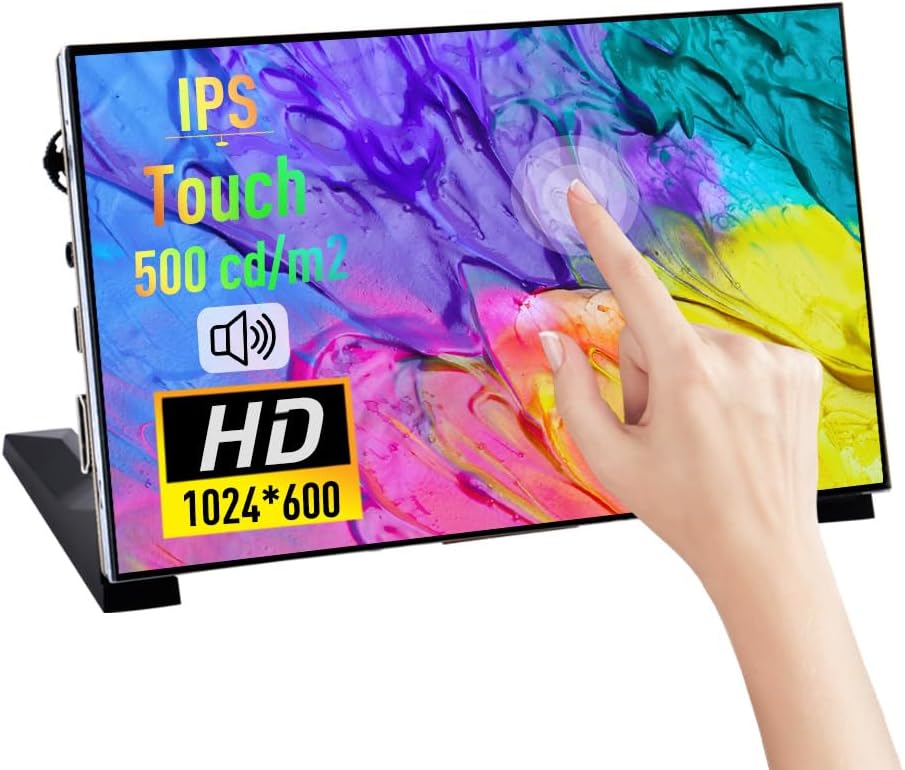
The GeeekPi 7 Inch Capacitive Touchscreen is a portable 1024x600 IPS display featuring a smooth 60Hz refresh rate and multi-touch support. Designed for Raspberry Pi 5/4B/3B+ and Windows compatibility, it includes dual speakers for rich audio and versatile HDMI/USB-C connectivity. Ideal for developers and professionals seeking a compact, high-quality secondary monitor or DIY project screen.


| ASIN | B0CJWXWJ6K |
| Are Batteries Included | No |
| Best Sellers Rank | #11,475 in Computers ( See Top 100 in Computers ) #383 in Computer Monitors |
| Brand | GeeekPi |
| Color | black |
| Customer Reviews | 4.1 4.1 out of 5 stars (82) |
| Date First Available | 30 May 2024 |
| Item Weight | 500 g |
| Item model number | Touch Screen |
| Manufacturer | GeeekPi |
| Number of HDMI Ports | 1 |
| Product Dimensions | 0.32 x 6.65 x 3.93 cm; 500 g |
| Resolution | 1024 x 600 |
| Screen Resolution | 1024x600 |
| Series | 7 Inch Capacitive Touchscreen |
| Standing screen display size | 7 Inches |
A**B
Very good
Very good
I**D
Very Good Product Highly Recommended
Good Product really Recommend
N**R
Size
Good, but I recommend taking a bigger size.
G**X
It’s ok
The speakers don’t work.
T**N
great- as described.
L**M
I'm impressed so far with this tiny 7" monitor. It tends to look bigger in pictures than it actually is, but I like the small size. I've so far used it with a Raspberry Pi Zero 2 and an HP ProDesk Mini PC. The only setup involved is attach the included legs, being careful to put them on the correct side left/right, plug the included HDMI and USB A to C cables to your source computer and power on the monitor. For anyone having trouble with the touchscreen: make certain you have the USB cable plugged into your computer. This also powers the monitor. I'm fairly certain if a Pi Zero can power this monitor, just about any computer can. The direct USB connection also enables touch, which in my use works well. My only problem is the touch accuracy seems a little off in Windows 11. Sometimes where I'm touching on the screen will press a slightly offset location. Frustrating at times when buttons are very close together. (UPDATE: silly me, use Windows touch screen calibration tool and touch works perfectly!) I like this little monitor on my desk setup when I'm working. So far using it to have Spotify and Microsoft Teams open on a dedicated screen, for convenient monitoring. The screen is IPS and has decent viewing angles. One issue I noticed: when powered from certain USB ports on my HP Prodesk, the monitor can suffer from really noticeable flicker. I've countered this by choosing a different USB port that seems to provide more power. If you have ports on your computer dedicated to mice/keyboards, they may be lower powered and cause flicker and unstable performance. So play around with the ports if you need. The GeeekPi 7 is small enough to throw in a laptop bag, and act as a small second monitor when you're on the go. Since it only needs 2 cables, (HDMI and USB) it lends itself to portability. My improvements have been 180 degree angled HDMI and USB-C adapters that keep both cables from sticking straight out of the left side for a more compact look. I love this little thing and highly recommend it!
K**0
Its a very good quality screen with easy setup guide, i will use it as a sensor panel using AIDA64
S**P
great for its price works as intended
J**E
I bought this for my Win 11 custom build. Right out of the box this worked with no issues. The touch was working on a different monitor but with a quick setup of the Touchpad via Control Panel I got that worked out. It's a sensor display while gaming and I can also use it to monitor streams, watch YT in the background, or just play local media files. It feels well-made and well-constructed. I recommend some kind of enclosure for this if you can make one but it's not mandatory. You'll want to be careful if you don't use one, if you chip the edge it will likely affect either the touch input or the screen itself. There is a bezel the display does not go all the way to the edge.
Trustpilot
3 weeks ago
2 weeks ago