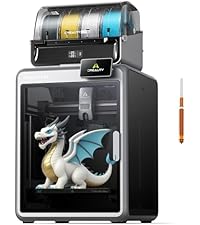
⚡ Print Fast, Print Smart, Print Bold!
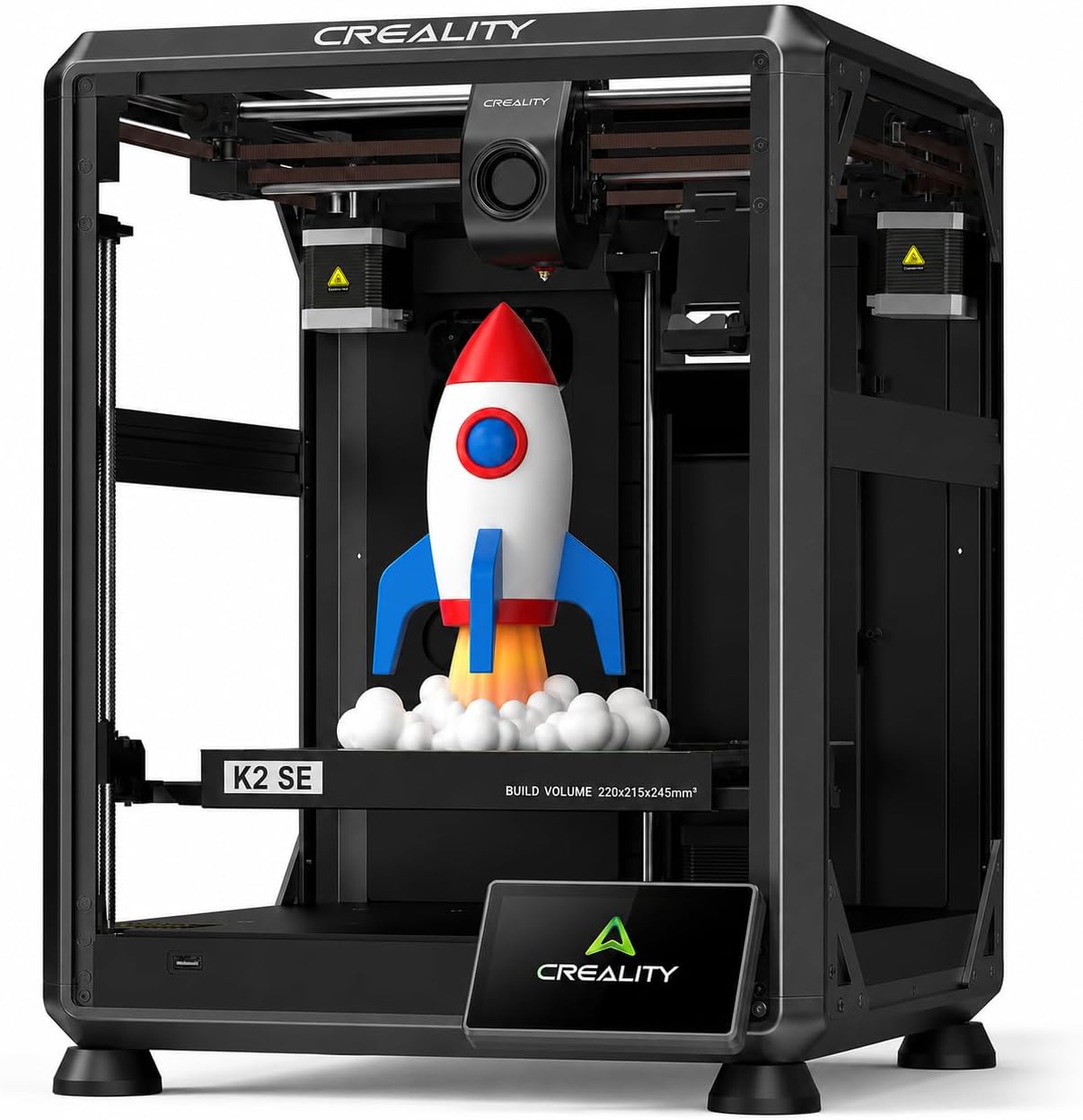
The Creality K2 SE is a compact yet powerful FDM 3D printer designed for professionals and enthusiasts seeking high-speed, multicolor printing. Featuring a 600mm/s max speed, AI-driven auto-leveling, and advanced vibration control, it delivers precise, vibrant prints with a sizable 220x215x245mm build volume. Connectivity options include Bluetooth, Wi-Fi, USB, and Ethernet, making it a versatile addition to any modern workspace.


| Color | Black |
| Enclosure Material | Aluminum |
| Printing Technology | FDM |
| Compatible Material | Hyper PLA/PLA/PETG/TPU |
| Voltage | 110 Volts |
| Connectivity Technology | Bluetooth, Wi-Fi, USB, Ethernet |
| Operating System | Linux, Windows, macOS |
| Power Consumption | 350 Watts |
| Compatible Devices | Laptop, Personal Computer, Smartphone |
| File Format | GCODE |
| Nozzle Bore Diameter | 0.4 Millimeters |
| Item Weight | 15 Kilograms |
| Item Dimensions D x W x H | 13.98"D x 13.98"W x 18.9"H |
H**T
Great upgrade from Ender3 v2 - prints very well - much less fuss - some things not as expected
First off:Prints great right out of the box. Prints fast. Great for the price. So far we are very glad we chose this printer to supplement our Ender 3.Manufacturer responds very well to product questions.Creality slicer has a lot of tunable settings and has a good set of built in calibration tests with tutorial.We have been using this printer for about 3 weeks.Things to know:The magnetically attached build plate has a wiper pad and alignment notches. Both great features, however this may limit your build plate options. Creality support can help if you have questions in regards to this.You pretty much HAVE TO USE GLUE STICK (this requirement is plainly printed on the build plate and.... they give you a glue stick). What they do not tell you is that you need glue as a "release" agent. Without glue, if you decide to cancel a print early and there are just a few layers on the bed, you will not be able to remove it from the build plate any easy way that we have found.Glue hint: If you need a nice surface on the bottom of the print, clean bed and use fresh glue application, and then clean the glue residue off of the bottom of the print. Otherwise you will see patterns from previous prints on the bottom surface.When you send a print, you have the option to bypass calibration. Do not bypass calibration, especially for the first print any time after the printer has been powered off.The control panel in this printer only provides essential functions. The Creality slicer is where all of the stuff is.Amazon site product descriptions for our exact item were not entirely accurate:Sadly... the really cool segmented articulated cable guide shown in one of the slides is not a real thing.Also there is text in one of the slides that indicates easy nozzle change.The manufacturer has an official video where the model is like the one we received. Search for: "Service Tutorial K1 SE Replacement Nozzle" which covers both of the above so you will know more about what to expect.Part of the greatness of our Creality Ender 3 is its almost primitive diy approach with custom firmware and a really complicated control panel and custom firmware and tons of upgrade options and knob tweaking and the fun of messing with stuff. You could totally take it apart and put it back together an not be nervous about it.In comparison:The K1 SE seems like something best meant to be used "as is", with Creality slicer and firmware. You can still mess with stuff, but that would be mostly through the Creality slicer.I think it is still "open source" as advertised, but you would have to be careful as this is a much more complex machine than something like the Ender 3.
S**O
GET IT
We started our 3D printing journey with an Ender 3 V2, thinking it was the go-to beginner printer. But after a few frustrating weeks, we returned it and took a chance on the Creality K1 SE—and wow, we haven’t looked back since.From the moment we unboxed it, the K1 SE felt like a premium experience. Setup was intuitive, the interface is clean and responsive, and the build quality is leagues ahead of what we expected at this price point. It’s fast, quiet, and shockingly reliable.We did run into one hiccup early on—the Unicorn nozzle was stuck and wouldn’t budge. Turns out, it just needed a bit of grease. Once that was sorted, it’s been smooth sailing ever since.Print Quality & Reliability- Filament adhesion is flawless. The bed grips like a champ—no warping, no lifting.- We’ve run 30+ prints since that first one, and not a single failure. That’s unheard of in the hobby.- The motion system is buttery smooth, and the auto-le- veling is spot-on every time.Beginner-Friendly, Yet PowerfulIf you’re new to 3D printing, skip the trial-by-fire with super budget models. Spend a little more for a lot better experience. The K1 SE gives you a quality experience right out of the gate. It’s forgiving, fast, and doesn’t require constant tinkering to get good results. The 600 mm/s print speed is efficient, precise, and awesome.Creality really nailed it with this one. Whether you’re printing functional parts, toys, or artistic models, the K1 SE delivers consistent, high-quality results with minimal fuss. It’s not just a printer—it’s a confidence booster.
D**.
Best first-printer that exists in 2025, imo.
Okay, I've owned this guy for a few months now, and I'm ready to review.This might be the best value FDM printer available in 2025.- Print quality? Super high.- Print speed? Very fast.- Wifi? Yep.- Prints basically any material you throw at it? Sure thing.Basically, this is the printer you should buy if you're getting a first printer. CoreXY printers like this one are SO much easier to get good prints out of than bed-throwers, it's just not even funny. Creality as a company isn't necessarily known for great QC and durability, but I've put this guy through his paces, printing dozens of centerpieces for a wedding, as well gifts for kids, home products, organization systems, you name it.Above all else, I love the extensibility of this printer. Start here, print 1 color. You want to print more materials and colors at once? You don't need a new printer - just get the addon system for this one. Need an enclosed printer so you can use toxic materials? Okay, get the add-on fan and print yourself the walls for this printer.Honestly, I've probably sold 5 of these to friends since buying mine, it's just such a great, easy to use printer. The auto-leveling is great, the Cure Slicer software interfaces super well and has all the modern features you want...The only person I wouldn't recommend this exact printer to as a first printer to get into the hobby would be someone who wants to print gaming minis, and that's just because no FDM printer will reach the quality of a resin printer... but unless that's you, if you want to buy a 3d printer, this is the one.
K**K
This is exactly what I needed and worked great out of the box.
I was super scared to get this because some other had said it was not great, but it was just as easy as they say to set up and has worked FANTSTICALLY. I did not want to spend more $$$ on another brand for the print size this has and you dont have to, all those open source sites let you download files and you can open them right up on this printer/slicer. It really has been so much fun, and now I get to try to create. Worth it for beginners and beyond. We will see but 10+ prints in and this is great. You can also expand this to multi color printing but that will also cost an extra 350, so maybe yes maybe no.... time will tell.
Trustpilot
1 month ago
1 week ago