Desertcart purchases this item on your behalf and handles shipping, customs, and support to Uruguay.
🚀 Power your dual-screen productivity with lightning-fast switching and charging!
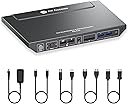
The AV Access KD-E10 KVM Docking Station is a professional-grade 11-in-1 solution designed for seamless dual-monitor setups with 4K@60Hz support, fast 100W USB-C charging, and a reliable 1G Ethernet port. It enables quick switching between a laptop and desktop, maximizing workspace efficiency and connectivity for modern professionals.


| ASIN | B0DBQDW5MY |
| Actuator Type | Push Button |
| Best Sellers Rank | 23,917 in Computers & Accessories ( See Top 100 in Computers & Accessories ) 70 in KVM Switches |
| Brand | v AV Access |
| Circuit Type | 2-way |
| Colour | For 1Laptop 1Desktop |
| Compatible Devices | Laptop, Desktop |
| Connectivity Protocol | Ethernet |
| Connector Type | Plug In |
| Connector type | Plug In |
| Contact Material | Metal |
| Contact Type | Normally Open |
| Contact type | Normally Open |
| Control Method | Touch |
| Control Type | Push Button |
| Controller Type | Google Assistant |
| Country Of Origin | China |
| Current Rating | 6 Amps |
| Current rating | 6 Amps |
| Customer Reviews | 4.3 out of 5 stars 37 Reviews |
| Included Components | KVM Switch Dock, Power Adapter, Cables |
| International Protection Rating | IP00 |
| Item Dimensions | 23 x 14.2 x 2.6 centimetres |
| Item Weight | 0.78 Kilograms |
| Manufacturer | AV Access |
| Manufacturer Part Number | KD-E10-UK |
| Material | Metal |
| Model Number | KD-E10-UK |
| Mounting Type | Surface Mount |
| Number of Items | 1 |
| Number of Positions | 1 |
| Operating Voltage | 12 Volts |
| Operating voltage | 12 Volts |
| Operation Mode | KVM SWITCH |
| Operation mode | KVM SWITCH |
| Specification Met | CE |
| Switch Type | KVM SWITCH |
| Terminal | PC |
| Unit Count | 1.0 count |
| Upper Temperature Rating | 75 Degrees Celsius |
| Wattage | 33.12 watts |
C**N
It actually works!
I spent a lot of time researching KVMs to find the right one. I have 2 monitors, a PC and a laptop. Laptop is for work and PC is for fun. I finally decided to buy this KVM and I'm so happy I did! It took some time to set up, especially making sure video input/outputs were correct and this was my first time doing anything like this. But after initial set up, I was able to really enjoy and appreciate the piece of hardware that this is! It switches from laptop to PC no problem, sometimes it cuts out on one monitor, but is solved by simply switching the KVM off and back on again after a few seconds. It's made my work flow and life so much simpler and easier! It has plenty of USB ports for keyboard, mouse, camera, speakers etc and so far has been a very reliable piece of equipment. Well worth the money. Just take your time understanding the set up of it and it should be relatively easy to set up. Really happy with this purchase!
T**K
AV Access technical help offer excellent service
I have been using the KD-E10 for 12 months now, and it's been a great buy. However, I have recently experienced a longer delay time when switching between my laptop and desktop with the mouse and keyboard functions. It should take between 2 and 3 seconds, but it was taking more like 5 to 7 seconds before they would work. I spoke to AV Access technical support via their website today, 7th July 2026, who advised me to try a few things while in the chat. After implementing the suggestions, everything is now back to normal with minimal delay. The product is very good and does what it says, and the technical help was brilliant; well done! I recommend this product.
J**N
Great Product, Solved my Dual PC/Laptop Issue
I spent a while doing some research before finding this docking station. I was looking for a dock that allows easy switching between my gaming PC and my work laptop. I was getting annoyed unplugging the peripherals and screen cables each time I wanted to switch devices. This dock solved that issue along with allowing 144hz for 1440p gaming and easy switching using the button on the device itself. I do wish I was able to use even higher refresh rate to fully maximise my monitors specs. I spoke to Johnny from the AV Access website who was able to recommend me this product as part of the product line up so thank you Johnny. Set up was easy, I just plugged my existing cables into the dock along with the provided USB C cable for my laptop and the dock's power cable. I have been using this product for many months now and I have had no technical issues with the product too which helps me day-to-day between gaming and work. The SD card slot is particularly useful as not many laptops and PCs have them these days. I have also recommended this product to members of my team where some are looking to purchase in the near future. I cannot recommend this KVM docking station enough as it has been a real life saver instead of messing around with cables each day. The price I paid was also a great deal compared to other docks with less functionality.
G**N
Exactly what I needed and has worked flawlessly!
Been using this over over a year now its brilliant. I use it for my PC and my work laptop when working from home. It Does exactly what it says on the tin. I have my dual screens connected and with one button I can switch all my peripherals to the laptop or PC depending on what I'm doing. I use a Logitech wireless mouse and keyboard. Plugging the lightspeed dongle into the front USB port lets them work a treat with no issues or lag that I have been able to detect. There are another couple of USB ports on the front, I connected a charging cable for my phone and another USB hub with a gamepad, microphone and speaker plugged into it. All of these devices are now available to both my laptop and my PC depending on which one I have selected to be using. The build quality is excellent, a nice metal chassis makes the KVM fell solid and frankly speaking, I use this about 12 hours a day, everyday and it hasn't skipped a beat. Would highly recommend!
T**Y
Just does not work properly
Just very disappointing overall. When it works, it works well but there are just too many problems with it: 1. It supposed to support 2 extra monitors at 4k (3840 x 2160) but it does not. Only one ever works at that resolution. They told me it's because my video card may not be supporting this. I can accept this but again, it should be clearly highlighted in their description. 2. When I'm using my laptop monitor and the screens are connected, the minute I open Prime Video, it switches off the 2 external monitor and it won't work until I close Prime Video in my Browser. I has managed to work with Prime Video in the past but I get a warning from PV that I'm not displaying my videos at high res. I'm ok with lower resolution. What I'm not ok with is that I have no control over this and cannot used my external screen with Prime Video! Very poor! 3. Today for example after having giving up on #2 for quite some time, my 2 screen just refuse to work! I've rebooted my laptop, my kvm numerous time and they just won't connect. And before you can say, it's something to do with my laptop. It's not as every time I go to the office and connect to my docking station (from another brand), it works 100% of the time, not matter what, so it's definitely has something to do with this KVM. Really disappointed overall as it's not that cheap and it's unusual to have hardware that does not do what it says it will do.
H**L
Works very well, good customer care support.
It works very well. I am switching between my PC and Laptop easily. They are performing well and no effect on graphics or speed. I had an issue getting both screens to work, I have contacted customer care. Kevin replied very quick to my queries and guided me on how to get it work. I needed to connect hdmi and dp cables for the PC.
A**Y
Works very well, but keep in mind the resolution/refresh rate limitations
I’m using it with a 3440*1440 144hz ultrawide, and due to it not being a TB dock you can only achieve 100hz at that resolution through the dock. Very happy with that though as wasn’t expecting anything more for a cheaper priced dock. If you want full 144hz you will need a much more expensive unit. Every once in a while I find the screen won’t come on if I’ve changed a display setting, but usually pressing the switch button to go off and then back to the device turns it back on again, this could just be an issue with my display rather than the unit. Overall very happy and does the job well. The listing doesn’t really make it clear but it does come with with all cables you need to set it up (hdmi, display port, usbs, etc) only thing it doesn’t supply is an additional usb C power supply if you want it to also charge your laptop but that wasn’t expected anyway, as you’d just use the one that came with your laptop.
R**R
A working device that shows the limitations of the standards it is trying to switch.
The device works but seems best used to choose between a normal desktop or USB-based source at the start of a session, rather than trying to switch between 2 active devices during the day. The reason for this is that a lot will depend on the attached USB devices and the screen drivers on the USB-connected machine. Every switch results in the USB devices being rediscovered/removed on the machines in question - not all USB devices handle this well and the OS may also have problems. While there are limitations I have it handling my main desktop with 2 monitors (4k and 2.5k) and can connect up a mini-PC or laptop via the USB4 port without any issues. The configuration also has about 10 USB devices from a number of suppliers that get shared across the attached systems.
Trustpilot
3 weeks ago
1 month ago