

Microsoft Office Home 2024 | One-Time purchase | Word, Excel, Powerpoint | Activation code by email
Product ID: 664709109
💻Classic desktop apps for PC & Mac
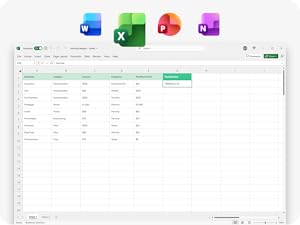
📝Includes Word, Excel, PowerPoint & OneNote
📧Instant activation code by email
Buy anything from 5,000+ international stores. One checkout price. No surprise fees. Join 2M+ shoppers on Desertcart.
Desertcart purchases this item on your behalf and handles shipping, customs, and support to Uruguay.
🚀 Elevate your productivity with Office Home 2024 — classic power, zero hassle!
Microsoft Office Home 2024 is a one-time purchase software suite featuring the classic desktop versions of Word, Excel, PowerPoint, and OneNote. Designed for use on a single PC or Mac, it offers essential productivity tools ideal for students and home users. The product includes instant email delivery of the activation code and access to Microsoft support, ensuring a smooth setup and reliable performance without subscription fees.









| ASIN | B0DK2C5S1M |
| Best Sellers Rank | 2 in Software ( See Top 100 in Software ) 1 in Office Suites |
| Customer reviews | 4.0 4.0 out of 5 stars (1,528) |
| Date First Available | 2 Oct. 2024 |
| Manufacturer | Microsoft |
B**S
Good buy!
⭐️⭐️⭐️⭐️⭐️ Essential Productivity Suite With Excellent Cloud Storage Microsoft 365 Personal continues to be a solid, all-in-one solution for everyday productivity. The subscription includes access to the full Office suite—Word, Excel, PowerPoint, and Outlook—along with up to 1TB of OneDrive cloud storage, which is more than enough for documents, photos, and backups. Ease of Use: Setup through Amazon was straightforward, and the subscription activated quickly. I appreciate the annual auto-renew option since it avoids interruptions and the hassle of manual renewal. Performance & Features: All apps run smoothly across devices, and the AI-powered features (such as writing suggestions, formatting help, and smart Excel tools) genuinely enhance efficiency. The ability to work seamlessly between desktop, web, and mobile versions is a big plus. Cloud Storage: The 1TB of storage is a standout feature. Automatic backups and easy file sharing make it feel secure and convenient, especially if you work across multiple devices. Pros: • Full Office apps included • Large 1TB cloud storage • AI features boost productivity • Works across multiple devices • Easy auto-renewing subscription Cons: • Limited to one user • Requires ongoing subscription rather than a one-time purchase Overall, this is an excellent option for students, professionals, or anyone who relies on Office apps daily. It’s reliable, constantly updated, and offers strong value for an annual subscription.
A**S
Convenient all-in-one package for families, but renewal price is quite high
I got this mainly because multiple people in the house needed access to Office apps and cloud storage, and overall it’s been very convenient. Having Word, Excel, PowerPoint, and OneDrive all under one subscription makes things much simpler, especially when sharing across different devices. The amount of cloud storage is generous as well — up to 1TB per person adds up quickly if you store lots of photos, documents, or backups. The inclusion of McAfee is a useful extra if you want basic security coverage without buying separate software. Setup was fairly straightforward, and everything synced across laptops and phones without much hassle. It’s especially useful if several people in the household regularly use Office apps for work, school, or personal files. The main downside is the renewal cost. Once the introductory period is over, it becomes quite expensive annually, especially if not everyone included actually uses all the features. Some people may also already prefer free alternatives for basic document editing. Overall, a solid subscription package if you actively use Microsoft Office across multiple users and devices, just worth keeping an eye on the long-term renewal pricing.
J**S
Office for the family
Microsoft Office, for up to 6 Microsoft Family members, with up to 5 devices and 1TB OneDrive Could storage per user. What's not to love? Fair price for the Amazon managed subscription and less that going direct. Previous reviews indicate issues with activations and installation but from my experience there's only a couple of things of note. You can extend a preexisting Microsoft 365 Family subscription using this Amazon managed subscription. There is no traditional activation code required or provided. A quick and simple process: purchase the subscription. Access the activation link via email or Amazon account. Sign in to the Microsoft account you'd like the subscription assigned to and the subscription should be active. It's valid 12 months from activation date, not purchase date. Windows installs signed in with the relevant MS account have no problems. Android devices have taken a couple of days to pick up the subscription, specifically the Outlook app, which is rumoured to be down to slower backend service sync cycles for Amazon managed subscriptions. For Apple and iOS: good luck - if downloading check you architecture and OS versions prior to attempting. Download speed has everything to do with your network and connection, not specifically MS or Amazon. The software runs as well as you'd expect for your device, newer is generally better but not exclusively. A downside? I do wish MS would get over pushing copilot quite so hard. Love it or hate it, will be here to stay. Use it or not. Subscription does include AI credits for.thw account holder.
Trustpilot
2 weeks ago
1 week ago