Buy anything from 5,000+ international stores. One checkout price. No surprise fees. Join 2M+ shoppers on Desertcart.
Desertcart purchases this item on your behalf and handles shipping, customs, and support to Uruguay.
🚀 Elevate Your Mobile Office with Fusion5’s Power & Precision
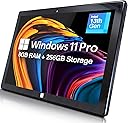
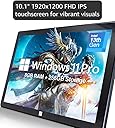
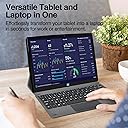
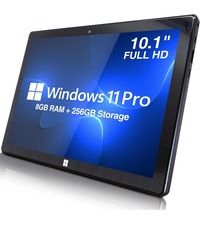
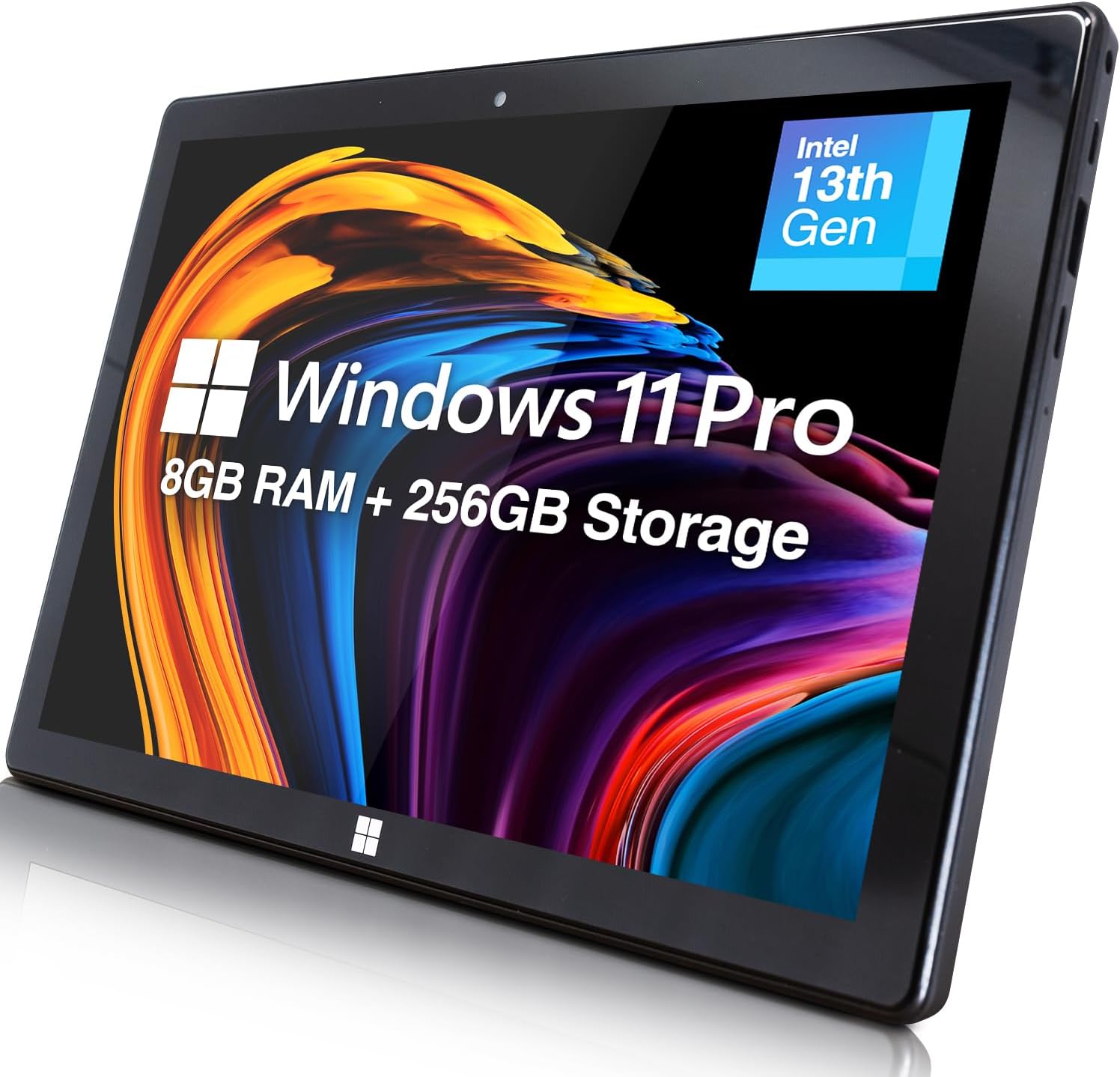
The Fusion5 10.1" Windows 11 Professional Tablet PC combines a powerful Intel 13th Gen Quad-Core CPU with 8GB LPDDR5 RAM and 256GB SSD storage, delivering fast, reliable performance in a sleek, ultra-portable design. Its vibrant Full HD IPS touchscreen and versatile connectivity options, including USB 3.0, USB-C, and Micro HDMI, make it ideal for professionals seeking productivity on the move. With Windows 11 Pro, expandable storage, and a lightweight form factor, Fusion5 offers a premium tablet experience tailored for modern multitaskers and digital creatives.


| ASIN | B0DSWJL6K5 |
| Age Range Description | Adult |
| Aspect Ratio | 16:10 |
| Battery Average Life | 5 Hours |
| Battery Capacity | 6000 Milliamp Hours |
| Battery Cell Type | Lithium Polymer |
| Battery Power | 6000 Milliamp Hours |
| Best Sellers Rank | #75,368 in Electronics ( See Top 100 in Electronics ) #1,079 in Computer Tablets |
| Brand | Fusion5 |
| Built-In Media | Charger, Manual |
| CPU Model Number | N100 |
| CPU Model Speed Maximum | 3.4 GHz |
| Camera Description | Front |
| Cellular Technology | 5G |
| Color | Windows 11 Professional |
| Compatible Devices | Keyboards, Mice, Speakers, Headphones, Touch Screen Keyboards |
| Compatible Flash Memory Type | microSD |
| Connectivity Technology | Bluetooth |
| Customer Reviews | 3.9 out of 5 stars 392 Reviews |
| Display Refresh Rate in Hertz | 60 |
| Display Resolution Maximum | 1920x1200 Pixels |
| Display Type | LCD |
| Flash Memory Supported Size Maximum | 256 GB |
| Generation | 1st Generation |
| Graphics Coprocessor | Intel UHD Graphics or Intel Iris Xe Graphics |
| Graphics Description | Integrated |
| Hardware Interface | 802.11 ac/b/g/n |
| Headphones Jack | 3.5 mm |
| Human-Interface Input | Touchscreen |
| Item Dimensions L x W x Thickness | 10"L x 6.7"W x 0.43"Th |
| Item Weight | 636 Grams |
| Lithium-Battery Energy Content | 18.5 Watt Hours |
| Manufacturer | Fusion5 |
| Memory Slots Available | 1 |
| Memory Storage Capacity | 256 GB |
| Model Name | 232 Pro N5 |
| Model Number | FWIN232 PRO N5 |
| Model Year | 2025 |
| Native Resolution | 1920 x 1200 pixels |
| Operating System | Windows 11 Professional |
| Operating System Family | Windows |
| Other Special Features of the Product | Lightweight |
| Photo Sensor Resolution | 2 MP |
| Processor Brand | Intel |
| Processor Description | Intel Alder Lake 13th Gen N100 |
| Processor Speed | 3.4 GHz |
| RAM Memory Installed | 8 GB |
| RAM Size | 8 GB |
| Screen Size | 10.1 Inches |
| Set Name | Fusion5 232 Pro N5 |
| Speaker Description | Built-in speakers |
| Specific Uses For Product | [INFERS] Potential specific uses: work, multimedia consumption, creative activities |
| Style Name | 8GB 256GB Win 11 PRO |
| Supported Audio Format | MP3, WAV, AAC, FLAC |
| Total Usb Ports | 2 |
| Video Capture Resolution | HD 720p |
| Video Processor | Intel |
| Warranty Description | 12 Month |
| Warranty Type | Full |
| Wireless Compability | 802.11ac |
| Wireless Technology | Bluetooth, Wi-Fi |
D**N
Windows computer the size of a tablet - works well. I'll be using this on airplanes!
Solid product. My initial impression was that the Windows interface was sluggish, but after doing the updates and following some tips on a different customer review (like lowering the resolution and adjusting the performance settings), it now works pretty smoothly. I haven't tested the battery out from full all the way to empty, but I have used it intermittently for a few hours without it running out of battery. Your screen brightness and power saving mode will also impact battery life. I bought this to use for simple browsing, reading, and working on documents at church, on airplanes, and riding in vehicles where space is limited. It has been great so far. The only downside is the power cord uses a bulky wall plug instead of the USB C that most tablets use and that are compatible with more charging ports on airplanes. Not a big deal though with the decent battery life, and worth the tradeoff, because it runs Windows and it is compatible with my external hard drives which allows me to work on projects in small spaces. Satisfied customer.
2**S
Somewhat satisfied - enjoying it the more I am using it.
I am somewhat satisfied with the purchase of the: Fusion5 FWIN232PLUSN5 Intel(R)N100 - 800 MHz (8GB RAM) Memory: 256gb SSD - M.2.SATA Microsoft Windows 11 Pro is installed - I paid a little extra for 11 pro. System type: 64-bit operating system, x64-based processor Pen and Touch: Pen and touch support with 10 touch points OVERALL: For the price point and feature set it is a good little device. PROS: The more I use the Window Tablet the more I like it. While not super speedy, it does the job when we are out running errands and allows me to continue working without a significant loss of productivity. I have not installed Citrix and some of the work apps on it yet I wanted to ensure that it would suit my needs prior to installing those type of apps. I have also not tried it with my USB-C dock to verify that it works as my work laptop is normally docked. You cannot expand the RAM as it is soldered in, but the memory is expandable by using an SD card up to 512gb. It also looks like you can add memory by replacing the M.2SATA SSD drive if you choose. It works for casual web surfing, and allows me to use Microsoft O365 apps and a PDF editor. I can also watch Netflix and YouTube if I choose. For a causal user it is going to be a solid little system out of the gate. CONS (for me at least): My primary complaint relates to the use of a stylus with the device. On a tablet size device, it is one of my preferred methods to interact with the device. I also like to take notes and sign documents with my tablet. The device is listed as having a touchscreen, and Windows 11 Pro, I made an incorrect assumption that the device would work with the Microsoft Pen Protocol. That is on me for not being thorough enough in my research, but it has decreased my enjoyment of the device and simultaneously decreased it utility for me. I have tried: --> Wacom Baraboo Ink with the Wacom AES pen protocol --> Metapen with the Microsoft Pen Protocol neither have worked with the device. --> Finally, I hooked a XP-Pen drawing table to it which worked but gives you a second device to lug and defeats one of the primary reason to get a smaller more portable device. I reached out to customer service who was timely with their response, but did not fully answer the question. They said that they do not test third-party accessories with their devices so they cannot recommend a stylus. I wrote back a second time, thinking my question was not clear enough and asked them what pen protocol the device supports. I got the same answer as above, but this time the agent also said that they do not support any protocol. I will probably try a USI Pen Protocol device for kicks and see if it works, but that is the biggest disappointment for me.
B**_
Decent Budget Tablet for Windows 11
Having received the product, I was surprised by its compact build and rigidity. Booting it up, the display was snappy enough for me to be satisfied. Updates took a long time (going up to 24H2), but no surprises there. Getting into the desktop, performance was acceptable but needing improvement. I ended up turning off many visual effects in the advanced settings and accessibility settings, which drastically decreases the overhead for running the desktop (this is stuff like window animations). I basically turned off everything except text smoothing. I also switched energy saver to be always-on, which helps extend battery life and decrease temperatures. These changes on their own drastically improved the responsiveness of the tablet. It also helped by decreasing temperatures and avoiding thermal throttling (confirmed in HWMonitor). This gave the tablet a very good stretch on the N100 it’s using. To go that extra mile, I also switched the resolution to 1280 x 800. This improved web browsing performance by about 20-40% (Browserbench 2.0), and further avoided thermal throttling. I was extremely satisfied with this, and didn’t mind the slight change in appearance of the desktop environment (I find low resolutions nostalgic). I now use the tablet in this manner for my graduate school work, and I’ve been quite happy with it. The changes in performance settings I used helped to extend battery life a bit, going up to 5.5-6 hours of 720p playback. More intense tasks definitely sap the battery. I found I got a couple hours playing 3.3.5 world of Warcraft, and avoiding thermal throttling the experience was very smooth. Definitely doable for some low-spec gaming. Biggest issue by far is just the thermal throttling while under load or charging, but this isn’t noticeable for 99% of daily tasks. Try to charge it while it’s off to avoid this and you’ll be really happy with the energy-saver mode on Windows 11. This tablet gets performance on par with some of my nicer (albeit older) thinkpads like my yoga 370. This is with the caveat of temperature and desktop management as discussed above. Web browsing is extremely satisfying this way, as I love the feel of a compact tablet. Pretty impressive to have a portable, affordable Windows 11 experience. Gotta try Linux on this bad boy at some point. My final critique is that the firmware doesn’t support S0 mode (standby low power) which would make the tablet function more like a traditional android/iOS tablet (where you simply tap the power or home button to wake the device and enter a pin real quick). Overall, I give this five stars for the build quality and value for money (one year warranty is excellent as I finish up grad school, too).
I**N
No support and defective tablet arrived! Updated
Tablet arrived in an open box, visibly used not new. Once powered, it did not want to load up operating system and touch screen did not work. Amazon will not do replacement just returns for this item. Customer service lied about putting return on gift card immediately, the. after item ship. Now its when they receive it, then 4-5 days later. no support, open box, non working tablet!!! Update: I ordered a second unit for my wife as I liked the specs. Unit arrived exactly the same as the first unit, open box (box of the unit wasn’t sealed, everything is packed but nothing was sealed, anyone at the depot can replace it with whatever they want), and it wouldn’t load up the operating system, wanted to go to recovery mode. After multiple powers up and down, cleaning the USB port(piece of plastic/paper was stuck inside), unit loaded up and setup started. I got to say, my Lenovo tablet that is 4 years old works faster than this one. In 40 min of me trying to go through setup, it rebooted 3 times (updates), and now we are back to operating system not loading up, asking to go to recovery mode, which you can’t even start as touchscreen won’t work without operating system loading. This tablet is horrible. I am sending it back. Second Update: It will take 20 days for a refund. not 7 days as they state, but 20. If I can give it negative reviews, I would. I have never had such a bad experience with Amazon, and I bought 10’s of thousands of dollars from them.
C**D
Solid Windows tablet with great performance and storage
I’ve been pleasantly surprised by this Fusion5 Windows tablet. It runs Windows 11 Pro smoothly and feels much more like a compact computer than a basic tablet. The 12GB of RAM and 512GB SSD make a noticeable difference — multitasking, browsing, and working in apps all feel responsive with no lag. I really appreciate the storage space, especially compared to many tablets that fill up quickly. It’s also nice knowing it comes with a 2-year warranty and accidental damage protection, which gives some peace of mind for everyday use. The size is convenient for portability, but it still feels solid and well built. Setup was straightforward, and everything worked as expected right out of the box. Overall, this is a great option if you want a true Windows experience in tablet form without sacrificing performance or storage. I’d recommend it for work, school, or general productivity.
I**D
Alright little windows tablet
It has worked alright for what we need it for at this time. The screen is a little touchy, however we are hoping a different stylist will help that issue. The battery life has not held at this time, only lasting 2 hours. That is more likely a defective battery and have reached out to customer service as a warranty issue. Except for those 2 items, it has worked fine for a small windows tablet.
H**.
Impressive Tablet
This N5 is my second Fusion5 Windows 11 tablet. I purchased the Pro 3 last year, and it has performed better than expected (see my review for this tablet). Based upon this experience, I decided to get the N5, which has similar features such as ports and connectivities, as a second Windows 11 tablet to use in my office. The N5 has similar performance characteristics, but there are two main differences: First is the expandable storage. The Pro 3 has an M.2 ssd slot in the back, and I installed a 1 Tb SATA ssd (form factor 2242). The N5 also has ‘expandable storage’, but you must replace the installed 256 Gb M.2 ssd with a larger capacity drive but still must be SATA with form factor 2242. Here is how I did this: I purchased an external ssd drive enclosure/dock (Amazon ASIN B0D2M8FSJ6) and a 1 Tb SATA M.2 ssd (Amazon ASIN B099WBG6ZD), and used an open-source (free) cloning application (https://www.easeus.com/backup-recovery/clone-ssd-to-larger-ssd.html) – this comes with fairly clear instructions, but you must be familiar with Windows 11, especially using Disk Manager, since you must increase the allocation partition on the cloned disk, because cloning only preserves the original 256 Gb allocation; the cloned disk will still work, but you won’t see the full ssd capacity, for me, 1 Tb capacity unless the allocation is increased using Disk Manager. The second major difference between the Pro 3 and this N5 is the OS – the N5 ships with Windows 11 Home in S Mode, meaning that you cannot use any software or applications not officially Microsoft (for example, you could not download and install Chrome, Firefox, Adobe Acrobat or Reader, any security software – I use Avira Pro in addition to the Windows Defender that is included with all Windows 11 installs, or any personal/proprietary software). I needed to install various drawing applications (e.g., Corel, Adobe Illustrator, Lightroom, Photoshop) in order to use my Wacom and XPPen graphics tablets. It is quite simple to disengage Windows S-Mode (this is done online through the Microsoft Store, and is free) to realize a full-featured Windows 11 Home OS. Bear in mind that if you do this, you cannot go back to S-mode – once the change has been made to the full-featured OS, the change is permanent. One minor drawback of changing out of S-mode is that the memory demands (RAM and storage) increases as additional software/applications are installed, and the speed goes down for some high-demand software. The need for having the full-featured OS outweighs these minor differences in performance – which, for me, are not an issue. All-in-all, I am very pleased with the N5 and the Pro 3 Fusion5 Windows 11 tablets – they have features that very, very few tablets have, are affordable, and seem more like mini-laptops than tablets!.
J**E
Overall, very pleased with this tablet
Overall, I have been very pleased with this tablet. It has been a sensible and more affordable replacement for my old apps-based tablet and old Windows-based labtop. I use it for accessing the internet, email, reading news, researching travel, etc. Nothing too complex. There are fewer apps available on Windows, and the word game I like to play does not work too well, but I have found that many of my favorite apps have websites that I can simply bookmark by clicking the favorite star, and then they are very quick and easy to access from the task bar. The tablet is very fast and the document apps work perfectly, just as they do on a laptop. The battery is just ok, lasting only about 3 hours. I am only able to charge it with the included 5v pin/plug-in adapter. I have not had success with the USB-C and USB ports, which I noticed has been a common issue with other users. However, given the very affordable price and high functionality of this tablet, it is something I can live with. I have ordered a different adapter that I hope will work with a portable charger, crossing my fingers. I am pleased with the amount of included storage, double what is on my phone.
A**R
Don’t buy this.
Wasting of money, download centre was useless.
P**E
No Australian connector
arrived no aussie connector. -1 star had 2 international adapters didint work went to officeworks (where I got 1 of the others last time) this one worked hassel for getting adapter -1 star seem to have power, now waiting to see if charges. didnt seem to charge via usb-c but will check again if I can get into the device.
A**R
A powerful but cheap Windows 11 tablet
I was curious as to how a small device costing no more than a third of Microsoft Surface tablets could cope with Windows using only a smart phone interface and also how it would handle the more demanding Windows apps. The lovely, bright and detailed screen gives an excellent first impression and there was no difficulty in switching out of S mode. I was able to run basic Windows apps with no delays - apps like Outlook, Firefox, VLC and Calibre. The ExplorerPatcher app that corrects the deranged changes that Microsoft made to File Explorer in Windows 11 worked perfectly. Finally I ran a demanding bit of editing in Photoshop that worked and in a reasonable execution time. That last example suggests that this Fusion5 Tablet has enough computing power to handle anything you care to throw at it and the only practical limitation is the small screen size. I would emphasise that this was the version that has the Alder Lake 13th Gen CPU. Unfortunately the weakness of the smart phone interface with Windows was all too obvious during these tests. The menu items are too small and the icons on the Taskbar too close together for a Touch to be completely reliable. There are some things you can do in Settings that bring minor improvements. Icons can be made larger and the Taskbar bigger. But if you demand the precision that Windows needs, you have to consider a wireless keyboard or, if you can accept converting the Tablet into a static Desktop PC., you can use an old-fashioned USB wired mouse and keyboard. These worked perfectly whether plugged separately into the 2 USB sockets or plugged together into a USB Hub. If you need mobility there is one other alternative. When used on a tablet, Windows 11 has an option to display a Virtual Touchpad with a track-pad and left/right buttons you can “click” on. This can be activated via the “Taskbar settings” menu. This gives precision in moving the cursor around but does take up space on an already small screen. Problems? There are two. The documentation is poor and the Battery life quite short at under 3 hours. The documentation is no more than a 20 page leaflet, much of which describes features of Windows 11. It needs to be more device specific with clearer advice on charging and a description of how to break out of the S mode. Something on the use of Settings to make icons and taskbar bigger plus a reference to the Virtual Touchpad would be useful. There does not appear to be a more detailed on-line manual. The short battery life will be a problem if you can’t get to a power socket e.g. during a flight. Normally an external battery would solve this but this tablet is not like other devices. The USB sockets can’t be used for charging and the 12V power socket requires an unusually small male plug. After an email conversation with Fusion5 support, this is their advice of the battery and bits you will need. All are available on Amazon. * Get a battery with a 12V output from the likes of TongBF or RoyPow. Since such a battery also has normal USB outputs, you will be able to use it to charge other devices. * Get a normal 12V power lead i.e. one with a male 2.1mm x 5.5mm plug at both ends from the likes of Kenable. * Get a 2.1mm x 5.5mm female to a 3.5mm x 1.35mm male adapter from the likes of Uxcell. It would be nice to have had this advice in the documentation. I was going to reduce my rating to 4 stars because of these two problems but the email support was so outstanding that I’ll stick to 5. I had a reply to my first email in under an hour and that quality of response continued throughout.
A**R
Good
The product is perfect for studying, but it's weak and slow when it comes to daily using. And I liked how fast the delivery was.
A**R
Excellent Value for a Powerful and Portable Windows Tablet! ⭐⭐⭐⭐⭐
I’ve been using the Fusion5 FWIN232 PRO N5 for a few weeks now, and I’m genuinely impressed by the performance and features packed into such a sleek and lightweight device. The 10.1” Full HD display is vibrant and sharp, making it great for watching videos, working on documents, or browsing the web. The Intel N100 Quad-Core CPU paired with 8GB of RAM and a 256GB SSD delivers smooth performance for multitasking, streaming, and productivity apps. It boots up quickly and handles Windows 11 without a hitch. I especially love the fact that it comes with expandable storage, which means I’m not limited by the onboard SSD. Connectivity is solid with 5G WiFi, and the inclusion of a Micro HDMI port is a nice bonus for connecting to a larger screen when needed. The HD webcam is perfect for video calls, and the ultra-slim design makes it super portable—ideal for travel or on-the-go use. Overall, this is a fantastic Windows tablet at a very reasonable price. Whether you're a student, a traveler, or someone looking for a budget-friendly work device, the FWIN232 PRO N5 is definitely worth considering!
Trustpilot
3 weeks ago
3 weeks ago