Buy anything from 5,000+ international stores. One checkout price. No surprise fees. Join 2M+ shoppers on Desertcart.
Desertcart purchases this item on your behalf and handles shipping, customs, and support to Uruguay.
โ๏ธ Elevate your digital creativity with precision and power in one sleek stylus!
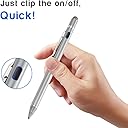
The 2-in-1 Active Stylus Digital Pen features a 1.5mm ultra-fine tip for precise writing and drawing, compatible with most iOS and Android touchscreen devices. It offers up to 8 hours of active battery life with quick charging, smart auto-shutdown, and a backup soft tip for extended use. Crafted with a durable anodized aluminum body, magnetic cap, and pocket clip, it combines style, functionality, and portability for professionals and creatives alike.


| ASIN | B07D7ML3WN |
| Are Batteries Included | Yes |
| Are Batteries Required | Yes |
| Battery Average Life Standby | 12 Hours |
| Battery Description | Lithium-Ion Polymer |
| Best Sellers Rank | #41,630 in Cell Phones & Accessories ( See Top 100 in Cell Phones & Accessories ) #967 in Styluses |
| Brand | EVACH |
| Charging Time | 60 minutes |
| Color | C-White |
| Compatible Devices | Tablet |
| Customer Reviews | 4.1 out of 5 stars 1,061 Reviews |
| EU Spare Part Availability Duration | 1 Years |
| Enclosure Material | Plastic |
| Item Diameter | 0.35 Inches |
| Item Dimensions | 7.72 x 1.85 x 0.91 inches |
| Item Weight | 1.6 Ounces |
| Manufacturer | EVACH |
| Material | Plastic |
| Mfr Part Number | K825 |
| Minimum Required Operating System Version | Android 4.4 KitKat |
| Model Number | K825 |
| Number of Batteries | 1 Lithium Polymer batteries required. (included) |
| UPC | 615200155179 615200155117 |
| Unit Count | 1.0 Count |
| Warranty Description | 1 Year |
S**N
Active stylus (has a battery) for most recent tablets and touch screens
an active stylus only works on special touch screens although this one includes the old style rubber type stylus for really old touch screens (on top of the charging port cover). This works on my touch screen Dell laptop and my galaxy s23+ phone and my oukitel RT-2 tablet. Stylus has a long lasting internal battery (they claim 8 hours, I believe it) and includes micro usb charging cable and two extra charging port covers (they are easy to use). I like this stylus because it works on everything and has a pocket clip on it my old stylus has no pocket clip. You can buy a nice little zippered case to hold the stylus and the cables etc. on amazon I have one for each of my stylus to protect it from getting knocked around and lost. No controls really just push the button to turn it on and off, it will automatically shut off after something like thirty minutes of not being used.
R**G
Great alternative for Ipad Air 2
I have an Ipad Air 2 and was frustrated to learn none of the Apple pencils actually work with my Ipad. So I researched everywhere to find a stylus that works with my Ipad Air 2 (Model A1566). It actually is electronic and has a blue light to let you know it's on. It also has a soft head on one end to use if you're just scrolling. Battery life seems to be a long life. The tip is very small and I found using it with "Notability" is good for taking notes especially since that note app allows you to select different sizes of writing strokes. Under the soft end, the cap comes off to reveal the charging port. The cord for charging is really short but there is no USB charger so I just use my Ipad USB charger on my desk to recharge. The magnets holding the cap on seem to be strong enough so you don't have to worry about it coming off in your bag and floating around. I was really pleasantly surprised this actually worked as advertised. It also works on my iPhone which I just tried as I was writing this review! Glad I didn't have to spend $100 on an Apple pencil! ***Update 2-9-22*** I learned something new today! I got a text message on my Apple Watch 1st Generation and my phone was away from me charging. I was using this stylus with my IPad and just tried using the scribble feature on the watch with this stylus and it works like a charm! Precise writing in a small space on my watch. Just awesome!
W**E
Good quality and easy to use, but lags when drawing.
For years I've loved to draw on my Samsung Tab S tablet using AutoDesk Sketchbook & ArtFlow. I've been using a Stilo 2A stylus almost daily for 4 years and it's still works great and I love it, it's like an old friend but, since it's no longer available, I know when it eventually stops working I'll have to search for a replacement. I happened to see this EVACH stylus as a lightning deal and decided to give it a try and compare it to my Stilo. Overall, the EVACH works OK. It's well designed and simple to use. I prefer a thicker pen and know I won't use the capacitive end that covers the charging port, however the fact the capacitive end attaches magnetically is nice and it's simple to remove for charging. I'd also prefer if the drawing tip were a bit longer. My Stilo uses a single AAA battery which I kinda prefer because it provides a good amount of drawing time and, since I always have batteries on-hand, both regular and rechargeable, I can always sketch, even if I don't have access to a USB charging port. I mean the EVACH charges pretty quickly and seems to last a reasonable amount of time so it works well. And I like it has a clear indicator light around the on/off button which changes from red to green when it's fully charged. But, as I mentioned earlier, it works OK ... which means it works fine as a stylus to make selections and such however it has a time lag when drawing that I'm not used to with my Stilo. It's not a major issue when "sketching" quickly but is somewhat disconcerting when "inking" a final image. I'm sure, with practice, I can learn to touch the tip "ahead" of where I want my line to start, but hope when my Stilo quits working I'll be able to find a stylus without the lag.
P**D
A good product at a friendly price!
I use an IPad for various work and hobby related activities. I have an interest in getting the apple pen but no interest in getting the associated $100 price tag. I saw this Evach touch screen pencil and decided to give it a try. I am skeptical in using products for apple devices not produced by apple as apple tends to be tight lipped about their tech to keep users dependent upon them for future support and servicing. The Evach touch screen pencil has been a pleasant experience since I have had it. Itโs price is also pleasant at under $30. The option I chose is grey in color. It came with the usb micro charging cable. Charging takes about an hour. The charging port is located under a magnetic cap with a capacitive touch tip to use in case the battery runs low. The soft touch pad on the charge cap will also work with other touch screen devices.Turn on by pressing the button near the pocket clip. The halo around the power button glows blue while powered on and red while actively charging, shuts off when charging is complete. I have been finding this device to be a great asset to use with my IPad as an acceptable alternative to the overpriced apple accessories. Battery life lasts all day or more depending on amount of use. You will probably find this device to be a good choice for a fair price as I have.
D**E
Works fine, but definitely not the best.
This is definitely a decent stylus, especially for the price, but I have had a few issues. The tip is not very accurate, so if you try to start a line where another left off, it takes a few tries to get them to line up (it's usually just a centimeter off...still frustrating though). Also, as others have mentioned, an iPad does not differentiate between the stylus and your palm, so it becomes very frustrating when trying to draw and it keeps erasing/warping lines. Even with a palm protecting glove, I had this issue. I also found that I had no way of changing the pressure sensitivity, and I checked in both the iPad's stylus settings and the in-app (I use Procreate) settings. No matter how hard or lightly I press the stylus, the lines are always the same weight. Despite these issues, the stylus is fair for the price, and has a reliable, long-lasting battery. It fits nicely in your hand, though I have often accidentally turned it off mid-draw (my thumb bumps the power button). Not a huge flaw, but still a minor annoyance.
V**I
Amazing! I never expected these Stylus pens to be ...
Amazing! I never expected these Stylus pens to be this much useful. I initially bought this with the idea of using it for taking notes in my surface book, as it can automatically correct my handwriting to text, but remember there is a lot more you can do with this touch pens. Apart from writing, which has a perfect accuracy, you could also use it as a touch pen using the top soft touch. Most of the touch heads that I have used before are the free ones where the rubber cap is hollow, however, this one is perfect, itโs solid hard and does a good job on the touch. Also, the most interesting thing is the weight, itโs not delicate like pens, but its solid metal and at the same time perfect for using and not too heavy that it will slip away from your hand or cause your hands a pain to handle. Itโs right to the weight, I mean they have given so much time to design these so definitely need to appreciate the same. The battery life is amazing, and the charging is very stylish and smart. I personally like this very much and will be very much useful for users who are on iPad for a long time.
A**S
Could be a dud, you'll need to use heavily, and fast, to find out.
Let me start by saying I use a Samsung Note 9 and a Samsung Tab A 10.5. With the Note 9 I do not use this stylus, I use the one that comes with the phone. The one time I did try and use the ballpoint end of the stylus with it just to draw a straight line, the lines were automatically squiggly (think of a sine wave and google that if you dont known what it is). Because I use my phone more often, I've only actually used the stylus maybe 5 times since I bought it, it was going to be used exclusively with my tablet once I figured out that it's a dud for my phone. It worked great with the tablet the few times I used it, until it suddenly didnt work at all. Its lit up to indicate charged and running, but the ballpoint end is no longer sending signal to my tablet screen OR phone screen when tested on that as well. If you buy this I would advise to commit it to heavy usage within first 10 days to gauge if yours is a dud or not. I used mine 5 times in 60 days and now I'm outside of the 30 day return window. Setup itself is easy, the sponge stylus end pops off to reveal a micro-USB charge port, and it has a long battery life from what I could tell.
K**Z
Spotty functionality, ballpoint risk of scratching, can't even draw a straight line.
i have several devices I've tested this pen with. The metallic squeegee braid end, that doesn't require power, worke perfectly fine on every one of them. However,the fine point end, the part that was the entire point of getting the pen, does not work at all on my Acer One 10 tablet. I did followup testing on my personal Motorola Moto G6, and my grandmother's Moto G5S Plus. Both phones showed the same results, with the pen being extremely spotty with detection, only sometimes actually drawing the line I intended to draw, if it did anything at all. It's bad enough that it's, excuse the milennial language, *literally* unusable for the purposes I bought it for, at least on the devices I intended to use it with. I have a small stack of other devices I can test, but I fear that the result will be the same yet. Should've gotten another disc stylus and a pack of extra discs, would have worked way better than this trash. But at least, with the simple design just creating a constant static charge on the tip, the tiny battery in it will probably last days unend. Attached photo is my attempt at writing the phrase, "Everything you know is a lie." The tip of the pen was pointing straight down during this test, to ensure the 1.5mm metal scratch-tip is making proper contact. As can be seen, it works here and there, and whether I woek fast or slow, it cuts between working and nonfunctional like the older machinery used where I work. As the charge it has built up from being turned on and unused dissipates, it starts off very spotty and degrades to unreadability. For poking stuff it works well enough; for drawing, or anything else, it's unusable. It can't even enter my pattern password because it cuts out in the middle of tracing the pattern across the dot pattern. EDIT: I added a screenshot of AutoDesk Sketchbook, where I drew a straight line, and it traced circles around where the pen was actually going. Among even the devices where this pen actually keeps writing most of the time, this crap happens. What's the point in having a stylus, when the stylus can't even draw a straight line?
A**R
LOOK GOOD BUT NOT IN ACTION
Build quality is good.But it doesn't serve the purpose.
Trustpilot
2 weeks ago
2 weeks ago