Desertcart purchases this item on your behalf and handles shipping, customs, and support to Uruguay.
๐ฑ๏ธ Elevate your workspace โ precision, power, and multi-device magic in one sleek mouse!
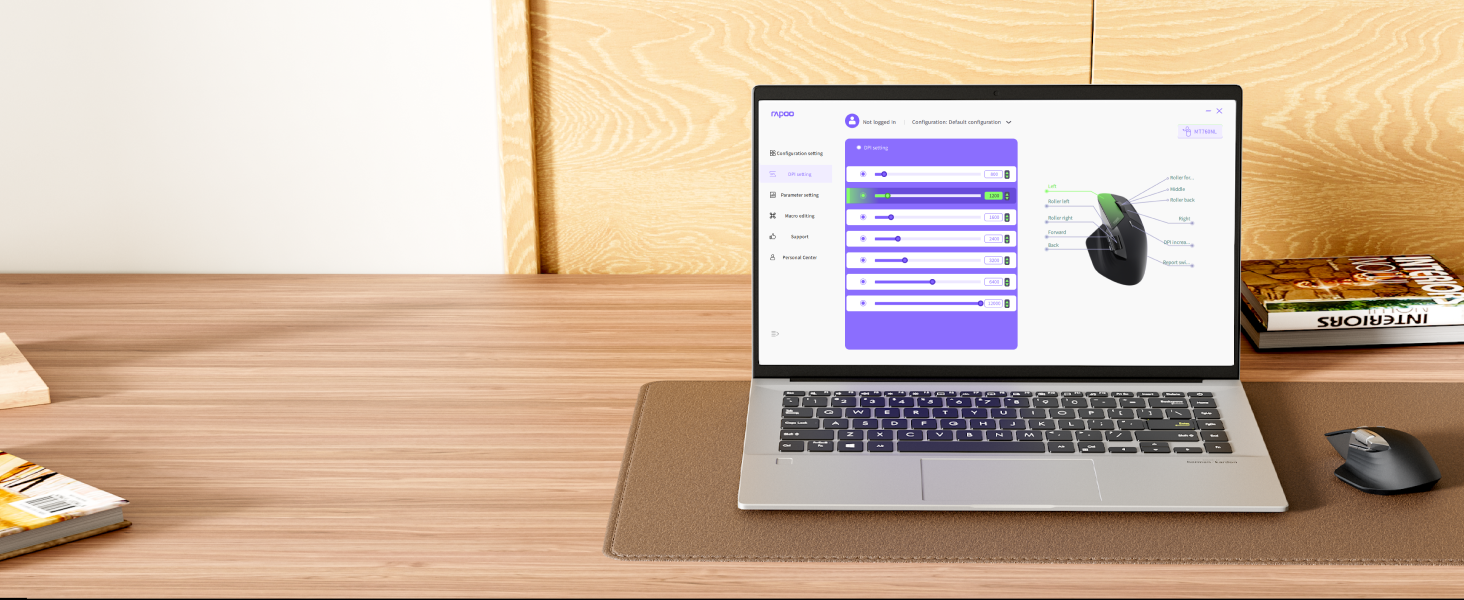
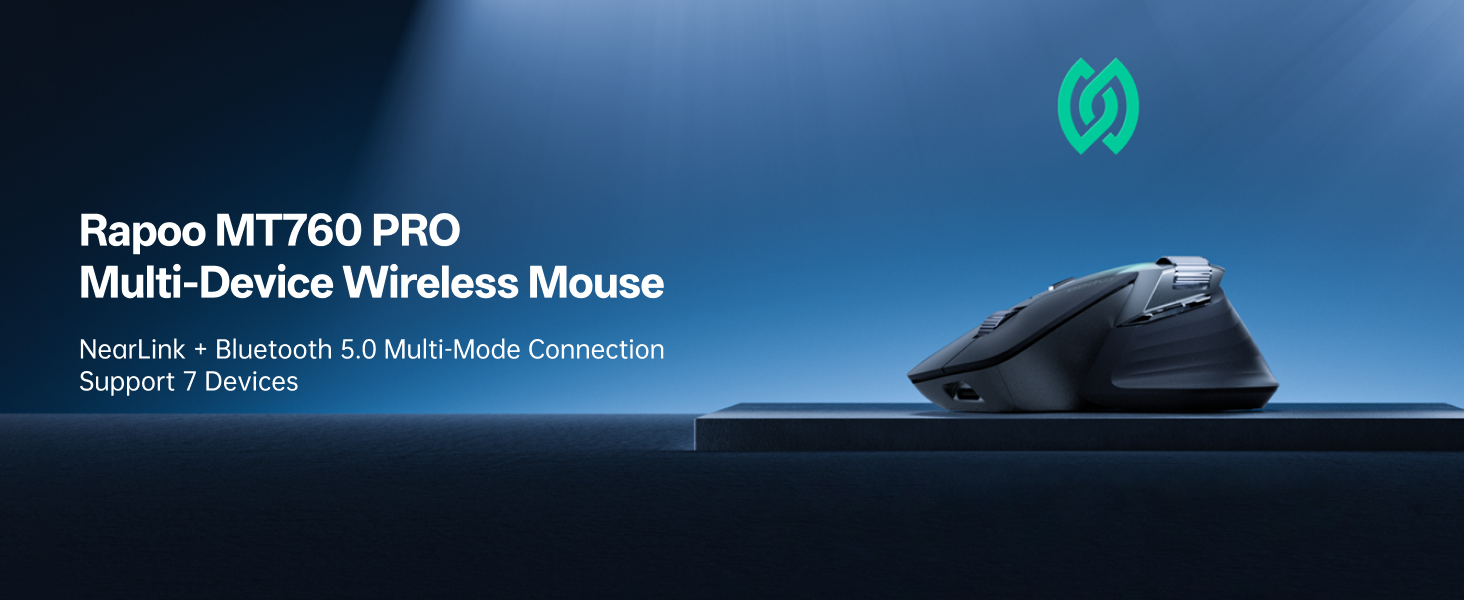
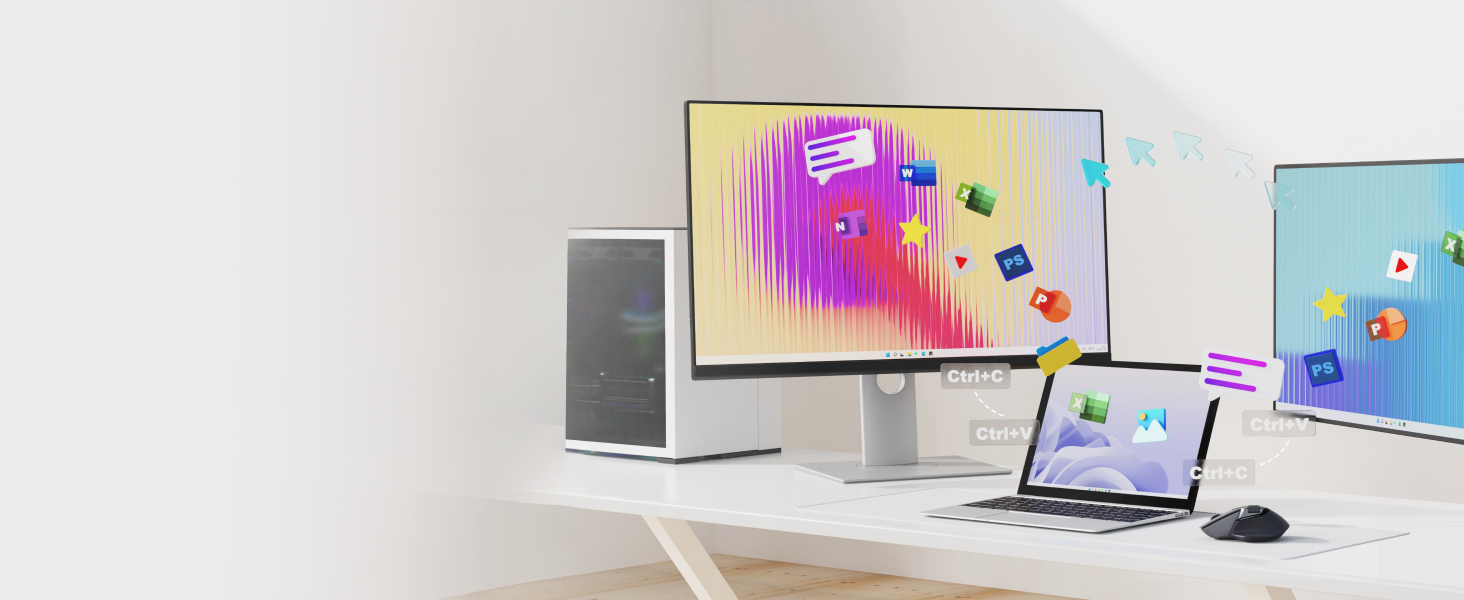
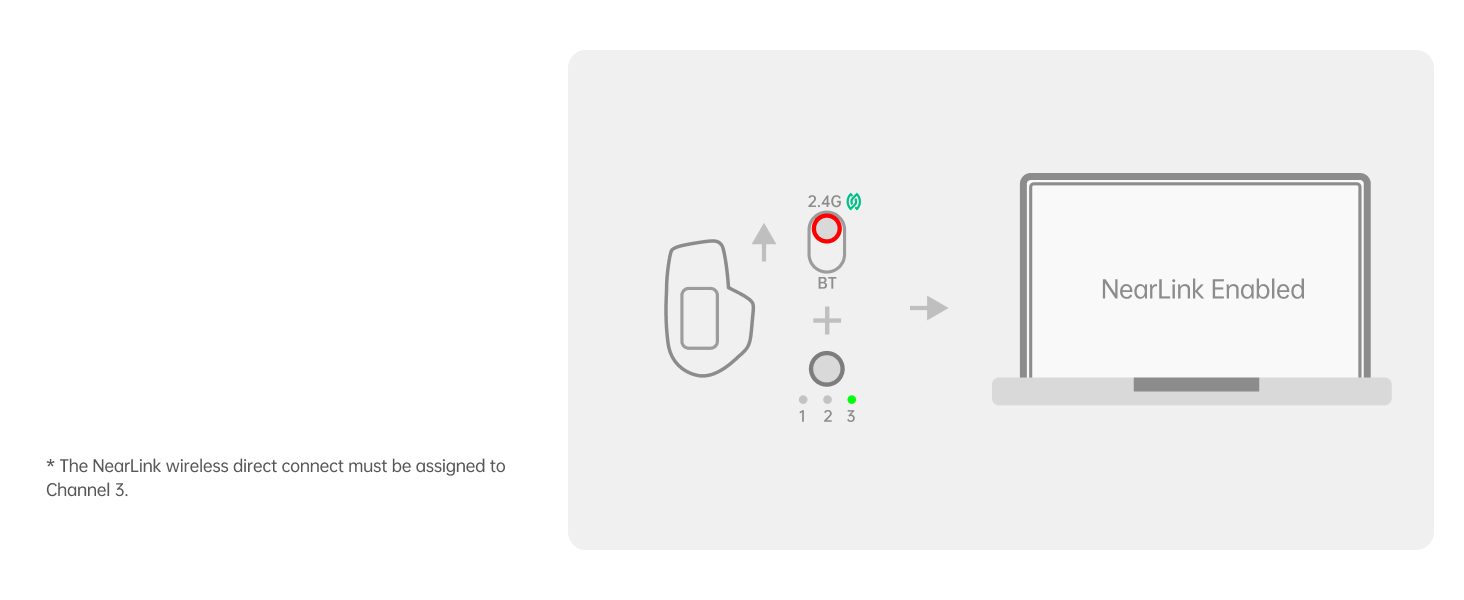
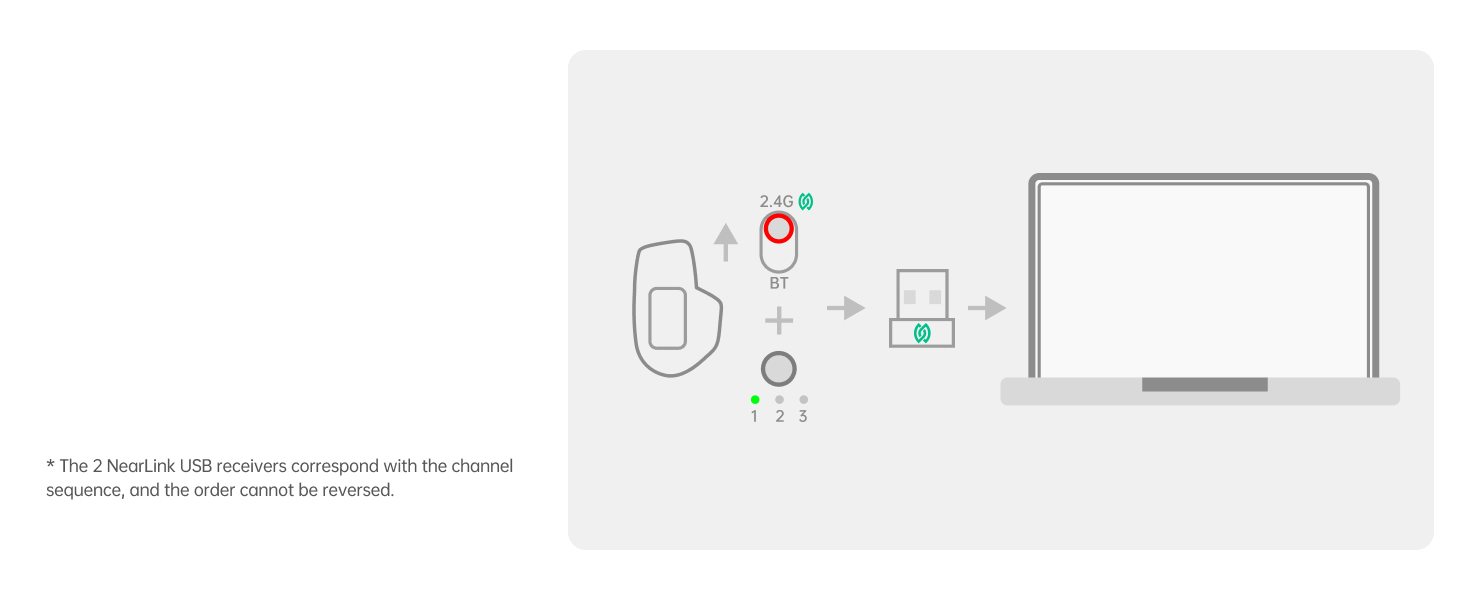
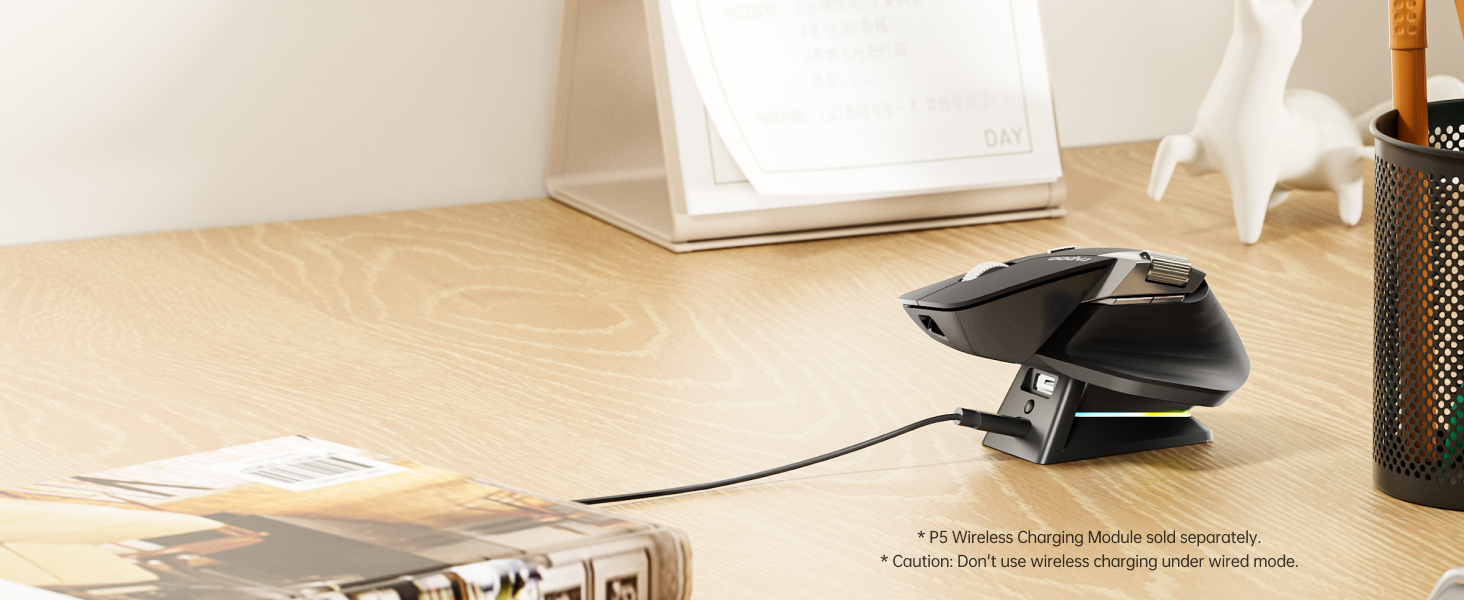
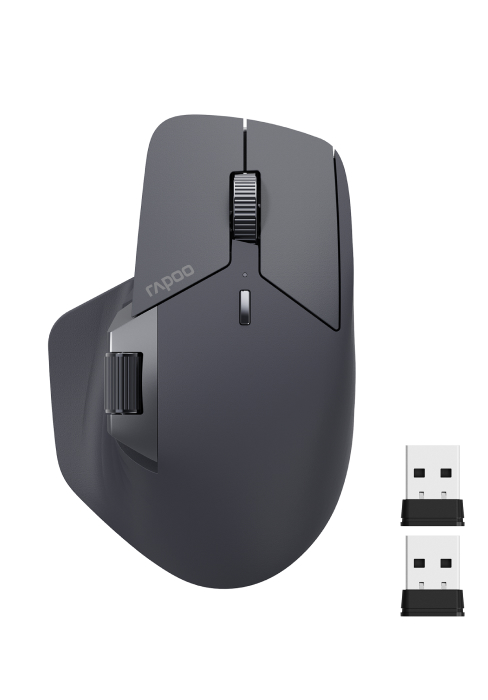
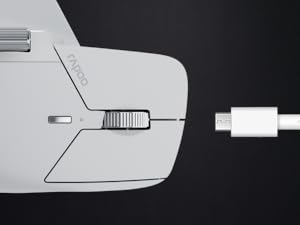
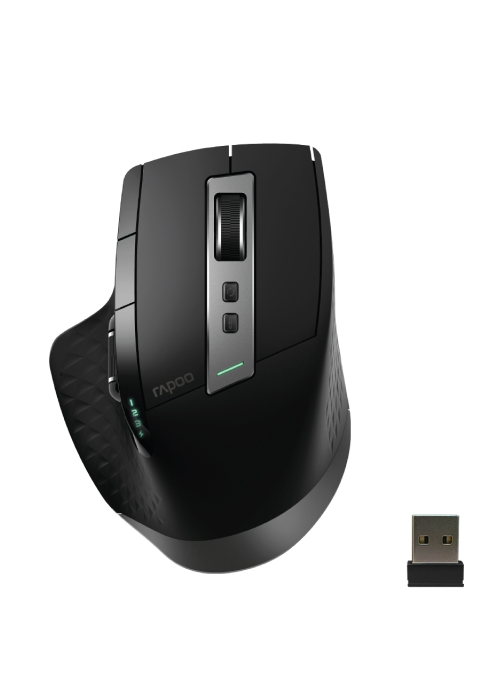
The Rapoo MT760 PRO is a cutting-edge wireless mouse featuring NearLink and Bluetooth 5.0 connectivity, supporting up to 7 devices simultaneously. It boasts a high-precision 12,000 DPI optical sensor with 2,000 Hz polling for ultra-low latency, ideal for both professional work and gaming. With 11 programmable buttons and onboard memory, it streamlines complex workflows. The ergonomic design includes quiet clicks, USB-C fast charging, optional wireless charging, and an impressive 120-day battery life, making it a powerhouse for multitasking millennials seeking efficiency and style.


| ASIN | B0F1YHS5T1 |
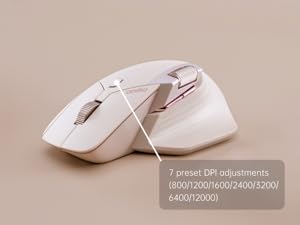
| Additional Features | 11 Programmable Buttons with On-Board Memory, 120 Days Battery Life, NearLink Technology, Ultra-Low Latency๏ผ7 Adjustable DPI Levels, Up to 7 Devices, M+ Cross-Computer Technology |
| Antenna Location | Office |
| Are Batteries Included | Yes |
| Are Batteries Required | Yes |
| Battery Average Life | 120 days |
| Best Sellers Rank | #179 in Computer Mice |
| Brand | Rapoo |
| Built-In Media | 1 x USB-C Charging Cable (USB-A to USB-C), 1 x User Manual, 1 x Wireless Mouse, 2 x NearLink USB Dongles |
| Button Quantity | 11 |
| Color | Matte Black |
| Compatible Devices | Personal Computer, Tablet |
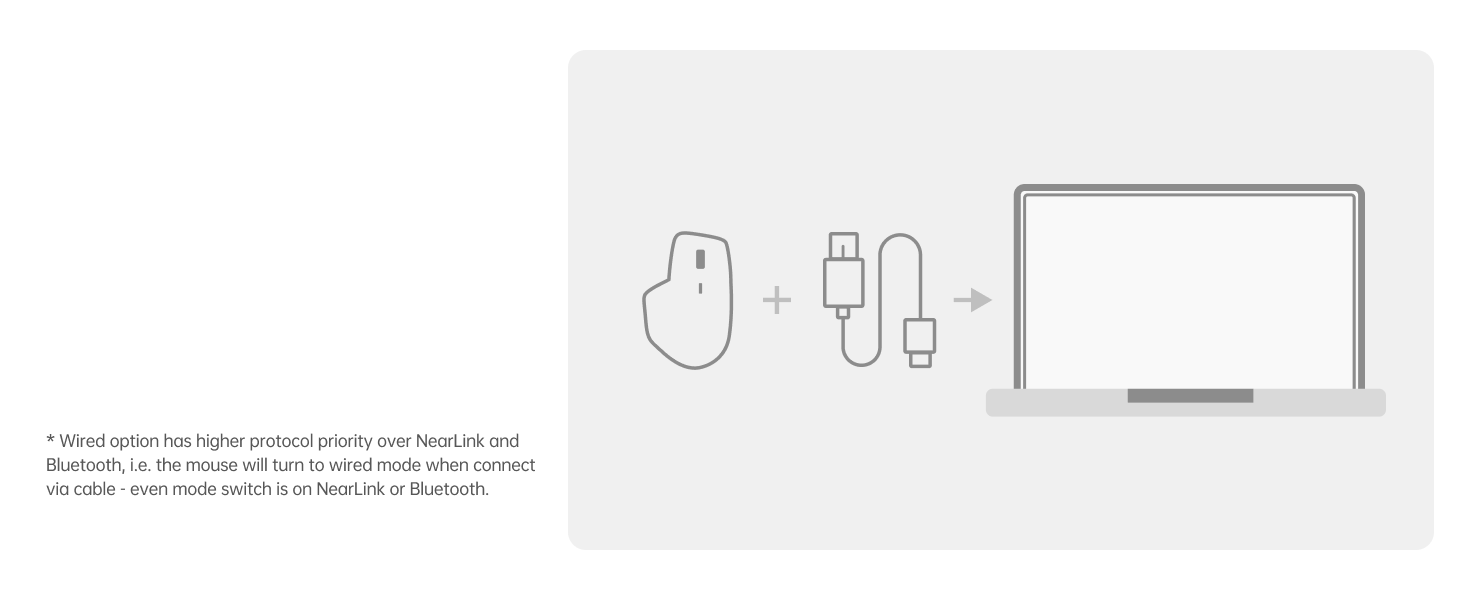
| Connectivity Technology | Bluetooth, NearLink, USB |
| Customer Reviews | 4.3 out of 5 stars 278 Reviews |
| Hand Orientation | Right |
| Hardware Platform | PC |
| Item Dimensions L x W | 6.73"L x 4.4"W |
| Item Weight | 110 Grams |
| Manufacturer | Shenzhen Rapoo Technology Co., Ltd. |
| Minimum Required Operating System Version | Windows XP |
| Model Name | MT760 PRO |
| Model Number | MT760 PRO |
| Mouse Maximum Sensitivity | 12000 Dots per Inch |
| Movement Detection | Optical |
| Movement Detection Technology | Optical |
| Number of Batteries | 1 Lithium Polymer batteries required. (included) |
| Number of Buttons | 11 |
| Operating System | Windows XP |
| Power Source | Battery Powered |
| Range | 10 Meters |
| Special Feature | 11 Programmable Buttons with On-Board Memory, 120 Days Battery Life, NearLink Technology, Ultra-Low Latency๏ผ7 Adjustable DPI Levels, Up to 7 Devices, M+ Cross-Computer Technology Special Feature 11 Programmable Buttons with On-Board Memory, 120 Days Battery Life, NearLink Technology, Ultra-Low Latency๏ผ7 Adjustable DPI Levels, Up to 7 Devices, M+ Cross-Computer Technology See more |
| Style Name | Modern |
| Theme | OFFICE |
| Unit Count | 1.0 Count |
| Warranty Description | 1 year warranty |
D**S
Great Mouse for productivity and gaming great replacement for master3s
I've had it a day and so far so great. The mouse is super comfortable. i was amazed it had 2 near link dongles inside. 1 in the mouse and 1 in the box. Looking at the picture I see 2 dongles, but I thought they were different. This mouse is great if you have multiple systems on the same desk. I have a desktop and laptop on the same battlestation. The polling rate is amazing. The bluetooth on my mac is a bit lack luster but that's a bluetooth issue. The near link is awesome. I had some difficulty with their software on the MAC, but eventually got it working. The mouse seems as good as any mouse i've ever used. For some reason I was under the impression the scroll wheel was one of those infinite scroll wheels that just spins for ever. But I'm wrong about that I even went and read through everything and they never claimed it was, So not sure why I thought that. Maybe cuz it looks so much like the master 3s. The only negative I have, is the side buttons and wheel seem a bit low. I have a very large hand and fat thumb so they're almost always touching the buttons. The clicks are super silent and feel very responsive. It's not a gaming mouse, but you could game on it. It's more for productivity. The DPI range is insane. I found a sweet spot at 3200. I can cross all 3 monitors with out lifting. and fine control is still doable. The 1k polling is as lag free as it can get. It's a very light mouse for how big it is. It's plasticy feeling, but not cheap feeling. It has a very good full hand feel. it rests in your palm really well. Very well made mouse. the battery life is saying 81% after a 12 hour day use. I'll be honest about the pricing, It could be 10$ cheaper. 39$ seems like where it should be. I ended up paying 49$ which seems way better then the 120 for the master 3. Sp the value is there. unless you need that special scroll wheel save your self some bucks. i'm using the mouse for mainly IT office work, but also doing 3d printing and 3d modeling and I really like it. The software seems a bit off, but so far does everything it's supposed to. i've rebound some of the keys and every thing is working correctly.
R**K
Comfortable, stylish, and versatile; look out Logitech
Excellent alternative to Logitech MX Master at a way better price. Smooth, with easily adjustable DPI, and perfect size even for my big hand. Plug and play, works effortlessly on Linux, Windows and (via Bluetooth) Android. Have not tested in macOS or iOS devices. Horizontal scroll wheel is a little loose, but works fine, just takes some getting used to. Vertical scroll wheel click is just a touch sensitive for my liking; I had to turn off the click to paste feature in Linux.
C**E
A Serious Alternative to an MX Master
You probably arrived on this product page because youโre looking for something comparable to and cheaper than a Logitech MX Master 3/3s. Itโs a close alternative, but there are several differences worth noting. Some context, Iโve primarily been using this mouse for FPS gaming, but also for word/excel documents and CAD. First, the scroll wheel and the accompanying button behind it. On the Logitech, pressing the button will electronically change the scroll wheel settings between โinfinite scrollingโ and โgraduated scrollingโ. On this Rapoo mouse, the button changes the DPI sensitivity settings of the mouse between like 5-6 different levels. It has not effect on the scroll wheel behavior itself. Now this button feature is useful for gaming and changing your looking sensitivity on the flyโฆ but sadly that does not make up for the lack of precision in the โgraduatedโ clicks on the scroll wheel which feel soft and imprecise. This really comes out while gaming, where the scroll wheel is used for swapping between tools/weapons. Scrolling on this mouse between clicks might not actually result in swapping between items in your inventory at all, or alternatively scrolling past the one you wanted. The clicks feel like strong suggestions to the sensor, rather than commands, allowing for frequent variability between your input and the mouseโs output. On the other hand, clicking the scroll wheel down is crisp and precise. Second, the Rapoo mouse does not have the button in the thumb rest you get on the Logitech. This isnโt really an issue for me, but if youโre a power user that frequently needs to switch between windows on your computer, you may miss this feature. Third, is a huge positive for the Rapoo: not only does this mouse come with 2 usb dongles (huge for anyone who might lose one or have two computers), but the mouse actually has a built in compartment to store one of the dongles on the underside. THATS REALLY WELL THOUGHT OUT DESIGN, and shame on Logitech for not having a similar feature! Fourth, this mouse has two options for charging. You can either use a USB-C plug on the front, just like the Logitech, but additionally there are two prongs on the underside so the mouse can be rested into a dock (not included). Not sure when one might use this feature, but again, itโs these kinds of features that actually distinguish this mouse from a Logitech. Everything else about this mouse is basically the same. Build quality is seemingly just as good, same as battery life. It might be slightly lighter than the Logitech but hard to compare without a scale. All in all, itโs a decent mouse, with great functionality, a good feature set, and is reasonably priced. Rapoo does need to refine their scroll wheel further, but for most people, that wonโt be an issue.
N**D
Best Mouse
Iโve been genuinely impressed with the Rapoo MT760 PRO. The ergonomic shape is comfortable for long work sessions, and the mouse feels much more premium than its price suggests. The buttons are responsive, scrolling is smooth, and the overall build quality is excellent. The standout feature is the connectivity. Switching between devices is seamless, and the NearLink/Bluetooth options make it incredibly versatile for laptops, tablets, and desktops. Tracking is accurate and reliable for both productivity and everyday use. Battery life has also been great so far, reducing the need for frequent charging. If youโre looking for an ergonomic multi-device mouse without spending flagship prices, this is an outstanding value.
A**A
Great budget mice
Nice worked great as expected even for macOS. Just make sure to keep the mice awake by keeping it on and battery is long lasting too. Great for digital media and long periods of time of productivity too.
R**I
Great Hardware, Disappointing Software
This is an excellent mouse for office work and occasional gaming. Its connectivity is outstanding, with support for Bluetooth, two 2.4 GHz dongles, and a wired USB connection. The overall shape and ergonomics are very similar to the Logitech MX Master 3S, making it comfortable for long hours of use. Battery life is also very good. Depending on the polling rate, it lasts around 30 to 45 days on a single charge. The buttons are quiet, and the mouse feels well built. Unfortunately, the software is where this mouse falls short. The driver didn't work properly on my Mac, so I had to configure everything on a Windows 11 computer first and then switch back to my Mac. Even on Windows 11, the software is unreliable. Although it allows you to assign macros and customize the buttons, it doesn't save multiple profiles, and it often fails to retain DPI settings. Firmware updates frequently produce errors, and Rapoo's customer support has not responded to my requests for assistance. As for the hardware, the main scroll wheel does not have infinite scrolling. The standard line-by-line scrolling is smooth and can be adjusted through the softwareโwhen it works. The side scroll wheel is useful, but its scrolling speed cannot be adjusted, which makes horizontal scrolling feel too fast for my preference. Overall, the hardware is excellent, but the software experience and lack of reliable support keep me from giving it a higher rating. Buying from Colombia
B**.
Solid mouse for a great price!
Please note that I normally use a Logitech MX Master 3 rechargeable cordless mouse, so I'm comparing this Rapoo mouse to one that costs at least twice as much. The Rapoo is a very similar shape to the Logitech MX Master 3 mouse. It's so close that I didn't need to think about using it like many other inexpensive mice I've tried. It fit my hand the same. The buttons were in the same locations. When I clicked, it behaved exactly like I expected. The Rapoo is much less expensive, so there are obvious trade-offs. First of all, it's lighter, which in this case, isn't a good thing. It's worth mentioning that it is heavier than most budget mice. I'd place it somewhere between the cheapies and the Logitech where the weight is closer to the Logitech than the cheapies. The plastic seems slightly thinner, so it feels less sturdy. Part of that is the fact that there is a rubber cover surface on the Logitech. It seems less accurate because of the fact that it moves much more easily. In reality, it has higher DPI sampling, so is capable of higher resolution. Any amount of tremor in your hands will move this mouse accidentally much more often because of the lighter weight. Overall, I'd say you get about 90% of the "bang" of the Logitech for significantly less money. It is the best of the cheaper mouses I've tried, and if Logitech stops making the MX Master line of mice, I would probably start using this one instead. It's a solid mouse for great price.
I**D
A Trojan Horse With a Premium Feel
Dateline: A Desktop, Lost in the Digital Wasteland of Bad Drivers. It arrived as a thing of beauty. A sleek, ergonomic piece of hardware that fit the hand like it was custom-molded. The weight was right. The build quality felt solid, substantial. The glide was smooth. The buttons, oh, the glorious array of buttonsโclicked with a crisp, satisfying precision. It promised a new era of control, a seamless extension of mind to machine, a powerful tool for navigating the digital chaos. This, my friends, was a dangerous and calculated lie. A mouse like this is not just a physical object. It is a two-part system. There is the body, and there is the soul. The soul, in this case, is the software, the digital brain that allows you to tame those extra buttons and bend the machine to your will. And the soul of this Rapoo MT760 PRO is a corrupt, hollow, and possibly malevolent thing. The journey to find this software is the first red flag. There is no clean, professional download. Instead, you are sent on a scavenger hunt into the dark corners of the web, to some random, unsigned Google Drive link that screams "digital plague." The Mac software is a special kind of nightmare, an invasive piece of garbage that behaves more like malware than a utility. The Windows version is a clunky, unstable abomination that barely functions. Open-source alternatives like Piper? Forget it. This device is a black box, sealed tight against any hope of rescue. And so, the grim reality sets in. Those beautiful, plentiful buttons are nothing more than useless plastic adornments. They are silent, mocking trophies of features you paid for but will never use. The core purpose of the mouse, customizability, is a total and utter fraud. You are left with a high-priced, standard two-button mouse that has been stripped of its entire reason for existing. Do not be seduced by the feel of it. Do not be fooled by the spec sheet. The whole enterprise is a swindle, propped up by a digital foundation of pure, unadulterated trash. For this kind of money, you can and must buy from a reputable brand, a company that actually maintains its own software and supports its own products. If you are on a Mac or Linux, do not walk away from this product. Run. Run fast and do not look back. This is not a tool; it's a trap. A high-priced paperweight. An exercise in profound, digital disappointment.
J**L
Premium Feel Mouse
The RAPOO MT760 PRO Wireless Mouse has been excellent for both work and everyday use. The mouse feels very premium in hand, with solid build quality and a comfortable ergonomic design that makes long hours of use much easier. The tracking is smooth and accurate, and the buttons feel responsive and satisfying to click. I also really like the wireless connectivity options, which make switching between devices quick and convenient. The battery life has been impressive so far, and the overall performance feels reliable without lag or connection issues. Itโs great for productivity, editing work, and even casual use. Overall, a high-quality wireless mouse with a comfortable design and smooth performance. Definitely a great buy for anyone looking for a reliable premium mouse.
S**O
Factory defect
Got defective unit - left button does not work at all. Tried with different connections bt/dangle and on different pcs.
X**W
Superb.
I bought this to replace a Logitech Mx Master 3s. I have been using an MX Master 3 or 3s for about 10 years. Build quality is very good. It's lighter and feels easier to use. The mouse is not as tall which I find more comfortable - wrist/hand angle is flatter. The thumb rest feels tighter. Noting I have large hands. Button clicks are firmer. DPI button is smaller but works fine. The side scroll works well. The customizations tool is flexible and easy to use. It stores the customiztions in the mouse so that I can use it on my work laptop without loading any software. No issues with corporate security. After 2 very long days, I like it much more than the Mx Master 3s. Note you need to go to the US Rapoo site to get the customizations tool/driver. Note it's not the AHUB tool. Reasons why I am moving away from Logitech. - Logitech does not store customizations in the mouse. You have to load the app to configure customizations and to use customizations. - Corporate environments are becoming stricter. Getting permission to load apps can be difficult. I got permission to load the app but security restrictions prevented resulted in problems with the app. - Logitech Infinite scroll cannot be turned off without the app. This is mighty annoying as the infinite scroll persists a long time after you move the pointer to another window or section of a window causing it to scroll infinitely when you do not want it to. - Logitech Options is a resource hog using 250MB in memory.
S**E
Good quality but not as ergonomic as I was hoping for
Overall quality of this mouse seems quite good, however I was expecting a bit more of an ergonomic design than it actually is. I find my wrist is not rotated enough vertically to alleviate wrist pain. But I like the soft click and the texture of the mouse, and the fact that it has a side scroll wheel. I also like that it has a comfortable thumb rest. My only complaint with both of the scroll wheels is that they feel a bit more on the mechanical side, as when you scroll it kind of clicks as it scrolls. You don't get a super smooth scroll because of this. And the side scroll seems to scroll way too fast compared to the top scroll (maybe this was just a setting I hadn't figured out yet). It would also be suited best for medium to large size hands. I find my hand is too small to comfortably reach the top scroll wheel. Other than that, like I said it seems to be good quality.
H**Y
Best on the market rn
I know 5 star reviews sound like bs but this is a genuinely good product, nice and light, low profile compared to the logi master, the only nitpick i have is that I wish that the main scroll wheel was smooth instead of clickly
Trustpilot
2 weeks ago
4 days ago