We remain fully operational. Our teams are working around the clock to ensure your deliveries continue safely.

DOWNLOAD THE APP


Copyright © 2025 Desertcart Holdings Limited
DOWNLOAD THE APP
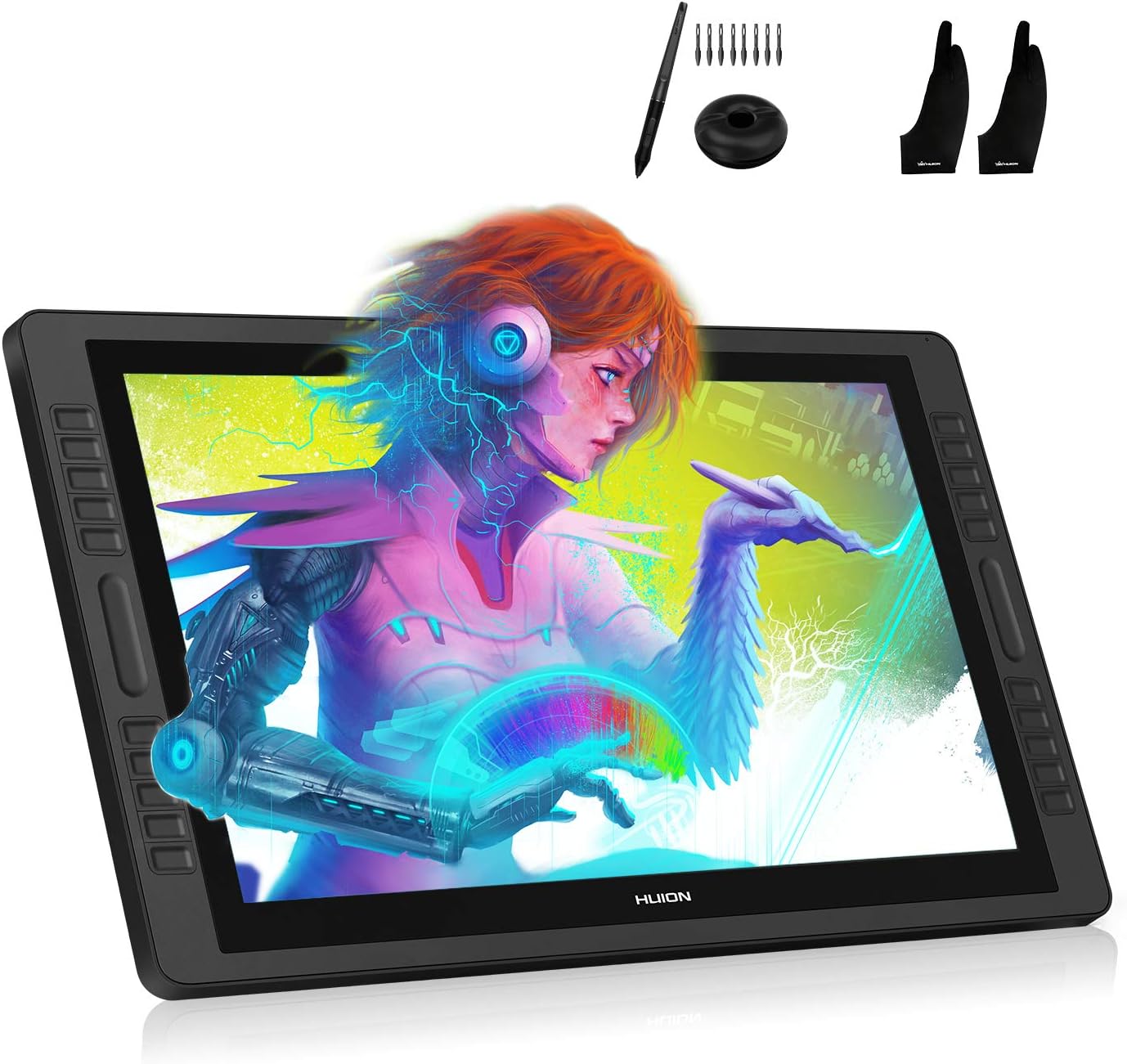

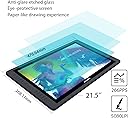

🎨 Draw Beyond Limits — Create, Customize, Conquer!
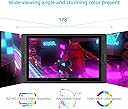
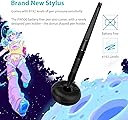
The Huion KAMVAS PRO 22 is a professional-grade 21.5-inch drawing monitor featuring a battery-free PW500 stylus with 8192 pressure levels, 100% sRGB color accuracy, and a Full HD anti-glare display. Equipped with customizable shortcut keys and an adjustable stand, it’s designed to boost creative productivity while ensuring ergonomic comfort for Windows and Mac users.


| ASIN | B07F8TDD6Y |
| Active Surface Area | 21.5 inches |
| Additional Features | Pen |
| Brand | HUION |
| Built-In Media | PW500 stylus, 10 replacement pen nibs, 2 artist gloves, donut-shaped pen holder, multi-angle adjustable stand |
| Color | GT-221 V2 |
| Compatible Devices | Personal Computer |
| Connectivity Technology | HDMI |
| Customer Reviews | 4.0 out of 5 stars 69 Reviews |
| Item Weight | 4.5 Kilograms |
| Manufacturer | Shenzhen Huion Animation Technology Co. Ltd. |
| Model Name | pro |
| Model Number | GT-221 V2 Pro |
| Native Resolution | 1920x1080 |
| Operating System | Windows, macOS |
| Pressure Sensitivity | 8192 Levels |
| Screen Size | 21.5 Inches |
| Special Feature | Pen |
| Specific Uses For Product | Drawing |
| Target Audience | Teacher |
| UPC | 677306934751 |
T**D
Worth every penny
At first I was a bit worried that this wouldn't stand up to the latest and greatest cintiqs, but after using it...my worries were unwarranted. No dead pixels. Works great, and it's only half the price. This tablet is gigantic. People are saying to get some kind of ergo arm. But if you have a desk, you won't need it. I can draw just fine on this thing with the default back support. In fact, this thing is way lighter and much more user friendly/maneuverable than my old cintiq's. Meaning that the cables are not keeping you from getting the perfect angle or keeping you from drawing/getting in the way, like the cintiq's I've had. My disappointments were a bit of parallax, which appears in all of the tablets I've owned, so nothing out of the ordinary there. Also, the colors are a bit washed out, and the blacks are not really black. But that's probably because I'm using it next to my monitor which has colors I'm used to....but the monitor definitely has blacker blacks than the Huion kamvas 22. Not really a deal breaker though, you don't even notice it once you start. Wacom products have this same problem as well. The un-powered pen is definitely godsend if you hate charging stuff. It's as responsive and robust as the cintiq's, except for one thing...it doesn't have an eraser. That kinda sucks that you can't just flip the pen around and erase like the cintiq's. You get used to it though. The sensitivity is simply amazing on this thing though. And the side buttons are TO DIE FOR. So damn helpful! You can customize them to your liking. Unfortunately the right buttons are hard-wired to the left buttons, so they do the same thing no matter what side you press. But I guess it's for unification between left and right handers. Lastly, the setup was super easy, love how easy it was. My only complaint about the setup though, is that the HDMI cable is like only 3 feet long. Same as the usb cable. You have no freedom with 3 feet. So if you plan on getting this, definitely buy usb and hdmi extension cables, or just replace with longer ones. All in all, the complaints aren't a deal breaker for the price. Hell, the cintiqs I've had in the past also had a lot of the same issues. Once again, worth every penny.
E**Y
If your looking for a screen tablet, GET THIS NOW!
Just to be clear, I ordered the Huion kamvas gt-221 V2 (AKA Kamvas Pro 22), not the older gt-221. I’ve never even touched a screen tablet before, so this won’t be comparing functions to a Wacom, but I will compare the price (obviously). Shipping: In order for this to be shipped on my birthday, I also paid for faster shipping. It came AHEAD of time. It was nicely packaged and had everything I needed to get started. Setting it up: Like I said, It came with everything I needed to set it up. Stand was easy to apply, cords were easy to connect, and the driver was easy to connect. I did have a bug with my driver, but a few days with customer support (They’re in China time zone) and I was able to fix it. Quality: I was surprised at the quality. The tablet’s screen was nice and clean and didn’t have any cracks. The tablet overall felt extremely high class for $800. With all that said… NO COMPLAINTS! Pen: I LOVE the design they went for for the pen. It’s nice and elegant. Drawing: This tablet is really responsive. I can get smooth lines at any speed. When I did a ruler test at the slowest speed, the line was a little jittery, but It’s not enough to get in the way of drawing. The pressure sensitivity was nice and I could definity notice that it helped me. OVERALL: This is a great tablet and I would recommend this for anyone who wants a professional screen tablet for under $1000!
M**A
Was disappointed at issues. Excellent Customer service solved it.
(( - EDIT - )) After my initial complaint. Huion and Amazon reached out to me. Their customer service was very very good. They were kind an understanding. And gave me many options to eradicate the issues I had. After troubleshooting for some time. I was able to get the tablet to work properly. What I have noticed is that the software is a bit tricky. The tablet itself, the screen, the quality, the design. All of that is fine. However, it seems like it takes a lot of playing around to get it to work exactly the way you want it to. My issues were less of a problem with the tablet. And more about the software acting up. It takes time and troubleshooting to fix. But, my issues are not of the norm. When you install the driver. Be 100% sure you dont have any other tablet driver. And restart your computer after the initial download. It might take a few times of installing and uninstalling. But, for the price (Comparing to Wacom). I think the toggling is worth it. I would recommend this tablet to anyone looking for an affordable screen tablet. If things go wrong. Be assured that Amazon and Huion do have your back. And will help you eradicate your issues. For this reason, I am changing the review to 4 stars. I nor longer regret buying the tablet. And I am happy to change the review to something more deserving. ------- My previous Wacom tablet bit the dust. And people said that Huion might be a better alternative to Wacom screen tablets. (As Wacom screen tablets are pretty costly.) A lot of excellent reviews were left on this tablet and their other ones. So I thought I would give this company a try. I bought this thinking that $900 would get me a tablet that functions well and would last years. However, I was wrong. After a painfully lengthy driver installation. At first things were great. But then the tablet has devolved into not even being usable for illustration/sketching. The screen is nice, The tablet looks good. I love the look. Working on a large screen is amazing. But there are major issues that prevent me from using this tablet like a normal one. CONS: 1. 9 out of 10 times, I have to open up the tablet driver and calibrate the screen every single time I plug it in for it to work. Otherwise, the tablet acts like a screenless tablet. And you cant draw or interact with the screen. This is not a plug and play tablet after the first installation. Having to set it up every time I plugged it in is highly irritable. But that was only a minor annoyance. I was willing to deal with that. If thats the only problem 2. Forget about multitasking. I bought a BRAND NEW Macbook pro that I beefed up specs wise. So I know it should be able to handle another screen. But this tablet has a mental breakdown every time I play videos on my computer screen. For one, the strokes are slowed down so much. That it takes 3 seconds to load a stroke. And 3 seconds might not sound like a lot. But when you are sketching. You make hundreds of them and quick. This issue dramatically slows the drawing process. And forces me to be unable to run any videos/music at the same time. Because, for some reason. The tablet becomes painfully slow when there are other things running. And no. recalibration does not fix this. The only way for me to "fix" it is to not run any videos at the same time. Im an artist that follows tutorials on real time. And the fact I have to stop the video every time I want to take a step is very frustrating. 3. The strokes leaves "Trails ". This is the straw that broke the camel's back for me. When you are sketching. You make a lot of fast strokes. But even slow ones have this issue. if I try to draw a curve in the shape of a C. It will always leave an extra long line in the direction of the stroke. It literally forces you to have to stop, and erase the trail for EVERY stroke. To make the curve look like what it is suppose to. This might sound bad. But it literally ruins and slows down your drawing process so badly that unless you take the time to erase the 'trails' . Your picture will look NOTHING like it was intended. For $900. This tablet was not worth the money. Ive only had it for 2 months and the problem keeps escalating more and more with time. So I havent touched my tablet and drawn digitally in days because of this. Im a professional artist. And this has done nothing but hurt my business and work. Everyone said it was an amazing deal compared to Wacom. Its just a shame. Because my Intuos tablet was a third of this price. Yet, it preformed perfectly for 5 years. And this $900 tablet didnt even last me two months before becoming unusable. Maybe not all of their tablets are like this. But based off of my experience? I would not recommend this product whatsoever. Heck, if this is the norm for their screen tablets. I wouldnt waste my time and money with any of their screen tablets. This was suppose to be Huion's best tablet. Thats why I went for this one. I thought buying their best would ensure a long term high quality experience. I thought that screen tablets were an upgrade from normal drawing tablets. However, this is not the case. Disappointed doesnt even scratch the surface of how I feel. For now, this rating will stay at 2 stars. But if Huion does get back to me. And it turns out to just be defected. The rating will change to 4 1/2 stars.
A**S
Excellent product
I bought this one for my daughter, she loves drawing pictures. As a 8th Grader, she need to do a lot of projects using computer and this screen makes her screen time easy. This screen is wide enough to put two windows side by side, she can google info on one window and do her project on the other window. I love watching her drawing pictures using this screen and the pen is very good. At the first beginning, we do not know how to use the pen and we thought the pen does not work well. I chat with the customer service and they refund me the money to buy a new one. But we find out the pen is good. The software my daughter used (not the one provided by Huion) does not recognize the pen. Some other software do recognize the pen. We need more research on this pen. It works very well. we need to explore more functions of this screen. I need to pay back the refund for the pen since it works well, better than we expected.
J**N
Died within hours. No support. Horrible!
I used this for a few hours and it died. No mishandling whatsoever. The backlight is dead. The power button displays green. Windows can see the monitor as shown plugging it into another laptop just for the picture. Hence without the drivers yet. I've tried updating drivers on my main computer. I've tried updating the firmware and downloading all their apps, nothing. The only support routes is email, Skype and a phone number that goes internationally to China. No North American support. I got no response by email, no response or Skype and the number just rings during business hours. Horrible product and service, will never buy their brand again. I'm skeptical of these high star reviews, I would search outside of Amazon or art YouTubers for verified real reviews.
B**.
not for kids
Don't buy this for your kids, this is a professional tool and takes a lot of patience and training to use it.
J**K
Great screen tablet: full time Illustrator use
I've been through various tablets mostly from wacom and monoprice in my career. This is my first Huion tablet and honestly it's I've one of the best Ive had. I've had this tablet now for 4 coming on 5 years. This tablet gets heavy use (9+ hours a day of active drawing time) I'm only recently seeing a fading pixel spot no larger than the size of a cut pinky nail so it's not much. Holding up super well. Make sure you keep up with updates through Huion's website as any digital artist knows that pc updates of all sorts can create problems with the tablet software if not upkept. Overall a great purchase. Planning on buying another one to keep on the side for when the current one kicks out.
C**U
KAMVAS PRO = Best value for aspiring professionals.
Huion Appears to only sacrifice quality where necessary. That's exactly how it should be. I applaud them for filling the void in the market for affordable quality pen displays. I've had no driver issues, all buttons work, and it's compatible with an ergotron arm. The shell of the display has a hole to store your pen on the back which is cool. I use the little donut when I'm using it and when I move the display out of the way, leave or go to bed I put the pen in the hole so the cat can't knock the pen off my desk and break it. I've had a pen get killed this way before. Landed nib first like a spear on the hard floor. Jammed that sucker up in there and the pen would always be making marks even when hovering. The parallax isn't bad but it's not great. I don't mind some though because I kinda like being able to see what the pixels are doing for fine details. The battery free pen is excellent. Previous pens would't track the cursor in the correct place depending on the tilt of the pen. It would always hover under some point inside the pen. This one stays with the tip of the nib much better. My unit didn't come with the plywood protection in the box but it doesn't appear damaged. However, the texture on the screen has some uniformity problems(see pics). There's 5-6 spots distributed on the screen. I didn't notice this when I took it out of the box and there's a strange reason why. I can clean the glass with glass cleaner and they almost disappear, only to reappear after I use the tablet for a while. They're hardly noticeable unless you're shining a light on it just right or you're doing detail work right under one of them. I don't know if they're fingerprints from the factory or what. The only design gripe I have is the lack of tactile bumps on the buttons. I bought some grip tape and used one of those heavy duty fabric hole punches to make little textured spots on the middle buttons. I can't imagine it would be difficult or add much cost to the product to have something on the middle button of each button row like they put on the F and J keys of a keyboard for touch type finger placement. Funny thing is, they put a little bump on the forward button of the pen which isn't exactly necessary or comfortable to be honest. My only other gripe isn't one of design but material choice. The "feet" on the bottom of the display are made from plastic rather than a grippy rubber. This isn't a problem if you're using the stand which has grippy rubber on it. I'm using an amazon basics copy of an ergotron arm so I needed them to be grippy so it won't slide on my desk. I got some self-adhesive rubber grippy stickers to fix it. I wrote to Huion asking about whether or not they'll offer a 4K version of this display since I can set the work area in the software to my main 4K monitor, turn off the display on the KAMVAS and use it like a non display tablet or intuos with no problems. It seemed as though all you'd have to do is slap a 4K display under the digitizer based on it's behavior, but they never responded to me. Oh well. Huion, if you're listening, put a tactile bump on the middle buttons of each button group, make the feet grippy and offer a 4K version and I'll have no reason to use a wacom. I'd recommend this to anyone on a budget that doesn't mind doing a little fiddling to get it set up nice.
Trustpilot
3 weeks ago
4 days ago