🚀 Elevate your office game with speed, security, and sustainability!
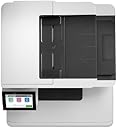
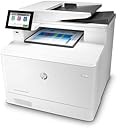
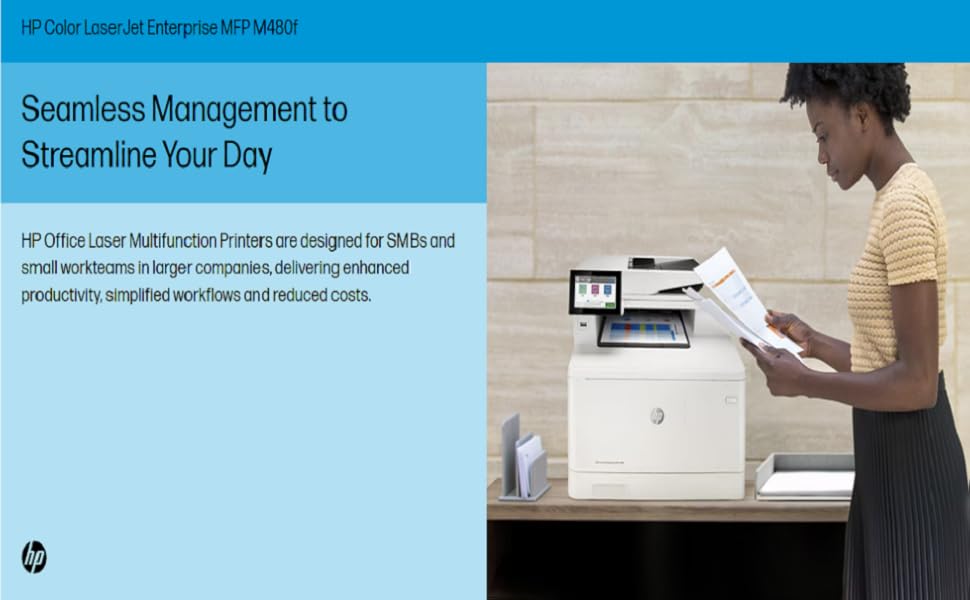
The HP Color LaserJet Enterprise M480f is a robust multifunction printer designed for small teams, offering fast 29 ppm color and black-and-white printing, automatic duplexing, and advanced HP Wolf Enterprise Security. Featuring a 50-sheet automatic document feeder, mobile app support, and centralized management via HP Web JetAdmin, it streamlines office workflows while reducing waste with smart duplex printing. Compatible with Ethernet and USB, it uses Original HP 414A/414X cartridges for reliable, high-quality output.

| ASIN | B08SQQVKXP |
| Additional Printer functions | Copy, Fax, Scan |
| Batteries Included | No |
| Batteries Required | No |
| Colour Depth | 24 bpp |
| Colour Screen | Yes |
| Compatible Devices | Windows 11; Windows 10; Windows 8; Windows 8.1; Windows 7; Windows Client OS; Android; iOS; Mobile OS; macOS 10.12 Sierra; macOS 10.13 High Sierra; macOS 10.14 Mojave; macOS 10.15 Catalina 16 GB eMMC |
| Compatible cartridge | Original HP 414A/414X cartridges |
| Control Method | Touch |
| Controller Type | Android |
| Customer Reviews | 3.7 3.7 out of 5 stars (55) |
| Date First Available | 24 December 2024 |
| Digital storage capacity | 16 GB |
| Display Type | LCD |
| Does it contain liquid? | No |
| Dual-sided printing | Yes |
| Duplex | Automatic |
| Form Factor | All-in-One |
| Generic Name | Color Laser Printer |
| Global Trade Identification Number | 00194850585807 |
| Hardware Interface | Ethernet, USB 2.0 |
| Included Components | HP Color LaserJet Enterprise MFP M480f printer; HP Black Original LaserJet Toner Cartridge (~2,400 pages) HP Cyan, Magenta, Yellow Original LaserJet Toner Cartridges (~2,100 pages each); Getting started Guide; 1 Power cord |
| Initial page print time | 9.3 seconds (black), 10.9 seconds (color) |
| Ink Colour | Multiple |
| Item Weight | 23 kg 200 g |
| Item model number | M480f |
| Manufacturer | HP Printers |
| Max Copy Speed (Black and White) | 29 ppm |
| Max Input Sheet Capacity | 300 |
| Max copy resolution black-white | 600 x 600 dpi |
| Max copy resolution colour | 600 x 600 |
| Maximum Black and White Print Resolution | 600 dpi |
| Maximum Colour Print Resolution | 600 x 600 dpi |
| Maximum Media Size | 8.5 x 14 inch |
| Memory Storage Capacity | 2 GB |
| Model | M480f |
| Model Series | LaserJet |
| Net Quantity | 1.00 Count |
| Number of USB 2 Ports | 2 |
| Number of items | 1 |
| Operating System | Android, Windows 10, Windows 7, Windows 8.1, iOS |
| Power Consumption | 581 Watts |
| Power Source | AC |
| Print media | Card stock, Envelopes, Labels, Paper (plain), Transparencies |
| Printer Ink Type | Toner |
| Processor Count | 1 |
| Product Dimensions | 57.7D x 83.8W x 45.2H Centimeters |
| Resolution | 600 x 600 |
| Scanner Type | ADF, Flatbed |
| Series number | 300222 |
| Sheet Size | 3 x 5 to 8.5 x 14 |
| Special Features | Auto-Duplex, Network-Ready |
| Specific Uses For Product | business |
| Standing screen display size | 4.3 Inches |
| Total Ethernet Ports | 1 |
| Total USB Ports | 1 |
| UPC | 194850585807 193905216864 |
| Wattage | 581 Watts |
A**.
Great printer. Very solid with all features. Quick delivery and came in great conditions.
R**A
No direct scan , I Regret buying for my intent , things went from bad to worse when a coworker threw out the box so I could not return . I can’t recommend this product unless you are just wanting a printer/ copier . 1200 dollar purchase and we threw it in the garbage. Also had a Factory hardware problem we figured out with hp . This is something that should be noted by the seller that direct Scan is not an option on this model . After having a bit of time to think about it I blame myself for not doing my own due diligence . If you need direct scan look for hp models fdw or Dw F=fax D=direct w=wireless Hopefully this can help someone from making my mistake .
F**M
The scanner functionality of the M480f we received had significant flaws. First, the ADF frequently fed pages in crooked, no matter how carefully we inserted the pages or adjusted the page guides, so scanned images ended up askew. This is a problem that I see some other reviews have mentioned about the M480f and similar M479 model. Second, the scan-to-file as a PDF created very low-quality images, looking worse than even a fax at 150 dpi despite having set the PDF output to 300 dpi (default is 200), with the high compression mode disabled (default is enabled), and the base compression rate set to low (default is medium). We frequently use other brands of scanners that generate very clean, crisp scans to PDF at 300 dpi with a medium compression rate, so we know what we are doing and what to expect in terms of PDF creation. We even made sure to run a scanner calibration, but it did not improve. Interestingly, a copy operation (internal scan-to-print) would generate a much cleaner printed image, although strangely regular non bold text on the original would come out bold on the copy, presumably as part of the HP image enhancement in the copy program. Among other documents, we used the first page of the printer’s own configuration report as a test original. One would expect the copy defaults to produce as close to a one-for-one match as possible, but even with various tweaks to the settings we were unable to get a suitable “copy” that one can generally expect from units doing internal scan-to-print as a copy function. It seems there are multiple issues with the internal scanning and output firmware. The printer side was a much better experience. The color output was excellent for this class of laser printer. Both business graphics and photos printed with good detail, no banding, and accurate colors on plain paper with the default “Normal” quality setting of the Windows print driver. In testing the “Enhanced” quality setting, which causes slower output with supposedly a higher interpolated resolution a la HP ImageREt, we perceived a reduction in photo detail and more washout of contrasting lighter colors. In this regard there seems to be no point in opting for the slower, reportedly higher quality setting. So, in summary, I’m rating the M480f as 1 star due to the horrible scanning behavior, which is a key part of an MFP. I’d give it 4 stars for the printer functionally alone. Because of the scanner issues we returned the M480f and plan to replace it with an M455dn print only unit which is the equivalent bottom half of the MFP. For scanning we will be sticking with other brands that we know work much better and will avoid buying HP MFPs.
D**.
I have always liked the quality of HP printers, and this one is no exception. Installation was mostly easy; print quality is very good and the Copy function works well. However, the Scan function is a real problem. After two days of trying, I still cannot get the scanner to scan to a file folder on my computer. Despite many attempts, using the HP Smart App on my computer always returns a "Scanner not currently available" , which then refers me to the HP website where there is a full page of instructions on how to correct this problem (none of which works). I downloaded the HP Owner's Manual for the printer (253 pages!!) which provided no help. Why the Print function instantly connected to my computer but the Scan function will not is beyond me. All of HP's "solutions" appear to be written by technical nerds who have no idea how to communicate with the rest of us. I can always scan to a USB thumb drive and then transfer the scans to my computer, but that is an annoying waste of time. So I give the printer a "5" for print quality and copying and a "2" for unresolved scanning issues. Extremely frustrating!! Addendum 12-31-24. I've used this printer for seven months, and I am now even more frustrated. Frequently my computer (also HP) says that the printer is "offline" even though it is actually on. The only way to correct the problem is to unplug the data cable from the printer and then plug it back in again. This problem even happens when a document was just printed a few minutes ago. Print and copy quality are very good, but functionally this printer is really annoying. I originally rated the printer are 3-Stars, but I now consider it 2-Stars. Addendum 09-06-25 I give up!! Top quality HP printing is not enough to offset the annoying characteristics of this printer. 1) Windows 11 very frequently disconnects the printer, 2) I have never been able to scan directly to my computer, and 3) the start-up process when the printer is turned on is ridiculously slow. For the first time in many years, I have purchased a competitor's A-I-O (Canon). A-I-O to replace this printer.
R**M
First off buyer should be where that this printer does not have Wi-Fi capability regardless what the marketing copy says. Pretty much the only way you can hook this printer up to a computer is through ethernet, as it will not work properly if you use a USB 2.0 plug unless you have a dated laptop that has USB 2.0 connections. If your computer has USB 3.0 then the printer will not function properly. I’ve had this printer for a couple of months and I’m completely frustrated with it. I’ve spent hours on the phone with HP customer service and still am not able to hook this up through my ethernet as they could not figure out how to connect the ethernet over the phone. Amazon should pull this listing down immediately and fixing the false advertising that this is WiFi capable.
Trustpilot
2 days ago
1 month ago