Desertcart purchases this item on your behalf and handles shipping, customs, and support to Uruguay.
๐ Elevate your network game with effortless speed and smart control!
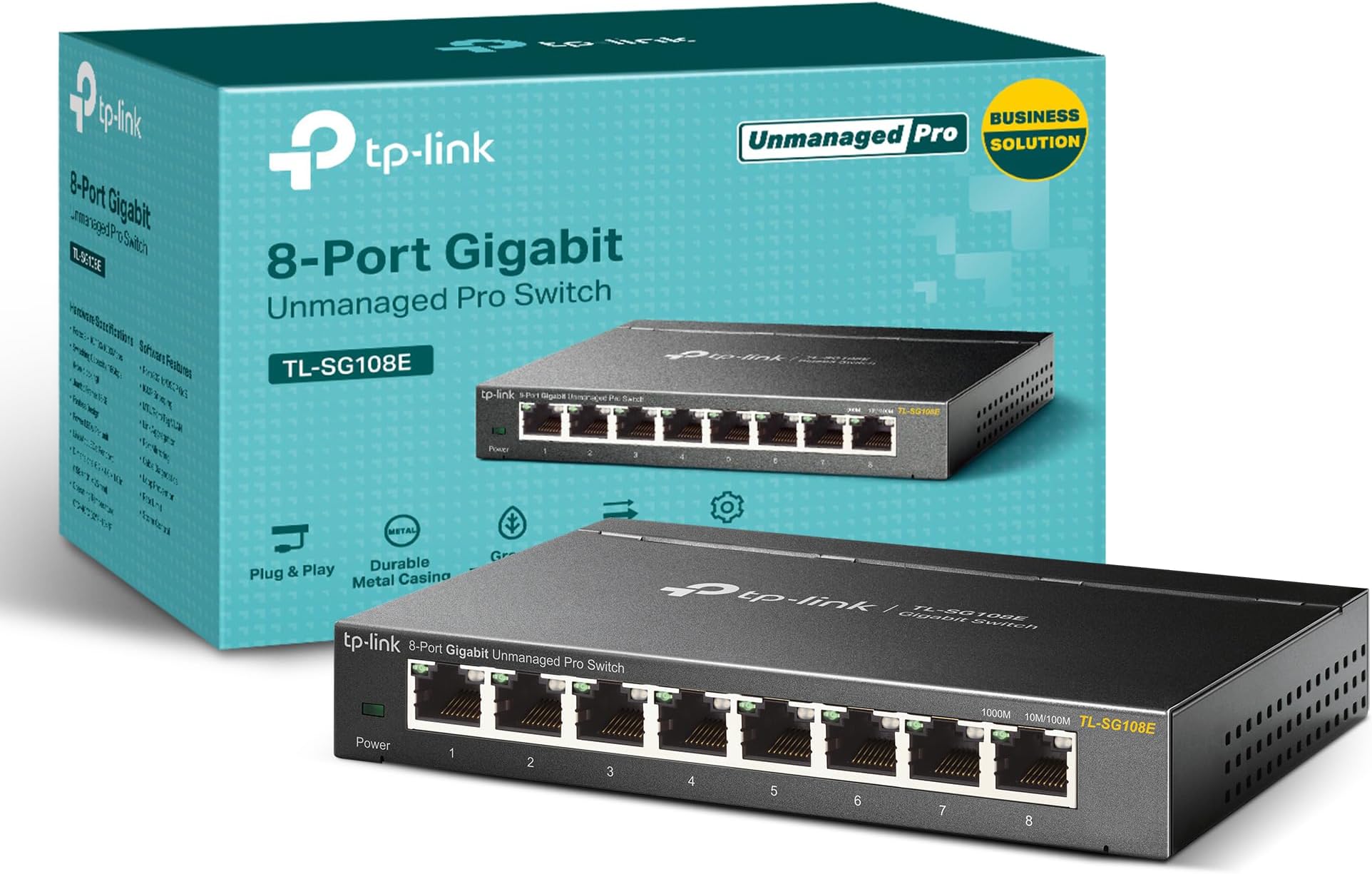
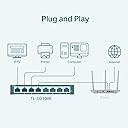
The TP-Link TL-SG108E is an 8-port gigabit Easy Smart switch designed for SMBs and savvy professionals seeking reliable, high-speed networking with advanced management features like VLAN, QoS, and IGMP snooping. Its sturdy metal build and shielded ports ensure durability and interference-free performance, while energy-efficient technology reduces power use by up to 58%. With plug-and-play convenience plus flexible desktop or wall-mount installation, itโs the perfect upgrade for anyone ready to future-proof their network with professional-grade control and eco-conscious design.


| ASIN | B00K4DS5KU |
| Best Sellers Rank | #7 in Computer Networking Switches |
| Brand | TP-Link |
| Built-In Media | TL-SG108E Power Adapter Installation Guide Rubber Feet |
| Case Material Type | Metal |
| Color | Black |
| Compatible Devices | Desktop |
| Current Rating | 1 A |
| Customer Reviews | 4.7 out of 5 stars 7,295 Reviews |
| Data Transfer Rate | 11.9 megabits_per_second |
| EU Spare Part Availability Duration | 2 years |
| Global Trade Identification Number | 06935364021863 |
| Interface | RJ45 |
| Item Dimensions L x W x H | 6.2"L x 4"W x 1"H |
| Item Type Name | SWITCHTPLINK8PTOSGIGABITTLSG108E |
| Item Weight | 1.1 pounds |
| Manufacturer | TP-Link |
| Maximum Power | 1000 watts |
| Mfr Part Number | TL-SG108E |
| Model Number | TL-SG108E |
| Number of Layers | 3 |
| Number of Ports | 8 |
| Platform | Windows |
| Product Dimensions | 6.2"L x 4"W x 1"H |
| Switch Type | Rotary |
| UPC | 840460604086 845973021856 |
| Upper Temperature Rating | 40 ยฐC |
| Voltage | 9 volts_of_direct_current |
| Warranty Description | 5-year |
A**N
update
I have been using this switch since November going on basically two months, I have been using tp-link products for a few years. This item seems well built and stand up to the name trusted. My only issue when i need to log in i have to keep resetting the switch to do anything with the software. It ask me to set password but log out and to log back in, it is say password or user name error. Since i don't need to log in more than once or so it really dosn't bother me. Thats just for someone who might be annoyed needing to log in every now and again. It showed up the weak points on my old network which was just a basic router i realized i was using a basic 100mbps router. I wanted gigabit service so i resort to a old mikrotik i have home to get gigabit into the switch. Did some minor adjustment reprogramming and it work. I might have to get a TP-link router later on but for now i can manage. So basically i am using it on two tv, the old router for wifi untili can improve that router, a printer and copier, a cable box which all of those items are 100mbps full duplex. My laptop is recieving full gigabit full duplex. The quality of my tv and cable box has improve significantly my router is no longer over loaded and bottle necking. Very few freezing i get on the cable box which i can live with and that is for just a few stations which sometimes servers over load and not IP issue or your equipment may just be at fault. Also use a wifi expander for out side and may add another later on. i would recommend this product if your just doing basic networking accross the home and office nothing complex easy plug and play if you know your way around it. It cane also work for gaming consoles Cabling is very important to your network let me say, because i had to rebuild some of my cables. Cat5e/cat6 recommended and it is also good to colour code the cables so you don't have a bondle of cables same colour. Make sure to use a good gigabit router or other equipment with good managment for your switch to get full potential from it. I have no regret buying this equipment for now and not hopping for any in new future. Make sure to also back up your network system with a ups for outages, outages can be very harsh on these sensative equipment they are very delicate. When ever there is a power outage and power returns there normally what is call spikes (voltage may increase) so a good ups is importantant for set up with surge protector. So you can properly shut down and save your hard earn investment. My ups 1000watts gives me up 7hrs or a little less of back up time if needs be but planning on adding a second back up system which maybe a complex idea if your not tech savvy. Its good to get a professional do this for you if going so far. Networking is becoming more complex not for only office and business but also for homes because cameras, gaming, iptv ect, is becoing more advanced. The challenges is getting proper set up into homes for satisfaction and these little equipment and make a great difference in dealing with some of the challenges we all face from day to day. Getting and choosing equipment can be very challenging because there are so many on the market but getting the right one can make such a difference. If your having challenges tp-link will solve the issues long as you know how to setting up their products or get a good pro to do it for you. Update on the switch i believe there is a lock switch on this device that allow you to log into the switch whenever time needed with out resetting it. For some reason i had to make a adjustment and saw it after logging out i was able to login now without doing a reset. Incredible product thinking about doing a upgrade in the near future to a managed switch and sure tp-link is my choice.
C**X
TP-Link 8-bit switch is high quality and reliable
TP-Link 8 Port switch was easy to use, emits NO noise, does not get hot, and works perfectly. Setup was quick and easy and it has been extremely reliable for over 6 months.
L**U
Exactly what I needed
Easy to setup, allows a good amount of connections and doesn't seem to hurt speed of the multiple computers connected, it's mountable if you need to but I did not. It appears to be durable too. It's fallen a couple times and has kept going. Solves for my need.
A**K
Understand what you are getting
This review is for TL-SG108E v6. It's a good switch for the best price out there. VLANs work fine, however, there are several limitations: No HTTPS or SSH access, only HTTP. Cannot specify VLAN for DHCP client, whichever server replies first is what it gets. Use static IP instead for switch management. Despite what many reviews say, VLAN1 CAN be removed in the newest version. To remove ports from VLAN1, enter VLAN ID 1, then select "not member" for your ports. But first need to place the ports into other VLANs using the same steps. For trunks you still must provide a PVID, which is 1 by default. Ideally, there should be a way to drop non-tagged packets from trunk, but there isn't. One workaround is to create a dummy VLAN that doesn't route anywhere and use that VLAN as PVID on trunks. However, you can't simply create a VLAN without any ports, so you would have to sacrifice one port for this and leave it unused. I personally don't use VLAN1 on my network and configured my router to drop untagged frames from the trunk ports. Problem solved. All the above is not a big deal for most cases, or there are workarounds. The worst limitation is that management interface is accessible from any VLAN. There is no way to restrict it. There is no management VLAN. This limitation is not obvious at first. If a port is in a different VLAN from the management IP, there is no access to switch UI - as it's in a different subnet - as long as your router is blocking inter-VLAN communication. But all you need is to put a static IP on the computer to be in the same subnet as the management IP. Then you can access the switch UI from any physical port, no matter what VLAN it is, as long as you know the password. However, for home use it's fine, it's a controlled physical environment. It would require an active attacker within your network to discover the switch management IP, then change IP on the compromised device, then guess the switch UI password, then move its port into a different VLAN - in order to break out of its assigned VLAN. If this sounds like your use case, then this switch is not for you. I understand this is an inexpensive product, but I wish they at least allowed to restrict management down to a single physical port.
A**5
Definitely the one to get for amazing home networking.
Had to upgrade my network and this fit the bill affordably. You're not really limited as much as you would think either. Takes a little more work configuring but the time invested versus the outcome is genuinely worth it. No complaints, runs 24/7 as they should with no hiccups after a proper initialization and a few tweaks in my software. Easy to use? Is any Network "easy"? Lol. Super functional and surpassed my expectations.
J**E
Great Switch
upgraded internet speeds and needed something that could handle the speed. Easy to install and works great
D**G
Perfect Gaming Switch: TP-Link TL-GS108E Easy Smart 8 Port Switch
This smart TP-Link Smart switch [Model# TL-SG108E] is so easy to set up and has additional software in case you want to play administrator with your home/office network. (This is not a review of a highly technical nature so if you are a Tech Admin look elsewhere. Thank you.) First some information that should be included right off the bat. :: Steel Housing; 6-1/4โW x 4โD x 1-1/4โH (w/ 4 rubber feet) :: Unlimited Tech Support 24/7 by phone. (I have not used it) :: 5 year Warranty -- System Requirements (Listed on the box) -- :: RJ45 Ethernet Cables :: Computer with Windows 8/7/Vista/XP, Mac OS or Linux operating system (No issues using Windows 10 Pro) :: Network Adapter (I used my internet router with multiple Ethernet ports) -- Package Contents -- :: The 8-Port Smart Switch (Yellow and Green LEDs for connected speed indication) :: Power Adapter :: Installation Guide (2-pages) :: Resource CD (3-inch mini-size) I purchased this switch because my son has friends over to the house and they bring their laptops to play games on-line. They had been using the Wi-Fi but it is slow and unreliable, in our household, and bandwidth was at a premium. I decided to buy a switch so all the friends could tap into the TP-Link switch and use the fiber optics internet access. I only had to furnish six Ethernet cables and off they went. They are able to play on line games using the switch and I have heard of no problems so far. Well, except for a tangle of Ethernet cables. Watch your step in the living room while the gamers camp and play. This switch was made for the home office, or small business, but I decided to use it for a home network because it appeared durable in its steel box, has 8 ports up to 1000Mbps each and the price was so right after a $15.00 rebate. This switch is more than is needed at this time, but for the price point after the rebate, I have no regrets. I would list all the features and benefits of this switch but most of them mean little to nothing to me. A network admin would understand what this switch is capable of doing for a network. The switch is a simple dark metal steel box, with LEDs that show your System Power, Link, with Speed (Green or Yellow) and activity indicators for each port. The box sits just under the edge of my TV set for easy access. It feels cool to the touch even after operating for hours. Nice. When you set up the switch box you use one of the 8 ports to take the Ethernet cable from the router and use the other 7 ports as outputs. Each of the 8 Ethernet ports are Auto-negotiating. That means you do nothing but plug in the cable. So this leaves you with 7 ports to use as outputs for any Ethernet-ready electronic device. This can include gaming consoles, TVs, media boxes like Amazon Fire TV, Roku etc. as well as a laptops. I was able to run an Ethernet cable from one room, from the cable router, and set the switch box under my TV in the next room. (The entire length from the router to the switch should be less than 328 feet). That's one port used so far. I also needed to run my Amazon Fire TV box out of the next Ethernet port to the television. That left 6 Ethernet ports for the gamers. I looked at the Configuration Utility software, after installation, to see what information would be available. This is not a web-based graphical interface (GUI) but a software interface on this particular model (TL-SG108E). The Utility CD is a 3 inch mini-disk. If your player cannot play a mini-disk you will need to download the Configuration Utility software from TP-Link. The software, after installation, provides you with the โDiscovered Switchesโ interface with the headings: Product, Device Description, MAC Address, IP Address, Located on IP Network, IP Setting, and Login. I do know that the MAC Address of any device can be used to help secure the network. I use them with all the devices using the cable router, whether it be iPod, laptop, desktop computer, Amazon Fire TV box, etc. To be clear I did nothing with the provided software to be able to hook up the box and use it. I did need to open my cable routerโs Admin software and entered the TP-Link switchโs MAC Address so my router would securely recognize it, but other than that, nada. Ez Pz. 5 Stars for TP-Link Easy Smart switchโs plug and play set-up, ease of use by its intended user-gamers, sturdy steel construction, and a wonderful after-rebate price point. There have been no issues since it was installed October 2015. If you can find an โUnmanagedโ switch for this price, size and durability go for it. NOTE: Besides the included Installation Guide, a 2-sided paper guide with instructions and images, you should also download from Customer Service the PDF files that will provide more specifications and detailed information about the switch and its software.
H**T
The smart functions help with setup
The smart functions help with setup and finding problems, but mostly it's just a very reliable switch!
S**Z
Fantastic value. Very reliable.
This thing is all it needs to be in a tiny, low power package. Already have 5 devices using it religiously with 3 of them being 24/7 servers with port forwarding. Zero hiccups and everything I needed it to do was straightforward and just worked. Recovery from power outages is very fast. Boots up in no time. Having the ability to hang it on the wall was also great and helped save space. No brainer purchase for my setup. Highly recommend.
L**O
Excelente producto
Buena calidad
A**R
ุณุฑุนุฉ ูู ููู ุงูุจูุงูุงุช ููุนู ู ุจุงูุชูุงูู ู ุน ุฌู ูุน ุงูุดุจูุงุช ูุณูู ุงูุงุณุชุฎุฏุงู
ุญู ู ุดููุฉ ู ูุงูุฐ ุงูุฑูุชุฑ ูุฏูุ ููุนู ู ุจููุงุฆู ูุงูุณุฑุนุฉ ุงูู ุทููุจุฉ ุนูู ุงูุฑุบู ู ู ุชูุตูู ุงูุซุฑ ู ู ุฌูุงุฒ ุจูุ ููุณ ูู ุตูุช ูุณูู ุงูุงุณุชุฎุฏุงู
M**R
Easy management
Perfect,easy to use
M**X
Home network switch 8 port
Excellent network switch for a small local home network. I got it for my cameras and hub and its working without s fault for years now. I do recommend it. This is a managed switch and easy to access the GUI.
Trustpilot
2 days ago
1 week ago