Buy anything from 5,000+ international stores. One checkout price. No surprise fees. Join 2M+ shoppers on Desertcart.
Desertcart purchases this item on your behalf and handles shipping, customs, and support to Uruguay.
⌨️ Elevate your Mac setup with classic comfort and spill-proof durability!
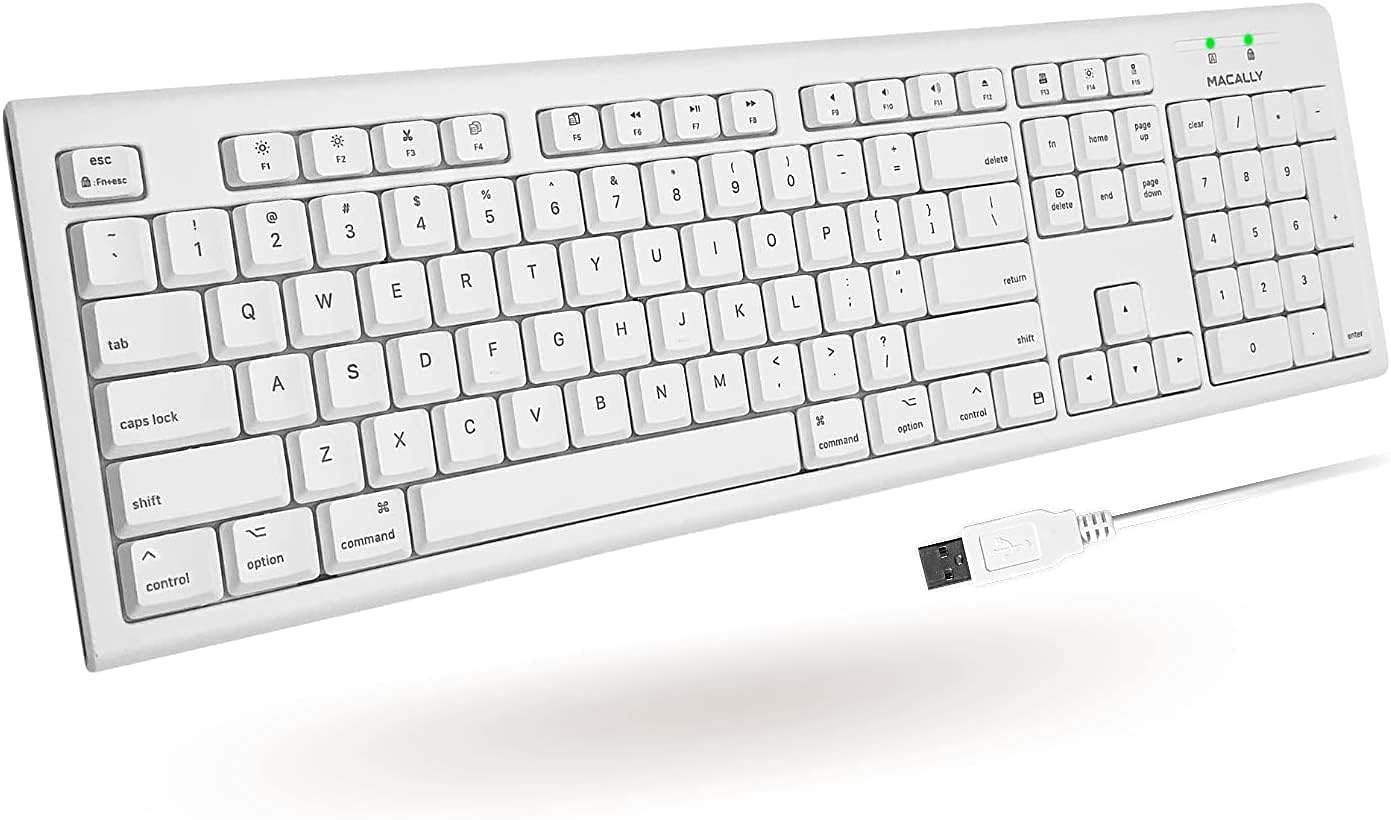
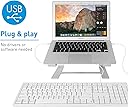
The Macally Full-Size USB Wired Keyboard is a robust, spill-resistant external keyboard designed specifically for Mac users. Featuring 104 full-sized keys, including 16 Apple-specific shortcuts and a numeric keypad, it offers ergonomic comfort with low-profile, quiet keys. Its durable rubber domed keycaps withstand up to 10 million keystrokes, while a 5-foot USB cable ensures flexible placement. Plug & play compatibility with macOS makes it the perfect reliable companion for Mac Mini, MacBook, iMac, and Mac Pro users seeking a professional, no-fuss typing experience.


| ASIN | B07GBTZYLN |
| Additional Features | Compatible Apple Keyboard, Ergonomic, Mac Keyboard, Macbook Keyboard, iMac Keyboard |
| Antenna Location | Business, Education, Everyday Use, Multimedia, Office, Personal, Student |
| Best Sellers Rank | #386 in Computer Keyboards |
| Brand | Macally |
| Built-In Media | QKEY, User Manual |
| Button Quantity | 104 |
| Color | white |
| Compatible Devices | Apple, Mac, Mac Mini, Mac Pro, Macbook, Macbook Air, Macbook Pro, Macintosh, iMac, iMac Pro |
| Compatible Operating System Family | MacOS |
| Connectivity Technology | USB-A |
| Customer Reviews | 4.2 out of 5 stars 3,058 Reviews |
| EU Spare Part Availability Duration | 1 Years |
| Enclosure Material | Rubber |
| Global Trade Identification Number | 00701107497310 |
| Hand Orientation | Ambidextrous |
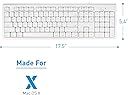
| Item Dimensions L x W x H | 5.4"L x 17.5"W x 0.78"H |
| Item Type Name | Macally Mac USB Wired Keyboard for Apple Computers and Macbooks with 16 Compatible Apple Shortucts for iMac Desktops or Macbook Pro Air Retina Laptops | Full-Size & Extended with Number Keypad (White) |
| Item Weight | 1.02 Pounds |
| Keyboard Backlighting Color Support | Single Color |
| Keyboard Description | Ergonomic |
| Keyboard Layout | QWERTY |
| Manufacturer | Mace Group Inc / Macally Peripherals |
| Mfr Part Number | QKEY |
| Minimum Required Operating System Version | Mac OS X 10.6 Snow Leopard |
| Model Name | QKEY |
| Model Number | QKEY |
| Number of Keys | 104 |
| Number of Sections | 3 |
| Power Source | Corded Electric |
| Recommended Uses For Product | Business, Education, Everyday Use, Multimedia, Office, Personal, Student |
| Special Feature | Compatible Apple Keyboard, Ergonomic, Mac Keyboard, Macbook Keyboard, iMac Keyboard |
| Style Name | Contemporary |
| UPC | 701107497310 |
| Warranty Description | One-Year-Hassle-Free-Warranty |
M**O
EXCELLENT old-school keyboard with raised keys vs flat keys
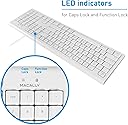
I have a 2018 iMac 21" Desktop that had a "magic" keyboard failure.... alpha keys on right would not work... tried to replace it with a bluetooth keyboard.... same thing happened... so that was returned... then I bought this Macally Full-Size USB Wired Keyboard for my iMac Desktop Computer, plugged in the USB to the back of the computer, and an APPLE Setup Window came up, followed the simple instructions, and it works perfectly. This is a wonderful, old-school keyboard... with raised keys vs flat keys, but I'm adapting easily, and all the Apple Keys work perfectly, without issue and there is even a light that goes on when the CAPS LOCK is pressed. THANK YOU, MACALLY.
J**L
Light and has good touch
It's lighter than my old one but that's because it has no ports. I couldn't find a plug-in keyboard with ports. So, I bought an adaptable plug-in bar and bought this keyboard, I'm a writer and I wore the letters off my old one. I'll probably wear these keys out in time too, but the price makes it worthwhile. I like the touch and while the keys are high they don't make any noise when I type. I hate keys flat to the surface because I type fast and flat keys and my fast fingers don't always work well. My typing is fast and the keys keep up with me. It is installed easily and it's lightweight. Due to back problems, I have to sit on a recliner with the keyboard on my lap and this works great with my set-up. I highly recommend this keyboard.
J**S
Nice but letters in keys fade fast
Had this for a little over 2 years now. Works great but the letters are fading fast on the common shortcut keys
M**I
Mac compatibility at its best (rise of the function keys and the fall of inconfigurability)
The single most reason I bought this keyboard is for mac compatibility. Apple discontinued their support for my iMac 2015 which I think is too early. Especially because I spent $3000 buying the iMac. When I lost the space bar functionality on my Mac keyboard, I went to the Apple store, and they told me that my iMac is "too old". And that the new magic keyboards don't care for my iMac. So I decided to look for a keyboard that works with Mac. In the meantime, I have had problems with bluetooth keyboard, for getting completely locked out of my own Mac if the keyboard fails for any reason. So I have been increasingly leaning towards USB wired keyboards. My first trip to Best Buy resulted in nothing other than gaming keyboards, which happen to be very expensive, and secondly do not work, unless you install some crazy key mapping tool software like Better Touch. I am totally against spending money to mask out a problem originally created by Apple itself. Sell me a bad keyboard, then ask me to spent money to buy software that fixes it, and this software has a recurring fee. For this reason I do not recommend the Better Touch tool. This brings to my journey that ended with ordering the Macally keyboard which I should I have done in the first place. But I did not know it existed until I searched for it on Amazon. As per Best Buy, most USB keyboards work only with Windows. But Macally works with Mac too, and that is the main reason to buy this keyboard. But there are a few other reasons. The main reason is that the function keys work! I do not need to install any software to make the function keys work. I am mainly interested in the brightness and volume keys. I tried everything they mentioned on fixing this with the other keyboards, and ultimately had to use the Better Touch tool to make it work. I do not support this purchase of additional software just to get basic keys working. It's honestly a Mac problem and not my problem. I call it poor design and also greed on the part of Apple to keep selling you new devices and make you get rid of your 5 year old iMac. However Macally solves all these problems. You do not need to change any settings on the Mac to make the keyboard work. It works right out of the box. Just hook it up to your iMac and you are ready to go! The placement of the keys is also consistent with the original Mac keyboard which is good. It's much easier to communicate and work with others when your keyboard has the same keys that they do and in the same location. The Macally keyboard even though wired is not noisy like a mechanical keyboard. I think it is a very superior technology. I have used many keyboards, and I love the Macally keyboard. In fact, I am using it to type this review right now, so you can trust my instinct that this is fine technology. The third reason I like this keyboard is that the keys have a definite positive deterministic click snap spring feedback. So even the visually impaired can be fairly certain they have typed the key. It might take a few minutes to get used to the keys. But after that you are flying through the keyboard like you have never been. I am not a fan of the Mac color schemes, but I do like the Macally keyboard arrives in the white color, which does not make it stand out as a different device. The reason for the low ergonomic rating though is that this keyboard is not backlit. I really needed that feature. How much does an LED cost, they could have just done that. As far as brightness I am not sure what they mean, but it is white if not bright. Yes, there is no backlit keyboard for sure again, so it is not bright. The other reason for the ergonomic rating is that the keyboard definitely is not flat. It rocks back and forth as you type. It may not be leveled correctly. So I have to use a padding underneath to soften the noise it makes while I type. There is no Fn key, but you do not need it for most cases. You could use a Mac setting to fix it perhaps. I also get the Numeric keypad which is about $40 for the Apple magic keyboard. You could get two Macallys for that price. Don't waste your money on a "magic" keyboard. You don't need it especially if it is not working for you.
D**E
Great replacement when you wreck your Mac keyboard
Accidentally spilled a drink on my Mac A1048 full keyboard (my favorite keyboard of all time) and while I have several others sitting around, I hate those tiny keyboards they give out nowadays with new Macs. You can still get the A1048 on Ebay for like $40-$50, but refurbished. Noticed this one and nabbed it. No regrets. I miss the 2 USB ports on the one I had, but I'm sure MacAlly has models with that as well. That will be my next purchase. No complaints... good action and being spill resistant is a big game changer for clumsy graphic designers like myself. I recommend this if you accidentally murder your Mac keyboard. A good value for the price. And it's new!
A**E
Works okay, but has a few glitches
I decided to wait a couple of weeks after buying the keyboard before giving it a review. Wanted to live with it first. I like it in general, but it has two issues that prevent me from giving it a great review. One is that the caps lock light does not work consistently. It works for a little while, then stops working. If I unplug the keyboard and plug it back in, it starts working again. This has happened many times so far. The other is that the touch on the space bar seems off. I repeatedly have the problem where I hit the space bar but no space is created on the doc. Seems I'm not hitting it hard enough. So maybe it's a bit of a user issue, but I've never had this problem with other keyboards, so it's not all user either.
B**R
Plug and play simplicity
This is a really nice keyboard. It has a nice feel to the keys, nothing sticks or drags and it's a pleasure to work on. I got it to replace a Mac keyboard that was losing it's bluetooth connection repeatedly, so opted for a plug in model. Should have bought this sooner, it's making my work a lot easier. Also like the extended keyboard. It doesn't have a lot of fancy bells and whistles - no silly lights or anything, just a nice solid working keyboard. Well worth the money.
J**N
CHEAP QUALITY! 3 days of use and already showing signs of mechanical failure
Initially, upon receiving this keyboard I was fairly pleased; it was clean (uniform white with grey key text), relatively lightweight (though I'm not traveling with it), and my MacBook Air (Mojave 10.14.6) quickly identified it. Almost immediately upon typing I noticed the clunky, somewhat spongy mechanical feel to the keys, but didn't think too much of it, since it was brand new. The best way I can describe it is that the keys are off-balanced and if you don't hit the keys dead-center, they just don't feel right. (If you examine the top of any key you'll note you can see the plastic injection molding prongs still attached, which is just a small example of the lacking quality.) After only a few minutes of typing a discussion post for school, I noticed the unusual amount of typos that were filling my screen. In particular, I was missing a lot of spaces, and when I backspaced, I had to made sure I was hitting the CENTER of the key in order for it to register. Once again, I sucked it up, and figured "It's new, I'll get used to it." 2 or 3 days later, while typing up a paper for school, I noticed the LED indicating the CAPSLOCK function is BURNT OUT. Wow, that's some CHEAP garbage quality! *I'm going to return this junk and buy a better quality keyboard before the whole thing fails and I'm stuck outside of the return window. @Macally, you dropped the ball with this one. I'll be sure to avoid purchasing from you again.
N**T
Work perfectly fine
Works perfectly fine
C**Y
Used with MacBook Pro
Good solid and well built product. The keypad is nice and responsive and comfortable to use over a period of time. Highly recommended.
A**R
Good feel
The keyboard has a good feel to it. The keys are not as low as some, but not clunky, full-sized keys, either. I like it. I was hoping for USB-C, but the USB-A will work fine.
S**R
Compatible con Mac 100%
Teclado compatible con Mac mini, suena mucho las teclas, no prende el fico de indicador de tecla de mayúsculas. El cable usb muy largo por si esta lejos la mac. Por el precio me parece buena opción.
F**K
Great product
Excellent keyboard, same as Apple but a fraction of the price.
Trustpilot
1 month ago
1 week ago