

๐ฌ Capture the Past, Share the Future!
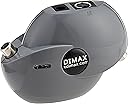
Grex - The Best Digital Video Stabilizer will let you copy, capture and view any protected video content. Review: Still One very happy, heavy user of the Grex - This is my second Grex and it will be used at another tv/Uverse/dvdrecorder location in the home. It is a darker colored gray than pictured here. Not an issue. Before becoming an desertcart customer, I had purchased my first one, in 2012, directly from Israel, for $98 and a few weeks of waiting. It has many hours of use and it is still working as advertised. I have no less expectations of this second purchase, through desertcart. As mentioned before, by others before, this device does not improve picture or signal quality it only helps you to view or record copyrighted material for home and personal use only. The Grex not only deals with Sat and cable, commercially recorded dvds and vhs but also desertcart Fire T.V. This device does, in fact, work well with HD and Blu-ray. Just in case I am "preaching to the choir" the higher the vhs or dvd recording speed the better your playback[quality] will be. EDIT: 2016NOV15 - I just received my third GREX(7.4) a few days ago within a couple days of ordering it. This is my second one from desertcart. Since last posting, I have switched from TWC/Spectrum back to ATT Uverse. With both cable companies this device has worked without a hitch. This current model has markings, faint as they are, for Input(from source) and Output(to monitor, t.v. or recording device). As on my other ones, I use a marking pen to indicate the "IN" and "OUT" ports on the GREX. Please realize thE GREX is only receiving the best signal coming from the rca's, component or composite signal of the source device. It will not "improve" it. Something I had discovered with TWC, is if your home is wired for cable and you wish to continue utilizing your homes cable wiring, AND NOT having to switch to fiber optic or satellite for HD viewing, TWC runs a HD signal through your[current] cable wiring called MOCA, Media Over Cable. Unless you have exceptional eyesight or some type of measuring equipment, it is difficult to discern the difference in HD picture quality of the HDMI output verses the[rca]component output. However there is a slight difference in volume level(not quality) between the two outputs, maybe(?) because of digital compression or some other factor. But that is not a big deal. I would say on the conservative side, when recording OTA broadcasts, or my own dvds or bluerays, the copy quality is at least about 80 to 90 percent of the originals but that is coupled with the better the recorder, and the higher the recording speed, the better resulting picture quality will be for you as a viewer, who may want to archive it for some protracted period of time. If it's a matter of saving episodes, to "delete" later, the slower speeds will suffice, as; you can, of course, put more programming on one disc .I use rewritable (rw) dvds to record, then rip and archive to my pc and storage hdds. Cons: No instruction manual, but you can go on line and/or get input and from faqs, forums sites, etc. Unlike some past or maybe current, but possibly more expensive stabilizers, Grex does not have have color or brightness adjustments I owned one that did, but the technology prevented it from being effective with some dvds and outright no luck with cable. For those that bugged about it not having a power switch, I simply use a switchable tap or plug it into a multi-plug power center with individual switches, which allows me to turn the Grex off when not in use. Summary: It has handle every type of situation I could throw at, aside from gaming consoles and Roku devices; of which I do not own, without a hitch. It is unfortunate that other purchasers have had problems with their stabilizers for one reason or another. I stand by my 3 purchases, recommend it wholeheartedly and would buy a fourth if the need arises. Review: Works great so far. - Bought this because I have a bunch of copy-protected VHS I want to record to DVD. Some because I don't own the movie on DVD, some because I want to preserve the VHS experience with previews and such, and some that aren't on DVD or are very hard to find. It was easy to connect, although I somehow fouled it up the first time. But on my second try, I succeeded and so far have recorded two VHS tapes to DVD that I couldn't before and am on my third. I've been wanting to get one of these and try it for a while and I'm glad to finally have done it. I know I'm going to get my money's worth on this one. Edit #1: After copying four tapes to DVD, I've learned that there is a bit of flicker, plus the picture is lightened a bit. Some tapes have more flicker than others. Still happy with the unit, but I do wish it didn't affect the brightness. Edit #2: With 20 tapes done do far, I must say I'm very happy with this. As I said previously, some tapes have more flickering than others using this, but in general, it's the same quality. Grex has been a great investment, allowing me to preserve some of my classic Disney tapes with nostalgic previews, bumpers, etc., as well as some tapes that I don't yet own on DVD. I have yet to run into a tape that this can't bypass. Definitely remember to order directly from desertcart, as you'll get it shipped from the US and not overseas, meaning much faster delivery.
| ASIN | B0096I2DNE |
| Best Sellers Rank | #1,275 in Video Camera Supports & Stabilizers #1,612 in Professional Video Stabilizers |
| Brand | XDIMAX |
| Brand Name | XDIMAX |
| Cable Type | RCA composite video |
| Color | Grey |
| Compatible Devices | Monitor, PC, Projector |
| Compatible Phone Models | No Compatible Phone Models |
| Connector Gender | Female |
| Connector Type | RCA |
| Customer Package Type | Padded Envelope or Small Box |
| Customer Reviews | 4.3 out of 5 stars 621 Reviews |
| Global Trade Identification Number | 00639737263763 |
| Indoor Outdoor Usage | Indoor |
| Item Shape | Round |
| Item Weight | 4.8 ounces |
| Manufacturer | XDIMAX LTD |
| Model | GREX-7.4 |
| Model Name | GREX-7.4 |
| Number of Items | 1 |
| Number of Pins | 2 |
| Other Special Features of the Product | Data Transfer |
| Part Number | GREX-7.4 |
| Recommended Uses For Product | DVD |
| Special Feature | Data Transfer |
| Specification Met | No |
| UPC | 639737263763 887487251237 033587171825 |
| Unit Count | 1 Count |
E**D
Still One very happy, heavy user of the Grex
This is my second Grex and it will be used at another tv/Uverse/dvdrecorder location in the home. It is a darker colored gray than pictured here. Not an issue. Before becoming an Amazon customer, I had purchased my first one, in 2012, directly from Israel, for $98 and a few weeks of waiting. It has many hours of use and it is still working as advertised. I have no less expectations of this second purchase, through Amazon. As mentioned before, by others before, this device does not improve picture or signal quality it only helps you to view or record copyrighted material for home and personal use only. The Grex not only deals with Sat and cable, commercially recorded dvds and vhs but also Amazon Fire T.V. This device does, in fact, work well with HD and Blu-ray. Just in case I am "preaching to the choir" the higher the vhs or dvd recording speed the better your playback[quality] will be. EDIT: 2016NOV15 - I just received my third GREX(7.4) a few days ago within a couple days of ordering it. This is my second one from Amazon. Since last posting, I have switched from TWC/Spectrum back to ATT Uverse. With both cable companies this device has worked without a hitch. This current model has markings, faint as they are, for Input(from source) and Output(to monitor, t.v. or recording device). As on my other ones, I use a marking pen to indicate the "IN" and "OUT" ports on the GREX. Please realize thE GREX is only receiving the best signal coming from the rca's, component or composite signal of the source device. It will not "improve" it. Something I had discovered with TWC, is if your home is wired for cable and you wish to continue utilizing your homes cable wiring, AND NOT having to switch to fiber optic or satellite for HD viewing, TWC runs a HD signal through your[current] cable wiring called MOCA, Media Over Cable. Unless you have exceptional eyesight or some type of measuring equipment, it is difficult to discern the difference in HD picture quality of the HDMI output verses the[rca]component output. However there is a slight difference in volume level(not quality) between the two outputs, maybe(?) because of digital compression or some other factor. But that is not a big deal. I would say on the conservative side, when recording OTA broadcasts, or my own dvds or bluerays, the copy quality is at least about 80 to 90 percent of the originals but that is coupled with the better the recorder, and the higher the recording speed, the better resulting picture quality will be for you as a viewer, who may want to archive it for some protracted period of time. If it's a matter of saving episodes, to "delete" later, the slower speeds will suffice, as; you can, of course, put more programming on one disc .I use rewritable (rw) dvds to record, then rip and archive to my pc and storage hdds. Cons: No instruction manual, but you can go on line and/or get input and from faqs, forums sites, etc. Unlike some past or maybe current, but possibly more expensive stabilizers, Grex does not have have color or brightness adjustments I owned one that did, but the technology prevented it from being effective with some dvds and outright no luck with cable. For those that bugged about it not having a power switch, I simply use a switchable tap or plug it into a multi-plug power center with individual switches, which allows me to turn the Grex off when not in use. Summary: It has handle every type of situation I could throw at, aside from gaming consoles and Roku devices; of which I do not own, without a hitch. It is unfortunate that other purchasers have had problems with their stabilizers for one reason or another. I stand by my 3 purchases, recommend it wholeheartedly and would buy a fourth if the need arises.
T**E
Works great so far.
Bought this because I have a bunch of copy-protected VHS I want to record to DVD. Some because I don't own the movie on DVD, some because I want to preserve the VHS experience with previews and such, and some that aren't on DVD or are very hard to find. It was easy to connect, although I somehow fouled it up the first time. But on my second try, I succeeded and so far have recorded two VHS tapes to DVD that I couldn't before and am on my third. I've been wanting to get one of these and try it for a while and I'm glad to finally have done it. I know I'm going to get my money's worth on this one. Edit #1: After copying four tapes to DVD, I've learned that there is a bit of flicker, plus the picture is lightened a bit. Some tapes have more flicker than others. Still happy with the unit, but I do wish it didn't affect the brightness. Edit #2: With 20 tapes done do far, I must say I'm very happy with this. As I said previously, some tapes have more flickering than others using this, but in general, it's the same quality. Grex has been a great investment, allowing me to preserve some of my classic Disney tapes with nostalgic previews, bumpers, etc., as well as some tapes that I don't yet own on DVD. I have yet to run into a tape that this can't bypass. Definitely remember to order directly from Amazon, as you'll get it shipped from the US and not overseas, meaning much faster delivery.
P**C
Works pretty good for me.
The way I use it, the unit has worked well for me. I use it only for off air broadcast programs, And copying my personal use DVDs, and old VHS tapes. I only hook it up when in using it. Only down sides is that is a weird shaped unit and there is a little quality lose, but that may simply from switching from HDMI to S-video And i wish it had HDMI but i know it didn't but I knew it didn't when I ordered it so I cant knock it for that. It's true that it comes with NO manual, but you really need it. This is what I do. PLUG IN THE INPUT AND OUTPUT (an additional cable video cable will be needed as the unit comes with none). Turn your television set on. Then plug the power in on the Grex unit. In a few seconds "GREX" will appear on your television screen. Now you should be able to record normally. I have had no issues using it with dvds, vhs, or off air television, i have not used it with Blu-ray or other media. I've heard the some users cant record cable TV programs. Since I've never used the Grex for that I can't say how it will work. I use Roku (HDMI only) and have not current cable or satellite programming. I don't leave it plugged in or connected when not in use. So far I've been happy with the little unit
W**H
My Review for the Dimax Grex 7.4 What a great Buy!!!
Just got this yesterday on the free 2 day shipping for joining the amazon prime free trail and, I am very pleased and,only did one movie to DVD!! It even came a day early and, was expecting it originally today but, my tracking told me I would get it Tuesday and, did. When the Grex 7.4 came I was surprised as the other people on these reviews to find out how small of a box it came in and, the plastic is as cheap as a happy meal toy and, very see through. Dispute the plastic what the chip inside can do is out of this world you will make your money back on it in no time. Had this gadget a day and, love it already. Just as the website says it will do Cablebox to DVD,VHS to DVD,DVD TO DVD,Netflix to DVD using it with composite audio video hook ups through your PS3 Or PS4 if it has it and, What it did not say it will do Blu-Ray to DVD as well but, only with the PS3 or 4 as well cause, most Blu-Ray players don't have a composite hook up on them only HDMI which the Grex 7.4 doesn't have. Since I don't use tapes anymore I got it to back up my store bought DVD's For family works like a charm Love it and, would recommend it to family and, friends!!!
I**M
Works fine. The cheaper stabilizer I bought (1/3 the price) ...
Works fine. The cheaper stabilizer I bought (1/3 the price) did not strip out copy protection; this one did. Video quality is acceptable--that is, I could detect no difference between its presence and absence, but considering that the input was a VHS tape, I couldn't expect much. Deducting one star for a) not labeling input and output; b) no instructions included; c) no cables included (even a single cheapo would have helped); d) price. Kudos for including an AC adapter. Note that while I consider this to be over-priced, it did work, and worked well. And if you, like me, have an absolutely irreplaceable VHS tape from a company that is no longer in business, thus no available DVD, I am not sure you have a lot of choice. It was a lot to pay for a single use, and frankly, I would rather have paid that to buy a commercial DVD--if only there had been one. If you're in the same situation I was but with several tapes to backup before tape death occurs, you will probably feel more comfortable about buying this. I have absolutely no quibbles about the quality of the product.
C**Y
Works for Roku 2 and TiVo
This device will work for a Roku 2 (because of composite cables for recording to a DVD recorder/burner). You cannot use HDMI cables for this stabilizer. You will need S-Video, Component or Composite cables. There was a website that helped me find this product so that I could record some kids programs for long car rides. http://everydaylife.globalpost.com/bypass-macrovision-roku-37820.html I had it working in about 5 minutes once I figured out how to configure the cables from the back of Roku 2 to my GoVideo Combo DVD recorder/VHS. The bundle of composite cables (red/white/yellow) go from the back of the Roku 2 to the "AV1 In" Red/White input jacks on the back of your DVD recorder. The remaining Yellow cable from the bundle goes to the "In" on the Grex and then get another Yellow composite cable to go from the "Out" of the Grex to the back of your DVD recorder "AV1 In" Yellow input jack. Others have shown the diagrams to help with the various ways to properly hook this unit up depending on the products you are using. I'm describing how to get it to work with the Roku 2. It will also work with TiVo in the same manner if you have a Netflix, Hulu or Amazon account that you access from your TiVo DVR.
D**M
Doesn't work on my DVR/VCR Combo Units (no Cable Box)
BUYER BEWARE!! I have used a JVC DVR/VCR Combo recorder for about 5 years without ANY problems!! (I got my first VCR in 1980 and have successfully been using them ever since -- I bought my first DVR about 5 years ago.) I presently have 2 of these JVC DVR/VCR Combo units, one connected to an Analog TV and the other connected to a new Hitachi LED TV. I'm not a novice when it comes to DVRs, VCRs, and TV hook-ups. I get my TV signal through cable (but do NOT have a cable box). My cable comes out of the wall and connects directly into the "antenna in" on my DVR/VCR unit. Then I connect another cable from the DVR/VCR unit "out" to the "antenna in" on my TV. For about 5 years (until the middle of December, 2012), I HAD BEEN able to record anything that was shown on the cable channels that I receive, either on DVD or VHS, with ABSOLUTELY NO PROBLEMS!! I have even moved alot of my VHS recordings (some are TV Series and others are Movies that I recorded when they were shown through our cable TV. I don't get the Premium Channels like Showtime, HBO, etc) from VHS to DVD without ANY problems. My only complaint with this "dubbing" is that it is done in real time (ex, if you're moving a 1 hour show, it will take you 1 hour to convert it). In the middle of December, 2012, several of the regular TV shows that I record in order to watch at more convenient times, would not record. When I checked out why these shows were all of a sudden not recording, I found that when I pressed the record button on 3 of the regular channels I record, a "Copy Protected -- Cannot record" message would show up on the TV screen. We did alot of research and decided that a video stabilizer probably would allow me to record the channels that are now copy protected. We read alot of reviews (in Amazon, CNET, Consumer Reports, etc), checked out product websites and decided that this "XDIMAX Grex-7.4 Video Stabilizer" was what I needed in order to be able to record these now copy protected TV channels. When my XDIMAX Grex-7.4 unit arrived, I tried to install it on my new Hitachi TV (I assumed that it would be easier to install it on a new digital TV than an older Analog TV). I was never even able to connect the Grex to my DVR/VCR. I thought that 2 of the connectors on the Grex were coaxial connectors, but they are not. You have to connect it using either an HDMI cable or S-Video. In order for the XDIMAX Grex-7.4 to be able to process, and therefore change, the signal coming in from the cable, you HAVE to be able to connect the XDIMAX Grex-7.4 unit to your equipment BEFORE the cable is actually connected to the DVR/VCR. Because I do NOT have a cable box, this unit will not work for me!! I'm assuming that it MIGHT work if you have separate VCR and DVR units (with the correct connector capabilities) and you want to copy a VHS that you have already recorded onto a DVD, but this is NOT what I wanted it to do. I can already move TV shows and movies that I have recorded on VHS to DVD because I have DVR/VCR Combo units. My Combo units will NOT copy a VHS that I bought (and is therefore copy protected) to DVD -- but neither will the Grex-7.4 unit when you are using a Combo unit. It apparently only will do this if you can connect 2 separate units together. I kept thinking that there HAD to be a way to get the Grex unit to do what I needed (most of the reviewers talked about how easy it was to hook-up and how well it worked). After spending most of a day trying to get the Grex to connect to, and work with my DVR/VCR and Hitachi digital TV, I can only assume that these reviewers have cable or satellite boxes that supply their TV signal. I have emailed the DIMAX company several times, but have never received any reponse from them. FYI: In order for DIMAX to actually receive emails from you, you must first set up an account with them. Then they must respond back to you in order for your new account to be activated (if this does not happen, their system does not recognize your email address and the emails you sent to them come back to you as "undeliverable"). I set up an account with DIMAX, but have never gotten an actual email from DIMAX (my emails to them have been returned to me as "undeliverable")!! Also, there is not a phone number that is noted anywhere that I can find. Since I could NOT comunicate with the manufacturer (either by email or phone), I can only assume that the XDIMAX Grex-7.4 unit will not work with my cable/DVR/VCR/Tv set-up. Today, I have packed my XDIMAX Grex-7.4 units. I'm sorry to say that my XDIMAX Grex-7.4 Video Stabilizer units will be returned to Amazon.
J**O
Finally, something that works.
I purchased this unit because it has become a fiasco to copy almost ANYTHING from the DVR and save onto a DVD. I'm not speaking of copyrighted movies, but even a simple clip from the Game Show Network, or TV Land, or a news clip. I've read mixed reviews about this device. When I connected it, it recorded and eliminated the 'Copyright Protected' hard-stop that was constantly appearing. However, I did notice a bit of degradation in the picture quality. It was almost like the old days of copying a VHS tape. The copy would lose quality and develop a somewhat 'bland' look. It's possible that it might be my cables. Maybe I should buy some high-end video cables or an S-Video cable to see if the picture quality is better. However, I do give a personal recommendation for this product. Even if the quality has a loss, some things are worth being able to keep rather than not. If the quality issue disappears with better cables, I'll post a new review and indicate exactly what cables I purchased and used.
Trustpilot
2 weeks ago
1 month ago