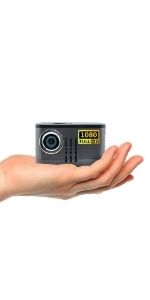
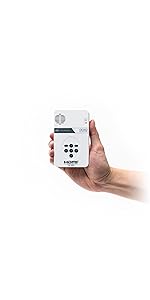
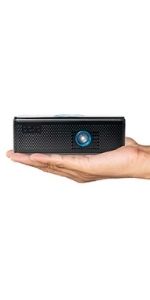
🎥 Your pocket cinema: big screen vibes, zero hassle.
The AAXA LED PICO is a palm-sized multimedia projector delivering 25 lumens of brightness and native 720p HD resolution with vibrant color tech. Featuring an 80-minute rechargeable battery, built-in speakers, and versatile media inputs including USB, microSD, and mini-HDMI, it’s designed for effortless, portable entertainment or presentations. Ideal for dark rooms and small audiences, it offers a compact, plug-and-play solution for millennials seeking stylish, on-the-go visual experiences.


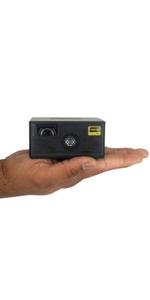


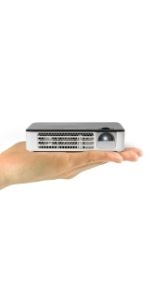
| ASIN | B005TAXDPK |
| Additional Features | pico, speakers |
| Best Sellers Rank | #2,381 in Video Projectors |
| Brand | AAXA Technologies |
| Brightness | 25 lumen |
| Built-In Media | Overhead Projector Supplies |
| Color | White/black |
| Compatible Devices | Smartphone, Tablet, Gaming Console, Laptop, Television |
| Connectivity Technology | Mini-HDMI::Composite A/V (3.5mm Jack)::Full Sized USB 2.0, USB, microSD AV |
| Contrast Ratio | 1000:1 |
| Control Method | Remote, Touch |
| Controller Type | Button Control |
| Customer Reviews | 4.0 out of 5 stars 3,185 Reviews |
| Display Resolution Maximum | 1280 x 720 |
| Display Type | DLP |
| Display resolution | 1280 x 720 |
| External Testing Certification | CE, FCC |
| Form Factor | Pocket, Portable |
| Global Trade Identification Number | 00670541790342 |
| Hardware Connectivity | Memory Stick, USB, VGA, mini HDMI |
| Item Dimensions L x W x H | 4.25"L x 2.36"W x 0.7"H |
| Item Weight | 0.4 Pounds |
| Lamp Wattage | 6 Watts |
| Light Source Operating Life | 15000 Hours |
| Manufacturer | AAXA |
| Maximum Image Size | 60 Inches |
| Mfr Part Number | KP-101-01 |
| Minimum Image Size | 60 Inches |
| Model Name | KP 101 1 |
| Model Number | KP-101-01 |
| Mounting Type | Tabletop Mount |
| Native Resolution | 1280 x 720 |
| Picture Quality Enhancement Technology | LCoS |
| Special Feature | pico , speakers |
| UPC | 012306264260 617407461749 021112685398 046161000268 799198904329 832515104115 861495000117 012303284629 670541790342 595088140767 631058216152 060070119545 501340428764 724627068198 |
| Unit Count | 1.0 Count |
| Video Encoding | AVC |
| Warranty Description | 1 year |
| Wattage | 6 watts |
H**B
Just perfect for me!
I bought it without expecting much, but got more out of it than expected! I have been busy for a while now with budget LED projectors, and this one by far beats all competitors. For one, it has a built in video decoding capability! Two: Extremely low power consumption. And three, I don't think I should mention portability, battery life, and ease of use, as it may be obvious... It's very basic Linux one; RM files not included in the decoding, but regular AVI, MKV, MP4, OGV, and other most common containers play back well; as well as audio and image files. So far I only tested upto 720p video, and it works fine! Good, because, most my vids are 480p anyway. The cons of this device: The projection is rather small, so you'll have to place it quite far away from the wall to get a decent sized screen. About ~10ft of distance gets you 70in of screen estate; very roughly estimated (I may be off + or - 10"). It's pretty hard to angle the device correctly, and it doesn't have a keystone correct. Generally I dislike digital keystone correct settings, however it takes only very little to add a small tiltable lens, to get an analog keystone correct. In a pitch black room you can get a decent 80in screen displaying on a bright white or matte light grey wall. In the slightest ambient light, the screen size should be reduced to a mere 30in screen max due to image wash out. In broad daylight (Sun light), the screen can be no bigger than a netbook screen of 10". So the light intensity is good enough for a dark room, but that's about it! The speaker is barely 6-9dB louder than the fan, which can be annoyingly loud sometimes for it's size; and especially during silent moments. They should equip these kind of projectors with curved bladed fans instead of straight fans. The device is so small, about the size of a remote control, or a bank card; only a bit thicker; that the fan has to be so small, that it needs to rotate full power to keep it cool. The internal speaker is barely loud enough to be heard in anything bigger than a small bedroom. In a minor way you can see the rainbow effect when shaking the projector and image a bit. But when not moving, you won't notice the effect at all (which is, how you usually would watch TV anyway)! Pro's: I can literally plug in a 32GB MicroSD card in the device, plug in speakers or headphones, and start watching hours of movies. It's all the device needs. No need for massively large hardware. Just the projector, a USB flash drive plugged in, a micro SD card, or a Google chrome, and your micro projector theater project can all fit in the palm of your hand! The image quality is very good! I had to add round about 25% of color contrast (from 50%; as stock (50%) the image is somewhat grey-ish), but the colors at 75% contrast look excellent! Setting it to 80% and it looks somewhat a bit oversaturated. The resolution is very good as well! Playing back HD 720p files looks very good! Much better than any DVD player I remember playing back standard DVD's on any TV! It comes with a tripod stand with flexible legs, but really, unless you are planning on tilting the projector only in the slightest way, the tripod is pretty useless to me. My 4yrs old adopted son loves the gadget, and spends countless hours watching his Sponge Bob and Veggie tales episodes on it! It is cheap, and small. And won't break easily, as it's lightweight, and the plastic housing is adequately strong to prevent the device from breaking from a 5ft fall on a concrete floor. I usually plug in a micro USB charger cable into it, rated 1500mA, or higher, and the battery hasn't gone dead on me yet. I heard others say that stock USB power ports do not keep up with the device (stock = 500mA). I recommend 5V 2000mA or 2500mA ac adapters for continuous playback; if you don't want to drain the battery. That way the projector can play back from AC, while charging the battery as well. For a sub 10W projector system, I'd say this is probably your most economic way to watch TV, video, Netflix, and so on. Oh, BTW, it works well with google chrome (didn't try my Roku on it yet). Overall I'd say it's an excellent device, perfect for the very dark bedrooms and movie theaters of upto 5 people. The least bit of ambient light will wash out the picture though. Great resolution, and best bang for the buck online! More questions? Feel free to ask!
T**.
Great cost-benefit ratio. Accessories leverage this projector to another level.
I didn't use it a lot yet. I got it today and made a lot of testing with different devices. Overall it is a reeeeally nice product/gadget with a great cost-benefit ratio. For this price you WILL NOT get perfect quality anywhere, and hardly a better quality than this product provides. One really important thing you should keep in mind, projectors and projecting aren't a simple science. You have a lot of variables while using this product: cables you are using, adapters, the wall you are projecting on, the room clarity, the settings you can change in the projector (Brightness, Contrast, etc), your demand on the image quality (you may not want a great image to play an arcade game through your PS3, but you may want a really good image to play GTA V, for example. Just as you may find it great for watching comedy series, but not worth watching a full movie with lots of special effects and details. In many cases just projecting as a smaller screen improves the image a lot, in expense, of course, of having a smaller image. So keep in mind, this projector may be really good for some of your needs, but not so good for others. And it can be really useful and practical in some situations, but not at all in others. IMAGE: You need a dark room to get a nice image, I expected it, since it is a pico projector. So if you are planning on using it more on daytime, bright rooms or similar, you may need to consider spending more money on another projector. Maybe you can have a good enough image with some clarity in the room, but it will also depend a lot on the situation itself. Cables, device plugged, if you need to show small text or detailed images or not, if you are willing to project as a smaller screen and other variables. You can change some settings on Contrast, Brightness, but I couldn't notice big changes on the image. Maybe a little more practicing and testing can improve the image a little bit. But I didn't find it easy to do, since when you want to change this Settings, you go back to the main Menu, and you can't see the changes on the image in real time. The Menu appears on the screen, you make changes, then you go back to what you were watching and try to notice some possible improvement. According to what you're going to watch (movie, videogame, Netflix) you can have a REALLY big image with a little lower quality (bigger than 60 inches), but still really nice. Depends on the game, room clarity, cables, device, etc. I played an arcade game on my PS3 projecting on my entire bedroom wall and it was really great! GTA V also looked nice in a huge screen, but the night scenes made it kind of unplayable since you can't get much contrast and brightness on the landscape and the streets you are going through. So I had to project it as a 40 inches screen. In general, if you go until 50, max 60 inches, it will maintain the standard quality of the product. Also, you can get really good image if you want a small screen. Some people wrote that this projector might be good as flight entertainment, but judging by the distance you need to project an image bigger than an iPhone screen, I find this really hard to be true. Heads up, if you want this to play videogames keep in mind that some games demand a really good image because they have a lot of details, small text you need to read all the time, maps, mini maps and lots of dark scenes in-game, such as GTA V (when it's night time in the game). So some times it won't be comfortably playable in 60, 50 or even maybe 40 inches. And in some extreme cases, even projecting as 30 may not deliver a good enough quality, since text with small letters are an issue. In the other hand, for what I tested, projecting as a smaller screen will improve the image and make any projection more enjoyable and deliver a good quality. You need to consider how much screen size you are willing to give up, and if you will be able to easily find different positions for your projector. Since you will be moving it closer or further from the wall you are projecting on, according to how much quality you need. The focus is easily adjustable. Also, you have some pre sets of settings, such as adequate for Movies or Presentations. Please notice that only 1 "settings profile" is editable. This limits you, since you may find the need of having one setting specification for your PS3, another for your iPhone and another to watch Netflix, for example. IMPORTANT: A bad thing is that you can't adjust the image format digitally if the projector is diagonal to the wall you are projecting onto. This means you need to find the perfect position for your projector when you are going to use it. It must be 100% perpendicular to the wall, vertically and horizontally. A proper tall stable tripod solves this easily, but will cost you more money. Still a good cost-benefit ratio in my opinion. SOUND: I read people saying the built-in speakers are not good, but I tested it with videogames, Netflix and others, and I think that it is good enough depending on the situation and on your needs. Anyway, you have an audio output to connect better speakers or headphones. UTILITY: it is really light, not noisy but not silent (again, it depends, sorry to repeat this a lot, but it's the truth), it's the size of 2 iPhone 4S (one on the top of the other), it fits in your pocket, it turns on and off quickly, the Menus are simple and fast and I would say it is friendly user. One thing that pops out, is the fact that this pico projector is really versatile. It has features to solve various needs: USB, Mini SD Card, Mini HDMI, Composite A/V Connections, compatible with PC and Mac, and others. So this means that with the right accessories you can get a lot of utility from this device and make it more enjoyable. In my case, for the price I paid (it was on sale I think, about USD 115) I estimated that I could spend more money on accessories. Now I can connect it to my MacBook Air, to my iPhone and even to my PS3. And since the battery isn't enough for a regular full movie length, I got a battery bank that keeps the projector running even if the battery runs off. Of course this battery bank will serve me for other needs and devices as well. Also, little speakers can improve the sound experience, but I already have one. Remember this useful tip: although you can't charge it while you are using it, and the battery supposedly lasts 80 minutes, you can connect it to a battery bank as mentioned or to a wall charger, and keep it running (but not charging for what I noticed). I didn't test it with a SD Card nor a Pen Drive, but for what I read in other reviews, this features works fine for a lot of image and video formats. The tripod is kind of useful for some situations (on a table, on a chair), but it is not great and it doesn't stay the exact shape you want it to. Also, as it is light, it is not a really stable basis. Large or heavy cables connected to the projector can easily give you a hard time setting a good position for it. IMPORTANT: As I said, it may be kind of hard to set a stable proper position for the projector (depends A LOT on the furniture you have, the screen size you want, etc), because you can't correct the diagonal projection digitally, you need to put the projector perpendicular to the projecting wall. And you may also need to change its position with a high frequency, in order to adjust the screen size according to your needs at the moment. So consider where you are going to put it, the places you are going to use it and how often you may need to change its position. For this limitation, just as for others, the right accessory can leverage your projector. Any good tall tripod can solve this, but this demands more money. I suggest a tripod that is at least 3 foot tall. DEVICES USED WITH THE PROJECTOR - iPhone 4S with iOS 7.1.2: easy to use, just plug and play, but depending on the cables and adapters you are using, it might not work properly. In my case, the adapter I bought doesn't work with Netflix although it works with YouTube. But connecting your smartphone can also be useful for other things, such as showing pictures, watching videos in general or just navigating your Facebook timeline. I didn't test it, but I guess it is not so good for playing games on your smartphone, since the connection is through a HDMI cable and the projector is so light that any cable movement can move it, shake it or even make it fall. Again, I can't get Netflix to work because of the adapter I bought, nothing wrong with the projector itself for this matter. - Playstation 3: I had no sound the first time I connected it. So I explored a little my PS3 Audio Settings and made it work after a few tests. Apparently I had to choose for a lower audio quality or something like that and another thing about accepting different audio outputs I guess. As a result, the sound started working normally and I didn't notice an inferior sound quality. Maybe for connecting a Home Theater this details are more important, I can't tell for a lack of knowledge on the subject. You can play arcade and low graphic games in a projection bigger than 60 inches! But for other games you may need to maintain it under 60, 50 or even less to feel comfortable while playing. And since I didn't test many games, I venture to say that some games may be kind of annoying to play, since some games have texts with little letters, mini maps and other minor details that should be clear on the screen. But maybe just projecting as a smaller screen suits you good enough in most cases. As for the audio, some videogames may require better speakers or headphones. - MacBook Air: if you are willing to connect your computer to watch movies, series, general videos, YouTube, to show pictures or similar stuff, this projector suits great! But other than that this case is a little more complex. You can change settings on your computer to improve the projected image, but as far as I tested, this projector is not good for computers. As I said, you can also change the projector image settings, and adjust the focus and even project as a smaller screen until you get a nice detailed image, but computers involve a lot of reading, really small letters, small buttons, etc. And as much as I tested it, I couldn't manage to project an enjoyable, usable image with readable texts. SITUATIONS Many situations may require a taller more stable tripod. Having one will leverage your experience as a whole, just as by having proper accessories: right cables and adapters, a battery bank, an USB wall charger and possibly others. But some situations are just unviable for this pico projector even with the help of accessories. Such as if you need to project a presentation with small letters, if you need to project something outdoors, if you need to project a 60 or 50 inches screen with small details on the image, and other possible situations. Although, don't forget that it is really normal that this product requires some accessories to be more useful and enjoyable. There are numerous situations, reasons and applicability for this projector to be used (since it delivers a good quality image, is really portable, has a built in battery, built in speakers and different input options), and for this reason each person should look up which accessories to buy. - If you need portability for periods longer than 80 minutes, consider a battery bank. If you just need a battery that lasts longer, but you don't need portability, consider having an USB wall charger. - Look up which cables and adapters suit better the devices/media you are going to plug in the projector. - Think of the places you are willing to use it, and try to analyze if you have the furniture or tripod to place the projector correctly in order to achieve the size of the projection and the quality of the image wanted. If not, look up for tripods. They aren't super really cheap, but they will last long and save you a lot of time and headache. And they are also useful for other purposes, like cameras. - After thinking about the places you are willing to use it, try to predict if you will need to be moving the projector in order to achieve different image sizes and quality. For example, you may conclude that you will only use it in your bedroom, and you have a furniture to place it on. So you may think you don't need a tripod or another support. But then you remember that since you will be willing to play videogames and watch comedy series, you will need to constantly move the projector closer and further from the projection wall, in order to achieve the demanded quality and image size. In this case, you will need to analyze if you have where to place it on for each different demand of yours. If not, a tripod may be a good solution. Hope you enjoyed it and found this review useful. Best regards, Albert
S**.
Went through 2 of these... I’m done….or am I?
**UPDATE: I asked my son whom is very technical/mechanical engineer-minded why he thought that the projector was shutting off and he said that it may be because the block I was using had too much power. Double check which block you are using when plugged in. Since I changed the block, I don’t really seem to be having the same problems as before. I did not end up returning it and I have used it since with the new block and everything seems to be working fine. I guess it was user error. As a professional cookie decorator, I was excited when I discovered this projector! It made beautiful fonts a breeze and duplicating a birthday design such as napkins or an invitation for a party effortless. I have also have a large following on Tik Tok and have referred over 100 people to this projector. I bought one about a year ago and it lasted about 9 months until I had to purchase a new one. What is happening in the video I posted as what was happening to the first one and now my second one that I’ve had now just UNDER a month and is doing the same exact thing. It will not stay on even though it is plugged into an outlet, and if I try to use it’s charge, it only lasts a maximum of 3 to 5 minutes. Does not project any light down, and I have checked all of my connections multiple times. I don’t use this projector often, maybe once a week for about two hours. I don’t watch movies on it, I just Decorate cookies so it is not being used for long periods of time. It is stored in a cabinet and not left out to get bumped and such. What’s awesome is, is that I have cookies due on Saturday morning (it’s Thursday) and I need this to work! I’ve already put in for a return on this product as my window expires in 2 days. I’ll be running to Best Buy tomorrow morning for a new one of a different brand.
B**N
Awesome little projector.
This projector was selling for around $150 when I purchased it. I feel it's absolutely worth $150 dollars, and I'm astonished the price jumped up as high as it did. Maybe it was on sale at the time of my purchase. Either way, my review is based on my opinion based on what I paid for it. The video quality is excellent, considering the size of this thing, which is about as big and as heavy as a small external hard drive. You'll need to dim the room in order for the image to be clear, as it's not very bright, but considering it's a pocket projector, that should go without saying. The battery lasts right about ~80 minutes. Just long enough to watch a movie and get vested into it before the climax and the battery dies. Some reviewers mentioned that the Pico doesn't charge or run on AC power while in operation. This true, but it doesn't mean that you can't run it for longer than 80 minutes at a time. You just need a USB adapter or portable battery pack that has a high enough output rating. I tried using a 5volt 700mAh USB wall charger and the projector died while in use. I switched to a 5volt 2100mAh USB wall charger and was able to run it for over 3 continuous hours with no issue. I've read that a 1000mAh output device will work as well. In either case, just make sure that it is charged up before you try running it off of a suitable wall charger. If the battery is drained it will shut off even if plugged in. The internal speakers are horrible. Luckily, there is an audio jack so that you can connect external speakers (sorry, no bluetooth). There is a USB port on the side, so you could power cheap USB powered speakers from it. It can read video files from a microSD card or USB device. I could get it to recognize my 1TB external HDD, but not a 125GB flash drive for some reason. I've been able to play mp4 and flv videos from it with no issue. Here are the two reasons why I've chosen to give it 4 stars instead of 5. 1) There is no low battery indicator. I can tell it's about to go when it starts flickering, and only then. When it's charging there's a red light on the side, and when it's full there's a green light. But that's it. 2) No keystone adjustment, meaning that the angle in which you project it must be relatively straight. All in all, for the price (of $150 when I purchased it), I think this is an excellent value. I've been using this projector everyday for about three weeks now, and I've even accidentally dropped it a few times, and I've had zero issues with it.
J**N
Perfect pocket projector for portable presentations
Been playing around with this thing for a couple months and I can say with all honesty I love it. Mind you I wasn't expecting a truly high-end projector for the price I paid, so one could say I am just easily impressed since my expectations were not that high to begin with. But in all fairness this thing works as advertised and meets all of my needs, so I feel I should give credit where credit is due. Some people have complained about the flimsy build, subpar speakers, short battery life, flimsy tripod and connection problems, but to those I say in order of listed complaints: 1) yes it seems to be cheaply made of plastic, but hey its a projector. Not something you're supposed to toss up in the air & play catch with while walking down the street. I advise being careful with it. 2) External speakers are cheap and can be bought with rechargeable batteries, so if you really need better sound you can get a mini powered speaker to carry with you. I like that it comes with a headphone jack so I can listen to it outdoors in the pool area of my condo complex at night without having to worry about disturbing any neighbors (it's so cool, it's like reliving you drive in movie days from when you were young). 3) Yes the battery life is pretty short and it can be a problem showing full length movies on it. But short films as well as movie clips or youtube clips or music videos or episodes of TV shows are just fine for this thing. I use it mostly for anime showings with small groups of friends when we are out instead of having to meet at someones house. And the fact that it has a built in media player means I don't have to go out and buy a laptop and drag it around with me along with a bunch of cables and whatnot. This is truly a portable solution for what my needs are. 4) The included tripod seems sturdy enough to me. True if you're using outdoors on a particularly windy night you might want to keep one finger on one of the legs just to make sure the wind doesn't topple it, but other than that I haven't had any problems with the tripod continually tipping over. 5) Yes the HDMI port is a mini HDMI, and truth be told I haven't tried to go out a get a cable and tried hooking it up to my Blu-ray player or anything, but the fact that it can run off a simple flash drive is plenty for me. I have an SD card too but so far haven't even needed to try it as the flash drive option already works great . A cheap $5 4 gig flash drive will hold more than enough video for an hour or hour & a half showing or presentation, which is all the battery can handle. And I especially love the fact that as mentioned above I don't have to carry a separate laptop or PC and a bunch of cables & extension cords. I just whip this out of my shirt pocket and pull out the tripod & a flash drive from one of my other pockets & BOOM...I have an instant set up for a mini showing with friends at most any meeting or private banquet room when I'm out with any special interest group. Of course the projection quality is not true HD, but unless you're a big videophile or home theater enthusiast you should find the quality pretty good. Heck it's downright silly to expect the same quality video image from this thing as you get from your multi-thousand dollar home theater system. I can watch videos with subtitles and read them just fine with this even in just dim light settings (not the greatest choice for a setting with bright lights, but then again that's what the more expensive high end projectors are for). Most all my friends to whom I've shown this to have all been impressed with it as well and I would highly recommend this for anyone needing a cheap, no frills solution to portable video needs and as an alternative to gathering around a laptop screen every time you want to show something cool.
G**7
Incredible value!
I feel that I should set a few things straight. First, although the battery will not charge while the projector is on, if you have at least a 1 ampere 5 vdc USB supply connected, it will play indefinitely without interruption! Second, although it is rated at 25 Lumens, it presents a bright clear image in a dark or mostly dark room with a good projection screen surface! Third, it projects high definition movies with amazing clarity! It doesn't like some video formats, but you can get a format converter to convert files to XVID AVI's. It seems to like XVID! This is only for the built in media player, if you use another source like a laptop or DVD player it will work fine. When dealing with new rechargeable batteries, you must first charge them up completely, then use it till it stops, let it cool for about 15 minutes then charge it up again. This should be done at least 3 or 4 times in order to condition the batteries. If you do this you will have good service from the battery. On the first discharge, I got 100 minutes. On the second discharge I got 110 minutes. I have been using it a lot so I haven't discharged it for the third time yet. The speaker is tiny and tinny sounding without much volume. Use the earphone output to connect a stereo amp and speakers and the problem is solved. I paid $115.00,for this device, but some got it for 90 dollars, but I have also seen it for 165 dollars on some sites. I love this little projector, it is a very good value. I recommend this to anyone wanting a pocket projector. I have found the Red to be way over saturated, and reduced it to bout 30. I also increased the Blue and Green to about 68 or so. The picture still looks a little Warm, but not bad. I also increased the brightness a small amount, and this also helped. The battery time seems to level out to about 100 minutes, which is 20 minutes more than rated! High resolution videos and photos look great! Color me Amazed......
C**L
I have great confidence in what I've seen so far
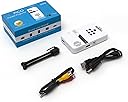
Excited to get my projector today. Got it to turn on for about 3 seconds and then it cut off. Hopefully after I give it a full charge it will work. After full charge it powere on easily. I was able to hook it to my iPad and project whatever was on the screen from live camera, utube, dish anywhere, amazons movies to PowerPoint as long as the lettering was large. I was impressed with the image. I used a piece of copy paper clipped to a box as a screen for setting up and all my lights were on. I got a clear picture. When I turned the lights off and projected it on the ceiling far away I was still impressed. I recommend it. I tried hooking it to my lg G4 phone and my lg g8 tablet with no luck at all. I just got a message saying no signal detected. I will try a different cable to take it from mini sub tomorrow hdmi and see if that works later. I even went into the developer options on my phone and set it up to use the cable to pass data back and forth and not just as a charging cable. A USB flash drive worked fine but a portable hard drive did not The only cable choices are composite and hdmi. Once it is hooked to the iPad with an hdmi cable it works fine. I have not tried the other cable. The menu choices on the opening screen are for finding files in a usb drive or sd card and have nothing to do with cable connections. One neat thing I found is that the screen can time out and go black and the picture continues to play. Some files on the iPad worked as air play and only showed up on the projected image but most things just mirrored the screen. I am disappointed that my android devices don't work yet but I am hoping to figure it out. I have not figured out what the enclosed cable does. It is USB to USB with an attached mini USB cable. I assume it is for computer connection but I have not tried that. The mini tripod is useable if you clip all the cables together and balance it. I like the threaded tripod attachment on the camera so I can hook it to something more substantial. I want to try one of those self standing tripod selfie sticks with it.
R**O
Has potential, probably
Pros: Very small good battery life clear picture built in media player for usb stick and sd card easy focus Cons: dim (okay in small room, and met my expectations, but could be brighter. didn't effect rating) power button works when it wants to, sometimes difficult to power on the device speaker is almost useless no mini hdmi adapter included fan could be a little quieter no charging while plugged in to power poor customer support The 'cons' listed were mostly expected and didn't lower the rating too much. A cheap hdmi adapter would have been nice to include. This thing would not turn on easily sometimes. It would either turn on and off quickly or just not do anything. And then there was the issue my device had, out of the box, with turning on while connected to power. This thing would not turn on most of the time when plugged into the usb power. I called the company and asked for help and was to told it may need to be replaced. No troubleshooting other than "are both usb plugs connected to the computer?" I told him they were and he told me to email them about it and gave me an email address. I asked if they troubleshoot over the phone and was told he just did. I got the feeling he was lazy and thats not how AAXA operates but I will never know, I told him I'd be returning the product as it was brand new and he didn't seem to care. I am still debating buying a different AAXA pico projector but will probably find a 3M streaming projector with the built in Roku and skip this company all together.
L**A
Vale a pena!
Comprei para projetar nos biscoitos. Melhor compra, vale muito a pena!! Chegou no prazo e bem embalado.
S**B
Utilisation
Bonjour, Je souhaiterais branchez ma tablette pour que le projecteur diffuse une photo mais je n’arrive pas comment faire ?
C**N
Ecccellente considerato il prezzo
Pico-proiettorie basico, a un prezzo imbattibile. Risoluzione superiore alla concorrenza e qualità di immagine sorprendentemente buona Provato con lettore interno e collegamento HDMI con enorme soddisfazione. Riscala perfettamente il desktop di windows (10) dalla 1920x1200 Ha i settaggi per essere usato come retroproiettore o appeso capovolto In ambiente buio sono riuscito a proiettare con una buona immagine su una parete lunga circa 3 metri. Impressionante. Di giorno l'immagine è sempre ben visibile da vicino, diciamo che proietta un'immagine da 15-20" in interno con qualsiasi luce, volendo salire serve almeno penombra Non ha keystoning, nè regolazione manuale del trapezoide Nella confezione c'è il cavo micro USB (doppio attacco), ma non l'alimentatore, c'è anche un piccolo treppiede snodabile, non il massimo della praticità. Su batteria, direi che gli 80' di autonomia promessi ci sono Audio un po' debole (1W) e un po' gracchiante, ma accettabile. Facilissimo da mettere a fuoco Difficile chiedere di più a un prezzo simile.
O**I
This is the best projector.
This is the best projector. Picture quality is amazing, no need to make the room dark. If you go for it, you will not regret your money.
C**N
Excelente Producto
EL mejor, practico y luminoso perfecto para viaje y presentaciones rápidas. Amplia mente recomendado y de precio accesible. excelente producto
Trustpilot
5 days ago
1 month ago