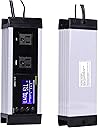
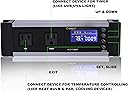
desertcart.com: Creepet Digital Thermostat Temperature Controller and Timer for Reptiles, Amphibian,Seed Germination and Brewing,Aquarium Incubator, Ideal for Heating mat, -19 to 190 °F : Pet Supplies Review: Works great - Love the product, instruction manual could use some work. Review: Might work wonderfully; almost impossible to set up.... - First of all, I'm not a stupid person and I have experience with various reptile thermostats, including JumpStart and Herpstats 2 and 4. So I figured I could decipher how to set up the Creepet unit without too much trouble. After wasting a full hour of my life..not so much. This thermostat may work perfectly. I don't know, because I'm still not certain I've set it correctly. ****CONFUSION**** ~I don't know what moron decided that the thermostat settings should time out after 15 seconds (unlike HerpStat's 3 minutes) but it makes setting it up a nightmare. ~The setup does not go in a logical order; for example, you would expect the clock to be the first setting, but it's thrown into the middle of the setup process. ~You must scroll through all settings to reach the setting what you want. For example, if I wanted to only change the Temperature Alarm, I would need to scroll through several other settings first to reach it. (This isn't so different from the HerpStat 2, but it IS annoying when it times out every 15 seconds). ~Ignore the clock when you first plug in the unit. Until you set the time, it shows how long the unit has been on. This is useless and bizarre. ****MY INSTRUCTIONS**** In an effort to better help others who purchase the Creepet, I've done my best to write out instructions in proper English. That said, there are one or two settings that are still a mystery to me. If you happen to know what they mean, by all means please leave a comment and I'll update my review. (BUTTONS 1 & 2) -- up > arrows that allow you to alter settings. Pressing these buttons while not in SET mode will simply scroll through the current settings in a loop. (BUTTON 3) -- looks like a hand gripping a hammer. This is the SET button. (BUTTON 4) -- looks like a floppy disk. This is the EXIT button. [ STEP 1: SETTING HEAT VS. COOL MODE ] Hold the SET button (BUTTON 3) for three seconds to enter SET mode. The letter "M" will flash in the upper toolbar. Use the >> or > or > or > or > or > or > or > or > or > or << arrows to select the end time. This sets the lamp start and end time. Watch for the sun vs. moon icon to flash, indicating day/night. That's as far as I got. I also could not figure out what "AL" meant when scrolling through the settings. Hopefully a little experimenting will help to clarify. This could be a great, affordable alternative to HerpStat (though I trust the reliability of the HerpStat MUCH more than this unit) but the manufacturer MUST make either a clear user guide or an online video setup tutorial or it's pretty much useless.
| ASIN | B07L5DX88S |
| Age Range (Description) | Adult |
| Brand | Creepet |
| Date First Available | May 22, 2019 |
| Display Type | Digital |
| Is Discontinued By Manufacturer | No |
| Item Weight | 1.53 pounds |
| Manufacturer | Creepet |
| Power Source | Battery Powered |
| Product Care Instructions | Wipe Clean |
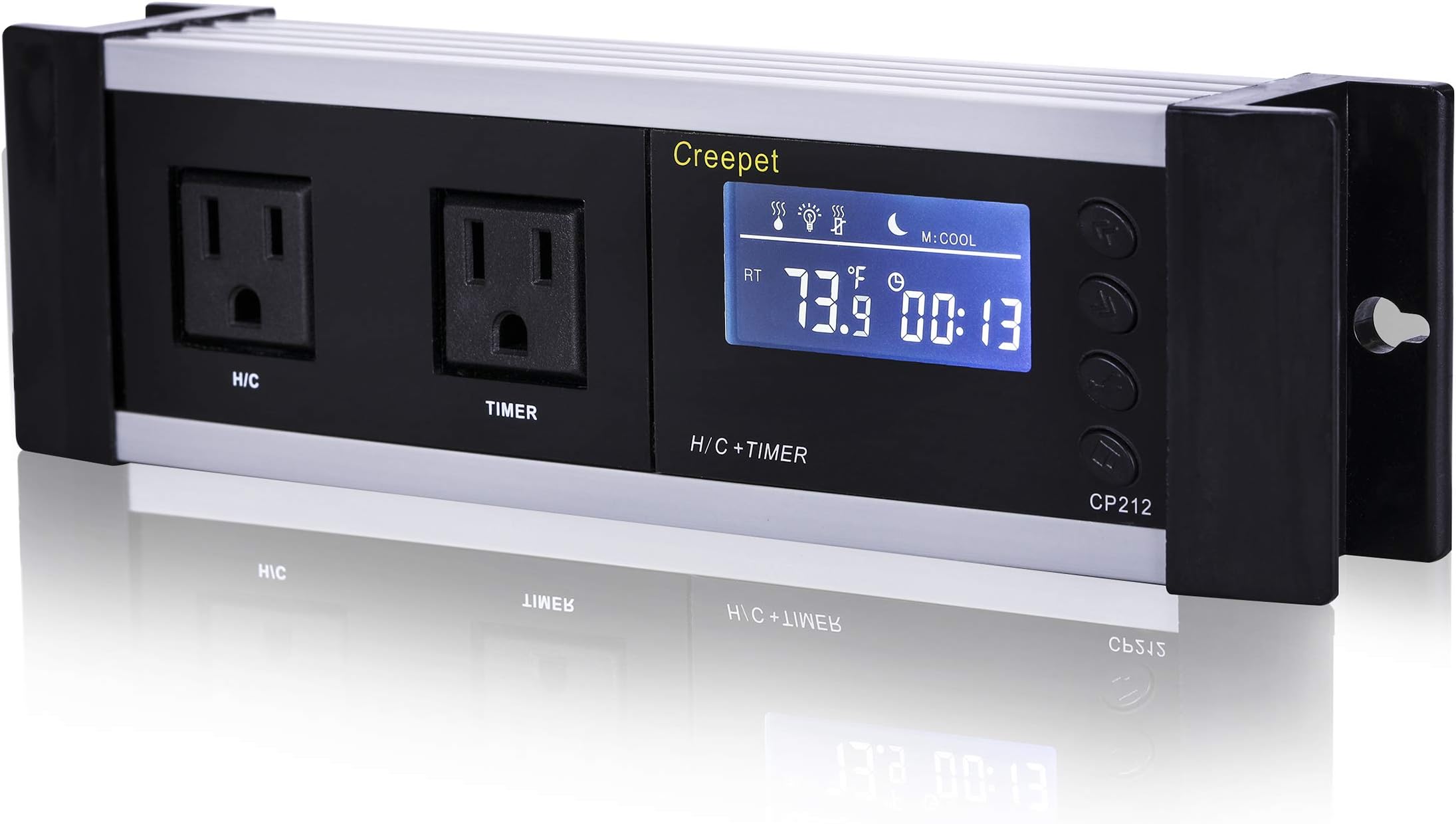
| Product Dimensions | 9.3 x 2.7 x 1.6 inches |
| Reusability | Reusable |
| UPC | 612590411472 |
S**L
Works great
Love the product, instruction manual could use some work.
M**A
Might work wonderfully; almost impossible to set up....
First of all, I'm not a stupid person and I have experience with various reptile thermostats, including JumpStart and Herpstats 2 and 4. So I figured I could decipher how to set up the Creepet unit without too much trouble. After wasting a full hour of my life..not so much. This thermostat may work perfectly. I don't know, because I'm still not certain I've set it correctly. ****CONFUSION**** ~I don't know what moron decided that the thermostat settings should time out after 15 seconds (unlike HerpStat's 3 minutes) but it makes setting it up a nightmare. ~The setup does not go in a logical order; for example, you would expect the clock to be the first setting, but it's thrown into the middle of the setup process. ~You must scroll through all settings to reach the setting what you want. For example, if I wanted to only change the Temperature Alarm, I would need to scroll through several other settings first to reach it. (This isn't so different from the HerpStat 2, but it IS annoying when it times out every 15 seconds). ~Ignore the clock when you first plug in the unit. Until you set the time, it shows how long the unit has been on. This is useless and bizarre. ****MY INSTRUCTIONS**** In an effort to better help others who purchase the Creepet, I've done my best to write out instructions in proper English. That said, there are one or two settings that are still a mystery to me. If you happen to know what they mean, by all means please leave a comment and I'll update my review. (BUTTONS 1 & 2) -- up << and down >> arrows that allow you to alter settings. Pressing these buttons while not in SET mode will simply scroll through the current settings in a loop. (BUTTON 3) -- looks like a hand gripping a hammer. This is the SET button. (BUTTON 4) -- looks like a floppy disk. This is the EXIT button. [ STEP 1: SETTING HEAT VS. COOL MODE ] Hold the SET button (BUTTON 3) for three seconds to enter SET mode. The letter "M" will flash in the upper toolbar. Use the >> or << arrows (BUTTONS 1 and 2) to select either HEAT or COOL mode. [ STEP 2: SETTING DAY TEMPERATURE ] While HEAT VS. COOL Mode is still flashing, hit the SET button once. Do not hold it; if you do, it does nothing and will time out. Just press it once. This enters DAY MODE, and the sun icon and temperature will begin to flash. Use the >> or << arrows to select your preferred daytime temperature. [ STEP 3: SETTING NIGHT TEMPERATURE ] While Day Temperature Mode is still flashing, hit the SET button once. This enters NIGHT MODE, and the moon icon and temperature will begin to flash. Use the >> or << arrows to select your preferred nighttime temperature. [ STEP 4: TEMPERATURE DIFFERENCE "DL" MODE ] While Night Temperature Mode is still flashing, hit the SET button once. This enters DL (aka TEMPERATURE DIFFERENCE) MODE. I believe this essentially allows for the unit to recognize an acceptable temperature range; but I'm unsure of how this differs from the Over-Temperature Alarm Mode (below). [ STEP 5: OVER-TEMPERATURE ALARM MODE ] While DL Mode is still flashing, hit the SET button once. This enters OVER-TEMPERATURE ALARM MODE. An icon in the top menu that looks like a coffee cup with steam will begin to flash. This allows the unit to recognize "dangerous" temperature rises and drops; for example, if your temperature is set to 80°F and you set your alarm number to 10°F, the machine will trigger a buzzer alarm at either 70°F or 90°F. Use the >> or << arrows to select your preferred range number. [ STEP 6: DAYTIME/NIGHTTIME TEMPERATURE CLOCK (aka L1) MODE ] While Over-Temperature Alarm Mode is still flashing, hit the SET button once. This enters DAYTIME/NIGHTTIME TEMPERATURE CLOCK (aka L1) MODE. The letters "L1" will flash to the right of the clock. Use the >> or << arrows to select the start time (hour); hit SET again and use the >> or << arrows to select the end time. This will determine at what time your daytime heat setting kicks on and at what time your nightime heat kicks on. [ STEP 7: WHO THE F*** KNOWS (aka L2) MODE ] While L1 CLOCK Mode is still flashing, hit the SET button once. This enters L2 MODE. The letters "L2" will flash to the right of the clock. I have no freaking idea what this is. It's connected to DL Mode, and you can use the arrows to set a time range (just like in the step above). If anyone can contribute, please let me know. [ STEP 8: CLOCK MODE ] While L2 Mode is still flashing, hit the SET button once. This enters CLOCK MODE. The clock icon will flash to the right of the clock. Use the >> or << arrows to select the start time (hour); hit SET again and use the >> or << arrows to select the end time. This is setting the *actual time*. When my unit arrived, it must have been internally set to an evening time (the moon was flashing) but when I set the correct time, it switched to the sun. [ STEP 9: LIGHT TIMER MODE ] While Clock Mode is still flashing, hit the SET button once. This enters LIGHT TIMER MODE. Use the >> or << arrows to select the start time (hour); hit SET again and use the >> or << arrows to select the end time. This sets the lamp start and end time. Watch for the sun vs. moon icon to flash, indicating day/night. That's as far as I got. I also could not figure out what "AL" meant when scrolling through the settings. Hopefully a little experimenting will help to clarify. This could be a great, affordable alternative to HerpStat (though I trust the reliability of the HerpStat MUCH more than this unit) but the manufacturer MUST make either a clear user guide or an online video setup tutorial or it's pretty much useless.
H**.
Avoid this item!
I bought the item in preparation for heating a battery box containing the batteries for my solar system. Unfortunately, I had bought it too early and had put it aside until I was ready to depart for the winter and keep my batteries conditioned. When I did open the box to read the directions, I found them confusing and basically useless. I turned to a video and found this also to be useless. I then tried to use the device and found that it did not perform any of the functions described. Finally, I went back to Amazon.com and saw that the item was now poorly reviewed and had been pulled. So, in an effort to be prepared, I have ended up with a $40 piece of junk that is useless to me and of little function. Terrible product. Avoid at all costs.
P**K
Works very well actually - Online Details Not Very Clear Though
I was looking for a digital unit that controlled the light cycle and thermostat together and also allowed for daytime and nighttime temps to be set independently from one another for my custom snakefort enclosure vivarium thingymabober for my Corn Snake. For people who are not familiar with reading translated instructions from cheap things from Amazon I could see how this could be challenging to set up. I would compare the operation similar to setting functions on an old digital watch, it was kind of a pain, but for this price I was pleasantly surprised. It's been about a month and some change and its working perfect.
J**.
Such a great little timer with not so great instructions
This timer is perfect for my application. It’s unfortunate that the instructions are so unclear and the programming steps are in an illogical order. Their video is helpful, though still incomplete. For these issues, I dropped a review star. While the set-up instructions found in Leah Grace’s review are very helpful and probably the most complete available (5 stars!), I wanted to address a couple of issues she mentions. In Steps 4 & 5, Leah questions the difference between Temperature Difference and Over-Temperature Alarm. In Step 4, you’re setting up an acceptable temperature range above and below the optimal temperature specified in Steps 2 & 3. For example, entering “5” as the Temperature Difference would turn your heat source on when the temperature drops 5 degrees below the optimal temperature and off when the temperature rises 5 degrees above the optimal temperature. In Step 5, you’re setting up a temperature range above and below which an alarm will sound, signaling a malfunction of the heat source. For example, entering “10” as the Over-Temperature Alarm would trigger an alarm to sound should the temperature rise/drop 10 degrees or more above/below the optimal temperature. With my set-up, this will let me know that the ceramic heat element, which does not provide a visual cue of malfunction like a heat lamp would provide, needs replacing. In Step 7, Leah questions the use of the L2 setting. I’ve found it allows for programming a second Timer, similar to L1. Once you’ve mastered the programming, I believe you’ll be very happy with this handy timer.
L**E
Terrible Instructions
The instructions manual for this product is terrible. Took me a while to figure out how to configure the temperature controls, but once I got it going it works well. I don't know if the timer controls are working and I just don't know how to configure it, or it's just plain broke. I recommend looking for another product. This one is a huge hassle to set up.
J**.
Works but needs better instructions.
Works as expected. Programming could be a bit less confusing and instructions are not laid out very well. But once set up and programmed it does a decent job at controlling the temps in my cage.
Trustpilot
1 week ago
2 months ago