We remain fully operational. Our teams are working around the clock to ensure your deliveries continue safely.

DOWNLOAD THE APP


Customer Services
Copyright © 2025 Desertcart Holdings Limited
DOWNLOAD THE APP
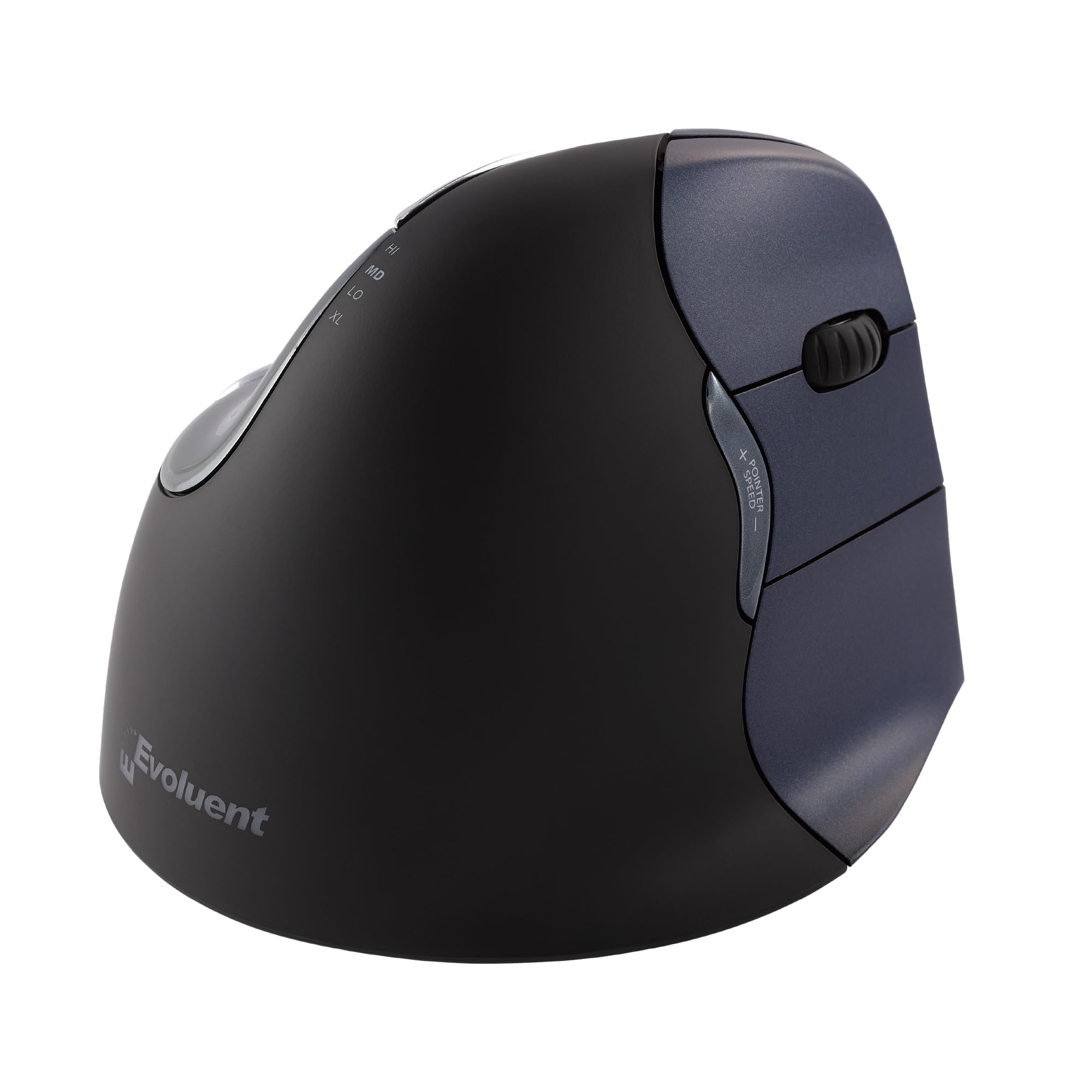
🖐️ Elevate your productivity with comfort that clicks — the mouse your wrist will thank you for!
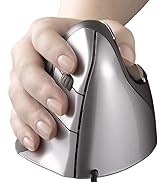
The Evoluent VM4RW Vertical Mouse is a wireless, right-handed ergonomic mouse designed to reduce wrist strain by supporting a natural handshake grip. Featuring 4 adjustable pointer speeds, 6 customizable buttons via Windows software, and a sculpted design with thumb and pinky support, it offers precision and comfort for professional users. Its plug-and-play USB-A wireless connectivity and durable build make it a top choice for those seeking long-term wrist health and enhanced productivity.







| ASIN | B006P2594Y |
| Batteries | 2 AAA batteries required. |
| Best Sellers Rank | #345 in Computer Mice |
| Customer Reviews | 4.2 4.2 out of 5 stars (2,392) |
| Date First Available | December 22, 2011 |
| Department | Default Category |
| Is Discontinued By Manufacturer | No |
| Item Weight | 7.2 ounces |
| Item model number | VM4RW |
| Language | English |
| Manufacturer | Evoluent |
| National Stock Number | 0 |
| Product Dimensions | 5.43 x 3 x 4.5 inches |
M**®
Not at all what I expected, actually better!
I'm pretty amazed by this mouse. It's not at all what I had pictured it would be. I assumed it would be big and bulky, but it's not. At first, I thought they had sent me the small version by mistake. I started getting pains in my hand and wrist both working and gaming. This mouse was so comfortable right out of the box and I have yet to notice any pain (except switching back to my keyboard). It didn't take long to get use to the feel of it. The one drawback is that now my hand seems to rest completely on my pisiform bone. I'm just used to having the mouse closer to me. Guess I need to learn to rest my arm on the desk too. I've been using a Logitech Performance MX mouse for years, so I can only compare this Evoluent to it. It's lighter than my Logitech and easier to move around. The Logitech seems a lot heavier. The Evoluent is actually smaller in length than the Performance MX by almost an inch. If you stacked 2 MX mice on top of one another, that's about how high the Evoluent sits. But, your hand sits almost vertical. For me, it's the perfect size of my hand and fingers. I think this is a very good looking mouse. The grip has a slight rubberized texture to it and the dark blue on the click buttons is very nice. The mouse clicks are actually more sensitive than my Performance MX. I also love the third button. I have mine programmed to right click on the 2nd button and show desktop on the 3rd (it's pre-programmed to right click on that 3rd button). At first I did squeeze that 3rd button a lot by accident, but I'm getting used to not hitting it. You could just disable it, if it bugs you. I only had one hitch with the software. I use Emsisoft Malware & Online Armor. When I tried to open the Evoluent control panel, Online Armor would block it and freeze my system (which it never does). I had to reboot and setup Online Armor to ignore the Evoluent folder, before I could use the software. So just FYI, if you use Emsisoft. Was it worth $109? To me yes. I remember when I bought my Logitech Performance MX new, it was $99. This isn't a cheaply made mouse and it helps so much with my hand and wrist pain. I'm happy with it.
J**N
Great and comfortable mouse!
This mouse is so comfortable and ergonomic because your hand sits relaxed, not turned. I have been using it for many years and it is still as comfortable and I have not had any issues with its performance! This one connects via Bluetooth, very easily. You can adjust the scrolling speed and the click quality is nice because you don’t have to press hard for it to click and the sound is not too loud. It’s overall a pleasantly comfortable and fantastic mouse!
F**J
Would definitely buy again...
I bought this mouse (4/29/13) while I had tendinitis in my wrist after some garden work...because I wanted to be sure I was not adding insult to injury and to provide as much relief as possible until the tendinitis was resolved. I use a mouse pad with built in wrist rest. A regular mouse has the inside of my wrist squarely on the rest and no matter how I try to change that position or lightly hold the mouse...any pressure can be felt...and it certainly aggravated the tendinitis. With the Evoluent, the heel of my palm and side of my wrist are on the rest... leaving the nerves and vessels on the inside of my wrist free from any pressure. It comes in right and left handed versions, wireless and corded. I have Windows 7, 64bit. No issues with driver installation which is downloaded from the Evoluent site. It gives you a mouse manager so that you can pick and choose your button functions. It does take a little practice to learn how to use it. I disabled the bottom button because I would accidentally click it. Be sure the mouse is on a flat surface. If the mouse pad is even slightly lifted against the keyboard or pc case...it will be erratic and that is the clue that the pad is not completely flat. Another plus is that the AA battery (included)lasts way longer than other wireless mice I have used (5+ months)... and I do turn it off when not in use like I did the others too. I have since substituted a rechargeable AA. I just wished that I could recharge the battery while still in the mouse...but it is easy enough to pull it out and put in another. No product is perfect and beyond failure, especially electronics...but product quality, meeting my needs, and excellent customer service will keep me as a customer every time. The mouse recently developed an issue with the scroll wheel, so I contacted Evoluent support... since they themselves warranty the mouse for two years. What great and prompt customer service!! I sent my email on Sat, received a response on Mon and by Fri...I have a brand new replacement up and running. They have a simple process that does not even require shipping back the original...so there is no expense there either. I could sure tell the difference when going back to a regular mouse while I waited for the replacement and the pressure on my wrist from the position that it puts you into was immediately evident. I really like this Evoluent mouse for positioning...I have absolutely no pressure.
O**N
No se vayan con la finta. Definitivamente no elimina el dolor del tunel carpiano. Ahora el dolor se transfirió de los tendones de los dedos hacia la muñeca del tendón superior.
D**S
The mouse appears as advertised and worked fine out of the box. There was some glitching at first as I plugged it in to a USB hub next to my corded gaming mouse (the instructions specify not to use a hub but my laptop is USB deficient), but when I unplugged both, plugged the Evoluent in first and made sure it was configured properly, then plugged the gaming mouse in second, they both work fine. I had hoped to use it for both work and gaming, but I did not find it as responsive as I like for FPS games. I keep my corded mouse handy for gaming but use the Evoluent for everything else. I am a large man (6'2") with large hands, and I find this mouse comfortable. Using a regular mouse for more than a couple of hours causes me pain in my wrist, forearm and elbow that can last for several days. Using this mouse for 4+ hours per day for the last week, I felt a slight soreness from using unaccustomed muscles, but adjusting my chair to be more ergonomically correct has pretty much solved that. Also I am learning that not dropping my wrist or allowing the fleshy part of the outside of the hand to rest on the desk is important; eventually I will get one of those gel wrist pads but for now I have adjusted the armrest on my chair so that when I reach for the mouse my arm and hand stay properly aligned. Basically this mouse is re-configuring the way I sit and work, starting from my mousing hand. After 20+ years of incorrect posture, it's taking some getting used to, but the reduction in pain is worth it. There are some other minor things that require getting used to. For example: There are two thumb buttons, one above and one below where the thumb sits. Contrary to expectation the top one is used as a back button, which is good since I keep accidentally bumping the bottom thumb button when I reach for or grab the mouse. I would recommend on their next iteration of this mouse that they put both buttons above the thumb rest. Another minor thing to get used to is the three-button layout, with scroll wheel between the first and second button. At first I thought the RMB was not working, but soon realized I was pressing the center button, not the actual right mouse button. Now that I'm used to using my ring finger for RMB, having the center button as a scroll control has come in very handy when reading lengthy documents and web pages. Over all, I am glad I bought this mouse.
M**U
Avant achat : - Utilisation intense du clic : travail de bureau, utilisation prolongée d'Autocad. - Douleurs chroniques dans l'index et crispation du poignet. Cela est apparu après utilisation d'une souris classique dans le train sur les genoux, avec poignet plié. Même en utilisant le majeur pour cliquer, ces douleurs ont persisté pendant plusieurs mois jusqu'à l'achat de cette souris (symptomes faisant penser au syndrome du canal carpien). - Mauvaise ergonomie du bureau (siège non adapté, mauvaise position des bras et des poignets). Après achat : - Prise en main rapide. Il faut juste un peu de temps pour acquérir un geste rapide et précis. Le bouton de réglage de la vitesse du pointeur et ses 4 positions permet de choisir simplement sa vitesse de croisière, lente au début, et progressivement plus rapide. - Prise en main agréable, même avec de grandes mains (21 cm entre pli du poignet et extrémité du majeur). - Premières sensations d'amélioration dès la première semaine d'utilisation : plus de douleurs persistantes en dehors du travail. Quelques crispations du poignet pendant l'utilisation au début. - Boutons légers sans être trop sensibles. Le clic molette se fait avec le bouton du milieu (pratique sous Autocad et Internet). - Deux boutons additionnels côté pouce, programmables avec le pilote de la souris (raccourci pour Précédent sur Internet...). - Bonne impression de solidité. En bref : - Très bon produit, à recommander vivement ! - C'est maintenant difficile de réutiliser une souris classique. Elle me suit au travail et à la maison. - Le prix d'achat est un peu excessif, mais le prix s'oublie, la qualité reste. - Penser également à vérifier l'ergonomie de son bureau : position des bras, hauteur du siège... Je n'utilise pas de tapis de souris surélevé.
W**K
used by partner due to carpal tunnel.
M**D
- Perfekt für kleine Hände (Handballen zur Spitze des Mittelfingers bei mir 15.5cm) - ich war auch innerhalb eines Tages an die Maus gewöhnt, Armschmerzen waren innerhalb einiger Tage verschwunden (und tw. bin ich 6-9h am am Computer beschäftigt) - Ob mit oder ohne MousePad hatte ich keine Probleme - das Scroll-Rad bereitet auch keinerlei Prboleme. - die Lippe zur Unterstützung des kleinen Fingers finde ich auch super - einziges Manko ist dass die Batterie mMn relativ schnell leer gehen (4 Monate in Gebrauch, schon 3x wechseln müssen), aber bei konstanter Bluetooth Übertragung auch nicht verwunderlich (aber verbesserungswürdig) man merkt das relativ deutlich daran, dass die Maus extrem verzögert reagiert Meine große Sorge war, dass die Daumenablage schnell schwitzig und rutschig wird, allerdings hat sich das nicht bewahrheitet. Ich benutze sie sowohl in der Arbeit als auch zu Hause mit Mac OS 10.11 u. 10.12 ohne Probleme. Nach Treiber Installierung kann man auch die extra Tasten bequem einstellen (für den normalen Gebrauch nicht nötig), habe die beiden Daumen tasten mit copy, paste versehen und die dritte Taste am Ringfinger mit Enter, will die schnelle Kombi nicht mehr missen!
Trustpilot
3 days ago
1 month ago