Some deliveries may take a little longer than usual due to regional shipping conditions.

DOWNLOAD THE APP


Customer Services
Copyright © 2025 Desertcart Holdings Limited
DOWNLOAD THE APP

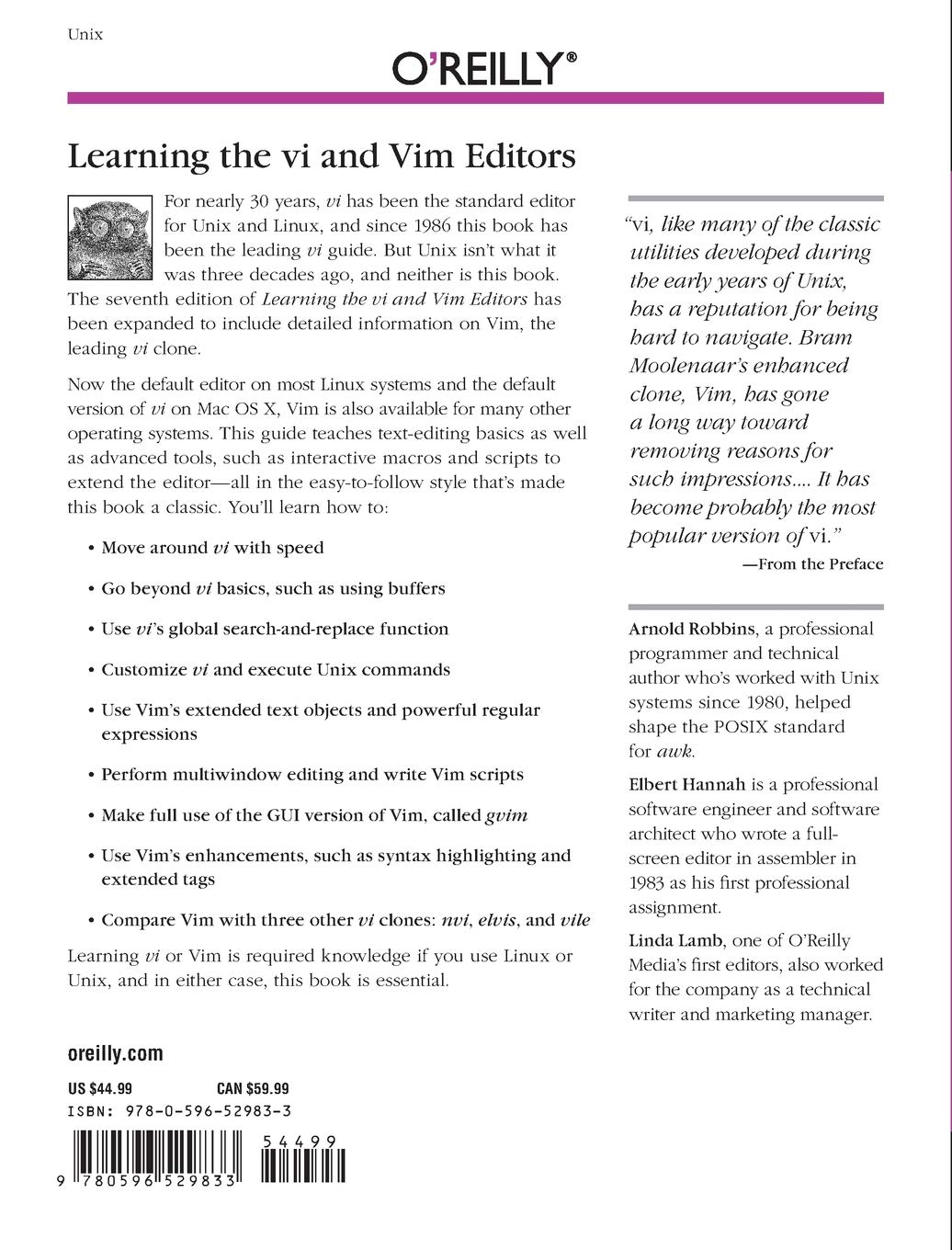
Learning the vi and Vim Editors: Text Processing at Maximum Speed and Power
J**N
Best Way to VIM
Definitely the fastest way to become very fluent with Vim from zero knowledge. Beats the snot out of online tutorials or simulators (which just scratch the surface, and are disorganized to boot). Covers most advanced and customization functions.
M**I
Best Vi/Vim Book on the Market
This new edition goes above and beyond of what's currently available in the area of Vi/Vim tutorials.It is fascinating to watch how much time and typing a programmer can save every single day, once they've figured out how to use a tool like Vim efficiently. Many people just know 5% of what an editor is capable of, and day-in and day-out they're using way too many keystrokes. What a waste of time and what a strain on your hands!"vi and vim" 7th edition (make sure to get the latest, not the previous one) explains how to make the most out of this editor. By the way, you should always use "vim", not the legacy "vi" editor, which is a waste of time as it lacks important features. Luckily "vim" is standard on many systems like Linux nowadays, and even if you type "vi" there, you'll get the better "vim" automatically.Learning shortcuts for common editing tasks like block indentation, text formatting, or screen movement is essential for fast typing, and the challenge is to keep the shortcuts all memorized. Vim isn't your father's editor, it has literally thousands of keystroke combinations, and if you don't have a system to memorize them, you'll never use them. Luckily, "vi and vim" 7th edition explains them all in detail and in a way that makes it easier to recall them later when you need them.The book gives mnemonics whenever possible and it explains concepts like vim's combination of action and move commands in a way that lets you understand the concept behind these commands instead of simply having to memorize nonsensical keystrokes.There's some chapters which I consider fluff, but I guess there is people out there using odd vi incarnations like "elvis" or "gvim", so the authors felt like they were worth to be covered as well.It would be great if the chapter on programming vim with its own scripting language (and possibly other languages like Perl) could be expanded and information on how to define complicated macros or write your own plugins would also be helpful. But I guess that's too much for a "Learning the vi and vim editors" book and maybe there's an upcoming "Mastering" book, who knows?This book is a must-read for every programmer using the 'vi' line of editors. There's two other vim books out there, but they don't come even close in terms of depth and content structuring. Five stars for the 7th edition!
J**K
Another great book from O'Reilly
Another great book from O'Reilly. The text has something to offer no matter whether you are a complete beginner or a seasoned vi veteran. I've been using the editor for years yet found many illuminating explanations of topics I never really took the time to master, like ex commands or vim tabs. I am also grateful to the authors for suggesting many nifty command combinations I haven't been aware of - I know I am a more proficient typist now thanks to reading the book.The writing is clear and often humorous (that is, if you are into the geeky, Unix type of humor) and there is good progression from fundamental towards advanced topics. I only wish the authors did not waste so many pages on the other vi clones (which I had no desire to learn about, but your objectives may vary) and focused instead on some of the more involved parts of vi/vim, eg. scripting.
B**C
Must know CheckList - Don't Miss
This review is primarily targeted towards computer professionals who are starting to work in Linux environment for first time. Linux is daunting ; black screens intimidating. Open a Vi Editor,it is a nightmare to do anything in there. If I am describing you at some point in your career, you are not alone. I was there as well. Vi editor is just a car that takes you to office; and if you do not know how to drive the car, however good you are in programming, You will not appear that way. Even if you are fairly comfortable in Vi Editor, think about the time saving features that go beyond the basic functionality that most of us do. I have heard the stale advice to "google it",if at all that can be called an advice. And they are wrong.Google has plenty of good information, many of them methodically walk you through as well. But remember Google has a purpose, if you are stuck on something specific, google might be helpful, but for learning the nuts and bolts and working 8 hours a day in Linux and Vi, you are better off knowing much more than few basic commands . I have few checklist to see if you need this book. Even if your answer is no to one of this.. Go for it.> Here is a word "Consistant", How do you change the word to Consistent (Hint fa )> Find/replace across a large file> Jump across large blocks of codes instead of scrolling> Ability to chose between I, a,s or x for editing something> Copy same 5 lines of codes and put it in 4 different places> Remove everything after = sign in a code.> Copy bunch of code from fileA and paste it on the 5th line of fileB> Do you know what :^$ dd n.n.n does (Find the Empty line, deleted it,cleared many empty lines)> Do you know how to keep a file for reference and edit the other file based off it ( split windows)SUMMARY:If the bulk of your workday is going to be on Linux /Unix screen, buying this book is a slam dunk decision. Don't stumble upon great tricks to be effective. Professional sportsmen learn the right way. Why Not You?
S**Y
Necessary for anyone operating in the Linux/Unix Environments
There are many text editors available in Linux and Unix. Most of them are easier and more intuitive than Vim (which is just an upgrade to Vi). Unfortunately, if you are logging in to a non-GUI server or into a machine through a text based connection (even if it has a GUI installed), pretty much the only editor you have a near guarantee of being there is Vi. If you are (or are planning to be) a Linux administrator, familiarity with Vi is a must. To be honest, if you just want to operate in the Linux or Unix environment in any real capacity, you need to learn Vi. This book will give you pretty much everything you need to use it effectively.
P**T
Thoroughly Enjoyable
This was an impulse purchase -- not something I really needed -- but I don’t regret it. I read much of the text and put much of what I read to good use.Because I so thoroughly enjoyed the book I’m giving it five stars despite a few very small deficiencies.For example, there’s no reference in the index to the introduction to visual mode which is on page 168. (In the book the publisher asks what we think of the index. Well, I’m fulfilling that request here. Sorry if I’m a bit tardy -- this edition (the seventh and most recent) came out in 2008:-)).Also, redo (control-r), which appears on pages 29 and 296, is missing from the index.In Chapter 11 (Multiple Windows in Vim): Not till the second-last page of the chapter does it tell you how to close some of the multiple windows you’ve opened. A good manual tells you how to get out of something right at the outset. (Either :quit or or control-w_q will do the trick.)One convention misled me. I thought ^Ws meant hold down the control key while hitting the W and S keys. In fact, what it means is hit control-w, then release the control key before hitting the S key. In my opinion, a clearer way to write that would be “Ctrol-w s” or ^W_S -- or just spell it out, obviously.According to the index, the only reference to spellchecking is on page 4, which says merely that “Vim version 7 provides automatic spellchecking.” It says absolutely nothing about how to get it going, But all I needed was to know the capability exists; the rest I found on the Web.But those are very minor defects. As I said, I found the book very enjoyable -- and useful. It’s amazing how much is still current in 2020, considering this (the seventh) edition was published in 2008.
L**N
Livro OK
Ensina razoavelmente bem editores que por natureza são bem difíceis de entender e de se acostumar a usar. Apesar disso achei que a organização dos temas não facilitou em nada a aprendizagem, nisso podia ser bem melhor.
A**R
Good for programmers , hard for begginers
Vi is sure hard to learn but its most performance oriented text editor in linux world. A must for visual basic and programming students
K**U
Good quality
Good quality
F**T
Vim ou un éditeur de texte hors du commun
L'anglais de cet ouvrage est accessible ; ce livre peut être considéré comme une référence . À titre personnel Vim ,comme éditeur de texte me déroutait et à l'usage cet éditeur de texte revêt des possibilités fantastiques faciles d'utilisation , ayant sa logique spécifique ,qui une fois adoptée, devient naturelle. Aux lecteurs et lectrices ayant un niveau de la langue anglaise convenable cet ouvrage est d'un réel apport pour ceux et celles qui apprécient cet incomparable éditeur de texte.
Trustpilot
2 weeks ago
2 months ago