
DOWNLOAD THE APP


Customer Services
Copyright © 2025 Desertcart Holdings Limited
DOWNLOAD THE APP

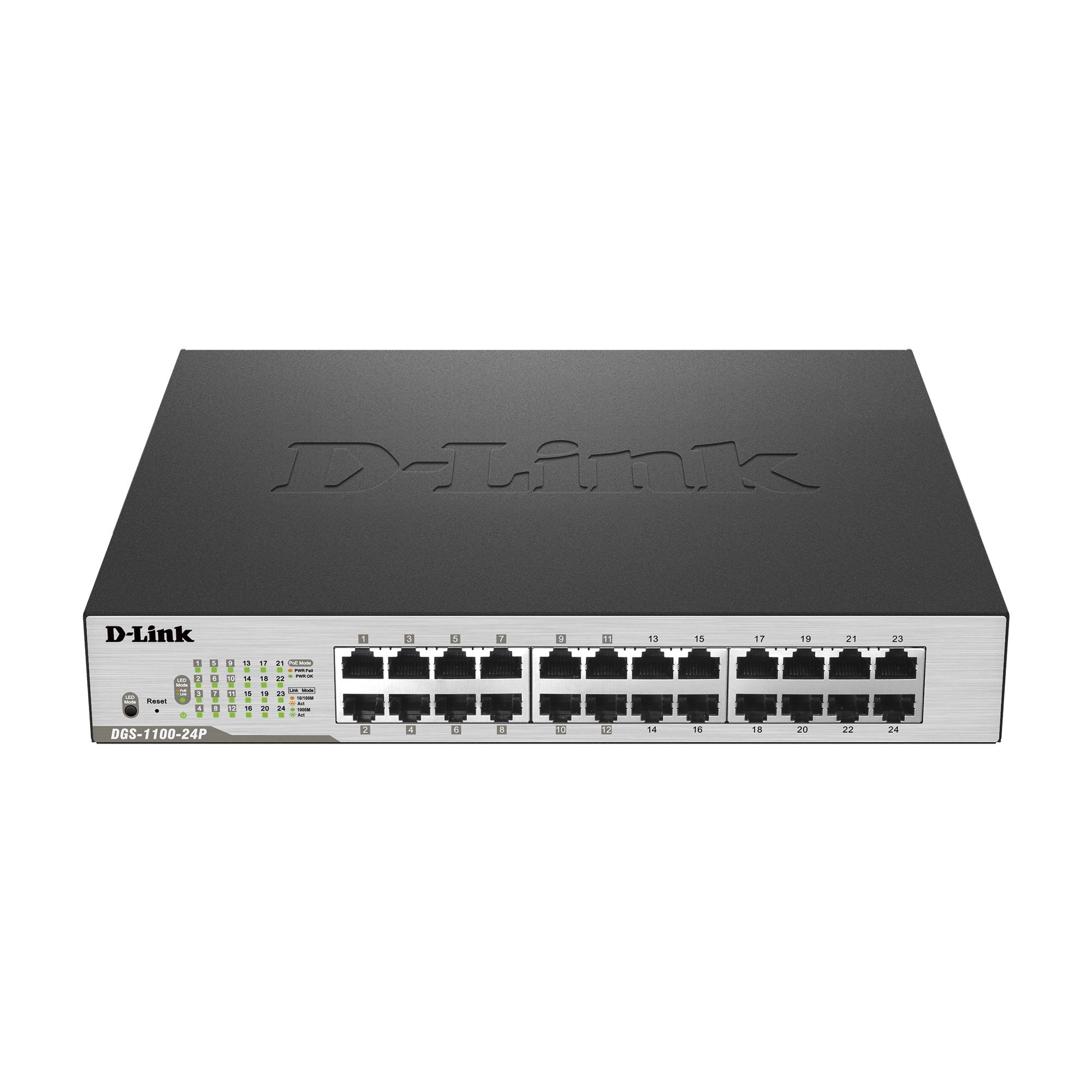

⚡ Power your network like a pro — smart, silent, and sustainable.
The D-Link DGS-1100-24P is a 24-port Gigabit EasySmart switch featuring 12 PoE+ ports with a 100W power budget, designed for small to medium businesses. It combines high-speed connectivity with energy-efficient IEEE 802.3az technology and D-Link Green innovations. Its fanless metal chassis ensures silent operation and durability, while the user-friendly web-based management interface simplifies network control and segmentation with VLAN and QoS support. Backed by a lifetime warranty, it’s a reliable, eco-conscious choice for modern professional networks.


| ASIN | B00P7RAIZS |
| Are Batteries Included | No |
| Best Sellers Rank | #20,879 in Computers ( See Top 100 in Computers ) #148 in Network Switches |
| Case material type | Metal |
| Color | Black |
| Customer Reviews | 4.5 4.5 out of 5 stars (690) |
| Data transfer rate | 1000 Megabits Per Second |
| Date First Available | 28 November 2014 |
| Global Trade Identification Number | 00790069410369, 00805100142212 |
| Interface type | PoE |
| Item Weight | 934 g |
| Item model number | DGS-1100-24P |
| Item weight | 934 g |
| Manufacturer | D-Link Systems, Inc. |
| Product Dimensions | 27.99 x 11.15 x 4.39 cm; 934.4 g |
| UPC | 809185834840 801049934956 805100142212 809186291574 807030515647 804066792240 790069410369 804904085923 801947281732 809385686270 |
| Voltage | 240 Volts |
| Wattage | 128.3 watts |
A**D
Good
Good
E**I
It's just a switch!
Nothing much I can say. Positives: The switch doesn't use a fan for cooling, so no noise and no dust. Negative: Comes with DC power adapter so it's not earthed, and has an earth screw so one should attach a wire and attach it to an earth. An unexpected requirement - but bearable. Negative: Documentation is on a CD (which I didn't have a drive for) so you need to either download it (after you search for it) and read it - but then this is for managing the switch. The quick part is sufficient to get you into the switch to be able to set the IP address to something you can reach from your network (without fiddling everytime with your own device IP settings). I'm all for saving paper, but they should at least point you to where you can download the manual.
X**X
This is a good switch it does what it says and its POE. (i have it in a ceiling void with an AP903 off a camera POE feed) there is nothing bad to say about it it works at 1Gb with no problems. however it wont respond to a who has 192.168... this for the most part will not bother anybody.
I**T
good
M**E
I see some reviews that complain this device only powers a single PoE pass through device, not 2. If properly used, this device WILL power 2 PoE pass through devices if they each require less than 7W of power. I used it to power 2 Ubiquiti UAP-AC-LR Access Points rated at 6.5W each, and it works great! The confusion lies in that most people don't understand that they may have to configure the switch's PoE settings via its web interface. During power up, the switch checks the PoE end devices in ports 1-2. If both end PoE devices correctly identify themselves to the switch as Class 1 (4W) or 2 (7W), both PoE pass through ports will automatically work and power up 2 devices. Most PoE devices don't properly identify themselves, as this is an optional feature. If they don't properly identify themselves, the switch gives full Class 3 (15.4W) PoE power to port 1, and disables port 2 because there isn't enough power left to power a second device. YOU CAN OVERRIDE THIS IN THE WEB INTERFACE as long as your end PoE devices don't require more than 7W of power each. To do this, you log into the switches web interface with IP 10.90.90.90 and password admin. You then find your way to the PoE configuration section and manually set both PoE pass through ports 1 and 2 to "Class 2" power limit. After this, both PoE pass through ports will work, with a max of 7W per port. Also, make sure that the primary PoE switch you have powering the DLink is 802.3at (PoE+) capable, as the DLink will need the full 25W from the primary switch to be able to pass through 7W to each PoE pass through device and power itself. I hope this helps some people who think this device doesn't work, or who are trying to figure out how to make it work for the first time. It took me a bit of research to figure it all out, but it is well worth it. This is a great device if you have 1 network wire somewhere (such as an attic) but need to power 2 PoE devices of 7W or less. ***UPDATE*** Everything I wrote above is true, but I just wanted to update. Once installed onsite, with longer cable runs, it had problems powering 2x Ubiquiti UAP-AC-LR access points. Their specs show 6.5W max, but they appear to draw more. Under load with short (6') cable runs, they worked flawless. On site with longer cable runs (1x6', 1x75', and a 100' input cat6) they would shut off and restart when put under load. I don't discredit the switch for this, more Ubiquiti for under-estimating the max power draw. I did end up using the switch + 1 AP pass through powered by the cat6, and the other externally powered but linked to this switch for data. I am sure the switch would be fine to POE pass through 2 lower powered devices.
M**O
prodotto estremamente robusto; il case metallico da proprio la sensazione di robustezza tipico di prodotti di fascia più alta. usando la pagina web si configura in 5 minuti. E' ricco di molte funzioni avanzate utilissime (QoS, VLAN tagging e LACP in primis) anche in utilizzo home (ad esempio in una casa domotica con molti device connessi). Dopo attente comparazioni con prodotti simili di altre marche ho scelto questo e credo di aver azzeccato il prodotto!
H**T
Smart features are very basic but they work. Supports VLANs with no issues, but I've seen much better managed switch UIs from brands in the same price bracket like TP-Link. You unfortunately need to install their software to set it up initially because it won't find an address automatically via DHCP, and a static IP isn't listed anywhere on the product, packaging, or documentation. Their software will scan your network to find the device and do initial configuration. But then you can uninstall the software and never use it again. Was miffed about that, I'd much rather connect to it directly via a web browser the first time I set it up, and not have to install junkware just to get it usable out of the box. Was mostly interested in the PoE passthrough though, as it's a very hard feature to find in this price range. I wanted to power this switch from my main PoE switch AND then power a wireless access point, without using an additional AC adapter for either this switch or the access point. This did the trick perfectly, so if you have that particular need, this will do the job great. I could see this as being useful if you have a central PoE switch, and need to power a bunch of IP cameras somewhere remotely away from your main networking gear. Just be aware of the maximum power budget if you do that though, it probably can't power too many cameras at once if its being powered over PoE itself.
Trustpilot
1 month ago
2 months ago