
DOWNLOAD THE APP


Customer Services
Copyright © 2025 Desertcart Holdings Limited
DOWNLOAD THE APP

🎥 Own the moment in cinematic 4K—capture, record, and relive without limits!
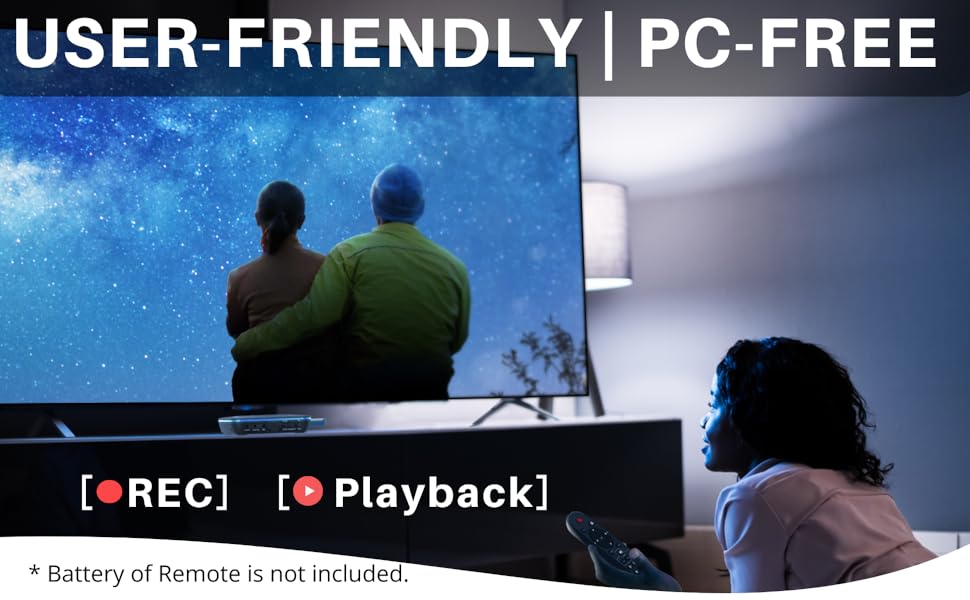
The ClonerAlliance UHD Pro is a compact, standalone 4K UHD video recorder that captures HDMI input at cinematic 24fps (up to 30fps), supporting both H.264 and H.265 codecs. It records directly to USB storage without needing a PC, offers ultra-low latency under 90ms, and supports playback via an included remote. Compatible with a wide range of HDMI devices, it’s designed for professionals and enthusiasts seeking high-quality, hassle-free 4K capture and recording.




| ASIN | B08T1PT4P4 |
| Best Sellers Rank | #65 in Internal TV Tuner & Video Capture Cards |
| Customer Reviews | 4.0 4.0 out of 5 stars (621) |
| Date First Available | January 8, 2021 |
| Item Weight | 1.36 pounds |
| Item model number | CA-989UP |
| Manufacturer | ClonerAlliance |
| Product Dimensions | 4.6 x 4.6 x 1.1 inches |
S**Y
Great Unit- Superior Quality
Today this is incredible.Tomorrow hmm, I expect a nice run given what's available. Very good for what it does, and quite small, smaller than I was expecting, a good thing.
H**S
Good unit with some limitations/problems
The unit came on time. Setup of the hardware was very easy. Recordings were obtained per the enclosed instructions without any complications. The recordings are very good. However, the unit/recordings had significate limitations/problems: 1. The USB storage device should always be formatted using NTFS or exFat formats. Otherwise, the records will be divided into multiple files, which are leaves a short gap in the recorded program that exceeds 2 or 4 GB. 2. The remote control is relatively weak and has limited functions. Getting the main unit to respond to remote control commands requires close proximity between the two and the remote needs to be pointing directly at the main unit. 3. During playback, the fast forward function skips the playback forward a fixed time (approximately 30 sec). When trying to skip commercials during a playback, the unit’s fixed time jump does not end at the end of the commercials. Rather, the jump ends up skipping part of the program as well. To see the entire program requires watching the last of the commercial break. The unit needs a true fast forward button. 4. The deleted file function does not work on short files. The preview function plays the file over and over, taking precedent over the question/answer required to delete a recording. The short file can only be deleted on the storage device by connecting it directly to a computer. 5. The provided software for a Windows PC left one of my other apps without the ability to show photos. I removed the Clone Alliance software. Still trying out other features of the unit. Undecided about keeping the unit.
T**C
This is a fantastic device that has one possible flaw
I originally purchased the ClonerAlliance ViewPro. Great device except that I found the H.264 compression had a hard time with certain types of image content. I returned that and purchased the UHD Pro hoping that the H.265 compression would be an improvement. I was not disappointed; it looks fantastic! A huge improvement over H.264. However, I noticed that I would get an artifact that occurred maybe twice per hour where the image would turn almost white for a few frames and then would be fine for a while. I ran tests where I watched the video as it was recording and saw nothing, but saw the problem on playback both from the UHD Pro and my computer. So, the problem is in the file. I tried recording from both my Roku Express and my Panasonic DVD player, but both sources exhibited the problem. I then contacted the ClonerAlliance customer service (Julia was very nice) and tried a few things, but nothing worked. So, thinking I had a defective unit, I returned it to Amazon for a replacement. I received the replacement, but found that it did the same thing. So, I'm more than just a little bit confused. This product gets great reviews both here and on YouTube, with no mention of what I've encountered. I asked Julia if they have been able to reproduce the problem and they say they haven't. I have a little more time left to return it for a refund, but there doesn't seem to be an alternative product that does what this thing does. It's a shame, as it is absolutely great otherwise. UPDATE: I returned the second one of these and purchased an AVerMedia EZRecorder 330G. It also records in H.265 and hasn't had the glitching problem I saw in the UHD Pro. The interface on the EZRecorder isn't as easy to get around on as the UHD Pro, but you can get used to it.
R**L
Great stream capture device
It took me several attempts to get the hang of this thing, but with the help of ClonerAlliance's quick and stellar technical assistance, I finally was able to accomplish what I set out to do. I had several recorded shows on my old TiVo that would not transfer over to my new TiVo, and I didn't want to lose them when I recycled the old unit. I bought this cloning device in the hopes I could stream the shows and transfer them to a solid state drive as MP4 files for future viewing. The shows transferred okay, but the sound kept cutting out. I changed a few settings (as advised by ClonerAlliance's tech support) and re-recorded the shows. The sound was perfect, except for being out of sync with the video. After a couple of other changes and using the included editing software, I was able to burn the shows to a DVD for future viewing. At 1080P, H265 High Bitrate, a 45 minute show, when all segments were merged into on file, ended up being about 3.5Gb, which fit nicely on a regular 4.7Gb DVD. Picture quality is amazing, and the sound comes through perfectly. I have no idea what the results would be using this device to record on-line gaming or other high-intensity streams, and don't intend to try. I simply wanted to save videos from my TiVo through the HDMI feed, and this device fit the bill perfectly.
M**I
Does not do as advertised to record TV shows
This does not do as advertised. I wanted to find something that I could use to record TV shows as the streaming service I have does not have a DVR. This was advertised as a way to record the shows I wanted with little fuss. It does not have little fuss. There is no way to set the channel you want to record, it will only record one day or seven days a week, does not take into account the weekends. You have to know how big the file you are recording to select the file size if you are lucky enough to get a recording at all. This is just the tip of all the hassles I encountered to try and record TV shows. I sent it back.
Z**L
Je cherchais un appareil capable d'enregistrer à partir d'une source hdmi de manière facile, sans utiliser des logiciels compliqués. Qui crée un fichier directement utilisable. Cet appareil est le seul que j'ai pu trouver. Les avantages: - permet d'enregistrer à partir de n'importe quel appareil sans utiliser de pc. - une simple touche permet de démarrer et arrêter l'enregistrement. Malheureusement je lui trouve aussi quelques défauts: - Le prix est cher - Pas de bouton on/off sur la télécommande! Le bouton est caché à l'arrière du boîtier. - pas de mémoire interne, il faut une mémoire usb. - le menu et les logiciels sont en anglais ou en chinois! Les dates sont écrites à l'envers Pas de français, pas d'allemand, pas de néerlandais ni autre langue... Complique la compréhension des réglages. - enregistre parfois en plusieurs fichiers qu'il faut ensuite réassembler avec un logiciel qui n'est pas en français donc prise en main plus compliquée. Pour enregistrer en un seul fichier il faut formater la clé usb ou le disque en ntfs ET aller dans le menu "record Settings" => "file size" sélectionner "16gb/3h"
A**V
Works perfectly - records everything I have tried to threw at it so far. Minor issues, more like improvement suggestions for the future :) - 1) there are very few options how you can control file sizes produced. The only two options you have are enabling H265 and setting bitrate to low. But you can not downsample input signal or change any other quality/compression options. As a result, expect LARGE files if you record at FullHD 50fps or better... 2) add power button to remote - but this would only make sense if there would be a passthrough HDMI when switched off. Currently, if you power it off (there is a button on the back of device itself), HDMI signal is cut and you have to replug HDMI cables to watch TV without CA device powered.
X**R
I have a video clip that I want to permanently record to soft copy. It has a great soundtrack and fast moving graphics at 120 FPS and I believed this new generation HDMI direct capture would be a simple solution. My findings —————- 1) Yes, the ClonerAlliance UHD Pro successfully captured the video with great audio quality however the video capture is a little over exposed looking and in fast moving video sections it appears to not have maintained the highest frame rate with colours being muddied. Note : I used a brand new good quality 64 GB USB3 thumb drive for the first capture attempt. I then put a brand new 128 GB SSD into a portable USB3 case and recaptured the same video but the results were exactly the same. 2) Using the pass through HDMI signal on the ClonerAlliance UHD Pro device there is noticeable degradation of the graphics signal displayed onto my UHD TV. 3) Also the power to the ClonerAlliance must be left on for the HDMI signal to continue to pass through to the TV or monitor. Rather than leave it turned on I preferred to remove it from my system. 4) I tested the resulting clip in several devices including on my PC which did play using VLC then on my LG Blu-ray with USB and DivX support but it won’t play. Then I tried the USB input on my Sony car video system but it didn’t play on that system. I also attempted to play the recorded MP4 in the USB input on my Panasonic 4K UltraHD Blu-ray ( model DP-UB820GNK ) and the video was not playable. My final opinion : The ClonerAlliance UHD Pro will easily capture a 4 minute long video as an MP4 clip with excellent digital quality sound however the video is not 100% perfect and the resulting file is not playable in several of the range of video input devices. So… it is overpriced and under delivered.
S**W
The customer service is outstanding. Before I received the recorder unit, I received a detailed instruction in pdf format via E-mail. Once I read the instruction, I have no problem in working with the recorder unit. The strength of the unit is its user friendliness. It is very easy to work with. It offers great flexibility, I can successfully record high-quality (4K) videos using 4K Fire TV cube, DVD and Blu-ray players and also another android-based TV box without any difficulty. The recorder videos are of high quality. I tested the use of 128-gb and 2-TB external hard drives. Both work smoothly. The only drawback is the lack of a power on-off button on the remote control. Although there is an on-off switch on the recorder unit itself, it would be much more convenient to have one on the remote control.
M**E
Some initial problems were overcome with the help of Julia and customer service. Efficiently records from sources plugged into the hdmi input socket. Records on to a memory stick and the mp4 files play back on tv, pc etc., Today I await an overdue order for an expensive phone from an Amazon linked company who never reply to messages. In contrast Cloner Alliance show how customer service should be done. Highly recommended.
Trustpilot
1 day ago
3 weeks ago