


🖥️ Elevate your view, upgrade your grind.
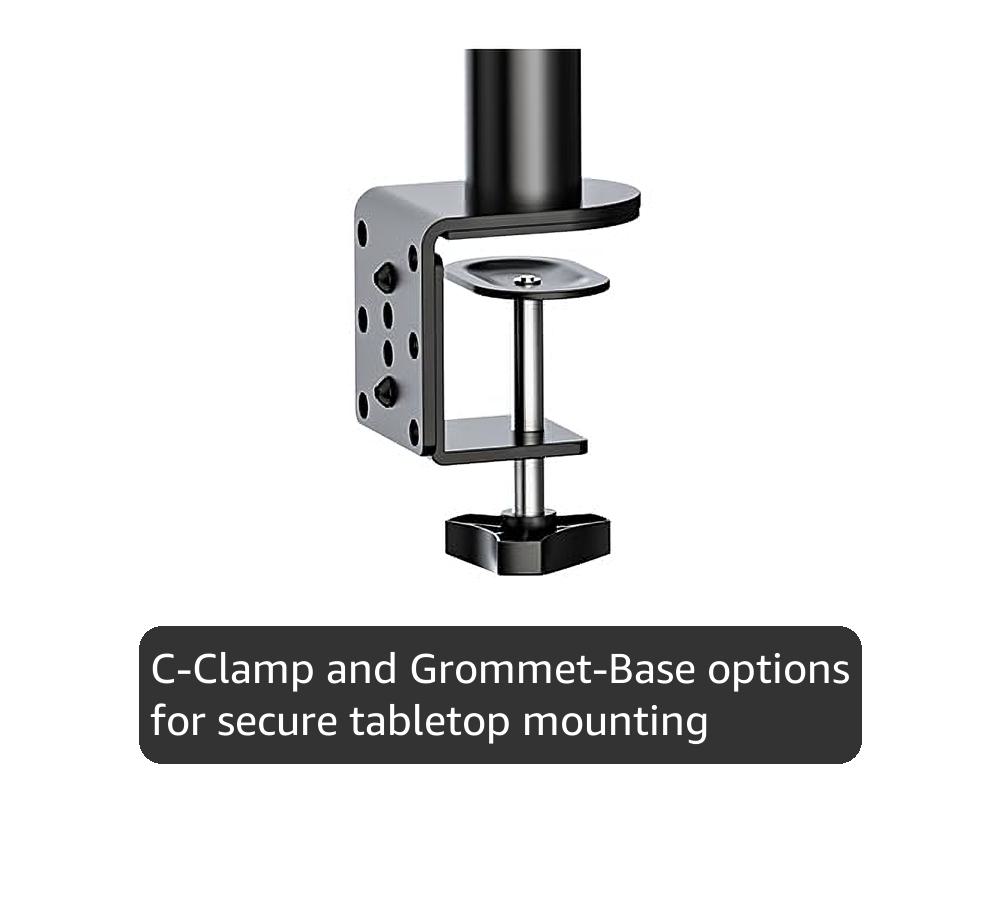
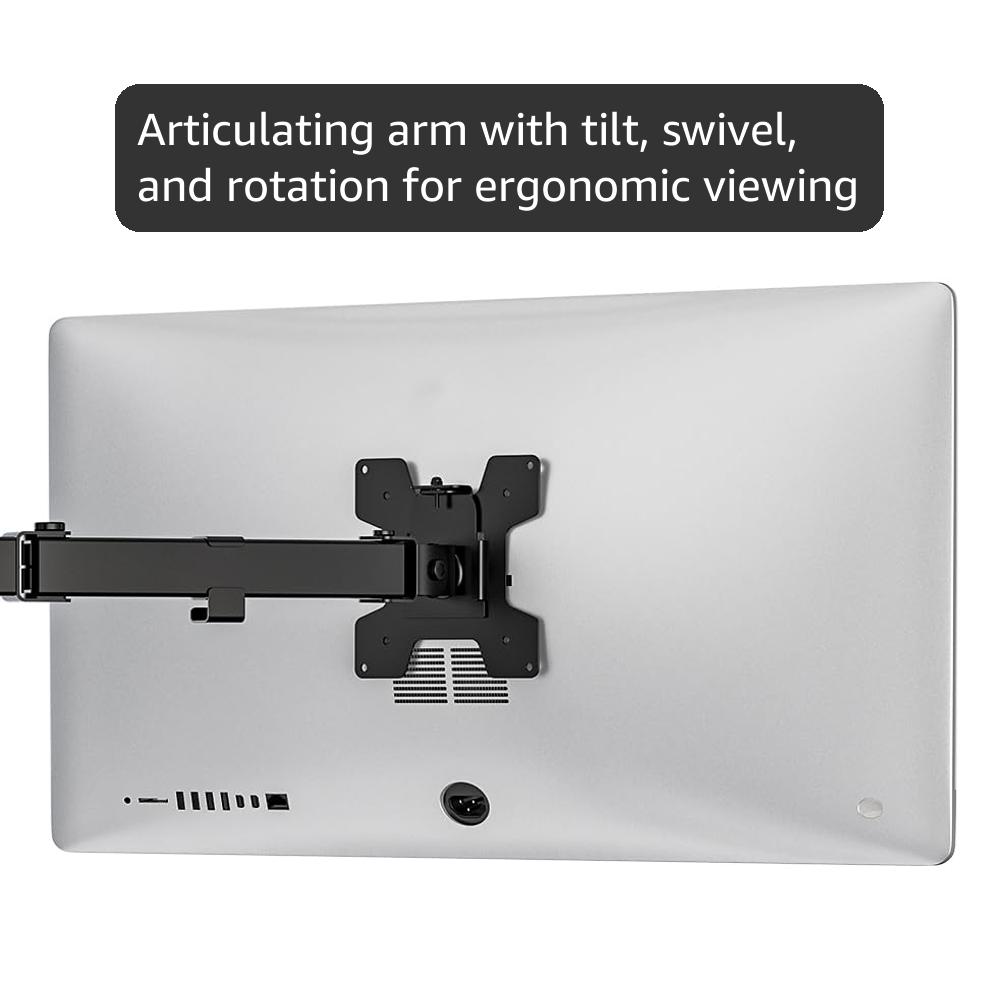
The WALI Extra Tall Single Monitor Arm Mount is engineered for professionals seeking ergonomic excellence and desk optimization. Compatible with monitors up to 32 inches and 22 lbs, it features a robust alloy steel build, versatile two-stage mounting (clamp and grommet), and full articulation with tilt, swivel, and rotation. Designed to reduce neck and eye strain, it transforms any workspace into a sleek, productive environment with easy installation and US-based customer support.


| ASIN | B01IWOCCOW |
| Best Sellers Rank | #27 in Computer Monitor Arms |
| Brand | WALI |
| Built-In Media | mount, hardware kit and installation instructions |
| Color | Black |
| Compatible Devices | Monitor |
| Customer Reviews | 4.6 out of 5 stars 4,983 Reviews |
| Enclosure Material | Alloy Steel |
| Global Trade Identification Number | 00811278020603 |
| Item Height | 6.42 inches |
| Item Type Name | Single Mount |
| Item Weight | 7.94 Pounds |
| Manufacturer | WALI |
| Maximum Tilt Angle | 90 Degrees |
| Maximum-Supported Screen Size | 32 Inches |
| Minimum-Supported Screen Size | 13 Inches |
| Mounting Type | Tabletop Mount |
| Movement Type | Articulating |
| UPC | 811278020603 |
| Warranty Description | 10 Year |
A**E
An outstanding elevated mount for table or desktop.
I have two PCs running six monitors on my desk. I run a complex GIS workstation and often need multiple windows open at once. To accomodate a new 32" monitor, I had to move one mo my 27" ASUS PB278Q monitors to an elevated location. Not having wall real estate in the immediate location, this monitor had to be supported on a pole-style mount 18" above the table top. I was impressed with the ruggedness of this rig as soon as I opened the box. Nothing flimsy about it. Every bit is overengineered to ensure nothing fails. Even the parts are separately bagged and labeled and all tools are included. Assembly was easy and the Asus monitor was up and running in about 15 minutes. Note that that 27" monitor is hanging off of the side of the pole as an outrigger, completely beyond the pole's vertical position. I used the clamp option for mounting as I saw no need to drill a big hole in my desktop. Just make sure that you really tighten the heck out of the mounting clamp to ensure that the pole stands vertically. If your desktop thickness is marginal, add a piece of wood to spread out the load. Very simple. It's rare to see a product like this - well made and worth every penny - come out of China. Too bad it's not made in the USA. That's the only downside of this. Maybe someday, we will wake up.
K**Y
Rock-solid tall mount to hold a monitor above a large monitor
I bought the 31.5 model to mount a 27" monitor above a 32" monitor on my desk. This is the first monitor mount I have ever purchased and I am thrilled with the entire mount! The installation instructions were simple to follow. All hardware was clearly notated and packaged by part number. The mount holds the 27" monitor (which isn't all that light) perfectly above my desk monitor and is very stable. Adjustment is easy and effective and It doesn't wobble one bit. The cable routing clips work well and are literally a snap to install. I used the clamp mount but a screw-down desk mount is included.
K**B
Easy to assemble, and perfect for my built-in desk!
I wanted a mount that worked with a desk grommet while still allowing cables to go through the hole, would work on a narrow (22") desk attached to the wall without making my monitor stick out past the front of the desk, and was under 20" tall so it would fit under the overhead cabinets. This mount hit all of the marks! Installation was fairly straightforward. The only issue I had with the whole install was that the VESA mount screws were a tad too long, leaving the bracket a little less than snug. I grabbed a couple spare washers from my garage, and I was back in business! I like that I can lock in the height (have to tighten it with the allen wrench, but I don't intend to move it often), the arm articulates well, and it supports rotation. I also like that the VESA mount is in two pieces, which allowed me to mount it to my monitor and then slide it into place on the arm, securing it with a cap nut. It feels secure, AND I get to recover the space underneath the monitor (and permanently evict the dust bunnies!) I paired this with a small rectangular USB 3.0 hub, which I was able to zip tie to the arm, allowing me to hide all my peripheral attachments. The included cable management is simple and does the job. Super happy with this purchase!
T**Y
Overall, very good for the price.
For the price, I’m pleased with it. Overall, it’s a sturdy stand with quality machining. All the screws went in easily, poorly machined products have crooked holes or bad threads. The mount base comes with 2 types, standard mount for a desktops surface. The other one is for desktops with monitor holes/cabling drilled through them. All the parts are heavy gauge and I encountered no difficulty during assembling. There seems to be a tension screw for the tilt feature. I had to tighten the screw that holds the tilt joint together because out of the box, the monitor flopped forward hard. I had to be mindful while mounting it to the main arm so it wouldn’t slam into my glass desktop. The 2 arms that allow you to move the monitor forwards and back, left and right were a little stiff, I loosened the screw a bit on the main arm, at the pole. That seemed to be all that was required. I tried to loosen the bolt where the 2 arms meet, and it wouldn’t budge. I didn’t force the issue. The instructions were adequate for assembly without covering anything else, like adjusting the tilt bolt for the weight of the monitor. So, while I think this was a good mount for the investment, there are tradeoffs to mention. I’m accustomed to swinging my monitors upward and dusting underneath them. Height is fixed by a screw on this one. I was struggling to install the monitor cables when I realized you can tilt the bottom toward you until the top or the monitor hits the pole, or, until it’s sitting nearly flat like a table. Elevated several inches above the desktop. I consider this a Pro / Con feature. Where the arm ties into the VESA mount, the fit is a little sloppy. It’s not a safety concern but I can wiggle the monitor backwards and forwards at the outer edges “About ¾ inch “before feeling any resistance from the mount. Same goes for tilting. I don’t see this as much of an issue. Normally, I don’t foresee any outside forces acting in the monitor to create a problem. However, there’s room for improvement. The rest of the machining seemed steller. I have multiple computers in different rooms. 32” monitors are used as primary monitors with 32” to 23” as secondaries. I like mine roughly 1” above the desk. That places the top of the monitor at my eye level and the ideal viewing angle. I have fully articulated, hydraulic mounts on most of my monitors. Nice ones for large heavy monitors run $75 to $100 and up. I paid $36 for this one. The……… WALI Monitor Arm Mount for Desk, Single Extra Tall Computer Desk Mount, Monitor Bracket Mount Stand Single, up to 32 inch, 22 lbs (M001XL), Black. Amazon lumps the reviews of similar products together, so I specified which mount I purchased. I’m using this one on a glass desktop, I’m attaching it to the same point I constructed from wood for a different mount. It didn’t lower the monitor low enough either. So, the top of that mounting point is 4” lower than the surface of the glass top. Despite being that low, I didn’t actually need the 32” pole / monitor mount, the 16” model would have worked. There’s still 2” of pipe available above the arm. The 32” was on sale & I didn’t know if the 16” would suffice. The pole is a screw together 2 piece. I unscrewed / removed the other pole as it looked out of place in my dual computer setup. That leaves a hole in the top of the pipe / mount. I wish they included a cap for that. The top pipe has a cap but of a different diameter. I’d like to give it 4 ½ Stars but Amazon won’t let me. I’ve got to go with 4. Height adjustments with heavy monitors and an Allen wrench can present a challenge, it’s the nature of the beast and I won’t give it 5 stars for a few reasons. The sloppy VESA mount and loose tilt motion. No instructions that cover that, or if I was supposed to loosen the arm at the pole to improve motion. I would recommend this mount to others.
S**O
Good enough to replace my others!
Trying to arrange multiple monitors on a single desk is usually never an easy task, even less so when your desk is against a wall, in a cove, and/or just has limited space in general. When I made the transition from YT content creation to live streaming, I felt a need for a third monitor... as I already had two monitors (side by side) on a dual-monitor desk mount, but I had no more room to expand (horizontally)... I could only go UP! After searching through all the monitor stands over and over again, I ultimately decided on this WALI "Extra Tall" mount, and I'm glad I did! Not only is it more sturdy than the dual monitor mount I had already owned (even with just one monitor on it), but this one is much TALLER, has a considerably longer arm, and I don't have to tighten down all the bolts once I get the monitor in the position/orientation I want it to be in... like I do with the dual monitor mount. That one, I have to loosen the bolts, move the monitor, then tighten the bolts... otherwise it sags, tilts, rotates... etc etc. The WALI mount though, yeah... it holds the monitor exactly where & how I want it! Currently it is only holding an older 27" Acer monitor, which also happens to be an 'nVidia 3D Vision" monitor... which were exceptionally heavy monitors for their size! The arm is secured near the very top of the pole in order to have that monitor above my primary larger 32" monitor, and is slightly tilted down/at me. It doesn't wobble, it doesn't drift, the arm articulates easily enough, and it doesn't even sag when I extend the arm outward all the way! It simply does what it's meant to, and it does it well enough that I'm replacing my dual-monitor stand with another two of these. (They don't sell the arms separately, so I have to buy 2 additional mount kits in their entirety. I plan on using just the arm from one of them to add to the pole I already have mounted, and then I'll use the 3rd kit in it's entirety for the 3rd monitor.) Why do this if I already have my 3 monitors mounted to my desk? One, the WALI mount is much more sturdy! Two, the WALI arms are almost twice the length of the arms on the dual mount I currently own. Three... again, I don't have to mess with the bolts every single time I want to make even a tiny adjustment! The WALI mount is just... better in every way! Sturdier, longer, easier to adjust, and less pricey!
J**R
Fantastic Product
The Wali Single Monitor Desk Mount works better than I expected. First, the basics. The mount comes well packed and the instructions are very simple to understand. There is so little assembly required that the instructions are almost not needed. Assembly and installation can be done in less than ten minutes (not including cable management if you choose to use that feature). Adjusting everything is easy. Overall quality of the parts and the assembled product are quite good. I have two monitors that I wanted to mount on a flat desktop. I needed to be able to get the monitors right next to each other and still have the desk flat against the wall. Most double monitor stands will not allow for this unless your monitors are the perfect size for the spread of the arms. The movable arms will usually flex toward the wall if you want the monitors to be edge-to-edge with each other. The result is the desk having to be offset from the wall to accommodate this. By using two single monitor stands, I am able to move the posts to positions that allow the arms to be extended in such a way that everything is flat with the wall. The other frequently stated issue with most monitor stands is that the arms have hydraulic pistons and/or springs to deal with the weight of the attached monitors so they are easy to move up and down. These pistons and springs are often of poor quality and either fail quickly or don't work as expected from the get-go. This is not a problem with the Wali Single Monitor Desk Mount. The arm is solidly attached to the 16" pole and only moves up and down by loosening the arm mounting and sliding the arm up or down on the pole. The arm, once set to the desired height, can be move forward, backward, side-to-side and tilt. This makes for a much sturdier setup with no pistons or springs. This system works very well, since I (and I think most people) have little need to move a monitor up or down after the initial installation. I leave the included Allen wrench stuck in one of the vertical facing screws behind a monitor so that it is always handy but out of sight. If I do need to move the monitors up or down, the tool is right there. I will buy two more of these for my wife's desk.
P**K
Overdo is what I do
Since my 50" monitor is under the 22lb weight limit, I decided to give this arm a shot. Nobody seems to make an arm for something as big as a 50-inch even if they don't actually weigh that much. So what happened? The arm CAN support that weight and size. The manufacturer did a great job on the materials and it assembles very easily. For a regular monitor, this arm should work great. But the clamp design is not exactly sturdy enough for my bigger screen that exceeds the intended use. Clamped to the table top alone, the pole had a serious and unsafe lean to it. I ended up reinforcing my table with three layers of plywood secured with lag bolts right through the table top. Between the layers of plywood is the table top and a steel beam that the table top sits on. So this is a ridiculously strong base. With that in place, the arm does hold the monitor in the fully retracted position. Extended, there is way too much leverage and the arm starts to lean. So don't do that. It needs to stay totally retracted to the pole. To fit my monitor, I had to get VESA extension wings and those worked fine. This provides the solution I am going to use: angle irons bolted to the wings and running down to the table. I have room to do this. The angle irons will take up most of the weight and let the arm stay vertical and let me move it around. So it will be a three-legged mount instead of one. Eh. It will work fine for me until I come up with something better. Very tempted to drill holes in the clamp base and lag bolt that to the table. Nothing is going to beat that except welding it.
M**H
Sturdy, aesthetically pleasing desk mount for a reasonable price.
Overall, this is a great product considering the $27 price tag. Looks nice, seems sturdy, and necessary tools are included. Pros: - Lightweight, easy to assemble and adjust - Appears sturdy based on initial use - Aesthetically pleasing - Plastic cable hooks are useful for cable management - Significantly reduces monitor wobble when typing (vs. factory monitor stand sitting on desk) Neutral: - C-clamp base is massive at 3" x 3". This is almost certainly necessary for stability / safety when mounting heavier 27" monitors, but still unexpectedly bulky. The width is mentioned in the product pictures, but both width / depth could and probably should be explicitly mentioned in the product description. My PC desk has a 2" overhang, with a slightly beveled edge, so I used a dense piece of cardboard underneath the overhang to ensure that the clamp was flush and level. - Arm cannot be folded flat against wall due to inherent design limitation (180 degree joints), so vertical post must be placed off-center if desk is against the wall. So if you plan to move the monitor forward / back and want to keep it centered on your desk in any position, expect to do some fiddling with the mounting location of the vertical post. This is not really a drawback when you consider the price tag, and if you have space behind your desk this is obviously a non-issue. Cons: - One cable hook snapped as I was attaching it to the monitor arm, but I was able to make a flimsy repair with packaging tape. Note to anyone considering this mount for use with a TV instead of a monitor... some manufacturers (Samsung in my case) use larger or non-standard VESA mounting sizes such as 200 x 100mm. I purchased the following Mount World adapter plate along with four M4-.7mm x 10mm flathead screws / nuts from Home Depot. The adapter included a bag of various nuts / bolts / washers, but the provided flathead screws were unfortunately too large to fit the original VESA plate included with the WALI mount. Mount World 1056 VESA 200 x 200 Universal Adapter for Medium Mounts
Trustpilot
3 weeks ago
1 week ago



