
DOWNLOAD THE APP


Customer Services
Copyright © 2025 Desertcart Holdings Limited
DOWNLOAD THE APP
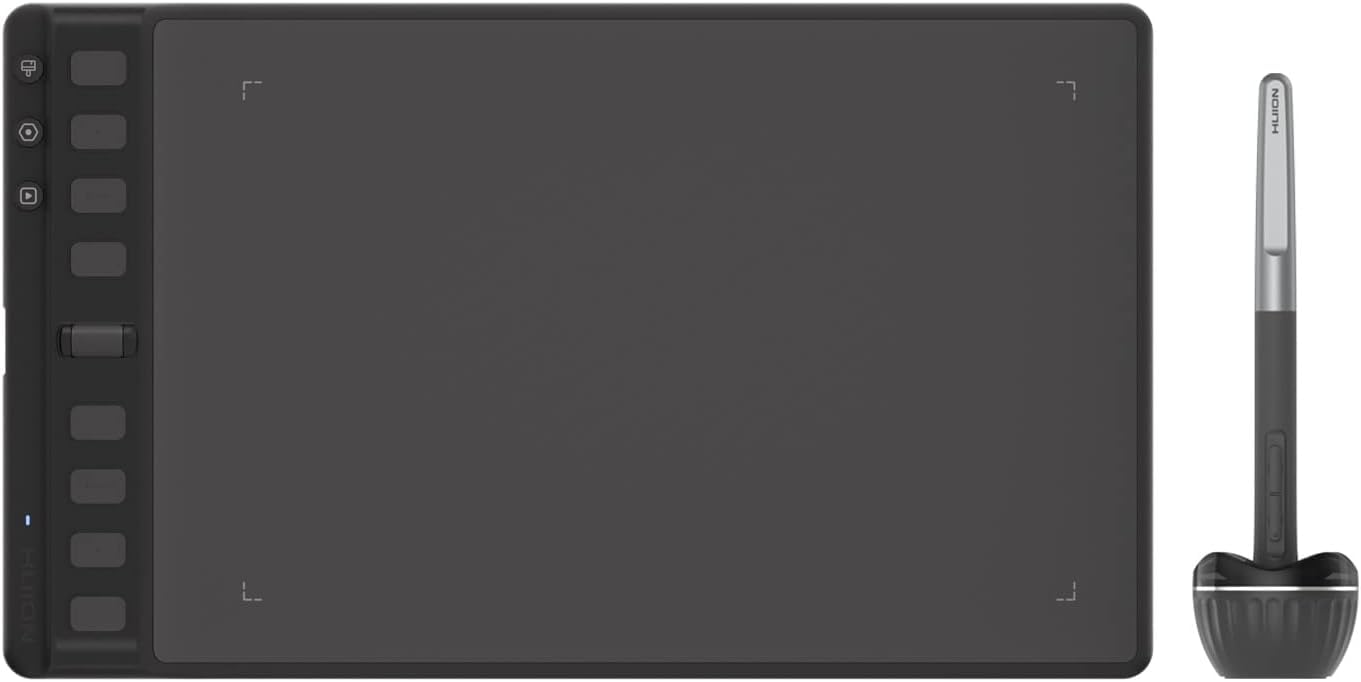
🎨 Elevate your digital canvas with precision and speed — don’t just create, inspire!
The HUION Inspiroy 2 M is a professional-grade graphics tablet featuring advanced PenTech 3.0 for 8192 levels of pressure sensitivity, an ergonomic PW110 stylus with no battery required, and 8 customizable shortcut keys plus a scroll wheel for enhanced workflow efficiency. Compatible across Windows, macOS, Linux, and Android devices, it’s designed for seamless, precise digital art, study, and remote work.


| ASIN | B0BL2FVTN1 |
| Active Surface Area | Aproximadamente 300 centímetros cuadrados o menos |
| Best Sellers Rank | 6,214 in Computers & Accessories ( See Top 100 in Computers & Accessories ) 19 in Graphic Tablets |
| Box Contents | Stylus, Shortcut Keys |
| Brand | HUION |
| Brand Name | HUION |
| Colour | Black |
| Compatible Devices | Computers running Windows or Mac OS |
| Connectivity technology | USB |
| Country of Origin | China |
| Customer Reviews | 4.6 out of 5 stars 1,492 Reviews |
| Display Type | LCD |
| Item Dimensions L x W | 30L x 11W centimetres |
| Item height | 0.1 centimetres |
| Manufacturer | HUION |
| Model Name | Inspiroy 2 M |
| Model Number | Inspiroy 2 M |
| Model name | Inspiroy 2 M |
| Native Resolution | 2048 |
| Network Connectivity Technology | USB |
| Operating System | Windows, macOS, Android |
| Operating system | Windows, macOS, Android |
| Pressure Sensitivity | 8192 Levels |
| Pressure sensitivity | 8192 Levels |
| Product Features | 8 programmable hard buttons |
| Screen Size | 11 Centimetres |
| Special feature | 8 programmable hard buttons |
| Specific Uses For Product | drawing;design |
| Target Audience | Professional painters, students and hobby users |
C**T
Works on Mac with no issues.
Bought to replace an older model and as before works perfectly on my Mac. Took a little while to work out how to get the scroller working for brush size but got there in the end. Not having to charge the pen is a real bonus unlike my old one. Perfect size even with a big screen. Makes masking/selecting in LR/Photoshop a breeze. Good support on website as well.
J**S
A good tablet
Is a nice size, easy to set up and looks to be good quality. The pens is light and good to use, accurate and does not need a battery. the tablet is not wireless but that was not an issue for me. I just keep a cable plugged in to my desk computer and connect as and when required. I like the scroll bar on the side as opposed to a disc to rotate or buttons. This may be personal preference.
C**Y
Great tablet for quick and accessible drawing and digital work
I've already had a few Huion products that have - in the general - excelled for my needs. I needed something more compact for quick tasks like masking and colouring in and this has been perfect. The pencil is pretty standard but very comfortable to use, even for long hours. The tablet is very reactive (I use on a Mac but be sure to install the Huion tablet app) and the fact that it only needs 1x USB-C for power and connectivity is really helpful. Wouldn't hesitate to recommend and even quite like the green tone!
D**H
its nice
one of my friends recommended this to me and it’s good i use it on a mac and it was easy to get working, i’ve been using it with after effects for rotoscoping masking and doing small animations, its perfect except from the way it feels on the tablet it’s not a big issue but i wish it felt more scratchy like paper rather than like i was writing on wax
M**N
HUION New Inspiroy 2 L H1061P Graphics Tablet
A great product, good size pen glides over tablet smoothly. Like the scroll wheel and preset buttons. Use mostly for photo editing in Adobe Photoshop and Lightroom, which it works well with, had a few issues when using in Word but when I turned off WINDOWS INK in tablet control panel all OK. Very pleased with this and am now using it for everything much better then a mouse just have to get used to it. I was advised when starting to not keep switching between the two just stick to the pen after few days got on well with it.
A**U
Great product
Got this for my son so many months ago, decided to wait for some time before reviewing it. So far so good, it s been very useful for him without any complaints. It s a 5 star from me.
P**S
Can't fault this tablet. It's excellent.
I have to say that I am more than impressed by this tablet. It works right out of the box with the standard driver's that are already built into Windows. However, if you download and install the software, it gets even better. Everything from buttons and scroll wheel on the tablet, to the two buttons on the stylus are all configurable. What's even better is that you can set up different configurations for different software. This makes it so easy to swap between, for example, Blender and Photoshop. In the past I have thrown away 3 different Wacom tablets because none of them could handle multiple monitors properly. This Huion just takes all that in its stride. It doesn't mess up your mouse settings, either, which other tablets sometimes do. In use, the tablet is accurate, with no jitter, and very responsive. The pen is cordless and needs no batteries or charging. It is pressure-sensitive, which takes sketching in paint programs to a different level. If you've ever tried to draw accurately, or write with a mouse, you'll now how difficult that is. This tablet opens up a whole new world of graphical input, and it's not expensive.
M**L
TOTAL BARGAIN compared to competitors
I have over the years used LOTS of pen tablets (I am a working photographer) ...... I have used Wacom for decades and recently Xencelabs. The Huion is equally as good as Xencelabs and 90% as good as Wacom. In short - honestly - IT IS A BARGAIN!!!
Trustpilot
2 days ago
1 month ago