




💡 Light up your life smarter, not harder.
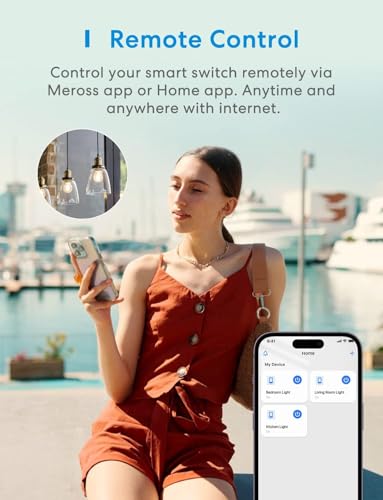
The meross MSS510HK Smart Light Switch is a sleek, single-pole Wi-Fi switch requiring a neutral wire, compatible with Apple HomeKit, Siri, Alexa, Google Assistant, and SmartThings. It supports 2.4GHz Wi-Fi, remote control via the Meross app, voice commands, and customizable schedules including sunrise/sunset automation. Installation is quick and straightforward, designed for standard Decora faceplates, and requires no additional hub, making it a perfect upgrade for a connected, energy-efficient home.


| ASIN | B087P3DM42 |
| Best Sellers Rank | #99,779 in Tools & Home Improvement ( See Top 100 in Tools & Home Improvement ) #1,002 in Electrical Wall Switches |
| Item model number | MSS510 |
| Manufacturer | meross |
| Product Dimensions | 11.94 x 7.11 x 3.81 cm; 83 g |
G**A
Funciona bien, estable
J**P
In the interest of full disclosure, Meross provided a free switch for me to test and review for them. Their program does not require the review be in their favor, so I am free to post whatever I want. That said, I truly have no complaints with this device. It installed easily, as long as the installer isn’t afraid to work with electrical wiring, and setup was easy. Meross has been my smarthome brand of choice lately, due to their stuff just working really well, the simple and fast firmware updates, their great customer support, and how easy it is to work with their app. So, when Meross reached out, asking me to test their new switch, I jumped on the offer. Frankly, aside from adding support for Apple HomeKit, this switch looks and feels exactly the same as their non-Apple enabled switch. I was glad to see this. Another brand I previously had been using, changed the look of their switches with each new model. So I was happy to see that Meross maintained a consistent look. A new “screwless” switch plate was included in the box, but I was installing this into an existing two switch location. While I was at it, I replaced the second switch (powering a ceiling fan) so that it matched, and used a double gang switch to separate the fan and lighting circuits. Like most smarthome switches on the market, this one does require a neutral wire. While I didn’t have any neutral wires readily available in the junction box, I did have one passing through to an electrical outlet nearby. So I just had to pull that neutral back from the outlet, and then add a new 3’ long wire to replace what I’d pulled out. Added 5 minutes to the installation. As soon as I powered up the new Meross smart switch, it was ready for setup. I opened the Meross app, clicked the “+” sign in the upper right, and selected the type of device I was installing. It sent me to my WiFi config page so I could connect to the AdHoc wireless SSID from the switch. As soon as I connected to the switch, I was prompted with a pop up informing me this switch was Apple HomeKit enabled and asking if I would like to add it to HomeKit as part of the process. It then opened the Apple Home app for me and HomeKit setup was all of 60 seconds. I then switched back to the Meross app and completed the setup in there. As soon as I was finished, I got a notification from my Amazon Alexa app that it had already discovered the new switch and could now control it for me. This was so much easier and wrinkle free than the previous manufacturer I used to use. I’ve included a couple photos showing the original switches, the inside of the junction box, where you can see the neutral passing through in the back right corner, and how it all looked once I was finished. It’s a nice clean look. As for performance, it’s working flawlessly, and instantaneously, using Alexa, the Apple Home app, and the Meross app. I’m really happy with this switch.
'**K
We currently have 13 Meross products throughout our home, including smart switches and smart plugs (both indoor and outdoor). We’ve been using them since 2020, and they’ve proven themselves over time. We bought this particular Meross Smart Switch for $25.99 in October 2025, just noting that for price tracking down the road. As clearly stated in the product description — you need a neutral wire for installation. Don’t buy this if your switch box doesn’t have one. That’s not a defect; that’s just how smart switches like this one are designed to function. Connectivity has been rock solid. The oldest Meross device we own is five years old now and still running perfectly. The only time we’ve had issues is when our internet connection itself acts up, not the switch. Response time is nearly instant — whether you’re using the Meross app or Google Home voice commands, there’s almost no lag. If you’re installing multiple Meross products, I highly recommend naming them in your modem as you go. It’s not required, but it helps keep track of what’s connected where. You can also set up routines to automatically turn lights on or off at specific times or after certain durations. We even use “away” routines to simulate someone being home when we’re not — a simple but effective security touch. Meross integrates seamlessly with Google Home. Voice commands work great — you can turn lights on or off, set timers, or even create fun routines. For example, you could link a dimmer switch to a “Movie Time” or “Sexy Time” command that dims the lights and starts music. Or, more practically, connect your bathroom fan and light to a smart switch so they always run together (and your kids can’t “forget” to turn the fan on when showering). One thing to note: these switches are a little deep, which can make installation tight in single-gang boxes. It’s doable, but plan ahead. Finally, these switches only connect to 2.4 GHz Wi-Fi. Most modern routers handle that automatically, but if you’re having trouble connecting, check your router’s settings. You might be able to assign specific devices to the 2.4 GHz band or create a separate smart-device network for smoother setup. Overall, Meross continues to impress me year after year — reliable connectivity, fast response, solid construction, and easy app integration. TL;DR: We’ve used Meross products since 2020 — 13 and counting — and they’ve been rock solid. The smart switches are quick to respond, easy to install (as long as you have a neutral wire), and integrate flawlessly with Google Home. Slightly deep design and 2.4 GHz Wi-Fi only, but otherwise perfect. Reliable, affordable, and well worth it.
A**N
Bought these to replace V1 Wemo switches. Easily installed without issue and the setup with Homekit was very straight forward.
M**O
Al instalarlo si no cuentas con conocimiento en instalaciones eléctricas puede que se te dificulte un poco colocarlo, de igual manera la aplicación (Meross) que te solicita el manual que instales te ayuda a realizar la conexión (también buscando un video en YouTube). De iguala manera, si no te sientes con confianza es mejor que hables a alguien con conocimientos para evitar que te pase algo. Una vez instalada, el resto es fácil e intuitivo.
Trustpilot
1 month ago
1 month ago



