Desert Online General Trading LLC
Dubai, United Arab Emirates
Desert Online General Trading LLC
Dubai, United Arab Emirates


🖨️ Print smarter, faster, and bolder—because your ideas deserve the best!
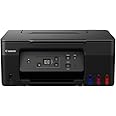
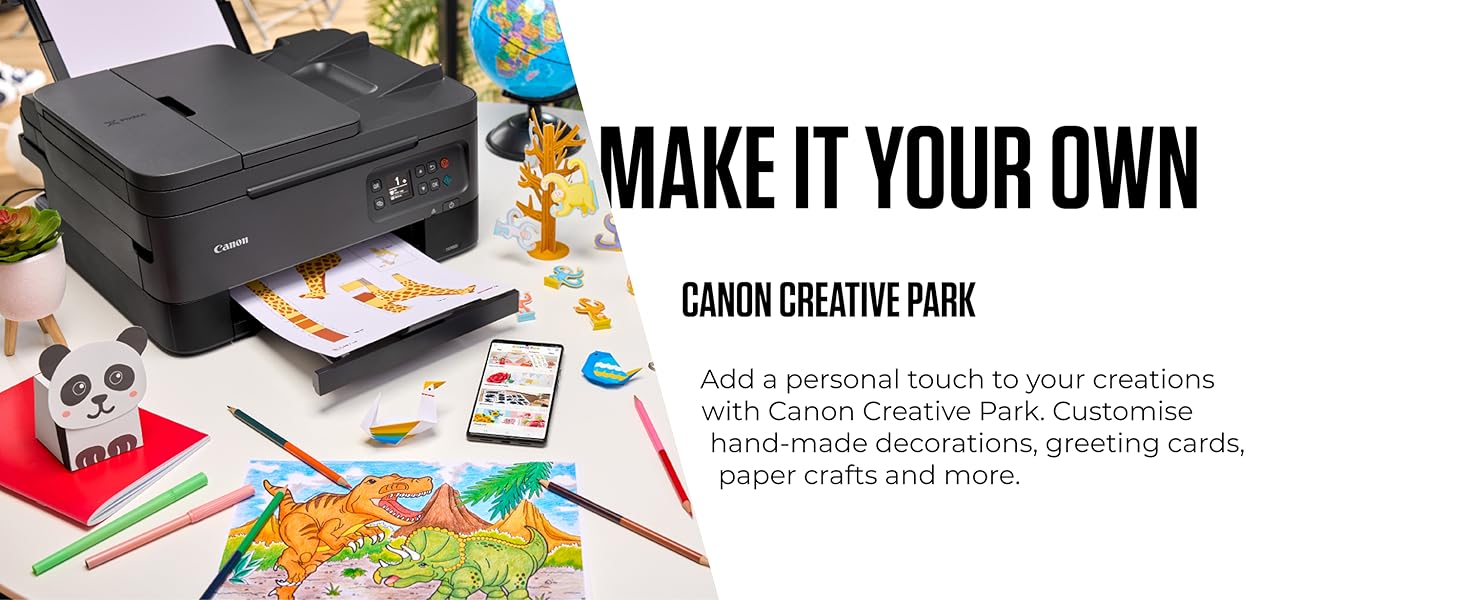
The Canon PIXMA G2570 is a stylish all-in-one MegaTank printer designed for home use, offering ultra-high ink yields of up to 7,700 color pages and fast print speeds of 11 ipm (mono). Featuring an LCD display, auto duplex printing, and compatibility with smartphones and PCs, it delivers professional-quality documents and borderless photos with exceptional cost efficiency and convenience.


| Product dimensions | 33.7D x 41.6W x 17.7H centimetres |
| Controller type | Windows |
| Maximum Supported Paper Size | Legal (216 x 356 mm) |
| Power consumption | 14 Watts |
| Included components | Ink bottle, USB cable |
| Print media | Envelopes, Paper (plain), Glossy photo paper, High-resolution paper |
| Scanner type | Flatbed |
| Max input sheet capacity | 100 |
| Max copy speed (black and white) | 3.2 Images per Minute |
| Display type | LCD |
| Compatible devices | Smartphones, PC, Tablets, Laptops |
| Maximum colour print resolution | 4800 x 1200 dpi |
| Sheet size | 216 millimeters |
| Maximum black and white print resolution | 4800 x 1200 dpi |
| Warranty type | Extended |
| Colour depth | 24 bpp |
| Dual-sided printing | Yes |
| Maximum copies per run | 30 |
| Manufacturer | Canon |
| Model Number | PIXMA G2570 |
| Number of Items | 1 |
| Size | 416 x 337 x 177 mm (W x D x H) |
| Ink Colour | Black, Yellow, Cyan, Magenta |
| Manufacturer Part Number | 5804C008AA |
| Item Weight | 6 kg |
L**Y
Canon Pixma G2570 printer
I have an old canon Pixma MP150 that lasted me a lot of years and so decided on this Canon PIxma G2570 due to the larger tanks. I had been given an Epsom ET series, and found the heads were useless and so the machine is useless, yet only just over 100 printouts had been made in the machine in total. This Canon PIxma G2570 has heads that can be replaced easy enough when they do finally stop working.I am a new user with Linux Mint and the driver was supported to Linux. Although I don't get the fancy stuff that they provide for windows users with regard to choices of printing, I do get the basics, which suit me fine. There is also the small front panel that will let me manually make choices for it with pressing the tools button. The machine was quick to set up, putting in the ink to the tanks was easy. It took the same USB cable I used with my other printer. My version of Linux Mint recognized the printer immediately and it was not too hard to install the downloaded drivers from Canon into Linux. The printing is clear and has lovely colour. Letting the ink dry for a few minutes stopped any smudging while making greetings cards. The card stock, although not recommended by Canon, was not problematic going through the printer. I used the scanner by pressing the right button and it gave an excellent copy.The manual I acquired online, informed me to do at least one full colour print out a week to stop the ink clogging up. I have not came across that problem. So far I am happy with this printer and hope to get as many years out of it, as my original Pixma MP150 I bought 14 years ago.
P**K
Good printer
For the most part I'm pleased with this purchase, especially because it came with 20% off the price. I like the economy of the Canon ink system, and the top-loading configuration makes it easier to print on card when required.Two things were disappointing/frustrating.One is that I think it's all slightly flimsy: I noticed when I plugged in the mains lead that the socket doesn't feel quite stable, which didn't inspire confidence, and the materials overall feel just a bit brittle and thin.The other thing is that this printer operates via a USB-cable connection. Without a USB cable it cannot be set up or function. This being the case, I think it should say clearly in big letters on both the box and the online purchase details, that *a USB cable is not included in the box". There is mention of a cable in the box, but that's the mains cable — which would obviously be included. It would be so easy to include a USB connecting cable, and it's so irritating to be unable to connect, that I'd have thought it worth their while to put one in the box.Other than those too reservations, everything is fine.
O**E
No wifi, no usb cable
First of all, this printer arrived a day later. For some this may not be a lot, but for me it was rather disastrous.Second, the printer DOESN'T HAVE WIFI!!! It requires a USB cable that matches the socket in the first picture, WHICH IT DOESN'T HAVE!!! So, if you don't happen to have an antique usb cable in your house, DO NOT BUY this piece of junk.Third, the setul is very unclear, very difficult. I mean... I thought that buying a big tank printer would cover that up, but you have to install the printer heads (which I assume you'll have to change, in time, too), which isn't the easiest job in the world. And I am a rather techie guy.I wouldn't recomand this even you are without a printer for good. Literally, it takes up a lot of space and does absolutely nothing!Stay away from it. I am returning!
K**R
Impressive
Easy to use and a lot less costly on ink producing great results
J**C
working well
took a bit of time to link to my computer but now working well
T**S
Couldn't get it connected
It's probably excellent, but I couldn't get it to stay connected with my pc, and there is no usb port. Always a nightmare trying to sort these problems out on line, and this was no exception. So I gave up and returned it. Others may have better success.
E**B
Nifty little printer
Impressed with this little printer - easy to install and easy to use.Printing is not very fast however it still gets the job done 1st time. I like it!
A**L
Understand this has not got WiFi
Good build quality and love the bottled ink. However I did not notice it was USB only so it has to be connected to a computer to work. This meant moving equipment around the house so as to get it connected, also the power cable is very short luckily I still had my old Canon one which is almost twice the length.I would have sent the printer back as not fit for purpose as who doesn't use WiFi printing these days but I needed to get some printing done urgently so had to use it.Means nobody in the household can print from their mobile devices anymore without the main PC being on which is a right pain.The only plus is the print quality is good.
Trustpilot
2 months ago
1 week ago