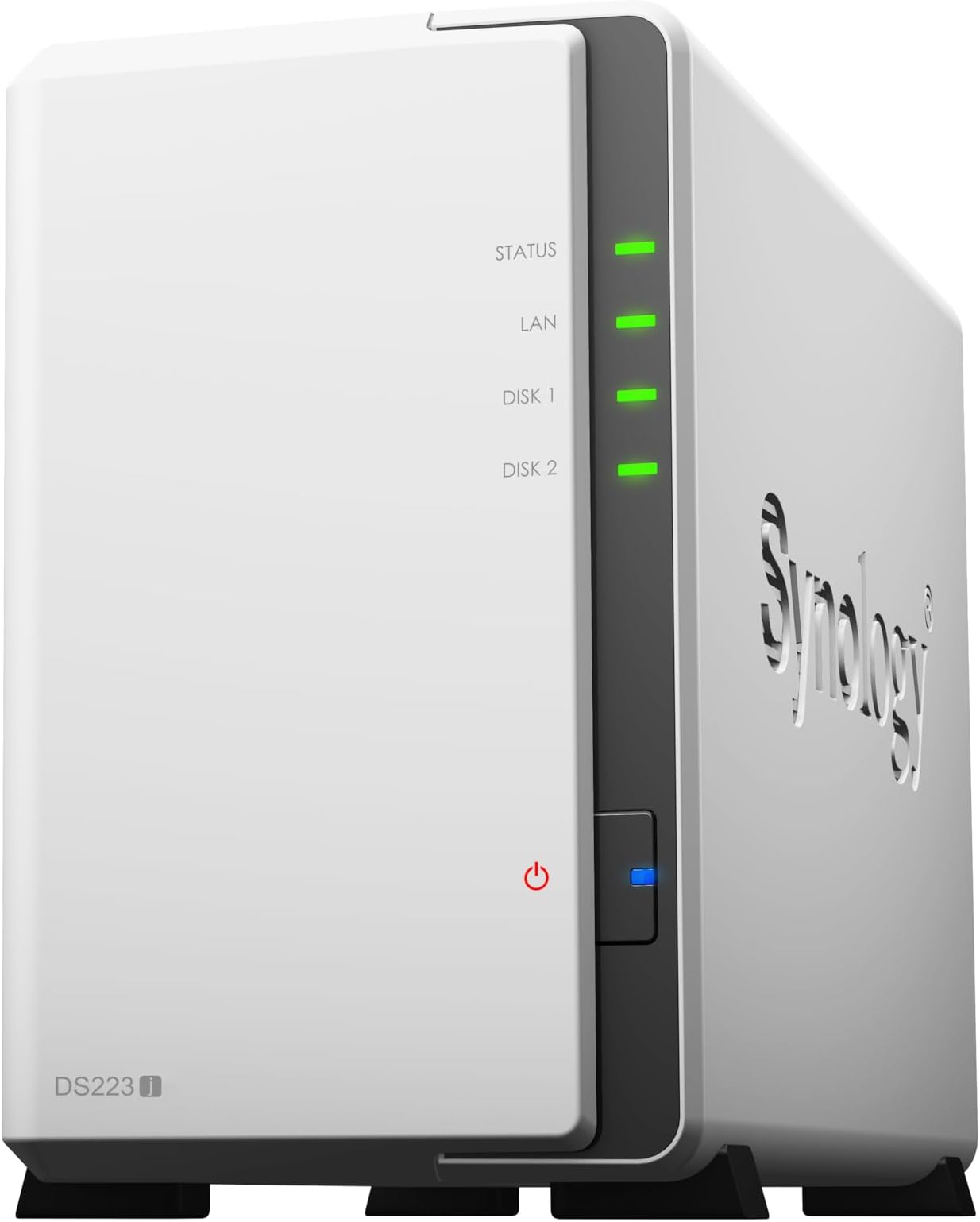
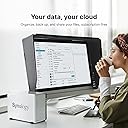
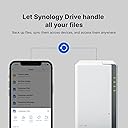
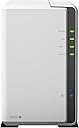
💡 Own your data, share your world — Synology DS223j, the smart NAS for savvy pros.
The Synology 2-Bay DiskStation DS223j (Diskless) is a compact, energy-efficient NAS solution designed for professionals seeking secure private cloud storage. Supporting two drives, it offers seamless multi-platform access, comprehensive backup options including RAID, and an intuitive Linux-based web interface. With a 2-year warranty and compatibility across Android, iPhone, and desktop devices, it empowers users to maintain full control over their data while enabling effortless sharing and syncing from anywhere.


| ASIN | B0C8814GKB |
| Best Sellers Rank | #3 in Network Attached Storage (NAS) Enclosures |
| Brand | Synology |
| Color | White |
| Compatible Devices | Android, Desktop, Laptop, iPhone |
| Customer Reviews | 4.5 out of 5 stars 1,398 Reviews |
| Is Assembly Required | Yes |
| Item Dimensions D x W x H | 6.5"D x 3.94"W x 8.9"H |
| Item Height | 8.9 inches |
| Item Weight | 0.87 Kilograms |
| Manufacturer | Synology |
| Size | 2-bay |
| UPC | 846504004768 |
| Warranty Description | 2 years |
A**V
Far better than WD EX2. Like WAY BETTER
I used a Western Digital MyCloud ex2 for 8 years, however the last handful of years it wasn't doing what it was intended to. I originally got a NAS to automatically back up our family mobile phone pictures as we don't subscribe to cloud storage, nor do I want my personal data in someone else's data center, no matter how secure they say it is. Western digitmade updates to Thier platform requiring the mobile app authenticate using cloud services vs connect directly over the local network. My NAS intentionally has no connection to the Internet, only our local network. With the Synology device, not only was it extremely simple to setup, the interface is amazing and not clunky like the WD EX2 was. It's a Linux desktop view and runs flawlessly in your web browser. Setting up raid 1, volumes, and shares was a breeze. User setup also simple and the way permissions is configured is simple and practical. They put a lot of work making the configuration process flow easy to follow. Most importantly, this is way faster than my EX2 was and the Synology photos app works perfectly for automated mobile backup and stays on the local network. I really like how the app gives options on when to backup, so I can say I want my phone to only backup when it's on the charger. The only downside, is the Synology device would not read my 2TB Hitachi drives. I can't complain as these drives are not on the compatibility list, but the device had no problem reading some very old SSDs that I had. It wasn't a huge deal, as it pushed me to increase capacity which I should do anyway. I purchased two WD 4TB drives on the compatibility list which worked fine. This device overall is doing exactly what I purchased it to do, it's performance faster with data transfera over my local network compared to the EX2, and the price was more than acceptable given the feature list. Last but not least, unlike the EX2, I connected my USB backup drive and restored to the Synology by drag and dropping in the Synology desktop. Was soooneasy, and took 1.5 hours to restore via direct connection vs transferring from USB, through my computer, then over the network which takes nearly 8 hours. Would buy again.
W**N
Up up and away!
Finally took the plunge into getting a more solid backup solution. I have been backing up stuff for YEARS due to a heavy lost back in the 90's. So since then I've started to back up religiously!! The sad part is back in the 90's the HD was like what... 3GB maybe 6GB. Now you got TB's. Well more stuff on 1 disk, but if that disk dies or fails.... you are SOL right. Well, I've been just backing up from drive to drive piggy backing if you will and finally I decided to try a better solution with this drive/backup system. It was recommend by someone in IT as pretty decent and it didn't break the bank! So I got it, came pretty fast I think 4 days max along with a 14TB drive (different order) this thing doesn't come w/ a drive just so you know. Setup was pretty easy, but the interface is something I was not familiar with, so it took a little bit to get use to it, but now after a month or so its just doing its thing since I have it setup. PRO's - Nice design (looks nice), easy to open/close get your drive in etc. It also has USB port in the back which is excellent! I hooked up all my (old drives to be backed up) and once setup, I was able to transfer easily from those drives to my big 14TB. So pleased with that. The webpage/browser access is ok, lots of stuff which I have no clue how to use or why I would use it... Just wanted a drive that I could "share on network" without having to have it hooked up to a pc/laptop running 24/7. This does the trick as it has a network cable and is accessible without a PC being hooked up to it. *Although I haven't figured out how to access it lol* But hey any access I need I am at home so all good for me. For your techies you can probably figure out the offsite access fairly easy I am sure. Ohhhh one feature I did understand and was able to setup really easy is this power on/off of the drive. You can setup a power off and power on time, which is cool and I think that helps because I have it turn off like midnight and then back on around 7am. So it gets a little breather..... as I am sleeping. hahahahaha CON's - Hmmm the software is bit complicated for my taste, but maybe these types of setup are ALL like this so it may not be a huge CON if that makes sense. The stuff I needed to figure out and to use I did, so if you are along my speed (know enough to be dangerous) you should be fine. The only CON and its not huge, but it drives me crazy is this one. So when you plug in a USB drive to the system.... it calls the drive USB SHARED 1. I'd like to change the name to something I can remember... so my naming convention was out the window and luckily I still had my old laptop hooked up to figure out what drive what was so I could AT LEAST keep the (drive letter) the same. That I was familiar with so a little pain, but workable. Overall.... SOLID! I'd get this again for sure! If you don't have the $$$ for a larger drive system (like 4) then this TWO drive system is affordable and solid so far. I think there is even a RAID function for cloning drives in the system if you want to do that, but for me I just wanted to backup the other USB drives I had to another drive and I've done that. So I have 1 slot open for a drive to expand when the time comes. Maybe when I get bored I will look into the webpage "apps" and see what all I can do. There are photo apps and things which I think will let you share photos.... its basically like your "own" personal cloud although I don't have it setup for access like that it would seem. I did however get my PLEX stuff over to the drive and so that's cool! Hope this is somewhat helpful for at least those who may now be as knowledgeable like myself with these setups. :-)
P**D
Well built and secure
Works great! Much better than a commercial cloud service. For me it’s very secure. Easy to set up. I have both Windows and Mac files stored on it
S**S
Great Starter NAS – Does a Lot for the Price
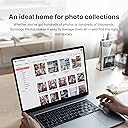
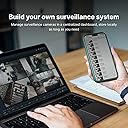
I’ve been using the Synology DS223j since February 2024, and it’s been solid. I bought it because I wanted something affordable but still capable, and this thing checked all the boxes. I threw in two Seagate IronWolf 4TB drives and set it up mainly to back up family photos. The Photos app from Synology makes that seamless — every phone in the house just backs up to it automatically. Setup was easy, but let’s be real — you still need to be somewhat tech-savvy. If you’re comfortable using a computer and not scared to follow a setup wizard, you’ll be fine. Synology does a good job walking you through everything, including setting up local and remote access. I’ve got both bookmarked and can access the NAS from anywhere. Performance is good — not blazing fast, but good enough. It slows down a little if you’ve got a few things running at once. I use Photos and Surveillance Station, and sometimes there’s a delay when spinning up the drives or opening up folders. But for the price and what it’s doing, I’m not mad at it. Right now it’s: Backing up all my family’s photos and videos Running Surveillance Station for my security cams Acting as a DNS server for my home network Running a VPN server Hosting a file server Syncing with Google Drive Handling MFA logins It’s honestly a fun little box to mess with. And Synology’s mobile apps for everything make it really easy to use on the go. Favorite part? It's cheaper than iCloud or any other cloud service in the long run. Biggest downside? You’ve got to manage the storage yourself. That means understanding how capacity works and keeping an eye on your usage. But once you get it, it’s not hard — and actually kind of satisfying. If you're a beginner looking to get into NAS, this is the move. If you're a photographer, videographer, or just tired of paying for cloud storage, it’s a great long-term option. And this model look great on my desk.
D**G
Great Product!
This thing has been working very well! Note that if the power goes out you may lose your OS configuration if you don't have that backed up. These seem to be sensitive to power outages. I now have a UPS behind my Synology NAS keeping the power outages at bay.
M**E
Simple Solution That Just Works
I wanted my own NAS to back up our family files. Originally I was going to make one using some hardware I had laying around. But I simply don’t have time to build and maintain my own custom NAS. After doing some research I settled on Synology. I’ve had it for about a year now. A modest setup (2 4TB WD Reds with Raid 1 configuration) and I’ve been pleasantly surprised so far. Setup was as easy as installing the drives, turning it on, and following the prompts. Setting up Connect was simple. Accessing files through Connect or file explorer, on Windows and Linux, is seamless. I would say I was up and running within a couple of hours of starting. Plenty of onboard applications for managing files. Robust yet simple options to manage access. A nice feature is the automatic photos backup that syncs to your phone. Once configured it will back up any new photos whenever your phone is on WiFi. My only criticism is you are limited to the compatible applications offered through Synology’s catalog. I haven’t found a way to side load other applications. But that’s the price I pay for having a self maintained system that just works. Make sure you use NAS appropriate drives (like WD red). Your satisfaction and usability using non NAS rated drives will vary. Don’t use cheap drives if you care about your data. That goes for any NAS.
C**.
Perfect for home and small office
The NAS is easy to set up and perfect for home or small office storage needs. It runs quietly, offers great backup and media server features, and the DSM software is user-friendly. Reliable, fast, and well worth the investment.
J**N
Can't recommend what never worked
We ordered one of these after our Asustor NAS died. It arrived and was set up per instructions, and never connected to the router. No IP could be found. In fact, no connection to it was ever established. Assuming it was a flaw in manufacturing, it was returned for a replacement. The replacement arrived and did the EXACT SAME THING. The error code indicated that it having no operating system was one of the reasons why it wasn't working. The other two potential reasons were no disks installed (Identical, unformatted disks were installed per the usual routine for NAS's) or that it had a "loss of configuration" status. You can't really lose what you never had, so I'm assuming it was no OS. BOTH DRIVES were returned, and a refund should be issued. AMAZON did a GREAT job getting the replacement to us, so no issues there. It's that they shipped it in a plastic bag. Typically electronics do NOT do well in plastic bags, so my guess (supported only by the possibility that this is what happened) is that the METHOD of shipping was such that a static charge could build up on the bag, and cause sufficient EM interference to detrimentally impact the memory. The NAS is mostly built out of plastic, too, which while an insulator, does nothing to stop EM radiation from passing right through it. Metal would have been better, but there wasn't enough metal in it to provide sufficient shielding. Again, that's a guess, because I can't for the life of me imagine that something like a consumer-level NAS as this is would ship without a functioning OS installed. I've set up probably half a dozen of these kinds of devices in the past, I know what is needed to ground things, and do practice good electronics hygiene when working on these. So it wasn't anything I did. It was the device (BOTH of them). I can't recommend what never worked. Two for two DOA (or at least with a blinking status light saying it wasn't going to work) gives it a one star, and it didn't even deserve that much praise. Your mileage may vary, but if it arrives in a plastic bag, I'd be concerned.
Trustpilot
1 month ago
1 week ago